Culprit for WordPress: A First Look at the Plugin That Names the Plugin Breaking Your Site
By Day Zero Guides Editorial · How we produce guides
Some links in this guide are affiliate links. If you sign up through them, Day Zero Guides may earn a commission at no extra cost to you. This never affects which products we cover or what we say about them. See our affiliate disclosure for details.
What Culprit Actually Does
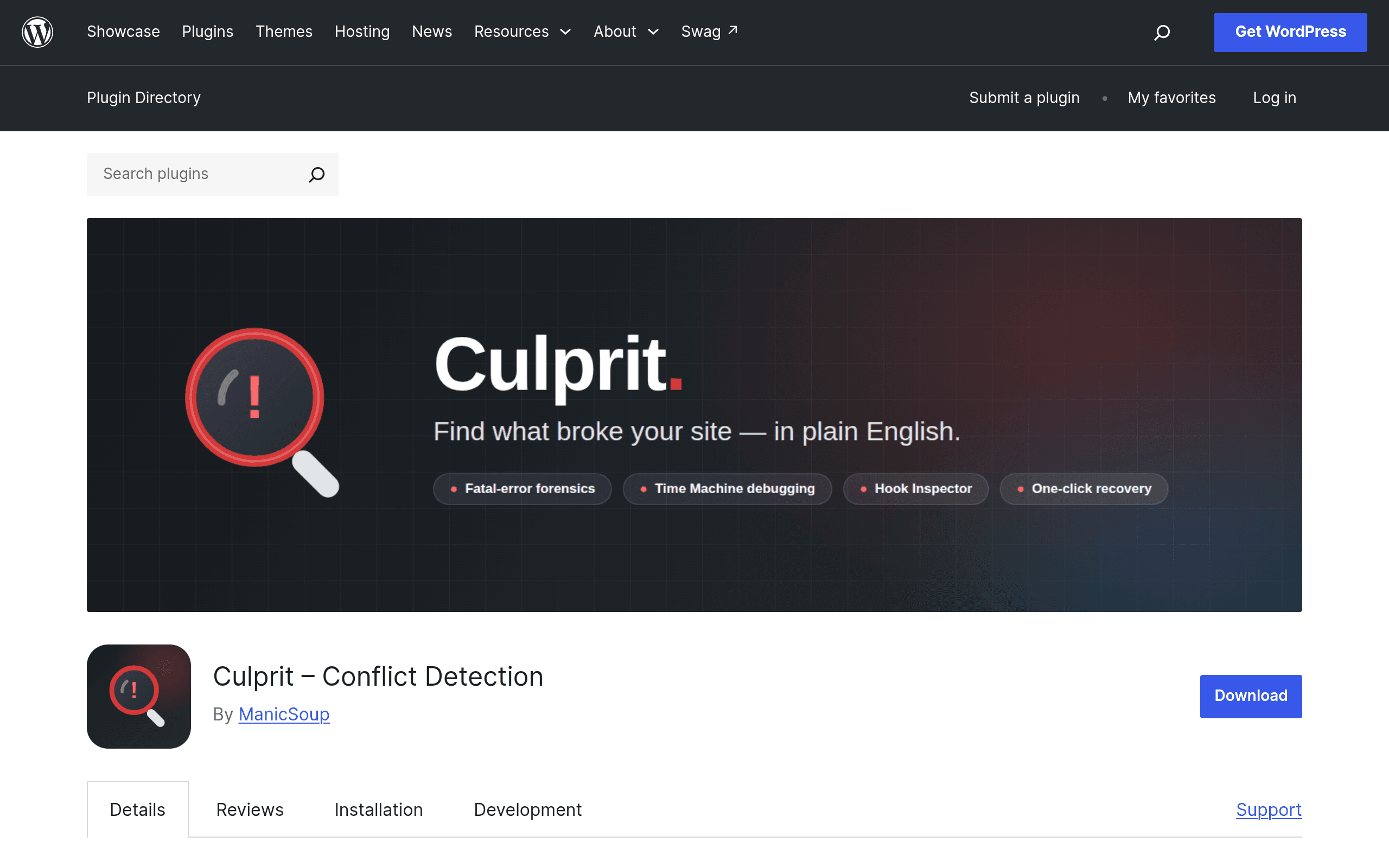
Every WordPress developer knows the drill: a site throws a fatal error or goes full white-screen-of-death, and the next hour is spent deactivating plugins one by one, refreshing, and hoping you stumble onto the one causing the crash. Culprit is a new free plugin (listed on wordpress.org/plugins/culprit) built by ManicSoup that tries to kill that guessing game.
Instead of a generic PHP error log dump, Culprit watches for fatal errors and white screens and then identifies — by name — which plugin or theme triggered the crash. It hooks into WordPress's error-handling layer, catches the fatal before (or as) it happens, and surfaces a plain-language message like "Plugin X caused this error" rather than a raw stack trace you have to decode yourself.
The free core version on wordpress.org covers the detection piece: catch the crash, name the culprit, get a basic readout of what broke. The paid tiers — Premium and Elite, sold directly through manicsoup.com — layer on three additional tools:
- Time Machine — shows you what changed on the site (plugin updates, theme edits, core updates) in the window right before the crash, so you're not just told what broke but what changed that made it break.
- Hook Inspector — lets you see which hooks and filters were firing when the fatal happened, useful for conflicts between two plugins fighting over the same hook rather than a single plugin just being broken.
- Recovery Assistant — a one-click remediation tool that attempts to roll back or deactivate the offending component automatically, instead of making you SSH in or use wp-admin's safe mode.
Pricing
The core plugin is free and installs like any other plugin from the WordPress.org repository — no account or license key required to get crash detection and culprit identification.
Premium and Elite tiers are sold separately on manicsoup.com, outside the WordPress.org listing, and exact dollar pricing isn't published on the plugin's wordpress.org page itself. If pricing transparency matters to your buying decision, go to manicsoup.com directly before committing — at the time of this guide, the tier breakdown (Free / Premium / Elite) is clear but the specific price points live only on their sales pages, not in the plugin repo. Worth noting as a minor friction point: most competing debugging tools either publish pricing on the plugin page or are fully free, so budget a few extra minutes to go confirm current rates before you plan this into a client retainer.
Who This Is Actually For
Culprit is aimed squarely at people who maintain WordPress sites for a living or as a side responsibility, not casual bloggers who update once a year:
- Agencies and freelance devs managing multiple client sites — when a client calls panicked about a white screen after an auto-update, Culprit cuts the "which plugin broke it" triage from 20 minutes of manual deactivation to a glance at the error message.
- WooCommerce store owners who've had a payment gateway or shipping plugin update silently break checkout — Time Machine's before/after change log is the more useful tier here since it ties the break to a specific update event.
- Multi-plugin WordPress builds (page builders + SEO plugin + caching + security plugin stacks) where conflicts are common but the fatal error message is generic and unhelpful.
- Site owners who've been burned by auto-updates and want something passively watching in the background rather than a manual debugging tool they have to remember to open.
It's less useful if you run a single, lightly-plugged site with infrequent updates — in that case the free tier is still worth having installed as insurance, but you're unlikely to need Premium or Elite.
How It Compares
| Culprit (Free/Premium/Elite) | Query Monitor | Sentry for WordPress | Health Check & Troubleshooting | |
|---|---|---|---|---|
| Price | Free core; Premium/Elite priced on manicsoup.com (not published on wordpress.org) | Free | Free tier (5K events/mo), paid plans scale with error volume | Free |
| Core job | Names the specific plugin/theme that caused a fatal error or WSOD | Shows hooks, queries, HTTP requests, and performance data for debugging | Centralized error tracking/alerting across environments, including WordPress | Isolates conflicts by disabling plugins/theme in a troubleshooting mode, checks site health |
| Does it identify the culprit automatically? | Yes — this is its single purpose | No — shows you data, you interpret it | Partially — gives you stack traces, not a plain "it's this plugin" answer | No — requires manual toggling to isolate |
| Shows what changed before the crash | Yes, via Time Machine (Premium/Elite only) | No | Limited, via release tracking if configured | No |
| One-click fix/remediation | Yes, via Recovery Assistant (Elite) | No | No | No, but has a built-in troubleshooting mode for manual isolation |
| Setup complexity | Low — install and it watches passively | Low, but requires reading technical output | Moderate — needs account setup, SDK/config, often overkill for small sites | Low |
| Best for | Quick identification + remediation of crash-causing conflicts | Developers debugging performance and hook behavior during active development | Teams already using Sentry elsewhere who want unified error monitoring | One-off manual troubleshooting without installing anything new |
The Verdict
The free version of Culprit is an easy yes — it's a narrow, well-scoped tool that does one thing (name the plugin that broke your site) that WordPress's default error handling genuinely doesn't do well, and it costs nothing to have running in the background. If you manage even two or three client sites, install it today; the next 3 a.m. "the site is down" text will go faster.
Whether Premium or Elite earns a spot in your toolkit depends on how often you're untangling multi-plugin conflicts rather than single-plugin crashes — Time Machine and Hook Inspector solve a real, harder problem (conflicts between two working plugins) that the free tier doesn't touch. The catch is pricing opacity: until ManicSoup publishes clear rates on the plugin page itself, you'll need to go confirm actual costs on manicsoup.com before deciding if the paid tiers pencil out against something like Query Monitor (free) or a Sentry plan you might already be paying for elsewhere. For now: install the free version, see how often it actually catches something useful on your sites, then decide if Recovery Assistant's one-click fix is worth paying for.