Memora Board First Look: A Free WordPress Plugin for Live Guest Drawings and Messages
Some links in this guide are affiliate links. If you sign up through them, Day Zero Guides may earn a commission at no extra cost to you. This never affects which products we cover or what we say about them. See our affiliate disclosure for details.
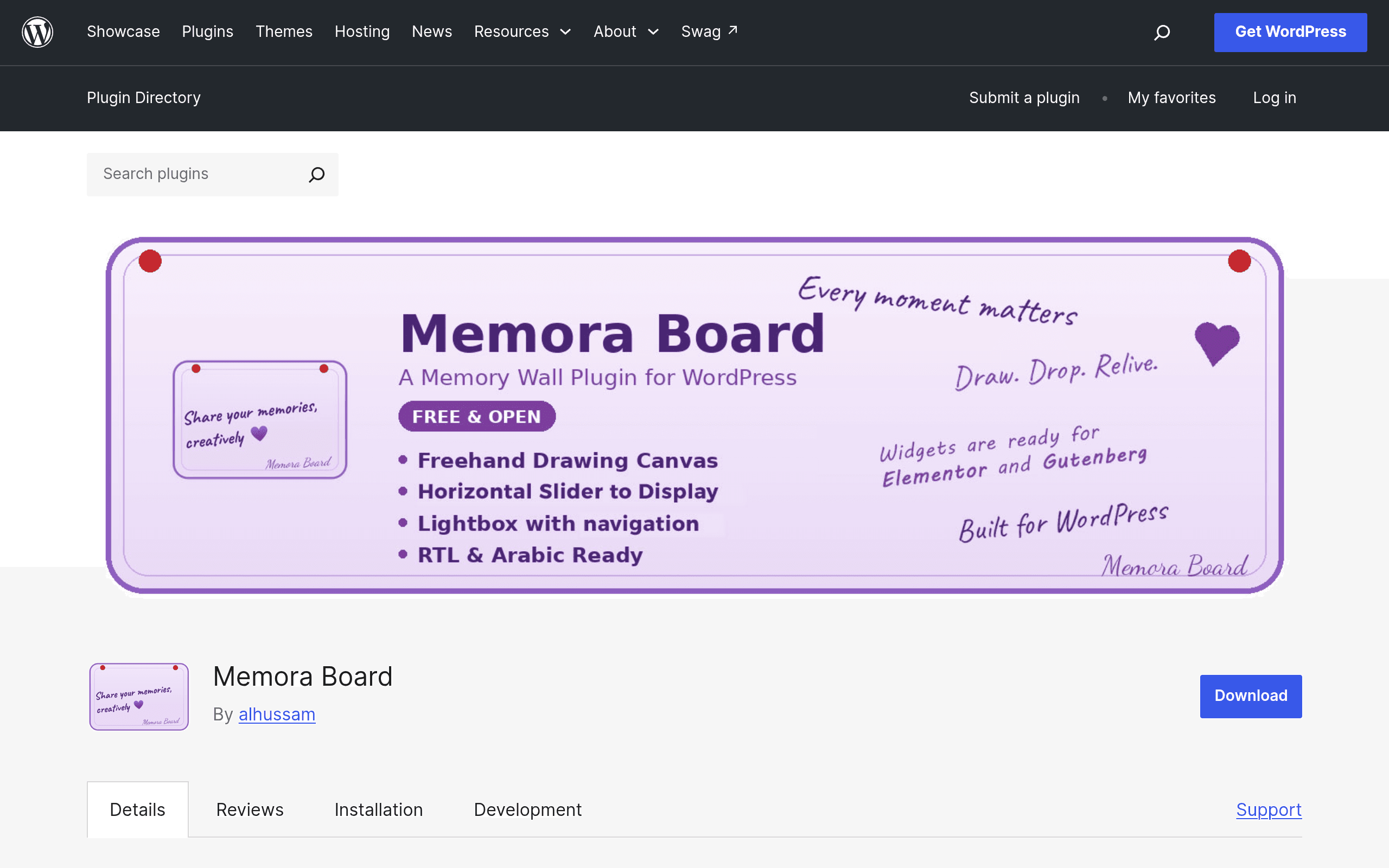
What Memora Board Actually Does
Memora Board is a free WordPress plugin, available now in the official WordPress.org plugin directory, that turns any page or post into a live interactive memory wall. Visitors can draw with a finger, stylus, or mouse, or type a short message, and submit it without creating an account or logging in. Submissions then appear on a slider-style display that can be embedded on the same page or shown separately, refreshing in something close to real time.
The plugin ships as both a Gutenberg block and an Elementor widget, so it drops into either builder without needing a shortcode workaround. There's a moderation queue built in, meaning site owners can require approval before a drawing or message goes public, which matters a lot for anything facing strangers on the open internet.
Because it's self-hosted on your own WordPress install, everything submitted lives in your database, not on a third-party server. That's the core pitch: no accounts, no external SaaS dependency, no per-seat pricing, just a plugin you install and configure.
Who This Is Actually For
This isn't a brainstorming or project management tool. It's built for a narrower, more emotional use case: capturing shared reactions from a group of people who land on a page briefly and don't want friction.
Concrete scenarios where it fits well:
- Wedding websites — guests scan a QR code at the reception, land on a WordPress page, and leave a doodle or note that shows up on a screen at the venue.
- Memorial or tribute pages — family and friends leave a drawing or short memory without needing to sign up for anything, which lowers the barrier for older relatives who won't create an account just to say goodbye.
- School or classroom sites — a teacher embeds a board for students to leave end-of-year messages, with moderation on so nothing inappropriate slips through before a parent night.
- Small business or community events — a farmers market or local festival site runs a "leave your mark" wall as a lightweight engagement gimmick tied to an existing WordPress site rather than standing up a separate app.
What it's not built for: real-time team whiteboarding, sticky-note retrospectives, or structured brainstorming with voting and templates. If you need that, keep reading.
Pricing
The core plugin is free and fully functional as listed on WordPress.org — install it like any other plugin, no account creation required to use the basic drawing wall, slider display, and moderation features.
There's a Pro version sold separately through the developer's own store at shop.alhussam.net. As of this writing, the Pro pricing tiers aren't published in a standard WooCommerce-style pricing table on the main plugin listing, so you'll need to check the shop page directly for current cost before assuming what extra features cost. Based on the plugin's feature set, Pro tiers in this space typically unlock things like additional display themes, export options, or removal of any "powered by" branding — but confirm this on the vendor's page rather than taking it on faith.
How It Compares
Memora Board isn't really a Padlet or Miro replacement — it's a much smaller, single-purpose tool — but people evaluating it are often comparing it against these because they've used one of them for a similar "let people post stuff to a shared board" need.
| Memora Board | Padlet | Mural | Miro | |
|---|---|---|---|---|
| Price | Free (core plugin); Pro pricing via separate store, not publicly listed on main page | Free tier (3 boards); paid plans from ~$8–$12/month per member billed annually | No free tier for teams; plans typically start around $9.99/member/month billed annually | Free tier (3 editable boards); paid plans from ~$8–$16/member/month billed annually |
| Hosting | Self-hosted on your own WordPress site | Cloud SaaS, hosted by Padlet | Cloud SaaS, hosted by Mural | Cloud SaaS, hosted by Miro |
| Account required for contributors | No — anonymous drawing/message submission | No for viewing a public board, but posting often nudges toward an account depending on settings | Generally yes for meaningful participation | Generally yes for editing, though guest links exist |
| Best for | Embedding a lightweight drawing/message wall directly into an existing WordPress site (events, weddings, memorials, classrooms) | Quick collaborative boards, class assignments, simple content curation | Structured workshop facilitation, design sprints, enterprise team collaboration | Complex diagramming, product planning, cross-functional whiteboarding at scale |
| Real-time collaborative drawing/canvas depth | Basic — freehand drawing plus short text, displayed via slider | Moderate — cards, media embeds, but not a freeform shared canvas | Deep — full whiteboard with templates, frameworks, facilitation tools | Deep — full whiteboard with extensive shape/diagram/integration support |
| Data location | Your own database (self-hosted) | Padlet's servers | Mural's servers | Miro's servers |
The honest takeaway: if you already run a WordPress site and just want a one-off interactive wall for an event, Memora Board is cheaper and simpler than spinning up a Padlet account, and it keeps the data on your own hosting. If you need actual collaborative whiteboarding for a team — retrospectives, journey mapping, sprint planning — none of that is Memora Board's job, and you should be looking at Mural or Miro instead.
Setup Reality Check
Installing it is standard WordPress plugin procedure: search for "Memora Board" in the plugin directory from your dashboard, install, activate, then either insert the Gutenberg block or drag the Elementor widget onto a page. There's no external account setup required to get the free version running, which is a genuine point in its favor compared to SaaS tools that require sign-up flows before you can even test the product.
Because submissions are anonymous by default, the moderation setting is worth configuring before you publicize any link — turn on approval-before-publish if the board will be public-facing, especially for anything tied to a real name or event where you don't want unmoderated content going live instantly.
Should You Install It Today
If you run a WordPress site and have a one-time or recurring need for a low-friction, no-login drawing/message wall — a wedding, a memorial, a school event, a small community gathering — Memora Board is worth the ten minutes it takes to install and test, precisely because the downside is minimal: it's free, it's self-hosted, and it doesn't lock you into a subscription just to try it.
If what you actually need is structured team collaboration with templates, voting, and facilitation tools, skip this one and go straight to Mural or Miro, both of which are built for that job and neither of which pretends otherwise.