EchoPing First Look: Free Telegram Order Notifications for WooCommerce, Tested
By Day Zero Guides Editorial · How we produce guides
Some links in this guide are affiliate links. If you sign up through them, Day Zero Guides may earn a commission at no extra cost to you. This never affects which products we cover or what we say about them. See our affiliate disclosure for details.
Who This Is Actually For
This plugin makes the most sense for a specific kind of store owner: someone running a small-to-mid WooCommerce shop (say, under a few hundred orders a day) who checks their phone constantly anyway and wants order awareness without babysitting an inbox or a dashboard. Concrete scenarios where it earns its place:
- A one-person dropshipping store that needs to know the second an order comes in so they can forward it to a supplier before a stock cutoff.
- A local bakery or print shop taking custom orders through WooCommerce, where the owner is on their phone in the kitchen or on the shop floor and email is too slow or too easy to miss.
- A small agency managing 5-10 client stores, using separate Telegram groups per client so different team members get pinged only for the stores they manage.
- A pre-order or flash-sale launch, where the owner wants a live, low-friction feed of orders hitting the store in real time without refreshing WooCommerce Analytics.
Where it's a poor fit: stores with high order volume (hundreds per hour) where a constant stream of Telegram pings becomes noise rather than signal, or teams that already have mature Slack-based order ops and don't want a second notification channel to check.
What EchoPing Actually Does
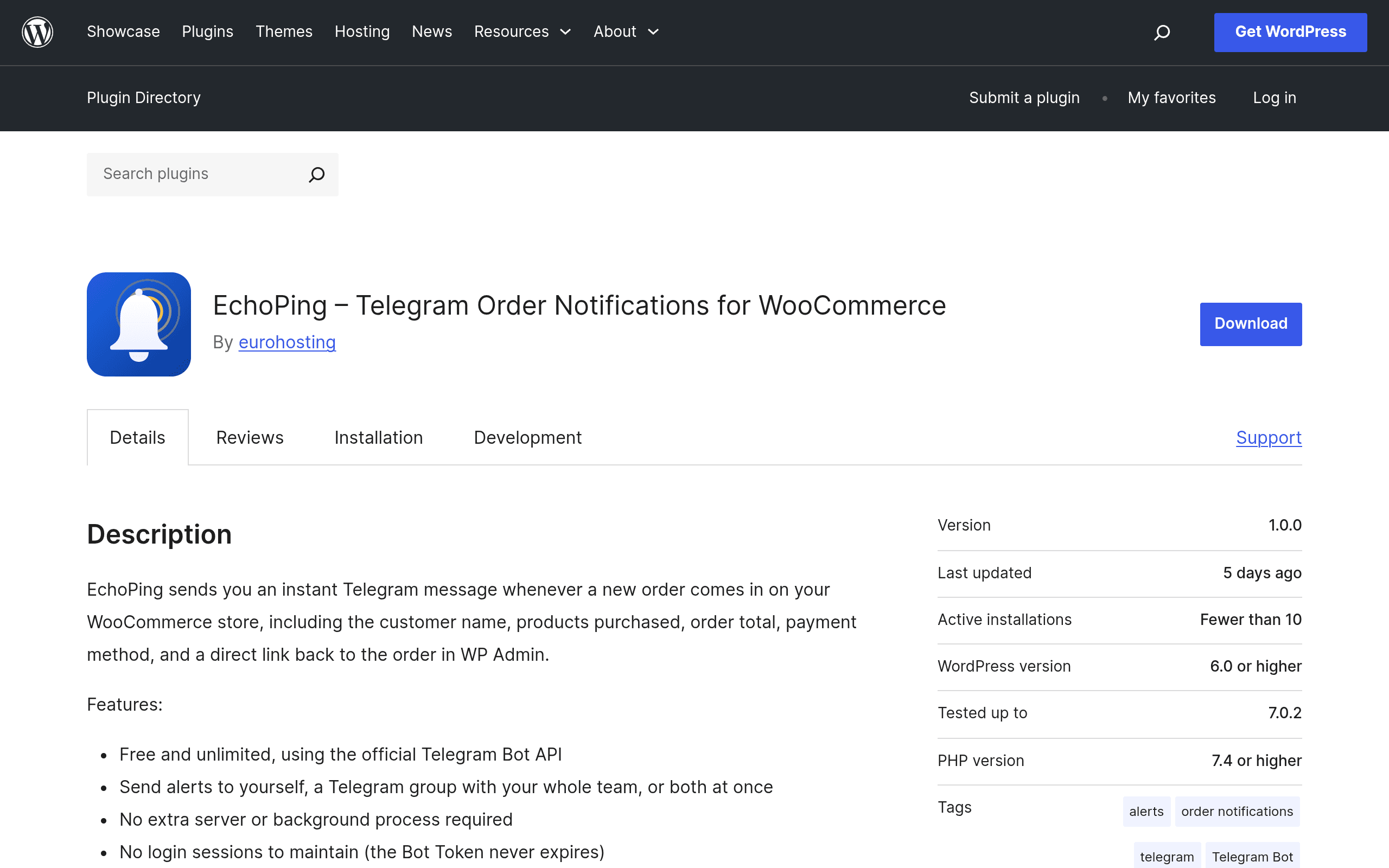
EchoPing is a WordPress plugin that connects your WooCommerce store to a Telegram bot so that every new order — and every status change on that order — shows up instantly as a Telegram message. Unlike a generic "new order" email ping, the messages include structured order details (customer name, items, total, shipping address, payment method) and, if you enable it, inline buttons that let you mark an order as Processing, Completed, or Cancelled directly from the Telegram chat, without opening wp-admin.
It runs entirely on the free, official Telegram Bot API. There's no middleware service, no third-party server relaying your data, and no subscription. You create a bot through Telegram's @BotFather (a two-minute process), paste the bot token and your chat ID into EchoPing's settings screen, and order events start flowing immediately.
Setup Reality Check
Installation is standard WordPress plugin install-and-activate. The friction point, such as it is, is creating the Telegram bot itself — talking to @BotFather, naming the bot, grabbing the token, then messaging the bot once to retrieve your chat ID. It's not hard, but it's a manual step most WooCommerce email setups don't require. Budget 5-10 minutes total for first-time Telegram bot creation; after that, adding notifications for status changes is just checkbox configuration inside WooCommerce's existing order status list.
Pricing
EchoPing is free and unlimited, full stop — no order caps, no paid tier, no upsell to a "pro" version at time of writing. It's distributed through the official WordPress.org plugin repository, which also means it's had a basic review pass for security and coding standards, though as with any WordPress.org plugin, you should still check the changelog and support forum for how actively it's maintained before relying on it for critical alerts.
How It Stacks Up
| EchoPing | WooCommerce Email Notifications (built-in) | Twilio SMS for WooCommerce | Slack for WooCommerce | |
|---|---|---|---|---|
| Price | Free, unlimited | Free (built into WooCommerce core) | Free plugin + Twilio usage fees (~$0.0079/SMS in the US, varies by country) | Free plugin, requires Slack workspace (free tier works, paid tiers from $7.25/user/mo for full history) |
| Delivery speed/reliability | Near-instant via Telegram push, no spam-folder risk | Depends on transactional email deliverability, can land in spam or be delayed by host mail queues | Near-instant, but SMS can be throttled or blocked by carriers | Near-instant if Slack notifications are configured correctly |
| Interactive actions | Yes — inline buttons to change order status from the chat | No, view-only, must go to wp-admin | No, one-way text alert only | Limited; typically view-only unless custom workflow built with Slack API |
| Setup complexity | Low-moderate: requires creating a Telegram bot once | Zero setup, already active | Moderate: requires Twilio account, phone number purchase, API keys | Moderate: requires Slack app/webhook setup |
| Best for | Solo owners/small teams wanting mobile-first, actionable alerts at zero cost | Any store as a baseline, but not a real-time alerting solution | Stores wanting alerts to non-smartphone users or regions where Telegram adoption is low | Teams already living in Slack for internal ops |
The Honest Verdict
The standout feature isn't the notification itself — WooCommerce has sent order emails for over a decade. It's the inline action buttons that turn a passive alert into a place where you can actually close the loop on an order without switching apps. For a solo store owner, that's a genuine workflow improvement, not just a novelty. The zero-cost, no-server model also removes the usual objection to SMS or Slack integrations, which either cost per-message or require infrastructure you don't already have.
The caveat is dependency: your alerting now runs through a third-party messaging platform's API, so if Telegram has an outage or your bot token gets revoked, you lose visibility until you notice. For a first-order alert system on a small store, that's an acceptable trade for free and instant. For a store where a missed order alert has real financial consequences at scale, pair it with the built-in WooCommerce emails rather than replacing them outright.
If you're running WooCommerce today, already have Telegram installed on your phone, and want same-day setup with no billing page to think about, EchoPing is worth installing this afternoon.