Ethwebs Media Cleanup: First Look at the Plugin That Auto-Deletes Orphaned WordPress Images
By Day Zero Guides Editorial · How we produce guides
Some links in this guide are affiliate links. If you sign up through them, Day Zero Guides may earn a commission at no extra cost to you. This never affects which products we cover or what we say about them. See our affiliate disclosure for details.
The scenario that makes this plugin click
Picture a content site that's been publishing for four years. An editor goes through and bulk-deletes 200 outdated blog posts — maybe they were thin AI-generated filler, maybe they're duplicate product pages after a catalog migration. The posts are gone from the database. But the featured images attached to those 200 posts? Still sitting in the Media Library, still taking up space on the server and in the backup archive, because WordPress never cleans those up on its own. Multiply that across a few years of editorial churn and you end up with a Media Library full of thousands of orphaned JPGs and PNGs that nobody can identify anymore, because the post that explained what they were for is gone.
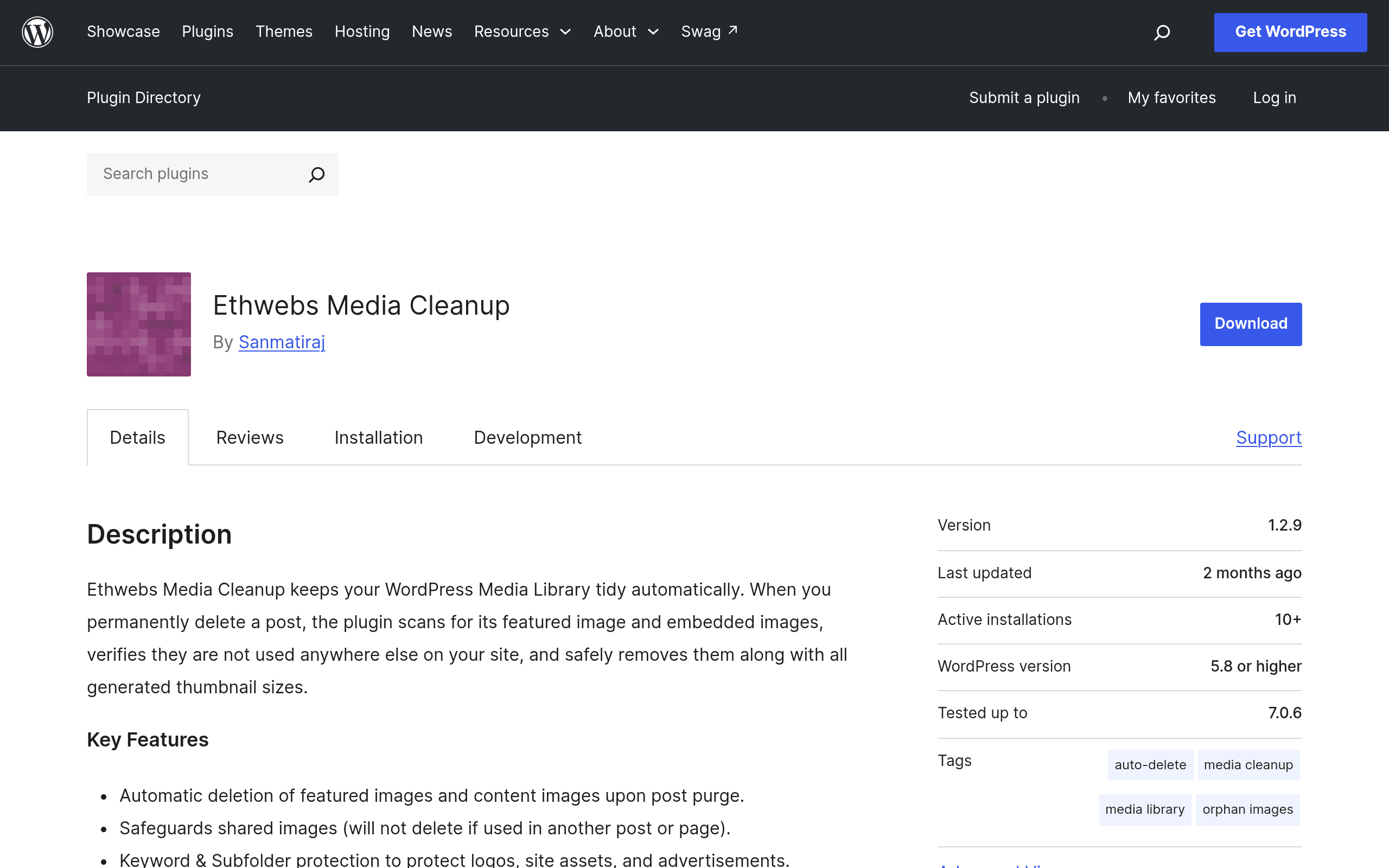
This is the exact problem Ethwebs Media Cleanup was built for. It hooks into the post-deletion process and, when a post is permanently deleted (not just trashed), checks whether its featured image or embedded media files are used anywhere else. If they're not, it removes them from the Media Library automatically. No manual audit, no third-party disk-space scanner, no spreadsheet of attachment IDs to cross-reference.
What it actually is
Ethwebs Media Cleanup is a lightweight, single-purpose WordPress plugin distributed free through the official WordPress.org plugin repository. It doesn't optimize images, it doesn't compress them, and it doesn't touch your CDN settings. Its entire job is housekeeping: when you permanently delete a post, it looks at that post's featured image and any media embedded in the post content, confirms those files aren't referenced by other published content, and deletes the unused ones from the Media Library.
Two details matter here for anyone nervous about an automated deletion tool touching their media:
- Shared image protection. If an image is used as the featured image on Post A and also embedded in Post B, deleting Post A won't delete the image — the plugin checks for other references first.
- Keyword filtering. You can specify filenames or keywords (e.g., "logo", "team-photo", "brand-assets") that the plugin will never delete, regardless of whether they appear orphaned. This is the safety net for images uploaded directly to the Media Library for use in theme templates, widgets, or page builders where WordPress's own reference-tracking doesn't always catch the usage.
It's built for the WordPress.org directory, meaning standard install: search "Ethwebs Media Cleanup" in Plugins → Add New, activate, configure the keyword exclusion list, and it runs in the background from that point forward.
Pricing
Ethwebs Media Cleanup is completely free and open source, hosted on the official WordPress.org plugin repository. There's no premium tier, no upsell to a "pro" version with paywalled features, and no license key required. This puts it in a different category from most media-management tools, which tend to use a freemium model where the free tier is a teaser for a paid plan.
How it compares
The honest comparison here is tricky because Jetpack, WP Smush, and MediaPress aren't really solving the same problem — they're adjacent tools that people sometimes reach for when their Media Library gets out of hand. Here's where each one actually fits:
| Ethwebs Media Cleanup | WP Smush | Jetpack | MediaPress | |
|---|---|---|---|---|
| Price | Free (no paid tier) | Free; Pro from $7.50/mo (billed annually) | Free; paid plans from $9.99/mo for backup/security bundles | Free (BuddyPress add-on) |
| Core job | Deletes orphaned media when posts are permanently deleted | Compresses/resizes existing images to shrink file size | Site-wide toolkit: backups, security, stats, CDN (Jetpack Boost for images) | Turns Media Library into a social/BuddyPress-style gallery system |
| Does it delete unused media? | Yes — this is its only function | No — it shrinks files, doesn't remove them | No | No |
| Setup complexity | Minimal — install, set keyword exclusions, done | Moderate — choose compression levels, bulk-smush existing library | Higher — multiple modules, often requires a WordPress.com connection | Higher — built for community/membership sites, not general cleanup |
| Best for | Sites with heavy post churn (news, listicle sites, affiliate sites that prune old content) | Sites with large, uncompressed image libraries slowing page speed | Sites that want an all-in-one security/backup/performance bundle | BuddyPress communities needing user-uploaded media galleries |
The takeaway: if your Media Library problem is "too many unused files because we delete old posts," none of the three bigger-name alternatives actually fix that. WP Smush will dutifully compress images nobody uses anymore. Jetpack won't touch the issue at all unless you're paying for its broader feature set for unrelated reasons. MediaPress is built for a completely different use case (community media sharing, not cleanup). Ethwebs Media Cleanup is narrow by design, which is exactly why it's the right tool for this specific job.
Concrete use cases
- Affiliate or deal sites that expire content. Sites running seasonal promotions or expiring deals often delete hundreds of posts per year. Each one typically has a unique featured image pulled from a product feed. Without cleanup, the Media Library balloons with images tied to products that no longer exist.
- News and magazine sites doing periodic content purges. Editorial teams that remove outdated or legally risky articles (recalled claims, expired contests, old event coverage) generate orphaned hero images every time. Automating the cleanup avoids a quarterly manual audit.
- Agencies managing client migrations. When moving a client from an old site structure to a new one and bulk-deleting legacy posts, this plugin prevents the old Media Library cruft from bloating the new host's storage allocation or backup size.
- Sites using keyword filtering for brand assets. Any site that keeps logos, author headshots, or template images directly in the Media Library (not attached to a specific post) can exclude them by filename keyword so cleanup never touches them.
Who should skip it
If your Media Library bloat problem is really about file size rather than orphaned files — meaning your images are referenced and in use, just unoptimized — this plugin won't help; look at WP Smush or Jetpack Boost instead. And if you rarely permanently delete posts (most sites just trash-and-forget, or keep everything indefinitely), there's nothing here for the plugin to clean up.
Verdict
Ethwebs Media Cleanup solves a narrow, real, and previously manual problem: WordPress has never automatically cleaned up media when posts are permanently deleted, and site owners have historically had to use bulky "find unused media" scanner plugins or do it by hand. For sites with real post churn, installing this free plugin today costs nothing and prevents a specific, slow-building storage problem from ever becoming a project you have to schedule time for later.