MarkBlocks for Elementor: First Look at the Free Markdown Widget Plugin
By Day Zero Guides Editorial · How we produce guides
Some links in this guide are affiliate links. If you sign up through them, Day Zero Guides may earn a commission at no extra cost to you. This never affects which products we cover or what we say about them. See our affiliate disclosure for details.
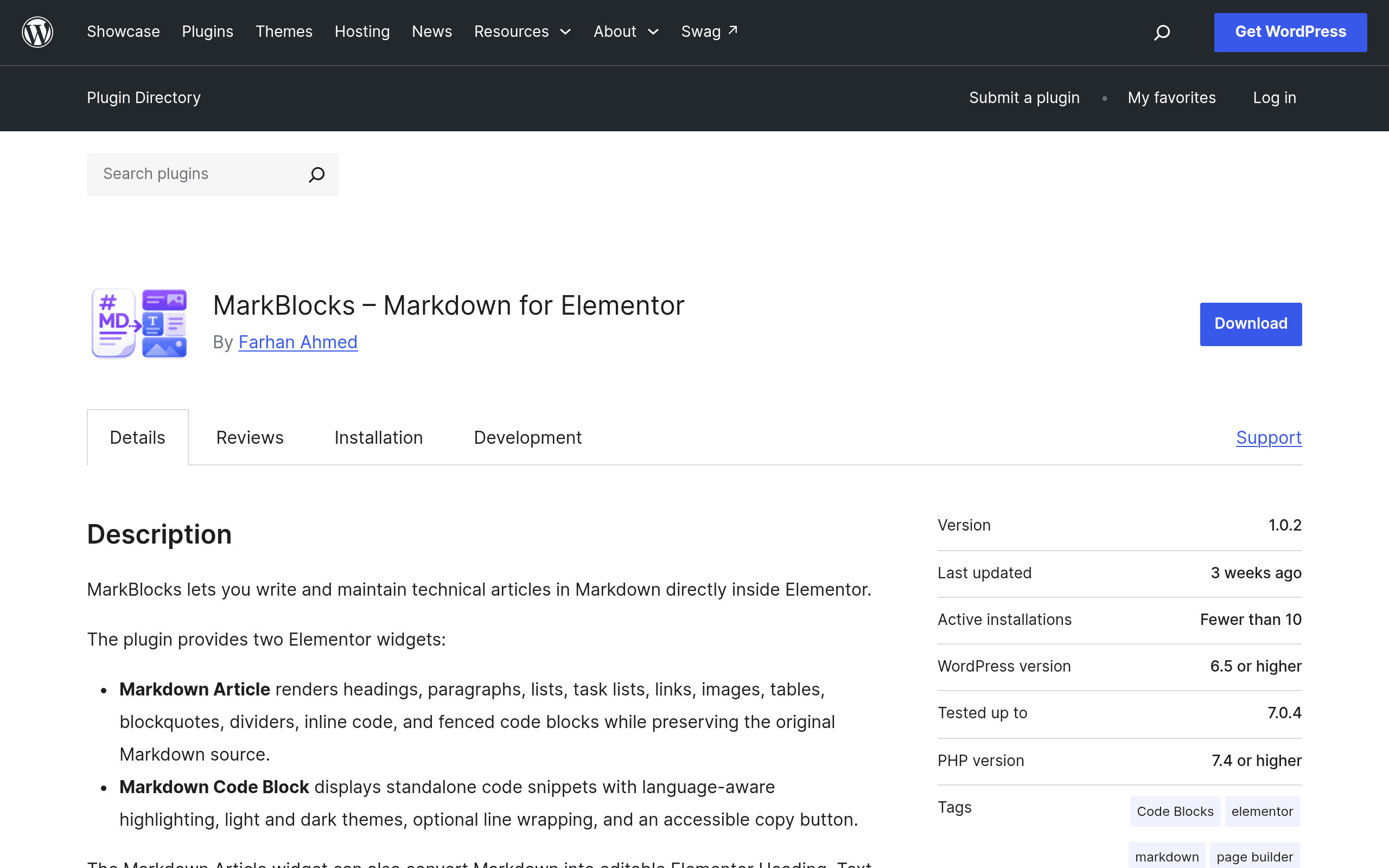
What MarkBlocks Actually Does
MarkBlocks is a small, free WordPress plugin that plugs two new widgets into Elementor's widget panel: a Markdown widget and a Markdown converter tool. If you've ever tried to paste a chunk of Markdown-formatted documentation, a README, or a code-heavy tutorial into Elementor's Text Editor widget and watched it turn into a wall of unformatted mush, this plugin exists specifically to fix that.
Instead of hand-formatting headers, lists, bold text, and code fences using Elementor's native text controls, you drop a MarkBlocks widget onto the canvas, paste or type raw Markdown, and it renders live — headers, nested lists, blockquotes, tables, inline code, and fenced code blocks with syntax highlighting for multiple languages (JS, PHP, Python, CSS, and others are commonly supported by the underlying highlighters this type of plugin uses).
The second piece — the conversion tool — takes a block of Markdown and converts it into actual native Elementor widgets (headings, text editors, image blocks, etc.) rather than leaving it as a single rendered Markdown blob. That matters if you want to keep editing the result visually afterward instead of going back into raw Markdown every time.
Who This Is Actually For
- Developers and technical writers using Elementor who maintain documentation, changelogs, or tutorial content and already write in Markdown out of habit (or because content is synced from a GitHub repo, Notion export, or static site generator).
- Agencies building client sites with Elementor that need to publish code snippets or technical blog posts without installing a full separate syntax-highlighting plugin.
- Anyone migrating content into Elementor from a Markdown-based CMS (Jekyll, Hugo, Gatsby, plain
.mdfiles) who doesn't want to manually rebuild every post block by block.
It's not for someone who wants a fully Markdown-driven site (i.e., writing the entire post in Markdown instead of using Elementor at all) — for that, a dedicated Markdown editor plugin replacing the WordPress editor is the better fit. MarkBlocks is scoped narrowly to Elementor's page-building workflow.
Setup and First Impressions
Installation is standard WordPress.org plugin fare: search "MarkBlocks" in Plugins > Add New, install, activate. It requires Elementor to be installed and active — it's an add-on, not a standalone editor. Once active, the Markdown widget shows up in the Elementor panel under a MarkBlocks or General category depending on version.
Drag the widget onto a section, and you get a text area to paste Markdown into, plus a live preview pane that updates as you type. Styling controls (typography, spacing, colors) are available through Elementor's normal Style tab, so the rendered output isn't a rigid, unstyled block — it inherits and can be customized like any other Elementor widget.
Code blocks specifically render with highlighting applied automatically based on the language you specify in the fence (e.g., ```php), which is the main reason someone would reach for this over just pasting text.
Pricing
MarkBlocks is completely free and open source, distributed through the official WordPress.org plugin repository. There's no premium tier, no paywalled widget, and no license key at the time of this writing. You do need Elementor itself (the free version is sufficient — no Elementor Pro requirement has been indicated), so total cost to try this today is $0.
How It Compares
| MarkBlocks | Elementor (native) | Standalone Markdown editor plugins (e.g., WP-Markdown, Jetpack Markdown) | Code block plugins (Prism/Highlight.js wrappers) | |
|---|---|---|---|---|
| Price | Free | Free core / Pro from $59/yr | Mostly free | Mostly free, some pro tiers ~$20-40 |
| Markdown rendering inside Elementor | Yes, native widget | No — requires shortcodes/hacks | No — replaces the editor entirely, doesn't integrate with Elementor's canvas | No — handles code only, not full Markdown |
| Syntax-highlighted code blocks | Yes, built-in | No | Rarely, depends on plugin | Yes — this is their core function |
| Converts Markdown to native page-builder widgets | Yes (unique feature) | N/A | No | No |
| Best for | Elementor users publishing technical/Markdown-sourced content | General visual page building | Writers who want to write entire posts in Markdown, bypassing block/page editors | Sites needing code snippets but not full Markdown support |
The Honest Trade-offs
Because this is a young, narrowly-scoped plugin, a few things to check before committing a production site to it:
- Table and complex Markdown support can vary across early-version plugins like this — test your actual content (especially tables, nested lists, and footnotes if you use them) before migrating a large archive.
- The conversion tool is the riskier feature of the two. Automatically generating native Elementor widgets from Markdown is convenient but worth spot-checking on a staging site first, since converted output quality depends heavily on how clean your source Markdown is.
- No changelog track record yet to judge long-term maintenance — as with any small WordPress.org plugin, check the "Active installations" count and "Last updated" date on the plugin page before relying on it site-wide.
- It doesn't replace Elementor Pro's dynamic content or theme builder features — it's purely a content-rendering widget, not a layout or design system.
Should You Try It Today
If you're already building in Elementor and regularly deal with Markdown-formatted content — technical docs, code tutorials, content synced from a git repo — MarkBlocks solves a real, specific annoyance for free with no downside beyond a few minutes of setup. Install it on a staging site, paste in a real post with code blocks and tables, and see how the output holds up before rolling it into production. Given the zero cost and narrow scope, the trial cost is basically just your time.