Notifico: A First Look at the New WooCommerce Push Alerts Plugin
Some links in this guide are affiliate links. If you sign up through them, Day Zero Guides may earn a commission at no extra cost to you. This never affects which products we cover or what we say about them. See our affiliate disclosure for details.
What Notifico Actually Does
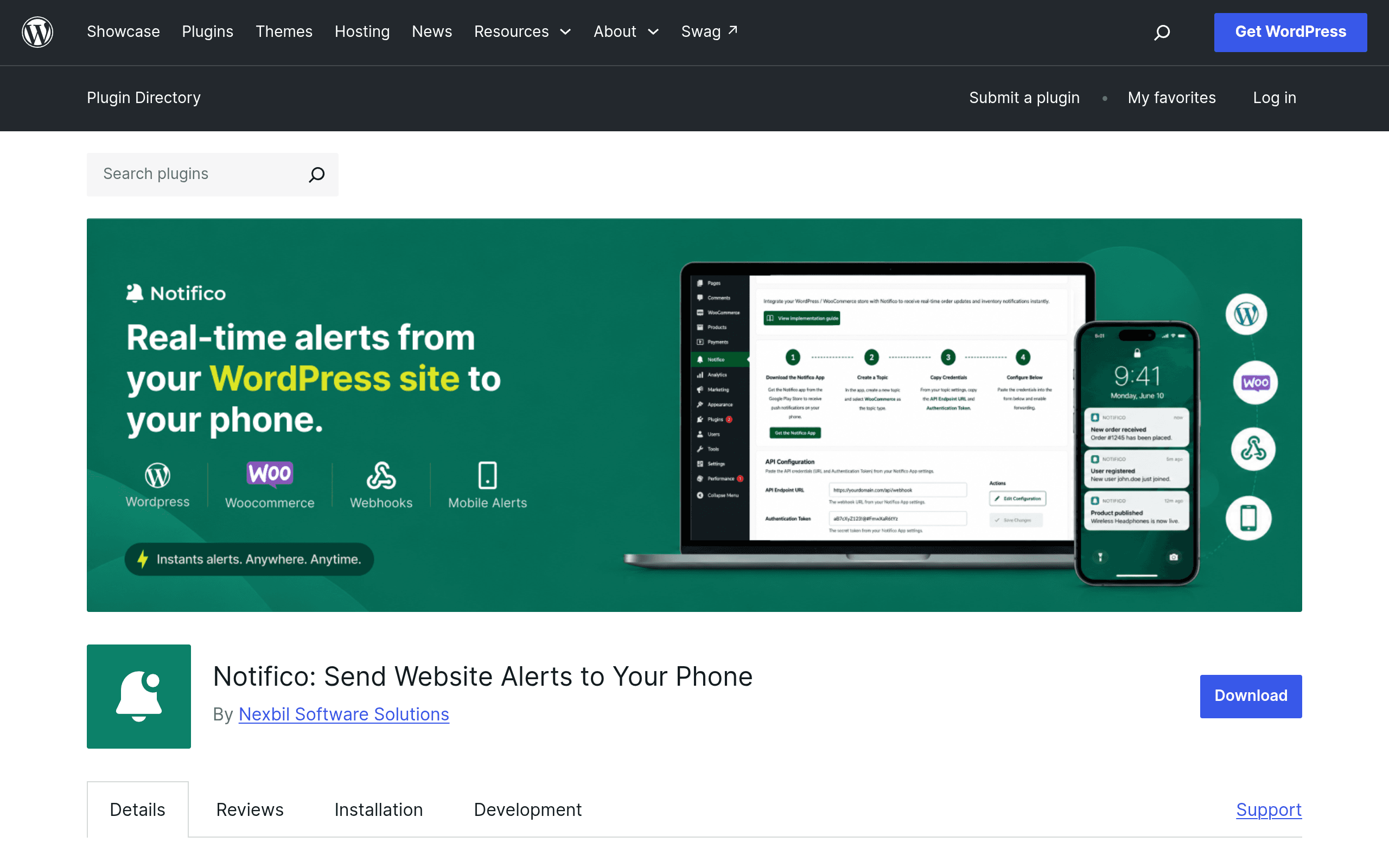
Notifico is a WordPress plugin, listed on WordPress.org, built specifically for WooCommerce stores. Its pitch is simple: instead of logging into wp-admin or checking email every time something happens in your store, you get a push notification on your phone. Based on the plugin's own listing, it covers four notification categories:
- Orders — new orders, and order status changes (processing, completed, refunded, failed)
- Products — stock-level events, likely low-stock and out-of-stock triggers
- Customers — new customer account creation
- Coupons — when a coupon is used
The mechanism is the standard pattern for this category of plugin: you install Notifico on your WordPress/WooCommerce site, pair it with a companion mobile app (typically via a pairing code or QR scan tied to your site), pick which events you want to be alerted on, and notifications get pushed to your phone's lock screen from then on.
This is a young listing on WordPress.org — as of this writing it has a small install base and limited review history, which matters for how you should evaluate it (more on that below).
Setup, In Practice
If you're running WooCommerce already, the friction here is low:
- Install and activate Notifico from the WordPress plugin directory or upload the zip.
- Connect your store to the companion mobile app (Android/iOS) using whatever pairing flow the plugin provides.
- Toggle on the notification types you care about — you probably don't want "new customer" pings if you run a high-traffic store, but you almost certainly want order and stock alerts.
- Test with a real order (even a $0 test product) before trusting it for anything time-sensitive.
Because it's new, treat the pairing/token step with a bit of caution — install it on a staging copy of your store first if you're not comfortable handing a new third-party app a live connection to order and customer data.
Pricing: The Honest Answer
There is no published pricing page for Notifico at the time of writing. The plugin is distributed for free through the WordPress.org repository, which typically means either:
- it's fully free with no premium tier (common for smaller utility plugins), or
- there's a freemium model with a paid upgrade (extra notification types, multi-store support, team member alerts) that hasn't been publicly documented or linked from the WordPress.org listing yet.
If you're evaluating this today, don't assume it will stay free forever, and don't build a critical operational workflow around it until the developer publishes clear pricing and a support/refund policy. For a solo store owner just wanting order pings, the free tier (whatever its current scope) is low-risk to try. For a team relying on stock alerts to avoid overselling, wait for more reviews or a clearer roadmap before going all-in.
Concrete Use Cases
- Solo store owner who travels: You run a WooCommerce shop from a laptop but spend half the day away from it. Order and "processing → completed" alerts on your phone replace manually refreshing wp-admin.
- Small team fulfillment: A two-person operation where one person packs orders. Push alerts on order status changes let the packer know the moment something needs boxing, without needing full admin access to the site.
- Flash sale / drop monitoring: During a timed sale, coupon-usage and order-volume alerts give you a live pulse on whether the promotion is landing, without sitting at a dashboard refreshing analytics.
- Restock triggers: Low-stock notifications mean you find out a bestseller is about to sell out from a lock-screen alert instead of a customer complaint.
What it's not built for: deep automation (e.g., "when an order comes in, also add the customer to a Google Sheet and send a Slack message"). For that, you still need something like Zapier sitting alongside it.
How It Compares
| Notifico | WooCommerce Mobile App | Zapier (WooCommerce integration) | IFTTT (WooCommerce integration) | |
|---|---|---|---|---|
| Price | Free (no published premium tier as of writing) | Free (official Automattic app) | Free tier: 100 tasks/month; paid plans start ~$19.99/mo (Starter, billed annually) | Free tier: limited applets; Pro ~$3.99/mo, Pro+ ~$12.99/mo (billed annually, approximate current pricing) |
| Key feature | Lightweight, dedicated push alerts for orders/products/customers/coupons | Full store management from phone: orders, stats, reviews, product edits, built-in push for new orders/reviews | General-purpose automation — WooCommerce triggers can fire actions across 6,000+ other apps | Simple "if this then that" applets connecting WooCommerce events to other services |
| Best for | Store owners who want simple, focused notifications without extra app bloat | Owners who want to manage the store, not just monitor it, from a phone | Teams needing multi-step workflows (e.g., order → spreadsheet → Slack → email) | Hobbyist-level automations with minimal setup, one trigger to one action |
| Setup complexity | Low — install plugin, pair app, toggle alert types | Low — install app, log in with existing WooCommerce/Jetpack credentials | Medium — requires a Zapier account, WooCommerce API keys, and building each "Zap" | Low-medium — requires IFTTT account and a WooCommerce-compatible trigger setup |
| Maturity | New, small install base, limited reviews | Mature, official, widely used | Mature, enterprise-grade reliability | Mature, but WooCommerce support has historically been thinner than Zapier's |
Who Should Try It Today
Try Notifico if you already run WooCommerce, you just want order/stock/customer pings on your phone without paying for or learning Zapier, and you're comfortable being an early adopter of a plugin that doesn't have a long review history yet. It's a reasonable low-cost experiment — install it on a staging site first, or on production if your store's data sensitivity is low.
Skip it (for now) if you need guaranteed uptime for mission-critical alerts, want multi-step automation rather than simple notifications, or want a vendor with a clear, published pricing and support commitment. In those cases, the official WooCommerce Mobile App (for full store management) or Zapier (for anything beyond a single notification) are the safer, more proven picks.
Bottom Line
Notifico fills a narrow, real gap: WooCommerce doesn't push simple alerts to your phone out of the box unless you install the full official app or wire up a third-party automation tool. Notifico is a lighter-weight, purpose-built answer to that specific problem. The catch is that it's brand new, pricing is undocumented, and you're trusting a young plugin with order and customer data. If that trade-off is fine for your store today, it's worth a test install. If you need something proven, stick with the WooCommerce Mobile App or Zapier until Notifico has more track record.