RP 4U (Maps & Route Planner): A First Look at the Free Google Maps Alternative for WordPress
By Day Zero Guides Editorial · How we produce guides
Some links in this guide are affiliate links. If you sign up through them, Day Zero Guides may earn a commission at no extra cost to you. This never affects which products we cover or what we say about them. See our affiliate disclosure for details.
What is RP 4U (Maps & Route Planner)?
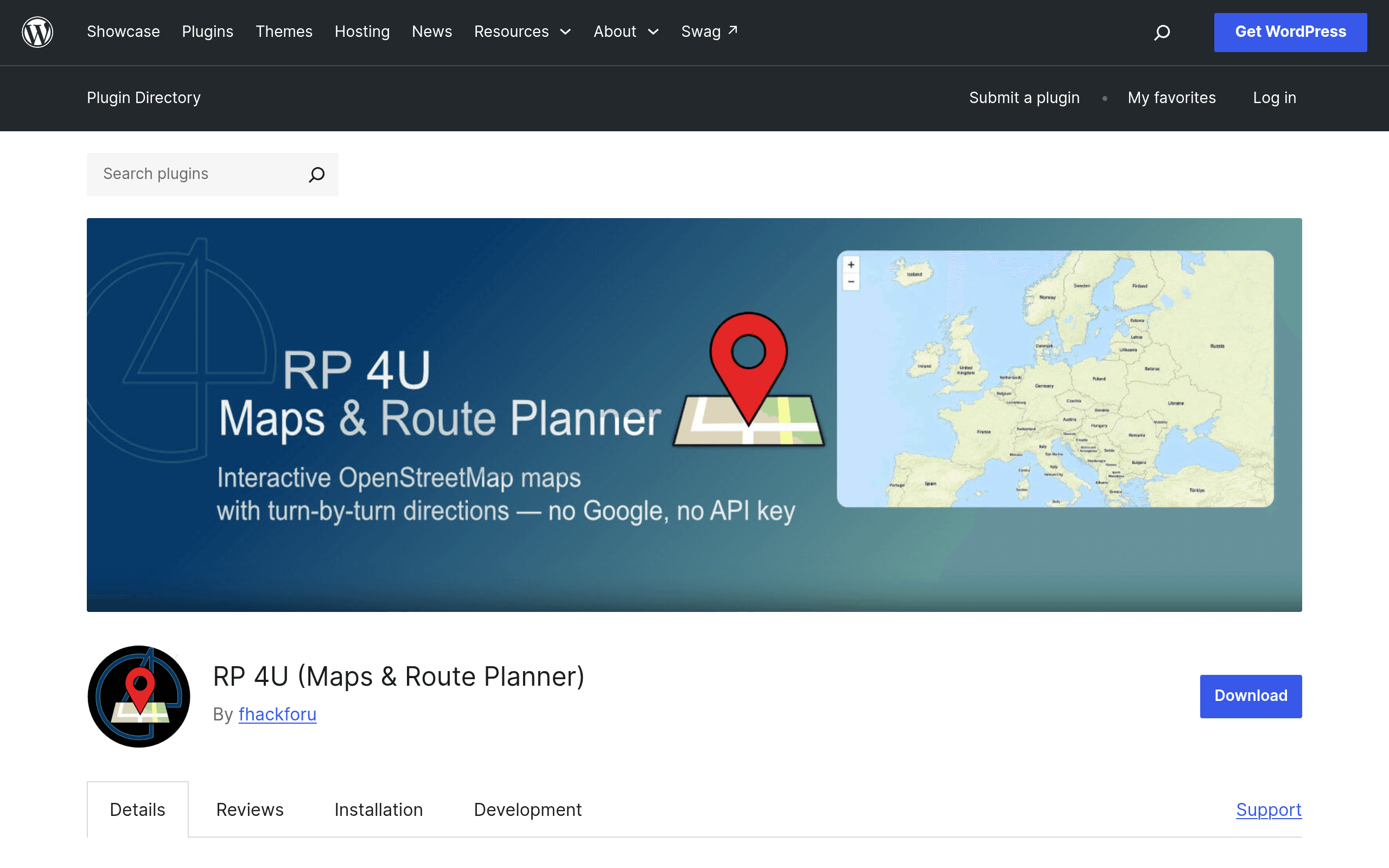
RP 4U is a WordPress plugin, hosted on the official WordPress.org plugin repository, that lets you embed interactive maps built on OpenStreetMap data instead of Google Maps. The pitch is straightforward: you get a working, clickable map on your site with zero API keys and zero Google dependency for basic embedding. If you also want turn-by-turn directions, address geocoding, or a "get directions" experience, RP 4U layers in OpenRouteService (ORS) — a separate, independently-run routing API — which does require you to register for your own free ORS API key.
This is squarely aimed at the crowd that's tired of Google Maps embed quotas, billing surprises, and cookie-consent banners that scare off EU visitors. It's not trying to be a full GIS platform — it's trying to be the map block your site actually needs: a location pin, a set of directions, maybe a QR code someone can scan at a trailhead or storefront to pull up navigation on their phone.
Key features, concretely
- Map embedding via OpenStreetMap — no API key, no billing account, works out of the box after activation.
- Address geocoding — type in an address and the plugin resolves it to coordinates for pin placement, rather than making you hunt down lat/long manually.
- Route planning via OpenRouteService — turn-by-turn directions between two or more points, powered by ORS's routing engine (car, bike, walking profiles are typical of ORS's public API).
- QR code navigation — generates a scannable QR code tied to a route or location, useful for print materials, table tents, or event signage where someone pulls out their phone and taps to navigate.
- No forced Google dependency — this is the headline differentiator. You can ship an entire location/directions feature without touching Google Maps Platform billing.
Pricing: what's actually published
This is the part to be upfront about: RP 4U does not publish a pricing page, and there's no visible premium/pro tier as of this writing. Because it's distributed through the official WordPress.org plugin directory, it falls under the standard rules for that repository — the plugin itself is free to download and use, GPL-licensed like all WordPress.org plugins.
What's not free forever, technically, is the routing piece if you push volume:
- OpenStreetMap tile display — free, no key required, no published rate limit tied to the plugin itself (though heavy traffic on shared OSM tile servers is generally expected to respect OSM's tile usage policy).
- OpenRouteService API — you register separately for your own free ORS account and API key. ORS's public free tier has historically been capped around a few thousand routing requests per day and a per-minute rate limit, reset daily, which is fine for a small business site or a hobby project but something to watch if you're embedding routes on a high-traffic page.
If you're evaluating this for a client site, budget $0 in software cost, but flag that a traffic spike could hit ORS's free-tier ceiling, at which point you'd need to look at ORS's paid plans (billed by ORS directly, not by RP 4U).
Concrete use cases where this makes sense
- A single-location restaurant or clinic site that just needs "here's our address, here's how to get here" without adding a Google Maps consent checkbox to the cookie banner.
- An EU-based business trying to reduce third-party data transfers to Google for GDPR-adjacent reasons — OpenStreetMap-based embeds sidestep the Google Maps JavaScript API's data collection entirely.
- A hiking, cycling, or trail-guide blog that wants to show a route (start point, waypoints, endpoint) with turn-by-turn directions, without paying for Google's Directions API.
- An event or venue page that generates a QR code visitors scan at the door or on a flyer to get walking directions from wherever they are.
- A real estate listing site with dozens of property pins, where Google Maps' per-load billing on high-traffic pages becomes a real cost concern and a free OSM embed removes that variable entirely.
Where it's probably not the right fit: if you need Street View, rich Google Places data (reviews, business hours pulled live from Google Business Profile), or heavy custom styling/theming of map tiles at an agency level — Google Maps or a dedicated Leaflet implementation with a custom tile provider will get you further.
How it compares
| RP 4U | Google Maps Embed | Leaflet-based mapping plugins (e.g. generic Leaflet/OSM plugins) | OpenRouteService (standalone, no WP plugin) | |
|---|---|---|---|---|
| Price | Free plugin; ORS routing free tier with usage caps | Free basic embed; paid API key required for JS API/Directions at scale | Free plugin, often free tier + paid pro upgrades for extra features | Free tier with daily request caps; paid plans for higher volume |
| API key required? | No key for maps; ORS key needed only for routing | No key for basic iframe embed; key required for Directions/Places/JS API | Varies — many require no key for OSM tiles, but premium features (geocoding, custom tiles) may need one | Yes, always — it's a raw API, not a plugin |
| Turn-by-turn routing | Yes, built in via ORS | Yes, via Google Directions API (billed) | Rare — most Leaflet plugins focus on display, not routing | Yes, this is its core function |
| Privacy/data footprint | Low — OSM + ORS, no Google trackers | Higher — loads Google scripts, subject to Google's data practices | Low, similar to RP 4U | Depends on how you self-host or call it |
| QR code navigation | Yes, built in | No native feature | No, not typically included | No, you'd have to build this yourself |
| Best for | Small sites wanting Google-free maps + directions with minimal setup | Sites already inside the Google ecosystem, needing Street View/Places | Developers wanting full control over map styling and data layers | Developers building custom routing features from scratch |
Setup reality check
Activation gets you the map embed immediately — that part genuinely requires no configuration beyond dropping in a shortcode or block. The routing feature is the one extra step: you need to create a free OpenRouteService account, generate an API key from their dashboard, and paste it into RP 4U's settings. It's a five-minute task, but it's not "zero-config" the way the base map embed is — worth knowing before you promise a client same-day directions functionality.
Verdict for today
If you're building or maintaining a small-to-midsize WordPress site and your map needs are "show a pin, show a route, skip the Google dependency," RP 4U does exactly that with no cost and no billing account to set up. The lack of a published pricing page isn't a red flag here — it reflects that the plugin itself is free by nature of being WordPress.org-hosted, and the only cost lever is ORS's own API usage, which you control and monitor separately. The main thing to watch is routing volume: fine for a local business or blog, worth testing under load if you expect real traffic through the directions feature.
It's not a Google Maps killer for teams that need Street View or Places data, and it's not as flexible as rolling your own Leaflet implementation if you want deep customization. But as a drop-in, privacy-respecting maps-and-directions plugin, it's a reasonable one to install today and test on a staging site before committing.