AIBeatMaker: First Look at the New Text-to-Beat AI Generator
Some links in this guide are affiliate links. If you sign up through them, Day Zero Guides may earn a commission at no extra cost to you. This never affects which products we cover or what we say about them. See our affiliate disclosure for details.
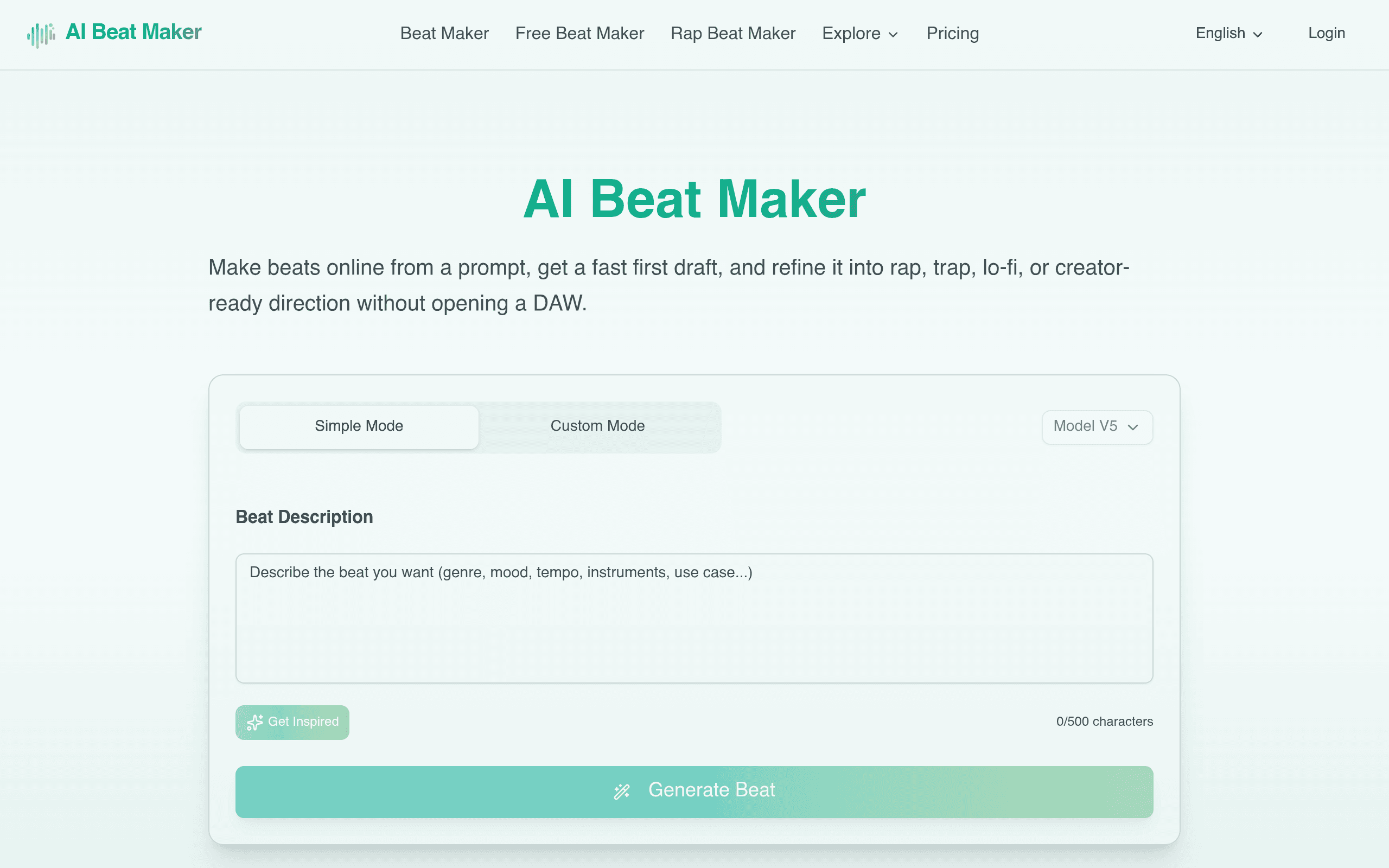
AIBeatMaker (aibeatmaker.ai) launched as a browser-based tool that generates instrumental beat drafts from a text prompt — no DAW, no sample library browsing, no music theory required. Type something like "dark trap beat, 140 BPM, moody piano lead" and it spits out a working instrumental you can iterate on. We spent time testing what it actually does well, where it falls short, and whether it's worth adding to your workflow today.
What AIBeatMaker Actually Does
The core loop is simple: you describe a beat in natural language (genre, mood, tempo, instrumentation), and the tool generates a first-draft instrumental in seconds. From there, you can nudge the direction — swap the drum pattern, change the melodic lead, adjust intensity — through style-specific workflows rather than a full mixing console. It's explicitly built for genres like rap, trap, and lo-fi, with prompt structures tuned to those styles rather than trying to be a general-purpose composer for orchestral or jazz work.
Once you land on a draft you like, you export it as an audio file for use in a DAW, a YouTube video, a podcast intro, a TikTok, or any other content project. It positions itself less as "AI composes your song" and more as "AI gives you a usable starting point fast," which is a meaningfully different pitch than some of the more autonomous AI music generators on the market.
Pricing: Not Yet Published
As of this writing, AIBeatMaker has not published a public pricing page with tiers, credit limits, or a free-plan breakdown. That's worth flagging plainly rather than guessing: if you're evaluating this today, expect to sign up and hit a paywall or usage cap at some point in the funnel rather than seeing Stripe-style pricing cards up front. This is common for tools in early launch stages that are still calibrating generation costs (AI audio inference isn't cheap to run at scale), but it does mean you should treat any trial as exploratory rather than assume long-term costs will match whatever you see on day one.
If pricing transparency matters to your decision — say, you're budgeting for a content calendar that needs weekly beats — that's a real point against trying it right now versus waiting a few weeks for the pricing model to stabilize.
Concrete Use Cases Where This Fits
- YouTuber needing a trap-style intro bed: instead of digging through royalty-free beat packs, prompt "aggressive trap intro, 150 BPM, hard 808s" and get three drafts to choose from in the time it takes to write the description.
- Podcaster wanting a lo-fi transition cue: generate a mellow lo-fi loop for segment breaks without licensing a track from an audio library or paying a composer for a 15-second cue.
- Rapper sketching a hook idea: freestyle over a quick draft beat to test a flow before committing studio time or paying a producer for a custom instrumental.
- Short-form content creator (Reels/TikTok): generate mood-specific background beats on demand for batches of videos without repeating the same three tracks from a stock library.
- Producer looking for a starting sketch: export the AI draft into a DAW as a scratch track, then replace elements with real samples and mixing once the arrangement idea is validated.
What it's not built for: full song production with vocals, mastering-grade final masters, or genres outside its rap/trap/lo-fi focus (don't expect strong results prompting for bluegrass or orchestral score work).
How It Compares
| AIBeatMaker | LANDR | Splice | Amper Music | |
|---|---|---|---|---|
| Pricing | Not published at launch | Free mastering tier; paid plans from ~$12–$25/mo (Creator/Studio tiers) | Free trial credits; Splice subscription for samples from ~$9.99/mo, plus separate Splice Create AI credits | Discontinued as a standalone consumer product (Shutterstock acquired and absorbed the tech into Shutterstock's AI music tools) |
| Core function | Text-prompt-to-beat generation for rap/trap/lo-fi drafts | AI mastering, mixing, and distribution for finished tracks | Massive sample/loop library plus AI-assisted loop generation (Splice Create) | Was generative background/stock music for video, now folded into Shutterstock |
| Best for | Fast instrumental drafts and content-creator beat needs | Getting a finished mix mastered without an engineer | Producers who want real sampled sounds plus loop-building tools | Historically, video creators needing royalty-free stock scores (now migrate to Shutterstock) |
| DAW required? | No — fully browser-based generation and export | No for mastering; yes if you're producing the underlying track | Works standalone or inside a DAW via plugin | N/A (discontinued as standalone) |
| Genre focus | Narrow and intentional: rap, trap, lo-fi | Genre-agnostic (mastering works on any style) | Broad — samples span nearly every genre | Was broad, mood/tag-based |
The honest read: AIBeatMaker isn't really a head-to-head competitor with LANDR (which handles mastering/distribution, not composition) or Splice (which is a sample marketplace, not a generator by default). It's closer in spirit to what Amper Music used to do before Shutterstock absorbed it — generative instrumental beds for content — but AIBeatMaker is narrower and specifically tuned for hip-hop-adjacent genres rather than general stock-music moods.
Should You Try It Today?
If you make rap, trap, or lo-fi content and want a fast way to unstick a beat idea or grab a usable instrumental bed for a video without opening a DAW, AIBeatMaker is worth a test run — the prompt-to-draft workflow is genuinely fast and the genre focus means the outputs are more usable than a generic "AI makes any music" tool tends to produce. The one real caution is pricing opacity: since costs aren't published, don't build a recurring content pipeline around it until you've confirmed what a paid tier actually costs and how generation limits work. Treat this first pass as a genre-specific sketchpad, not yet a full replacement for a producer, a sample library, or a mastering service.