Blockbots: A First Look at the New Free Bot-Blocking Plugin for WordPress
Some links in this guide are affiliate links. If you sign up through them, Day Zero Guides may earn a commission at no extra cost to you. This never affects which products we cover or what we say about them. See our affiliate disclosure for details.
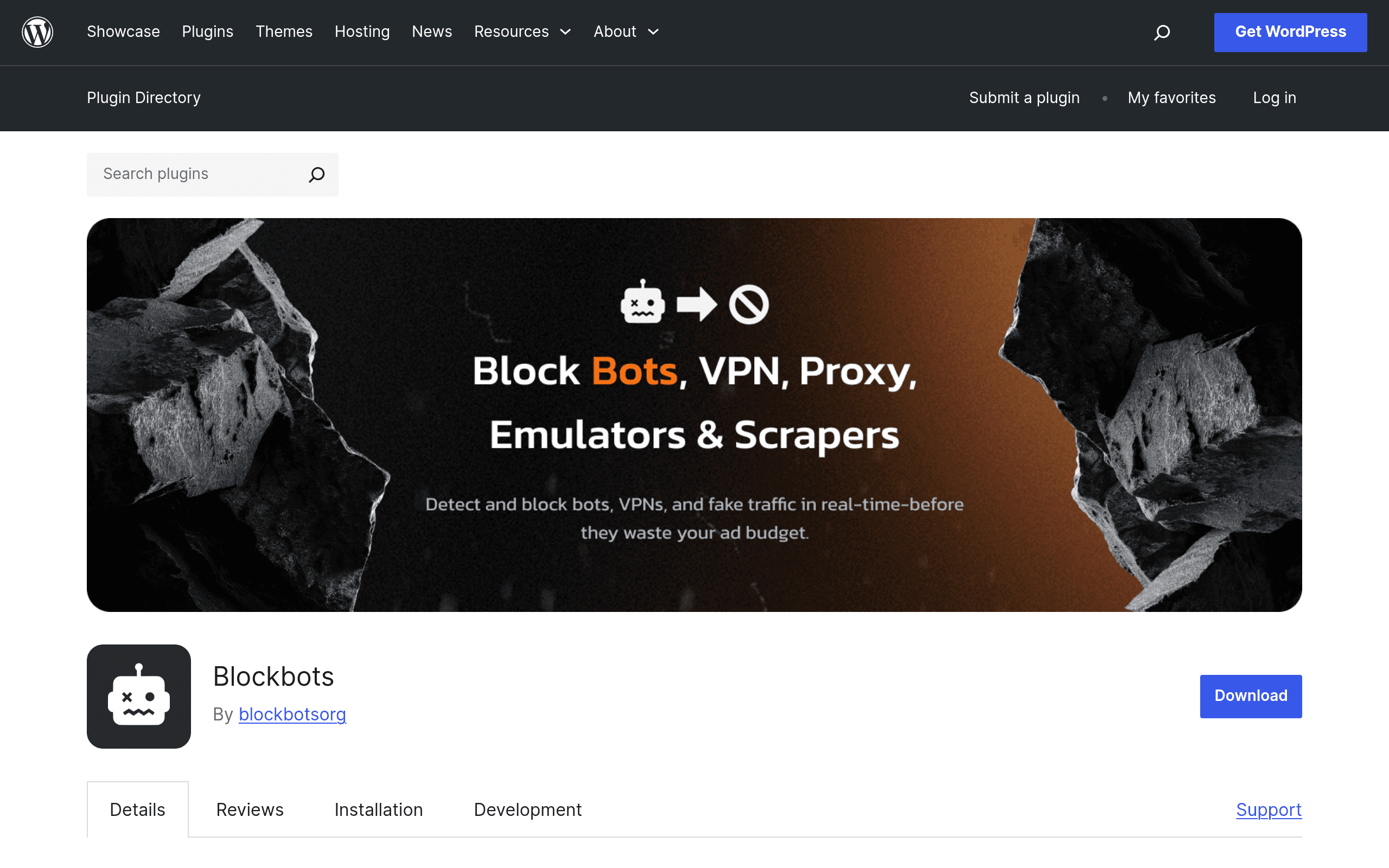
What Blockbots Actually Does
Blockbots is a new entrant in the WordPress plugin repository (wordpress.org/plugins/blockbots) that tackles a specific, narrow problem: bad bots hitting your site before they ever load a page. Instead of a general-purpose firewall/security suite, it splits its job into two layers:
- Local filtering (free) — runs entirely on your server, checking user-agent strings, request patterns, and known bad-bot signatures against a maintained blocklist. It's designed to let legitimate crawlers through (Googlebot, Bingbot, and other declared search crawlers) while dropping known scrapers, content-theft bots, and spam bots before they consume PHP/database resources.
- Cloud-based detection (premium, optional) — offloads the harder problems to a hosted service: behavioral bot detection, VPN/proxy/datacenter IP detection, and browser fingerprinting to catch bots that spoof user-agents or rotate residential-looking IPs. This tier is opt-in and requires connecting the plugin to Blockbots' cloud service.
The core pitch is that most WordPress sites don't need a full CDN/WAF stack just to stop scraper traffic and comment-spam bots — a lightweight, local-first plugin can catch a large share of that traffic for free, with cloud detection as an upgrade for sites facing more sophisticated bot networks (ad fraud, content scraping at scale, credential stuffing via headless browsers).
Setup, In Practice
Installation follows the standard WordPress plugin flow: install from the repo or upload the zip, activate, and the local filtering layer is active immediately using its default blocklist — no API key or account needed for the free tier. That's the plugin's biggest practical advantage over most competitors: you get bot-blocking value in under five minutes with zero signup friction.
Enabling the cloud tier requires connecting an account for the hosted detection service. As of this writing, Blockbots has not published specific pricing for the premium cloud tier on its plugin page or listing — there's no visible monthly/annual price sheet, tier breakdown, or free-trial terms. If you're evaluating this today, treat the free local-filtering tier as the known quantity, and expect to contact the developer or check in-plugin prompts for current cloud pricing before committing budget to it.
Concrete Use Cases
- WooCommerce store losing pricing data to scrapers: competitors or price-comparison bots hitting product pages repeatedly. Local filtering blocks known scraper signatures immediately; if scrapers are sophisticated enough to rotate proxies, the cloud VPN/proxy detection tier is the relevant upgrade.
- Blog or forum drowning in comment/form spam: bots submitting fake comments or contact form entries. The local blocklist catches a meaningful share of bot traffic hitting
wp-comments-post.phpor form endpoints before it's processed. - Agency managing 10+ low-traffic client sites: wants baseline bot protection without paying per-site fees on every install. Free tier gives a no-cost floor of protection across the portfolio.
- Site getting crawled by AI training bots (GPTBot, CCBot, Bytespider, etc.): site owner wants to block AI scrapers specifically while keeping search engine crawlers indexing normally — a use case that's grown sharply since 2023 and one general security plugins don't always address directly.
- High-value site already under DDoS/credential-stuffing pressure: this is where Blockbots' free tier is not enough — you'd need the cloud fingerprinting tier or, more realistically, a dedicated edge solution like Cloudflare.
How It Compares
| Blockbots | Wordfence Security | Cloudflare | Sucuri | |
|---|---|---|---|---|
| Price | Free (local filtering); premium cloud tier pricing not yet published | Free core plugin; Premium from $119/yr per site | Free plan available; Pro from $20/mo; Business from $200/mo | Firewall (WAF) from $199.99/yr; malware cleanup plans separate |
| Key feature | Local bot/scraper blocklist + optional cloud VPN/fingerprint detection | Full malware scanner, login security, WAF (premium), on-site | Edge-level network firewall, CDN, bot management at DNS layer | DNS-level WAF + malware removal + monitoring |
| Where it runs | Server-side (PHP), cloud tier off-site | Server-side (PHP), scans run on your server/database | Sits in front of your server at the DNS/network edge | DNS/proxy layer in front of your server |
| Setup friction | Very low — active on install, no account needed for free tier | Low — active on install, account needed for Premium features | Moderate — requires DNS change (nameserver or CNAME setup) | Moderate — requires DNS change to route through Sucuri |
| Best for | Sites wanting quick, no-signup bot/scraper blocking without touching DNS | Sites wanting an all-in-one malware+firewall+login security suite | Sites wanting network-level protection, caching, and DDoS resilience | Sites that have already been compromised and need cleanup + ongoing WAF |
Where It Falls Short (So Far)
- No published pricing for the premium tier is a real gap for anyone doing budget planning today — you can't compare cost-per-site against Wordfence Premium or Cloudflare Pro until Blockbots publishes numbers.
- It's not a WAF replacement. Blockbots filters bot traffic by signature/behavior; it doesn't do malware scanning, file integrity monitoring, or brute-force login protection the way Wordfence does out of the box.
- Because filtering happens at the PHP level (not at the network edge like Cloudflare or Sucuri), malicious traffic still reaches your server and consumes some resources before being blocked — it reduces load, but doesn't eliminate it the way an edge WAF does.
- As a newly listed plugin, it doesn't yet have the track record, install base, or public vulnerability-disclosure history that Wordfence (5M+ active installs) or Sucuri have built over a decade.
Should You Try It Today?
If you're running a WordPress site currently getting hit by obvious scraper/spam bot traffic and you want a zero-cost, zero-signup way to cut a chunk of it immediately, installing Blockbots' free tier costs you nothing but five minutes — there's no reason not to test it alongside whatever security plugin you already run. It's not a substitute for Wordfence if you need malware scanning, and it's not a substitute for Cloudflare or Sucuri if you need edge-level DDoS protection or a proxy in front of your origin server. Treat it as a narrow, additive tool: good for the specific bot/scraper problem, unproven and pricing-opaque for anything beyond that until the developer publishes cloud-tier costs.