Chatpulse Floating Chat: First Look at the New WordPress WhatsApp Button Plugin
Some links in this guide are affiliate links. If you sign up through them, Day Zero Guides may earn a commission at no extra cost to you. This never affects which products we cover or what we say about them. See our affiliate disclosure for details.
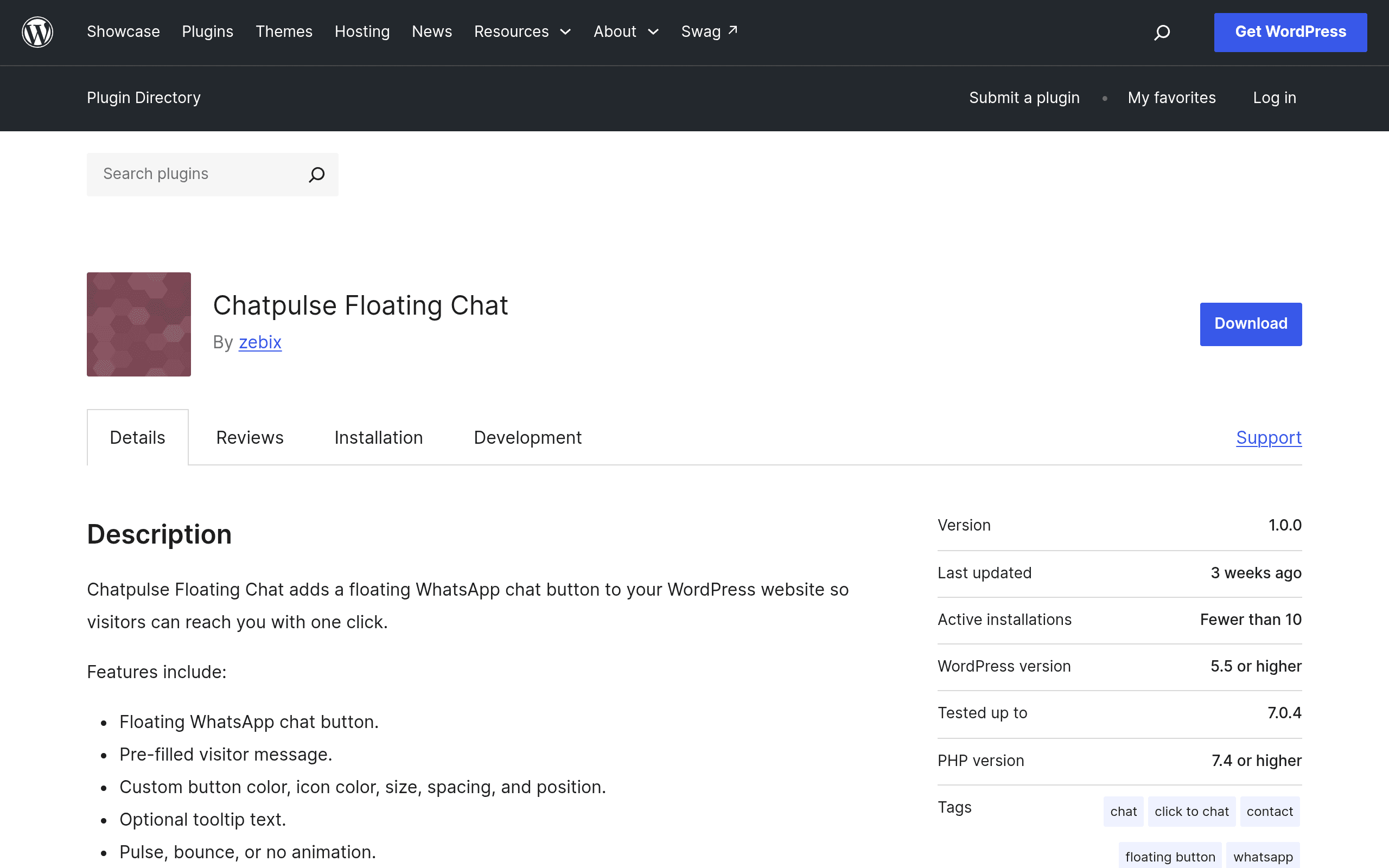
What Chatpulse Floating Chat actually does
Chatpulse Floating Chat is a WordPress plugin, listed on the official WordPress.org repository, that drops a floating WhatsApp button into the corner of your site. A visitor clicks it, their device (or WhatsApp Web on desktop) opens a pre-filled conversation with your business number — no live chat widget to maintain, no inbox to monitor inside WordPress. It's the "click-to-chat" model, not a full helpdesk.
Beyond the basic button, the plugin ships with a handful of features that put it a notch above the bare-bones WhatsApp button plugins that have existed for years:
- Button appearance controls — position (left/right, offset from edge), color, icon style, and size, all from the WordPress admin, no CSS required.
- Business hours logic — set a weekly schedule so the button shows an "offline" message or hides outright outside your working hours, rather than inviting messages you can't answer promptly.
- Multiple agent support — list more than one WhatsApp number/agent so visitors can pick who they want to chat with (useful for sales vs. support routing).
- Click analytics integration — track button clicks as events, so you can see how many visitors actually engage with WhatsApp rather than guessing.
What it does not do: it's not a live chat widget with an in-browser conversation window, it has no built-in CRM or ticketing, and there's no AI chatbot layer. It is purely a smart, configurable trigger that hands the conversation off to WhatsApp itself.
Pricing: what's published (and what isn't)
As of this writing, Chatpulse Floating Chat is distributed as a free plugin through the WordPress.org plugin directory — that's the only pricing information that's actually published. There is no pricing page, no listed "Pro" tier, and no upsell visible in the plugin's readme or settings screen at the time of this guide.
That's worth flagging plainly: plenty of WordPress plugins in this category (WhatsApp button + business hours + multi-agent) eventually split into a free/premium structure once the developer builds an audience, and the feature set here — business hours, multiple agents, analytics — is exactly the kind of thing that often gets gated behind a paid tier elsewhere. If you install it expecting a specific price point beyond "free right now," you won't find one published. Budget accordingly and don't be surprised if a premium tier appears later.
Concrete use cases where this plugin makes sense
- A local service business (plumber, electrician, clinic, real estate agent) that already does most of its actual customer conversation over WhatsApp and just needs a way for website visitors to jump straight into that channel, without paying for a separate live chat SaaS tool.
- A WooCommerce store selling into markets where WhatsApp is the default communication channel — Brazil, India, Indonesia, much of the Middle East — where customers expect to ask about sizing, stock, or order status over WhatsApp rather than email or a ticket form.
- A small agency or consultancy site that wants a low-friction "talk to us now" option during business hours, and wants it to visibly disappear or show an offline note outside those hours instead of implying 24/7 availability it can't deliver.
- A multi-person sales team where you want the button to route to different agents (e.g., "Sales" vs "Support" WhatsApp numbers) without building that logic yourself.
Where it doesn't make sense: if you need an actual live chat transcript history, ticket assignment, canned responses inside a dashboard, or an AI bot that can answer FAQs before a human gets involved — this plugin isn't trying to be that.
How it compares to established alternatives
| Chatpulse Floating Chat | WhatsApp Chat by Bestwebsoft | HubSpot Chat (Chat Trigger rules) | Tidio Live Chat | |
|---|---|---|---|---|
| Price | Free (no published paid tier) | Free core plugin; premium add-on roughly $20–30/year for extra features | Free within HubSpot's free CRM; paid Hubs add per-seat costs from ~$20/mo up | Free plan (up to ~50 conversations/month); paid plans start around $29/month billed annually |
| Core mechanism | Click-to-chat redirect to WhatsApp | Click-to-chat redirect to WhatsApp | In-browser live chat widget with rule-based triggers (page, time, behavior) | Full live chat widget + AI chatbot (Lyro) + multichannel inbox |
| Business hours control | Yes, built into free version | Yes on premium tier | Yes, via workflow/trigger rules | Yes, plus automated offline messaging and bot handoff |
| Multiple agents/routing | Yes, list multiple numbers | Premium-only | Yes, routes to rep availability | Yes, with team inbox and assignment rules |
| Analytics | Click tracking integration | Limited/basic | Full HubSpot reporting (part of CRM) | Built-in chat and conversion analytics |
| Best for | Sites that just want a well-configured WhatsApp button, no live chat overhead | Sites already comfortable with a long-standing, widely-installed WP plugin | Businesses already inside the HubSpot ecosystem wanting chat tied to CRM data | Businesses wanting a real live-chat + bot experience across multiple channels, not just WhatsApp redirect |
Setting expectations before you install
This is a newly listed plugin, which means a few practical realities: a small install base so far, less battle-testing across WordPress themes and page builders than the decade-old Bestwebsoft plugin, and no visible support history to check. Before relying on it for a client site or anything revenue-critical, test it against your actual theme, check that the floating button doesn't collide with other fixed-position elements (cookie banners, other chat widgets, sticky headers), and confirm the business-hours logic respects your site's timezone setting rather than the server's.
Verdict: should you install it today?
If your business already lives on WhatsApp for customer conversations and you just want a clean, configurable button — with business hours and multi-agent routing — without paying for a live-chat SaaS subscription, Chatpulse Floating Chat is worth trying today; it's free and the setup is a five-minute job. If you need conversation history, a dashboard, or bot automation, skip straight to Tidio or HubSpot's free chat tier instead. And if you specifically want the most battle-tested free WhatsApp button plugin with the largest install base and known behavior, Bestwebsoft's version is the safer default until Chatpulse has more time in the field.