WhoChanged: A First Look at the New Lightweight WordPress Audit Log Plugin
Some links in this guide are affiliate links. If you sign up through them, Day Zero Guides may earn a commission at no extra cost to you. This never affects which products we cover or what we say about them. See our affiliate disclosure for details.
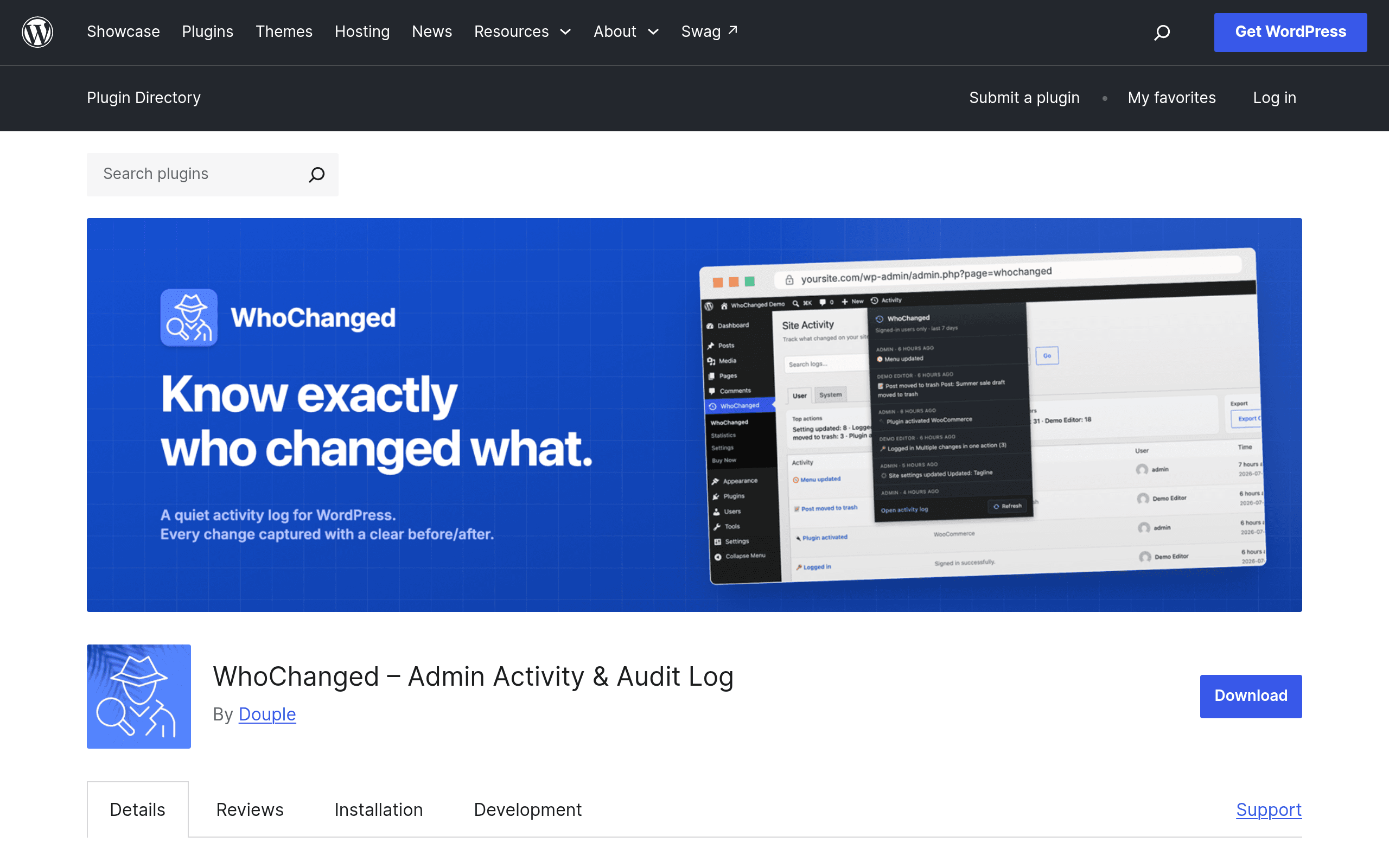
What WhoChanged actually does
WhoChanged is a new WordPress plugin with a narrow, specific job: answer the question "who changed that, and what did it look like before?" It's an audit log plugin, not a security scanner or a backup tool, and it's built to feel lightweight rather than becoming another dashboard you have to manage.
Once activated, it sits quietly and logs changes across five areas:
- Settings — general, permalink, discussion, and other core WordPress settings changes
- Plugins — activations, deactivations, installs, updates, deletions
- Users — role changes, new user creation, password resets, profile edits
- Content — post/page edits, publishes, deletions, with before/after content diffs
- WooCommerce events — order status changes, product edits, and other store-level activity (only relevant if you run WooCommerce)
The standout feature is the diff view: instead of just logging "Settings updated by admin," it shows you the actual before/after values for the fields that changed. That's a meaningfully different experience from most activity logs, which just tell you that something happened, not what it looked like before.
All data is stored in your site's own database — nothing is sent to a third-party service. That matters for agencies and site owners who don't want client edit history living on someone else's servers.
Pricing: what's actually free vs. what requires PRO
The free version, available directly from the WordPress.org plugin repository, includes:
- Full tracking across settings, plugins, users, content, and WooCommerce
- Before/after diff views
- 30-day retention of log history (older entries roll off)
The PRO version adds:
- Extended retention beyond 30 days (useful if you need to look back further than a month, e.g., for compliance or dispute resolution)
- Email alerts when specific changes happen (so you're not manually checking the log)
- Role-based access control, so you can let a client or team lead view the audit log without giving them full admin access
At the time of writing, PRO pricing isn't listed on the plugin's WordPress.org page — checkout is handled through Freemius, and you only see the actual price tiers once you click through to the checkout flow. If pricing transparency upfront matters to you, that's worth knowing before you invest time setting up the free version expecting to see PRO numbers on the plugin page itself. Check the current Freemius checkout page directly for exact tier pricing before budgeting for it.
Concrete use cases
- Agency managing multiple client sites: A client calls saying their homepage "just changed" and they don't know why. Instead of guessping, you open WhoChanged, filter by content changes, and see exactly which user edited the page, when, and what the previous version looked like.
- Multi-admin WooCommerce store: Two people have admin access to your store. An order total looks wrong. WhoChanged's WooCommerce event log shows which user touched the order and what changed, without digging through WooCommerce's own limited order notes.
- Site handoff or offboarding: A freelance developer had temporary admin access. Before removing them, you check the log to confirm exactly what settings and plugins they touched during the engagement.
- Accidental plugin conflict: A plugin update broke something. The plugin change log shows exactly when the update happened and by whom (auto-update vs. manual), helping you correlate the timing with when the site broke.
What it's not built for: detecting malware, blocking brute-force login attempts, or restoring your site from a backup. It's a record-keeping tool, not a defense or recovery tool.
How it compares
| WhoChanged | Wordfence Security | Jetpack (Backup/Complete) | MonitorWP | |
|---|---|---|---|---|
| Price | Free (30-day log); PRO price shown only at Freemius checkout | Free tier limited; Wordfence Premium ~$119/year per site | VaultPress Backup from | Paid monitoring plans, per-site pricing (check current site for tiers) |
| Core focus | Audit logging with before/after diffs | Firewall, malware scanning, login security | Backups, restores, some activity logging on top-tier plans | Uptime and change monitoring across multiple sites |
| Before/after diff view | Yes, core feature | No — logs events, not field-level diffs | No — activity log shows event type, not diffs | No — flags that something changed, not what changed |
| Data storage | Local, in your own database | Local, with some cloud features on paid tiers | Cloud-hosted (Jetpack/WordPress.com infrastructure) | Cloud-hosted (monitoring is inherently external) |
| Best for | Teams needing precise change history and accountability | Sites needing active threat protection, not just logging | Sites prioritizing backup/restore with logging as a bonus | Agencies watching uptime/changes across many sites at once |
The honest takeaway: these aren't fully interchangeable tools. Wordfence and WhoChanged solve different problems and can run side by side — Wordfence stops bad actors, WhoChanged tells you what your own team did. Jetpack's activity log is bundled into a much bigger (and pricier) backup/security suite, so it's overkill if audit logging is the only thing you need. MonitorWP is oriented around watching sites from the outside (uptime, external change detection) rather than logging internal admin actions with diffs.
Should you install it today?
If you manage a WordPress site with more than one admin or editor — or you're an agency fielding "who changed this?" questions from clients — the free version of WhoChanged is a low-risk way to get real accountability without adding another paid subscription. Thirty days of history covers most day-to-day disputes.
Where it gets less clear-cut is the PRO upgrade: without published pricing on the plugin page, you can't do a full cost comparison until you actually click into the Freemius checkout. If your main need is longer retention (say, for annual compliance reviews) or email alerts on specific changes, it's worth checking that checkout page directly before assuming a monthly cost. For most single-admin personal sites, the free 30-day version is probably enough on its own.