CheckOO First Look: A WooCommerce Plugin That Actually Tests Your Checkout, Not Just Your Uptime
Some links in this guide are affiliate links. If you sign up through them, Day Zero Guides may earn a commission at no extra cost to you. This never affects which products we cover or what we say about them. See our affiliate disclosure for details.
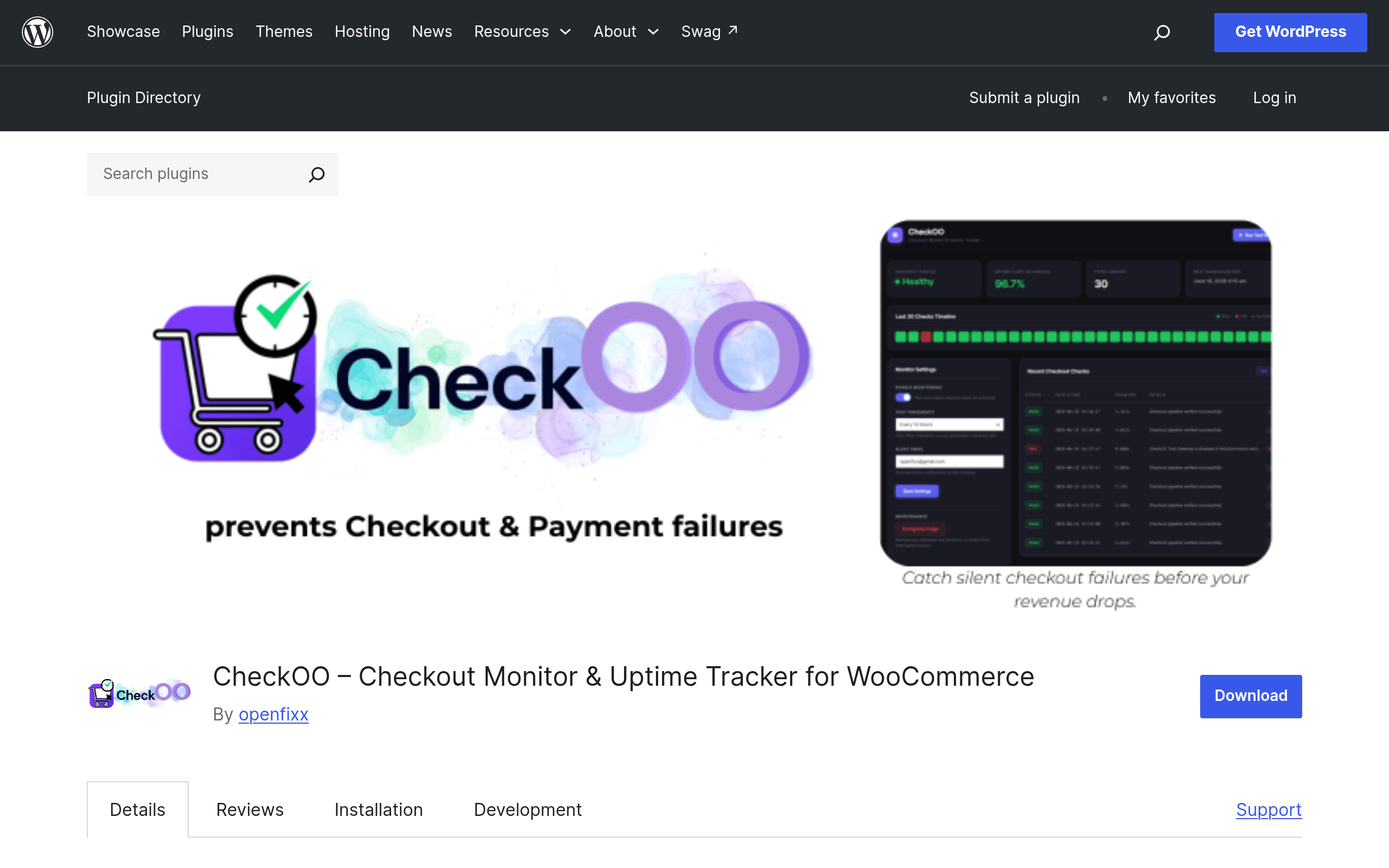
What CheckOO Actually Does
Most uptime monitors tell you your site returned a 200 status code. They don't tell you that your checkout page loads fine but silently fails at the payment step because a gateway plugin update broke something, or that your cart total calculation is off after a tax plugin conflict. CheckOO, a new plugin listed on the official WordPress.org repository, is built specifically to close that gap for WooCommerce stores.
Instead of pinging a URL, CheckOO runs synthetic $0.00 test transactions through your actual checkout pipeline on a schedule you configure — every 15 minutes, hourly, every 6 hours, whatever you set. It walks through the real steps a customer would take (adding a product, entering checkout data, submitting the order) using temporary test data that's automatically purged after each cycle. If any step fails — a broken gateway, a JS error blocking form submission, a plugin conflict that throws a fatal error mid-checkout — CheckOO flags it and alerts you.
Two details matter here for anyone nervous about running a plugin that touches checkout logic:
- No external API calls or third-party dependencies. The test runs entirely within your WordPress install. It's not routing data through an outside service to simulate the transaction.
- Test data is purged immediately after each cycle. You're not going to end up with a
wp_optionstable full of stale test orders six months from now, assuming the cleanup routine works as documented.
Where This Actually Gets Used
A few concrete scenarios where this plugin earns its keep:
- You update WooCommerce core or a payment gateway plugin at 2am via auto-update, and it breaks Stripe's checkout button. A standard uptime monitor still sees your homepage return 200. CheckOO catches it because it's testing the checkout flow itself, not just page load.
- You're running a Black Friday sale and can't afford even a two-hour window of broken checkout. Set the monitoring interval to every 15 minutes during the sale window and you'll know within minutes if something breaks, not when a customer emails support.
- You manage checkout for a client store as an agency and want something running in the background that doesn't require the client to notice a drop in orders before anyone investigates.
- You just installed a new tax, shipping, or checkout-field plugin and want automated regression checks instead of manually clicking through checkout every time you push a change.
What it's not good for: monitoring general site uptime, page speed, DNS issues, or SSL expiration. It's narrowly scoped to the checkout pipeline, which is exactly the point — it doesn't try to be a full monitoring suite.
Pricing
As of this writing, CheckOO does not have published pricing on its WordPress.org listing or elsewhere. The plugin is distributed through the official WordPress.org plugin repository, which means a free version is installable right now with no signup wall. There's no visible premium tier, license key prompt, or upsell documented yet, though plugins in this space commonly move to a freemium model (free core monitoring, paid tiers for SMS alerts, multi-site management, or longer log retention) once they're past initial launch. If you install it today, budget for the possibility that advanced features get gated later — but the core $0.00 checkout test appears to be free right now.
If pricing transparency matters to you before committing time to setup, that's a legitimate reason to wait a release cycle or two and see what the developer publishes.
How It Compares
| CheckOO | Uptime Robot | Datadog / New Relic Synthetics | WooCommerce Status Report | |
|---|---|---|---|---|
| Price | Not published (free on WP.org currently) | Free tier (50 monitors, 5-min checks); paid from $7/mo | Enterprise pricing, typically $15–$100+/host/mo depending on plan | Free (built into WooCommerce core) |
| What it actually tests | Full checkout pipeline via real $0 transactions | HTTP status / page availability | Scripted browser flows across any site, checkout or otherwise | Static snapshot of server/plugin config, not live behavior |
| Setup complexity | Install plugin, set schedule, done — no external account needed | Create account, add monitor URLs | Requires scripting synthetic tests, agent setup, dashboard config | Already installed with WooCommerce, just read the report |
| Best for | WooCommerce stores that need checkout-specific failure detection | General uptime/downtime alerts on any site | Teams already paying for full observability stacks who want checkout as one of many synthetic tests | Diagnosing config issues after something's already broken |
| External dependencies | None — runs inside your WP install | Yes — pings from external servers | Yes — cloud-based agents | None |
The honest takeaway: Uptime Robot and CheckOO aren't really competing for the same job. Uptime Robot tells you the server is up; CheckOO tells you customers can actually buy something. Datadog and New Relic can technically do what CheckOO does if you script a synthetic checkout flow yourself, but that setup takes real engineering time and a monitoring budget most small WooCommerce stores don't have. WooCommerce's own Status report is useful for after-the-fact diagnosis, not proactive alerting.
Should You Install It Today
If you run a WooCommerce store where even a few hours of broken checkout means real lost revenue, and you're currently relying on "someone will email us if checkout breaks" as your monitoring strategy, CheckOO is worth installing this week — it's free right now and the core idea (test the actual transaction, not the page load) is the correct approach that most monitoring tools skip.
Hold off if you need guaranteed SLA-backed alerting, multi-channel notifications (SMS, PagerDuty, Slack integrations), or you're monitoring dozens of client stores and need a centralized dashboard — none of that is documented yet, and with no pricing page live, you're taking on some uncertainty about what happens to features once the plugin matures past its initial WordPress.org release.