Corel Corporation Review: CorelDRAW, PaintShop Pro, and the Full Suite Compared
By Day Zero Guides Editorial · How we produce guides
Some links in this guide are affiliate links. If you sign up through them, Day Zero Guides may earn a commission at no extra cost to you. This never affects which products we cover or what we say about them. See our affiliate disclosure for details.
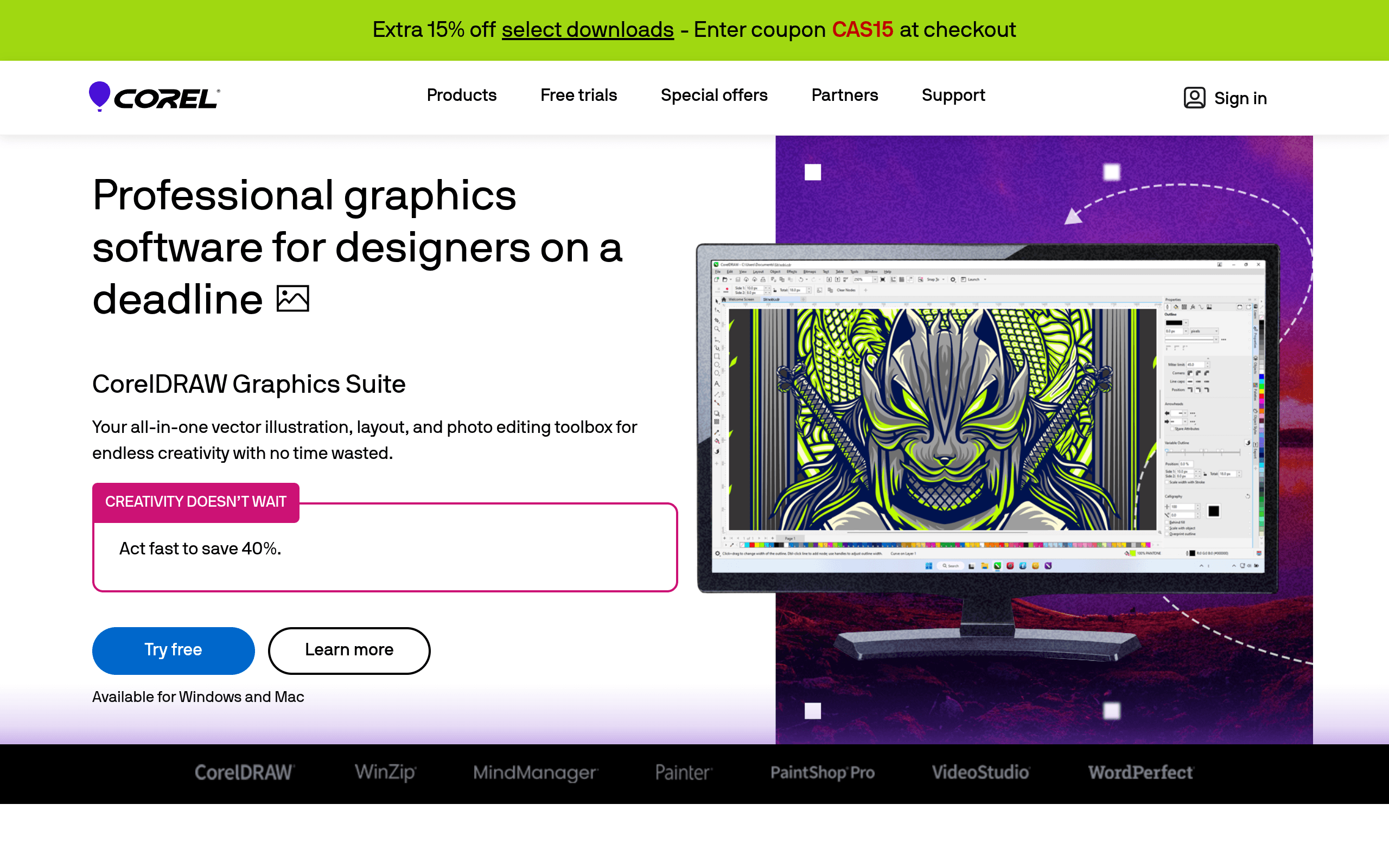
Corel Corporation isn't one product—it's a holding company for a portfolio of creative and productivity software that's been around since the late 1980s. If you've shopped for design tools, you've likely run into at least one Corel brand: CorelDRAW, Painter, PaintShop Pro, VideoStudio, WordPerfect, WinZip, or MindManager. This guide focuses mainly on CorelDRAW Graphics Suite, the company's flagship vector design product and its most direct competitor to Adobe Illustrator, but also covers where the rest of the lineup fits and what it actually costs.
What Corel Actually Sells
Corel's business model is built on owning mature, specialized tools rather than one unified platform. Here's the current lineup and what each does:
- CorelDRAW Graphics Suite — vector illustration, layout, and page design (Illustrator/InDesign hybrid)
- Painter — natural-media digital painting for illustrators and concept artists
- PaintShop Pro — photo editing aimed at Photoshop switchers who don't want a subscription
- VideoStudio — consumer/prosumer video editing
- WordPerfect Office — word processing, spreadsheets, presentations (legacy Microsoft Office alternative)
- WinZip — file compression and cloud backup utility
- MindManager — mind mapping and visual project planning
Each is sold and licensed separately, which is both a strength (you only pay for what you use) and a source of confusion (there's no single "Corel plan").
Pricing (List Prices, Frequently Discounted)
Corel doesn't lead with pricing on its homepage—you have to click into each product—and list prices shift often because Corel runs frequent 30-50% off sales. As of recent list pricing:
- CorelDRAW Graphics Suite: ~$249 one-time perpetual license (Windows), or
$249/year subscription; Mac version runs slightly higher ($299) - CorelDRAW Standard (scaled-down edition): ~$199 one-time
- PaintShop Pro: ~$79.99 one-time (Standard), ~$99.99 (Ultimate bundle with extra content)
- Painter: ~$429 one-time new license, ~$199 upgrade from a prior version
- VideoStudio Ultimate: ~$99.99 one-time
- WordPerfect Office Standard: ~$149.99; Professional edition ~$249.99
- WinZip Standard: ~$29.95/year
- MindManager: ~$349 one-time or ~$179/year subscription
The throughline across the catalog: Corel still sells perpetual licenses in most product lines, which is the biggest practical difference from Adobe. You can buy CorelDRAW once and keep using that version indefinitely, though you won't get new features without upgrading (Corel typically charges ~$99-149 for major version upgrades).
Who Actually Uses This
- Small business owners and sign/print shops doing logo work, signage, and packaging layouts who don't want an Illustrator subscription
- Freelance illustrators using Painter for digital painting work, especially those who want brush engines tuned for traditional media simulation
- Home users and small offices who need a Microsoft Office alternative without cloud lock-in (WordPerfect)
- YouTubers and hobbyists editing video without touching Premiere Pro (VideoStudio)
- Photo hobbyists who want a one-time-purchase Photoshop alternative for retouching and organizing (PaintShop Pro)
- Consultants and project managers using MindManager for structured brainstorming and Gantt-style visual planning
What Corel is not good for: teams needing deep cross-app integration (there's no Creative Cloud Libraries equivalent), collaborative cloud workflows, or the very latest AI-assisted design features—Corel has added some AI tools (like AI-powered image generation in recent CorelDRAW versions) but it trails Adobe's Firefly integration in depth and polish.
How CorelDRAW Compares
| CorelDRAW Graphics Suite | Adobe Creative Cloud (Illustrator) | Affinity Designer | Autodesk Sketchbook | |
|---|---|---|---|---|
| Price | ~$249 one-time or ~$249/yr | ~$22.99/mo (Illustrator solo) or ~$59.99/mo (all apps) | ~$69.99 one-time (V2 license) | Free |
| License model | Perpetual or subscription | Subscription only | Perpetual, no subscription | Free (no paid tier for core app) |
| Best for | Print/sign shops, layout + vector combo | Industry-standard vector work, team pipelines | Budget-conscious vector/raster hybrid work | Sketching, concept art, drawing practice |
| Learning curve | Moderate; UI feels dated but functional | Moderate-steep; deep feature set | Moderate; Adobe-like shortcuts available | Low; minimal toolset |
| File compatibility | Opens AI/PDF/EPS reasonably well | Native, industry standard | Strong PDF/SVG support, imports AI | Limited; not a layout tool |
| Ongoing cost | None if you skip upgrades | Recurring indefinitely | One-time per major version | Free |
The practical takeaway: if you're leaving Adobe specifically to escape the subscription model, CorelDRAW is a more direct swap than Affinity Designer because it also handles page layout (multi-page documents, print-ready exports) the way InDesign does, not just vector illustration. Affinity Designer is cheaper and has a cleaner, more modern interface, but you'd still need Affinity Publisher for layout work. Sketchbook isn't really a competitor to either—it's a free sketching tool with no layout or production features, useful mainly for warm-ups and concept sketches rather than finished commercial artwork.
Where It Falls Short
Corel's interface across its apps still looks and feels like software from a decade ago—menus are dense, and the design language hasn't been modernized to match Adobe or Affinity's flatter, cleaner UI. Cloud collaboration is minimal; there's no real equivalent to Adobe's shared libraries or version history synced across a team. Corel's AI features exist but are noticeably behind Adobe Firefly and even some free tools in image generation quality. Customer support is also a common complaint in user reviews—response times can be slow, and troubleshooting often falls to community forums.
Verdict
Corel makes sense for a specific buyer: someone who wants professional-grade design, painting, or video tools without recurring subscription costs, and who doesn't need deep cloud collaboration or the newest AI features. CorelDRAW Graphics Suite in particular is a legitimate Illustrator alternative for print shops, sign makers, and small studios doing layout-plus-vector work, and the perpetual license option can pay for itself within a year compared to Illustrator's subscription. But if your work depends on tight integration with Photoshop/Premiere pipelines, or you want the most current AI-assisted workflows, Adobe still leads. And if budget is the only concern and you don't need page layout, Affinity Designer's one-time $69.99 price undercuts CorelDRAW significantly for pure vector work. Try before buying—Corel offers 15-day free trials on most products—since the interface either clicks for you or it doesn't.