Couplesplit: First Look at the App That Splits Bills Without a Joint Bank Account
By Day Zero Guides Editorial · How we produce guides
Some links in this guide are affiliate links. If you sign up through them, Day Zero Guides may earn a commission at no extra cost to you. This never affects which products we cover or what we say about them. See our affiliate disclosure for details.
What Couplesplit Actually Does
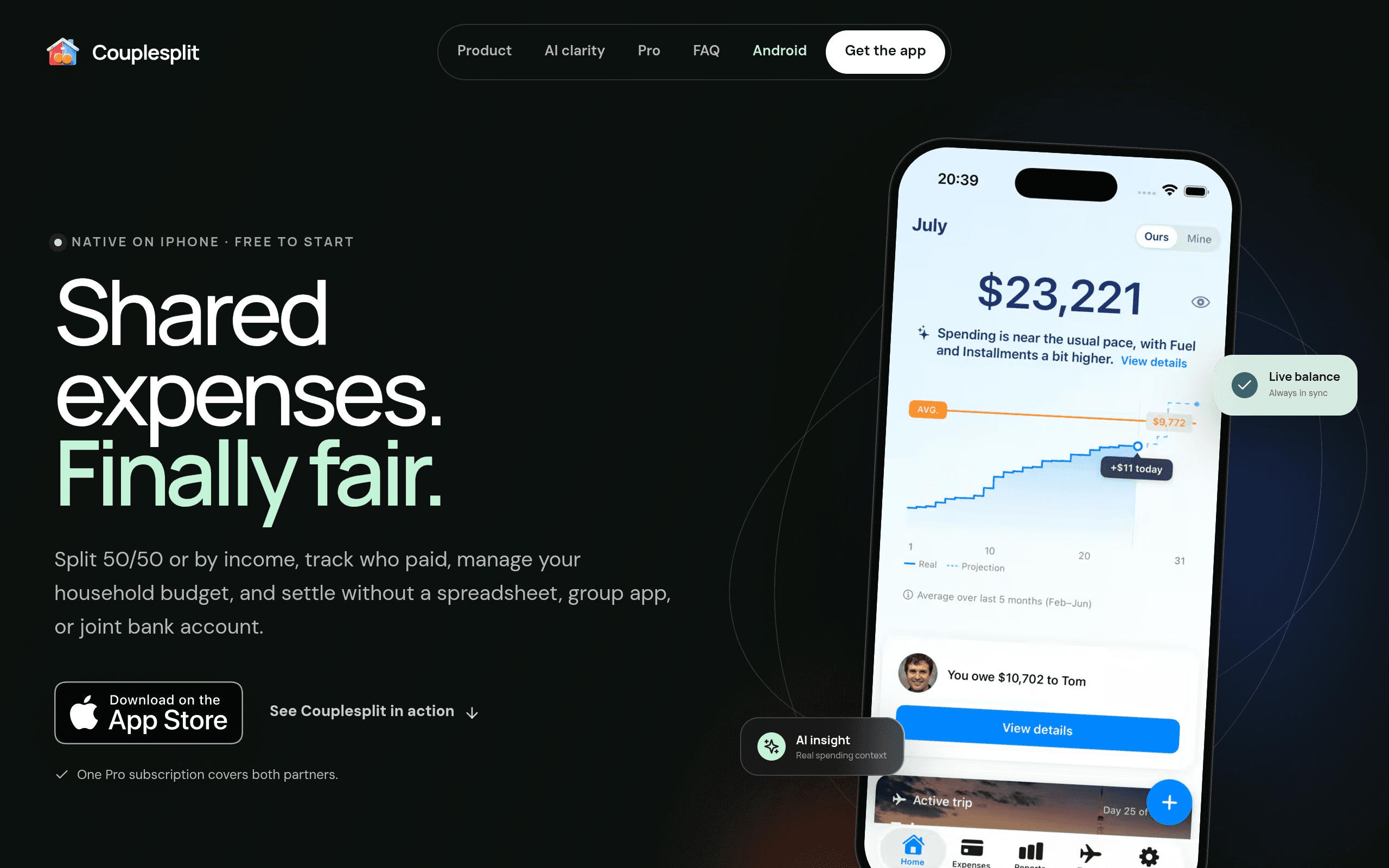
Couplesplit is a mobile app (iOS only at launch) built for one specific relationship problem: you and your partner want to share costs — rent, groceries, the dog's vet bills — without merging your bank accounts. Instead of a joint checking account or a spreadsheet that one of you inevitably stops updating, Couplesplit tracks who paid for what, applies a splitting rule you set once, and tells you who owes whom at the end of the month.
The core idea that separates it from a generic expense tracker is that it treats "shared" and "personal" spending as two different ledgers inside the same app. You log an expense, tag it as shared or personal, and Couplesplit only runs the split math on the shared side. Your solo coffee habit doesn't get dragged into the household math.
The Splitting Rules
At setup, couples choose one of three models:
- 50/50 — straightforward even split, good for couples with similar incomes and no strong feelings about exact fairness.
- Fixed percentage — one partner covers, say, 60% and the other 40%, useful when incomes are uneven but roughly stable.
- Income-proportional — Couplesplit calculates each partner's share based on income inputs, so a partner earning twice as much automatically covers roughly twice the shared costs.
You can change the rule later, and the app appears to let you apply different rules to different categories in practice (e.g., rent split income-proportionally, but a shared vacation fund split 50/50), though this is more of a workaround than a dedicated feature — it's worth testing with your own numbers before relying on it for anything complex.
Reports and Insights
Each month, Couplesplit generates a summary of household spending: total shared spend, category breakdown (groceries, utilities, entertainment, etc.), and a running balance of who owes whom. It's not a full budgeting suite — there's no goal-setting, envelope budgeting, or investment tracking — but for a couple who just wants a monthly "here's where the money went and here's what you owe me" snapshot, it covers the basics without extra noise.
Pricing
Couplesplit uses a flat subscription that covers both partners under one payment — there's no per-person fee:
- $3.99/month, billed monthly
- $29.99/year, which works out to about $2.50/month — a real discount for anyone planning to use it past a few months
There's no free tier disclosed on the app's page, which is a meaningful difference from Splitwise (free for basic use) and Venmo (free to send/receive). You're paying specifically for the relationship-specific splitting logic and separation of shared/personal spending — not for basic expense logging, which plenty of free apps already do.
Who This Is Actually For
- Couples who live together but keep separate bank accounts and are tired of manually calculating who owes what after a Costco run.
- Partners with unequal incomes who want a fairer-than-50/50 split without doing the math by hand every month — the income-proportional rule is the app's most distinct feature.
- Couples merging finances gradually — dating or newly cohabiting couples who aren't ready for a joint account but need something more structured than Venmo requests.
- Anyone who's tried Splitwise for a relationship and found it clunky because Splitwise was built for splitting one-off group trips and roommate bills, not for ongoing household finance separation.
It's a poor fit for groups larger than two (it's explicitly couples-focused), for anyone who wants full budgeting/net-worth tracking, or for couples who already have a joint account and don't need splitting logic at all.
How It Compares
| Couplesplit | Splitwise | Venmo | Wave | |
|---|---|---|---|---|
| Price | $3.99/mo or $29.99/yr (covers both partners) | Free; Pro tier ~$3.99/mo (per person, optional) | Free (fees apply for instant transfers/credit card funding) | Free (invoicing/accounting product; paid add-ons for payments/payroll) |
| Built for | Couples specifically, ongoing shared vs. personal expense separation | Groups, roommates, trips — general expense splitting | Peer-to-peer money transfers | Small business invoicing and bookkeeping |
| Splitting logic | 50/50, fixed %, or income-proportional, set once | Custom splits per expense, but manual each time | No splitting logic — just send/request money | No splitting logic — designed for invoices, not shared personal expenses |
| Shared vs. personal separation | Yes — dedicated feature | No — everything lives in one shared ledger | No — no expense tracking at all | No — built for business transactions |
| Monthly reports | Yes, automatic household spending summary | Limited, mostly balance-focused | None | Business-focused financial reports, not personal/household |
| Best for | Two people managing life together long-term | Ad hoc group expenses (trips, roommates) | Quick one-off payments between people | Freelancers/small businesses, not couples |
The Honest Verdict
Couplesplit isn't trying to replace Venmo (it doesn't move money) or Wave (it's not accounting software) — it's closer to a more opinionated, couples-only version of Splitwise. The value proposition hinges entirely on whether the income-proportional splitting and the shared/personal separation are worth $29.99 a year to you as a household, given that Splitwise's free tier already handles basic 50/50 and custom splits for zero dollars.
If your household math is simple — same income, same rent, no strong feelings about fairness — you probably don't need to pay for this; Splitwise's free tier or a shared note will do. But if one of you earns meaningfully more, or you're both sick of manually recalculating percentages every month, the $2.50/month (annual plan) is a small price for automating a recurring source of low-grade relationship friction. It's new enough (iOS-only, no Android or web presence yet) that it's worth trying the monthly plan first before committing to the year.