Customers Today: A First Look at the New AI Inbox Plugin for WordPress Contact Forms
Some links in this guide are affiliate links. If you sign up through them, Day Zero Guides may earn a commission at no extra cost to you. This never affects which products we cover or what we say about them. See our affiliate disclosure for details.
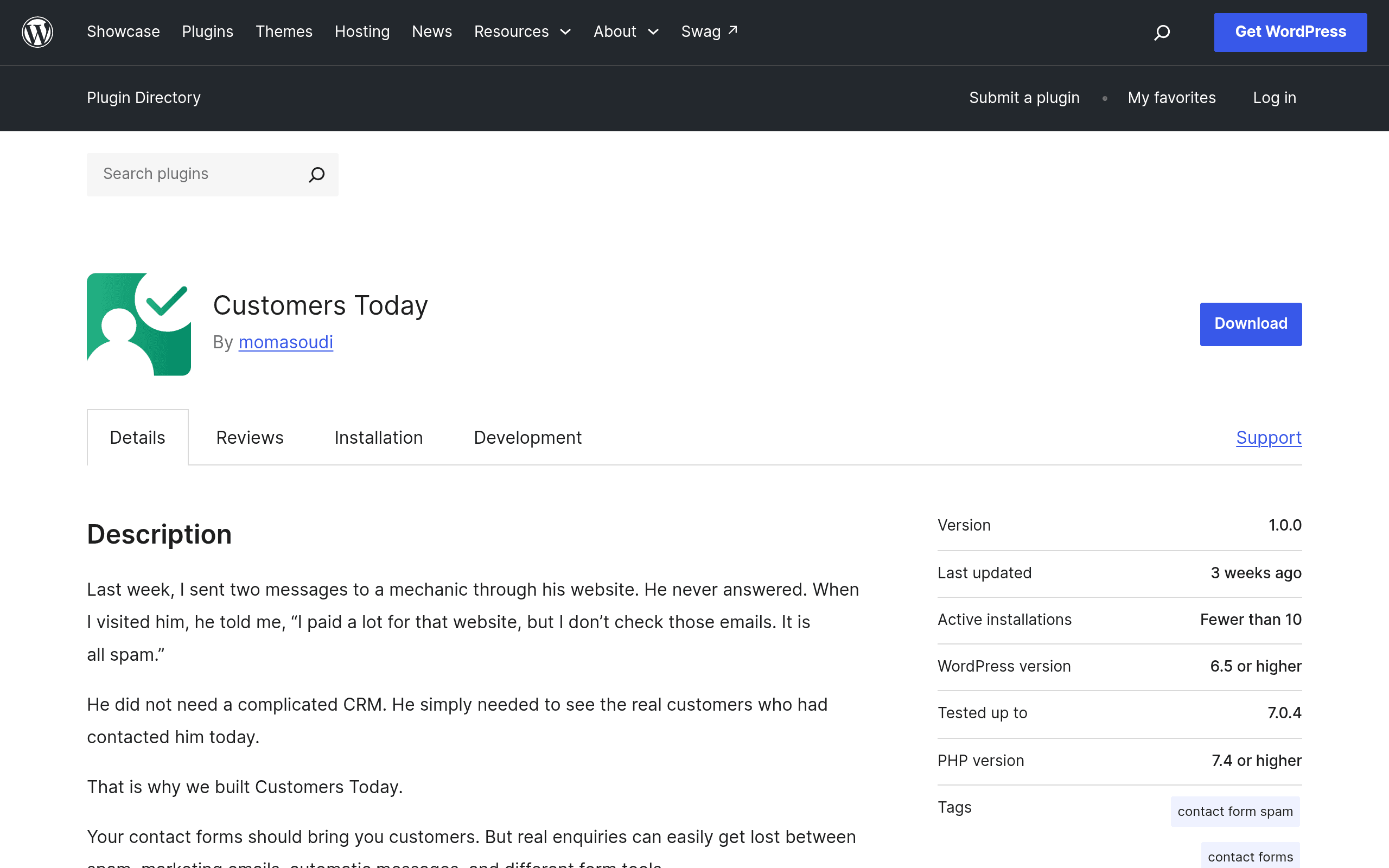
What Customers Today Actually Does
If you run a WordPress site, there's a good chance your contact form submissions are scattered across three or four places: Contact Form 7 dumping into an email inbox that also gets your spam, WPForms saving entries to a dashboard you check twice a week, Gravity Forms notifications getting buried in Slack. Customers Today, a plugin listed on the official WordPress.org repository, tries to fix that specific problem rather than replace your whole marketing stack.
It sits on top of whatever form plugins you already have installed, pulls every submission into a single unified inbox, and runs each one through an AI filter that does two things: flags likely spam before it hits your notifications, and extracts structured customer data (name, email, phone, and what they're actually asking for) from the raw form text. From there, you get mobile push notifications and can reply to the customer directly from a companion mobile app — without opening wp-admin at all.
That last part is the actual differentiator. Most WordPress form tools assume you're going to log into the dashboard to deal with leads. Customers Today is built around the assumption that you're not at your desk when a lead comes in — you're on a job site, in a car, or at another client's office — and it wants the reply loop to happen from your phone.
How It Works in Practice
- Install the plugin from the WordPress.org repository like any other plugin.
- It detects and connects to supported form builders already running on your site (the aggregation layer is the core feature — it's not a new form builder itself).
- Incoming submissions get scored and tagged by the AI layer, with spam suppressed from your main feed.
- You get a push notification on the mobile app with the extracted summary — who this is, what they want, and their contact info — rather than a wall of raw form fields.
- You reply from the app, and the response goes out through your connected channel without touching WordPress admin.
Pricing: What's Actually Published (and What Isn't)
As of this writing, Customers Today does not have a public pricing page, and the WordPress.org listing doesn't disclose tiered pricing either — the plugin itself is a free download from the repository, which is standard for anything distributed through wordpress.org. What's unclear is whether the AI filtering and mobile app functionality are free indefinitely or whether they're a freemium hook with usage limits (a cap on submissions processed per month, or a limit on connected sites) that gets revealed after install or account signup.
If you're evaluating this for a client site or an agency with multiple properties, that's worth flagging before you commit workflow around it: install it, connect one low-traffic form, and see whether you hit a paywall or usage ceiling before you roll it out further. Don't build your only lead-response process around a tool whose pricing model hasn't been made public yet.
Where This Is Actually Useful
- A local service business (plumber, contractor, dentist) running a simple Contact Form 7 setup, where the owner is not going to log into WordPress from a truck but will absolutely tap a phone notification and text back a lead in two minutes.
- An agency managing 10+ client WordPress sites, each with a different form plugin depending on what the site was built with, that wants one place to see "did anyone submit a lead on any client site today" instead of ten separate inboxes.
- A solo consultant or freelancer whose site form is currently just emailing them, half of it spam, who wants the spam pre-filtered and the real inquiries surfaced with the actual ask pulled out instead of having to read the whole message.
- Anyone running WPForms, Gravity Forms, and Ninja Forms on the same site (more common than you'd think after a redesign or theme migration) who currently has three separate places submissions land.
Where It Won't Fit
If you need actual marketing automation — drip sequences, list segmentation, campaign sends — this isn't that, and it isn't trying to be. It's an inbox and response layer, not a CRM with pipelines or a marketing platform with email campaigns. If your team already lives inside HubSpot or a Gravity Forms + CRM integration and that workflow works, swapping in a new inbox layer adds a second system to check rather than removing one.
How It Compares
| Customers Today | HubSpot CRM | Mailchimp | Gravity Forms + CRM Add-ons | |
|---|---|---|---|---|
| Price | Free WordPress.org plugin; paid tiers not yet published | Free CRM tier; Starter Customer Platform ~$15–20/mo per seat | Free up to 500 contacts; Essentials from ~$13/mo | Gravity Forms Basic license ~$59/yr, plus separate cost for CRM integration add-ons |
| Core function | Unifies form submissions across builders into one AI-filtered inbox | Full CRM: contact records, deal pipelines, marketing automation | Email marketing and audience management | Form builder with optional CRM sync via add-ons/Zapier |
| Mobile reply workflow | Native mobile app, reply without opening WordPress | Mobile app exists but built around CRM records, not raw form triage | No direct submission-reply workflow; built for campaigns, not 1:1 replies | Depends entirely on which add-on/CRM you connect |
| Spam handling | Built-in AI spam filtering across all connected forms | Not applicable — no form aggregation | Not applicable | Per-form spam settings (e.g. Akismet, honeypot), not unified |
| Best for | WordPress sites juggling multiple form plugins that want one AI-triaged inbox | Teams needing full pipeline and deal tracking beyond form leads | Email campaign management, not form-inbox triage | Sites already committed to Gravity Forms wanting deeper CRM sync |
The Honest Verdict
Customers Today is solving a real, narrow problem — form submissions scattered across plugins, read too late, cluttered with spam — and it's solving it in a way that matches how a lot of small business owners actually work, which is from a phone, not a dashboard. The AI extraction and unified inbox is a genuinely useful layer that doesn't currently exist as a lightweight WordPress-native option; you'd otherwise be stitching this together with Zapier, a CRM, and manual triage.
The honest caveat is the pricing opacity. A free WordPress.org plugin with an undisclosed monetization plan is common enough as a launch strategy, but it means you should test it on a low-stakes site first rather than migrating your entire lead workflow to it on day one. If the free tier stays generous, this is a genuinely useful addition for small WordPress sites. If it turns into a hard paywall a month in, you'll want to have kept your existing form notifications as a fallback.