FeatureQuest Roadmap & Voting Board: A WordPress-Native Alternative to Canny and UserVoice
Some links in this guide are affiliate links. If you sign up through them, Day Zero Guides may earn a commission at no extra cost to you. This never affects which products we cover or what we say about them. See our affiliate disclosure for details.
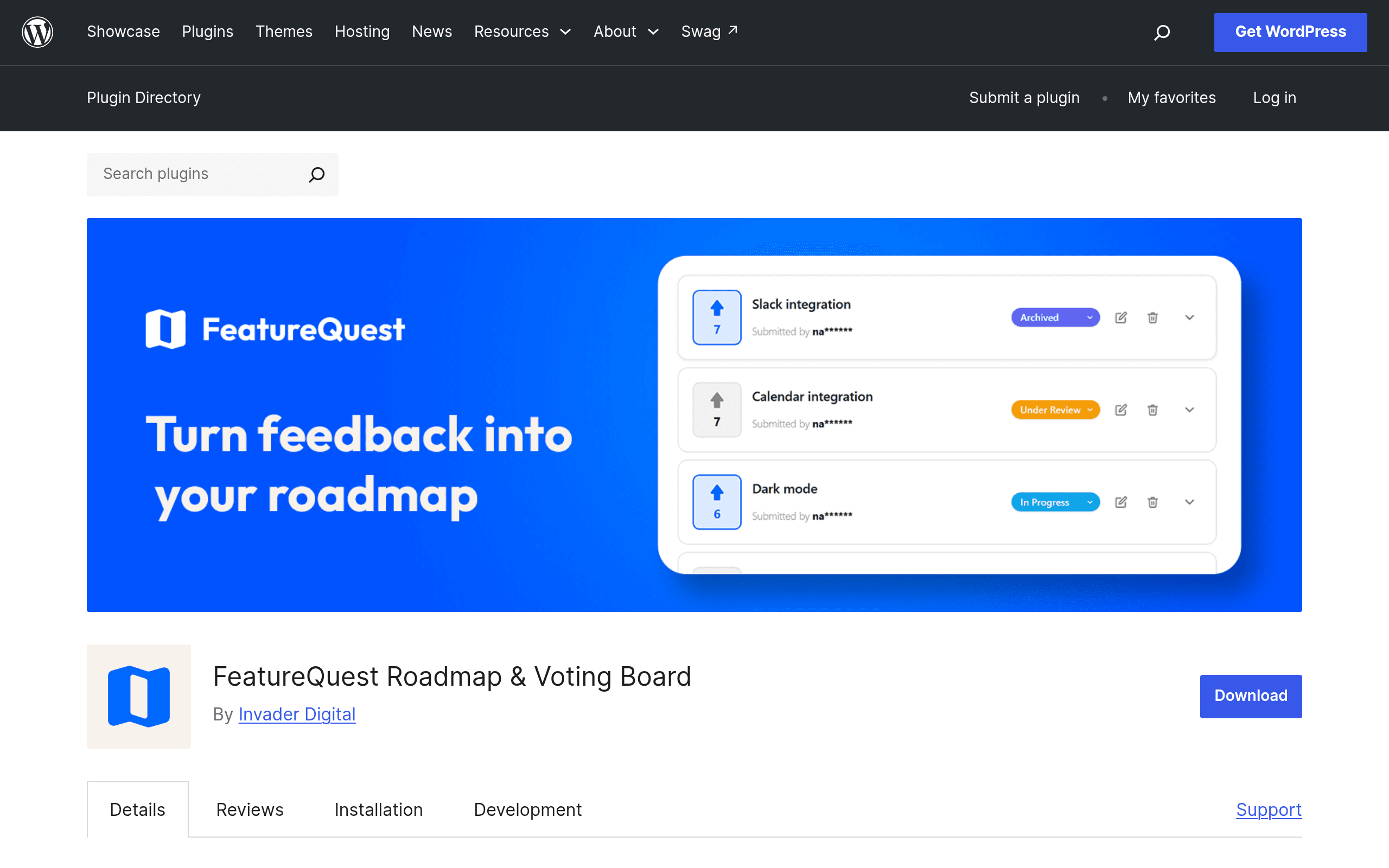
What FeatureQuest actually is
FeatureQuest is a WordPress plugin — not a SaaS dashboard you log into somewhere else — that drops a feature request and voting board onto any page via a shortcode ([featurequest_board] in the typical setup). If you already run a site on WordPress and want an idea board for a plugin, theme, SaaS product, or membership community without sending users to a third-party subdomain, this is the pitch.
It's built and distributed through the WordPress.org plugin repository, so installation is the standard three-click flow: search for FeatureQuest in Plugins > Add New, activate, drop the shortcode into a page, and you have a live board.
What's in the free version
The free tier, available directly from wordpress.org, is unusually generous for this category:
- Unlimited boards — no cap on how many request boards you create, unlike most hosted competitors that gate you to one board on their free plan
- Upvoting on submitted ideas
- Search and sort on the board (by votes, newest, etc.)
- Submission moderation — approve ideas before they go public
- Two sign-in modes: users can authenticate with an existing WordPress account, or verify via email if you don't want to force account creation
- Notifications for new submissions or status changes
- Spam protection baked in
There's no published time limit or feature-locked trial — the free plugin works indefinitely at this feature set.
What Pro adds
FeatureQuest Pro is sold separately through invader.digital/featurequest (outside the WordPress.org repo, which is normal for freemium plugins). Pro tier adds:
- Kanban-style boards for tracking ideas through stages (e.g., Under Review → Planned → In Progress → Shipped)
- Custom statuses you define yourself, rather than fixed labels
- Comments on individual feature requests, so users and your team can discuss before a decision is made
- Integrations (the specific list wasn't published in the plugin listing at time of writing — check the invader.digital page directly before assuming a specific tool is supported)
As of this writing, the invader.digital pricing page doesn't have a dollar figure listed in the material we could review — treat this as pricing not yet public rather than assume a number. If you're evaluating this today, install the free version first and check the upgrade page inside your dashboard for current Pro rates before committing.
Concrete use cases where this makes sense
- A plugin or theme developer on WordPress.org who wants a public roadmap without paying for a hosted tool — you can literally run the board on the same site as your plugin's documentation.
- A WooCommerce store owner collecting feature requests for a custom app or extension, where keeping data on your own WordPress database (rather than a third-party SaaS) matters for compliance or simplicity.
- A course or membership site (LearnDash, MemberPress, etc.) letting paying members vote on new content topics, using the WordPress-account sign-in mode so only logged-in members can vote.
- An agency managing multiple small clients who each want a lightweight feedback board but don't want to pay for individual Canny seats — since FeatureQuest is per-site and free, it scales differently than per-seat SaaS pricing.
- A solo indie hacker running a self-hosted SaaS on WordPress (via a membership plugin) who wants feedback collection without adding another monthly subscription line item.
Where it probably doesn't make sense: if you're not on WordPress at all, or if you need enterprise-level segmentation (feedback by customer ARR tier, deep CRM sync, etc.), you're better served by a dedicated SaaS tool built for that.
How it stacks up against named alternatives
| FeatureQuest (Free) | Canny | UserVoice | Slite | |
|---|---|---|---|---|
| Starting price | Free, unlimited boards | Free tier limited to 1 board; paid plans start around $79/mo billed annually | No public self-serve pricing; typically custom quotes, often $500+/mo for teams | Free tier available; paid plans from roughly $8/user/mo, feedback isn't a dedicated product line |
| Where it lives | Self-hosted on your own WordPress site/domain | Hosted on Canny's platform (yourcompany.canny.io or embedded) | Hosted on UserVoice's platform | Hosted inside Slite's docs workspace |
| Sign-in options | WordPress account or email verification | Email, SSO (paid tiers), social login | SSO, email, enterprise auth | Slite workspace membership |
| Status tracking / Kanban | Pro tier only | Included on paid tiers, fairly mature roadmap views | Included, historically one of UserVoice's core strengths | Basic; not built as a dedicated roadmap tool |
| Data ownership | Fully in your WordPress database — you control export, backups, hosting | Data lives on Canny's servers | Data lives on UserVoice's servers | Data lives on Slite's servers |
| Best for | WordPress site owners who want a free, self-hosted board with no per-seat cost | Product teams wanting a polished, dedicated feedback + roadmap SaaS | Larger orgs needing enterprise feedback management and support integrations | Teams already living in Slite for docs who want lightweight feedback capture, not a dedicated board |
The honest tradeoff
Canny and UserVoice are more mature as dedicated feedback products — better analytics, more polished public roadmaps, and established integrations with tools like Slack, Jira, and Intercom. FeatureQuest's free tier can't currently match that on integration depth, and Pro's integration list isn't published yet, so you're taking it on faith that it'll cover what you need.
What FeatureQuest wins on is cost and control: if you already run WordPress, you can have unlimited boards live in the next ten minutes at zero cost, with your data staying in your own database rather than a third-party's servers. For a WordPress-first solo developer or small team, that's a real, concrete advantage — not marketing spin. For a larger product org that needs deep status workflows and integrations today, Pro's currently-unpublished pricing and feature list make it harder to commit to versus a known quantity like Canny.
Should you install it today?
If you're running WordPress and want a feature board with zero monthly cost, yes — install the free version now, since there's no downside risk (no trial clock, no feature removal later that's been announced). If you specifically need Kanban tracking, custom statuses, or integrations right now, hold off on Pro until invader.digital publishes concrete pricing and a documented integration list, so you're not upgrading blind.