FlashPrep AI: First Look at the PDF-to-Flashcard App With Built-In Spaced Repetition
By Day Zero Guides Editorial · How we produce guides
Some links in this guide are affiliate links. If you sign up through them, Day Zero Guides may earn a commission at no extra cost to you. This never affects which products we cover or what we say about them. See our affiliate disclosure for details.
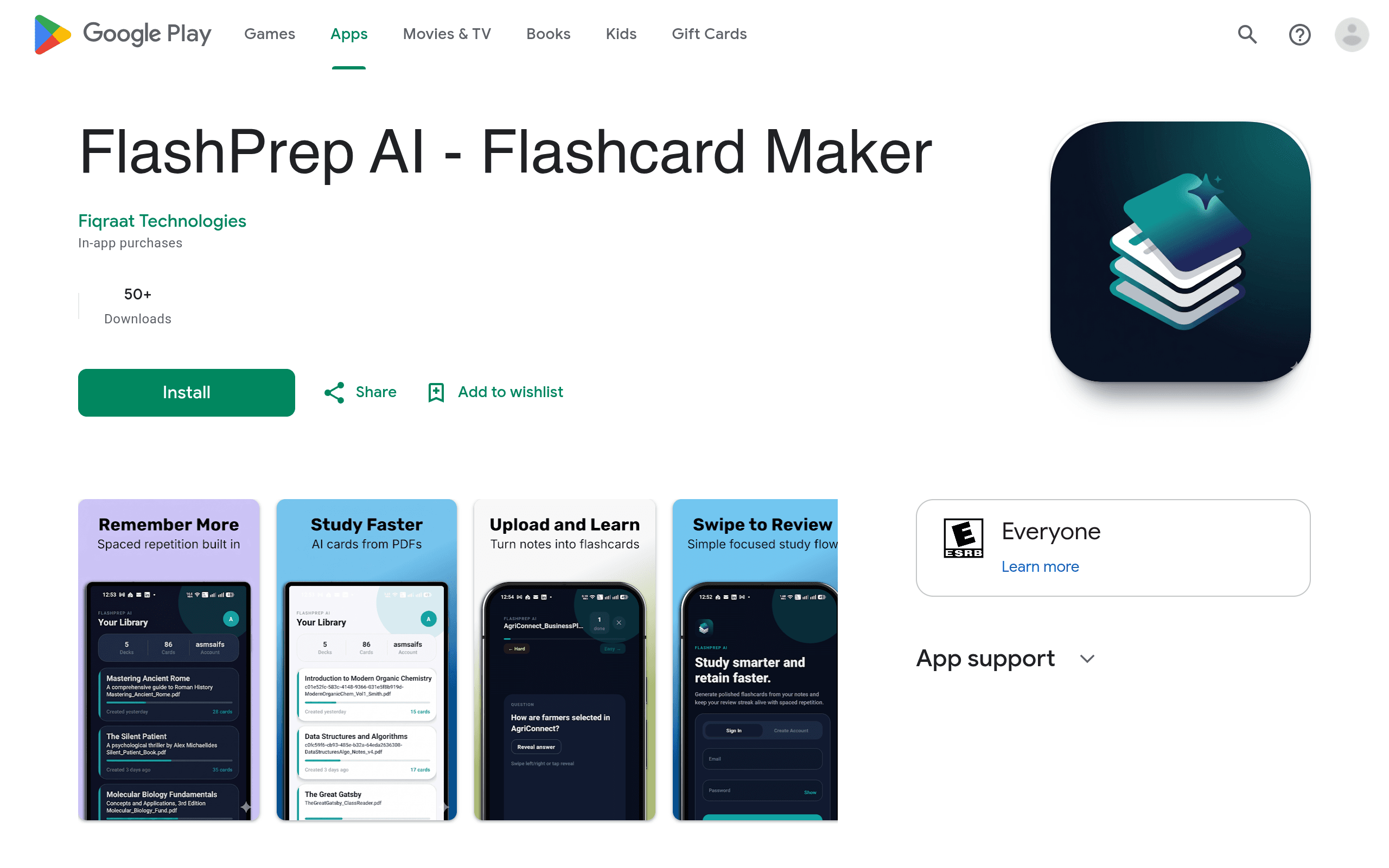
FlashPrep AI (available now on Google Play under the developer handle asmsaifs) is a mobile-first answer to a problem every exam-prep student knows well: you have a 40-page lecture PDF, a syllabus PDF, and a professor's slide deck PDF, and turning any of that into usable flashcards takes hours. FlashPrep AI's pitch is simple — upload the document, let the AI extract question-answer pairs, and drop the resulting deck into a spaced repetition queue automatically.
This is a first-look guide based on the app's current Play Store listing and in-app behavior, written for someone trying to decide whether it's worth installing today.
Who This Is Actually For
FlashPrep AI makes the most sense for people who have source documents already and don't want to manually author cards:
- Nursing and med students converting lecture slides or NCLEX/USMLE review PDFs into drillable decks without retyping every drug interaction or lab value by hand.
- Bar exam and professional certification candidates (CPA, PMP, bar prep outlines) who have dense PDF outlines and need them broken into recall-testable chunks fast.
- Language learners working from a textbook chapter PDF who want vocabulary pulled out automatically instead of building cards term-by-term.
- Grad students cramming from assigned readings the week before a comprehensive exam, where the priority is speed of deck creation over perfectly curated cards.
It's a weaker fit if you already have a large existing Anki library with custom card templates and add-ons — migrating that workflow isn't really what FlashPrep is built for.
What FlashPrep AI Actually Does
The core loop has three parts:
- Import a document. You upload a PDF (or other study document) and the app's AI parses it into candidate flashcards — front/back pairs pulled from definitions, headers, bolded terms, and similar structural cues in the text.
- Review with spaced repetition. Once a deck is generated, FlashPrep schedules cards using a spaced repetition algorithm, surfacing cards you're about to forget more often than cards you've already nailed.
- Track progress. The app logs review history and deck-level stats so you can see retention trends over time, and it works offline once a deck has synced to your device — useful for reviewing on a subway or a flight with no signal.
This puts it in a specific niche: it's not a general note-taking tool like RemNote, and it's not a pre-built shared-deck marketplace like Quizlet. It's closer to "Anki, but the tedious deck-building step is done by AI instead of by you."
Pricing: Free Tier vs. Premium
FlashPrep AI uses a freemium model, and as of this writing the exact dollar amount for Premium isn't published in the store listing — it's presented as an in-app purchase/subscription you configure after signup, so pricing may vary by region or be A/B tested. Here's what's confirmed by tier:
Free tier:
- Limited number of decks
- Limited cards per deck
- Standard (non-priority) AI processing for PDF-to-flashcard conversion
- Basic review functionality
Premium tier:
- Unlimited decks
- Unlimited cards per deck
- Priority AI processing (faster conversion, useful if you're generating a deck the night before an exam)
- Detailed analytics on retention and review performance
- Full offline access
If pricing transparency matters to you before committing, check the in-app purchase screen directly rather than assuming a price point — the Play Store listing itself doesn't post a fixed monthly/annual figure at the time of this review.
How It Compares
| FlashPrep AI | Anki | Quizlet | RemNote | |
|---|---|---|---|---|
| Price | Free tier + Premium subscription (amount not publicly listed; confirm in-app) | Free on Android/desktop; one-time ~$25 on iOS | Free tier; Quizlet Plus ~$7.99/mo or ~$35.99/yr | Free tier; RemNote Pro ~$6–8/mo billed annually |
| Card creation method | AI auto-generates cards from uploaded PDFs | Fully manual (or manual CSV/APKG import) | Manual, or search/borrow existing public sets | Manual notes that convert into cards via note-taking workflow |
| Spaced repetition algorithm | Built-in automatic scheduling | SM-2/FSRS, highly customizable, gold standard for SRS nerds | Basic "Learn" mode, less rigorous SRS | Built-in SRS tied to outline/note structure |
| Offline access | Yes, on Premium (and limited on free) | Yes, full offline by default | Limited offline (Plus tier improves this) | Limited; primarily a web/desktop-first tool |
| Best for | Fast conversion of existing PDFs into review-ready decks | Power users who want full control and proven long-term retention algorithms | Casual studying, shared/public decks, group study | Students who prefer building knowledge in outline/notebook form |
Where It Falls Short
A few honest caveats worth knowing before you install it:
- AI extraction isn't perfect. Auto-generated cards from dense or poorly formatted PDFs (scanned textbooks, multi-column layouts, image-heavy slides) will need manual cleanup. Treat the AI output as a first draft, not a final deck.
- No published pricing is a friction point. Not seeing a firm price before downloading means you're evaluating the free tier blind to what upgrading will actually cost you later.
- No desktop client mentioned. Unlike Anki (desktop + mobile + web) or RemNote (web-first), FlashPrep AI's listing is Android-only on Google Play, so there's no evidence yet of cross-device sync to a laptop.
- Newer, unproven algorithm. Anki's SM-2/FSRS scheduling has over a decade of community scrutiny and tuning. FlashPrep's spaced repetition implementation is unproven at that level — it works, but there's no independent verification of how it handles edge cases like leeches or lapsed cards over long study periods.
Bottom Line
If your bottleneck is turning PDFs into flashcards rather than the reviewing itself, FlashPrep AI targets that exact pain point in a way Anki, Quizlet, and RemNote don't — none of them auto-generate cards from an uploaded document out of the box. Install the free tier, throw one real study PDF at it, and judge the AI extraction quality on your own material before deciding whether Premium's unlimited decks and priority processing are worth it. Just don't expect a published price tag until you're inside the purchase flow.