Flatzer Chat: First Look at the New AI Sales Chatbot Plugin for WordPress
Some links in this guide are affiliate links. If you sign up through them, Day Zero Guides may earn a commission at no extra cost to you. This never affects which products we cover or what we say about them. See our affiliate disclosure for details.
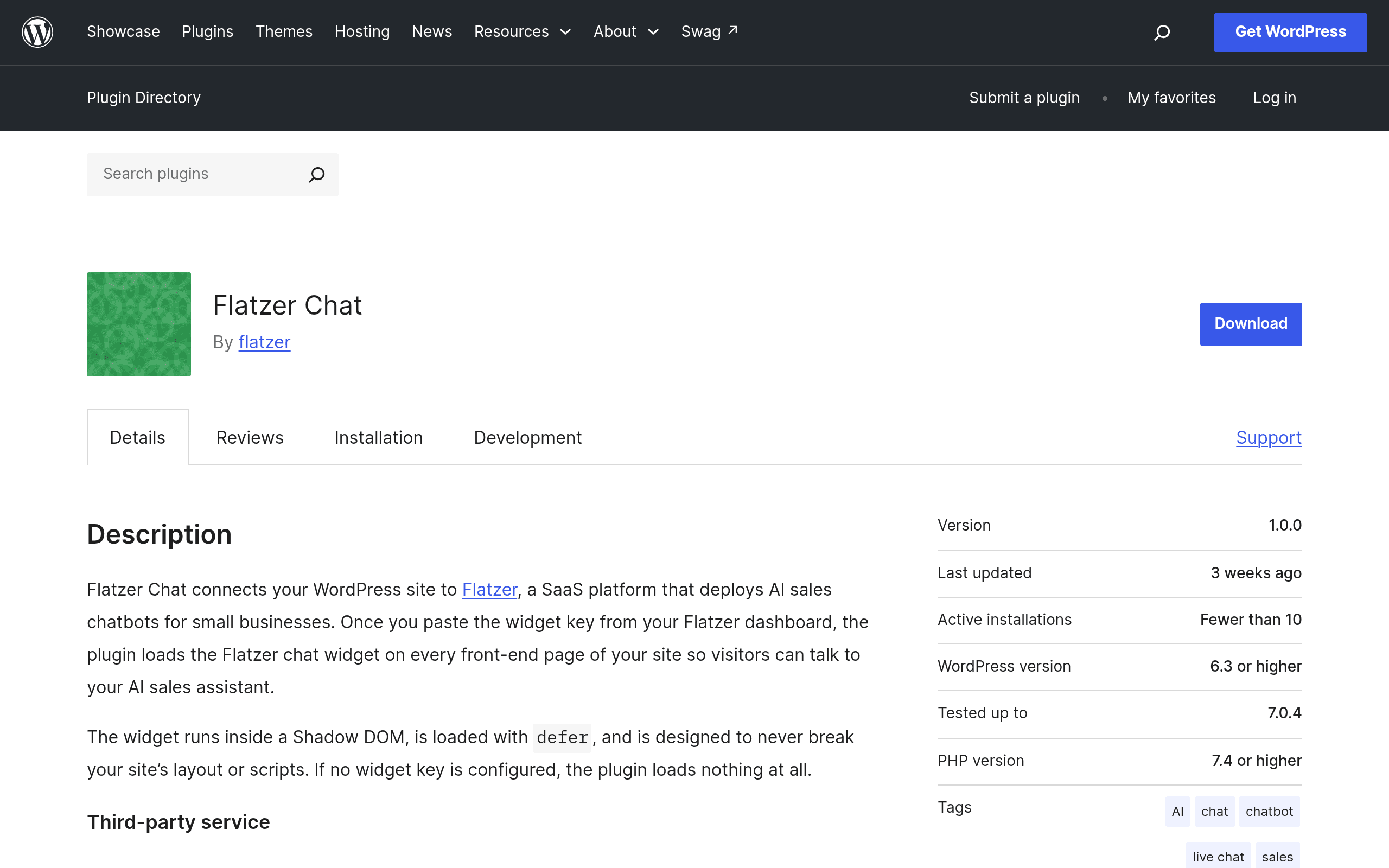
What Flatzer Chat actually is
Flatzer Chat is not a standalone chatbot — it's a lightweight WordPress connector plugin. Once activated, it drops a deferred <script> tag into your site's front end that pulls in a chat widget hosted on Flatzer's own SaaS platform. The plugin itself doesn't do any AI processing; it just injects the widget and passes along a widget key that ties your site to a specific Flatzer account and bot configuration.
Practically, that means installing the plugin is only step one. You also need to:
- Create an account on Flatzer's hosted platform (separate from WordPress.org).
- Configure or train the sales chatbot there (scripts, product data, FAQs — whatever Flatzer's dashboard supports).
- Copy the generated widget key into the plugin's settings screen inside wp-admin.
If you skip step 2 or paste the wrong key, the widget simply won't render — there's no fallback UI or error message baked into the front end, based on the plugin's current build.
Why the deferred script matters
Using a deferred script tag is a small but meaningful technical choice. It means the chat widget loads after the main page content, so it shouldn't block your Largest Contentful Paint or hurt Core Web Vitals the way some older chat embeds (looking at you, synchronous document.write widgets) used to. For a site owner who's already fighting for PageSpeed score, this is one less thing to worry about — assuming Flatzer's own servers respond quickly once the script does fire.
Pricing: the biggest open question
Here's the catch for anyone evaluating this today: Flatzer Chat's pricing is not published on its WordPress.org plugin page, and there's no pricing table linked from the plugin listing itself. The plugin download is free, but since all the actual chatbot logic lives on Flatzer's SaaS backend, the real cost is whatever Flatzer charges for an account — and that isn't public yet.
If you're used to how Intercom, Drift, or HubSpot price their chat products, expect one of two models once Flatzer publishes rates: a monthly seat/conversation-based SaaS fee, or a freemium tier gated by chat volume or number of trained documents. Until Flatzer confirms this, budget-conscious teams should treat this as an unknown recurring cost, not a free tool — a free WordPress plugin wrapped around a paid (or soon-to-be-paid) service is a very different commitment than a one-time plugin purchase.
Concrete use cases where this plugin makes sense
- A WooCommerce store owner who wants an AI assistant to answer "does this ship to Canada" or "what sizes do you have" questions without hiring live chat staff, and is willing to configure the bot once in the Flatzer dashboard.
- A small SaaS marketing site that wants a sales-qualifying chatbot on its pricing page without engineering resources to build a custom widget — as long as the team is comfortable being early on a platform with no public pricing or long install-base track record yet.
- An agency prototyping a chatbot demo for a client site where a quick plugin install plus widget key is faster than integrating a full JS SDK.
What it's not well-suited for yet: teams that need HIPAA/SOC2 compliance documentation, deep CRM sync, or guaranteed uptime SLAs — none of that is documented in the plugin listing, and a brand-new SaaS platform typically hasn't published those yet either.
How it compares to established chat tools
| Flatzer Chat | Intercom | Drift | HubSpot Chat | |
|---|---|---|---|---|
| Price | Plugin is free; Flatzer account pricing not yet published | Starts around $39/mo (Essential plan, billed annually), scales fast with seats/contacts | Conversational Cloud pricing is custom/quote-based; legacy Drift plans started near $2,500/mo for larger orgs | Free tier available; paid Marketing Hub/Service Hub tiers start around $20/mo per seat and scale into hundreds |
| WordPress integration | Native plugin, purpose-built for WP, single widget key setup | JS snippet or WP plugin available, more setup steps for full feature use | JS snippet embed; no dedicated lightweight WP plugin | Native WP plugin (HubSpot for WordPress) with broader CRM feature set |
| AI chatbot capability | Core feature — AI sales bot is the whole point of the product | Fin AI agent available as an add-on on top of base plan | AI chatbot (Drift AI) included in higher tiers | Chatflows are largely rule-based; AI features are more limited without full HubSpot AI add-ons |
| Maturity/track record | Brand new, minimal install base, no public pricing yet | Long-established, enterprise-proven, extensive docs | Established but has changed ownership/direction in recent years | Long-established, deeply tied into HubSpot's broader CRM ecosystem |
| Best for | Sites wanting a quick AI sales widget test without heavy setup | Mid-size to enterprise teams needing full support + marketing suite | Sales-led B2B teams already bought into Drift's playbook | Teams already using HubSpot CRM who want chat bundled in |
Should you install it today?
If you already run WordPress and want to kick the tires on an AI sales chatbot without touching a line of JavaScript, Flatzer Chat is a low-friction way to try one — the plugin install itself takes minutes and the deferred script approach is performance-conscious. But go in with eyes open: you're trusting a very new SaaS backend with no published pricing, no visible install/review history yet, and no compliance documentation in the plugin listing. That's fine for a test on a staging site or a low-stakes marketing page. It's a harder sell if you need budget certainty or enterprise guarantees today — for those cases, Intercom or HubSpot Chat remain the safer, better-documented bets, even at a higher starting price.