FormOrbit: A First Look at the New Visual Form Builder for WordPress
Some links in this guide are affiliate links. If you sign up through them, Day Zero Guides may earn a commission at no extra cost to you. This never affects which products we cover or what we say about them. See our affiliate disclosure for details.
What FormOrbit Actually Is
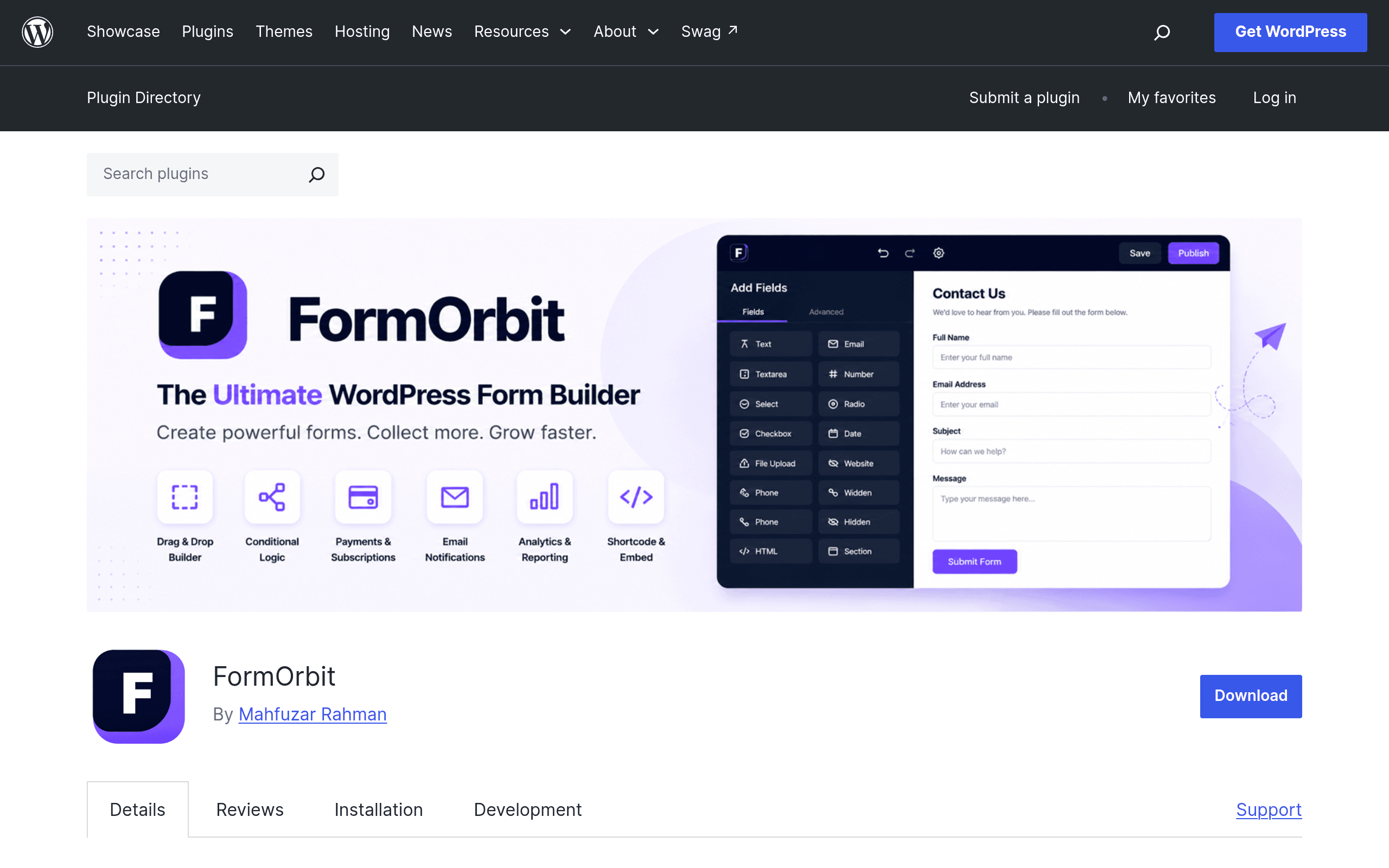
FormOrbit is a free WordPress plugin (distributed through the official WordPress.org plugin repository) that adds a drag-and-drop form builder to your dashboard. You can build contact forms, surveys, quizzes, registration forms, and multi-step workflows using a visual editor rather than shortcodes or raw HTML. Submissions are stored natively inside your WordPress database — you don't need a third-party logging plugin just to see who filled out your form.
A separate Pro add-on exists (distributed outside of WordPress.org) that layers on payment workflows and third-party integrations. As of this writing, FormOrbit does not publish Pro pricing anywhere public — no pricing page, no tiered feature chart, nothing in the free plugin's changelog or FAQ. You have to install the Pro plugin (or contact the developer) to find out what it costs. That's the single biggest thing to know before you invest time building forms you might later want to upgrade.
Core Features in the Free Version
- Visual builder — drag-and-drop fields, no shortcode memorization
- Conditional logic — show/hide fields or entire steps based on previous answers
- Multi-step forms — break long forms (job applications, intake forms) into pages
- Native submission storage — entries save to your WP database automatically, viewable from the admin dashboard
- Basic analytics — view counts and completion/abandonment data per form
- SMTP integration — connect an SMTP provider so notification emails don't land in spam, a common failure point for default WordPress mail
- Migration tools — import existing forms from Contact Form 7, WPForms, or Gravity Forms so you're not rebuilding from scratch if you switch
Concrete Use Cases
- A local service business replacing a static Contact Form 7 form with a multi-step quote request (service type → property size → contact info) that only shows financing questions if the visitor's estimated job size crosses a threshold.
- A course creator building a scored quiz that routes respondents to different landing pages based on their score, without paying for a separate quiz plugin.
- An HR site collecting job applications as a multi-step form with resume upload, storing every submission in wp-admin instead of relying solely on email (so nothing gets lost if a notification email bounces).
- A nonprofit building an event registration form with conditional ticket pricing tiers, planning to add payment collection later via the Pro add-on.
Pricing Reality Check
The free version is genuinely free, hosted on WordPress.org like Contact Form 7 and the free tiers of WPForms and Gravity Forms. Where FormOrbit breaks from the norm is Pro: WPForms and Gravity Forms both publish clear annual tiers on their marketing sites before you ever install anything. FormOrbit's Pro plugin is sold outside the WordPress.org ecosystem with no visible price. If you're evaluating this for a client site or a budget-conscious project, that opacity is worth flagging to whoever signs the invoice — you can't compare total cost of ownership until you've already committed to installing a second plugin.
How It Compares
| FormOrbit | WPForms | Gravity Forms | Contact Form 7 | |
|---|---|---|---|---|
| Starting price | Free (core); Pro price undisclosed | Free (Lite); paid plans from $49.50/yr | Paid only, plans from $59/yr | Free, no official paid tier |
| Native submission storage | Yes, built into free version | Entries only on paid plans | Entries built in on all paid plans | No — requires a separate plugin like Flamingo to log entries |
| Conditional logic | Yes, free version | Free version has basic logic; advanced logic is paid | Paid plans only | Not built in; needs add-ons or custom code |
| Migration from competitors | Built-in import from CF7, WPForms, Gravity Forms | No built-in competitor import | No built-in competitor import | No built-in competitor import |
| Best for | Sites wanting entry storage and logic without paying upfront | Beginners wanting a polished UI with predictable pricing | Agencies needing deep customization and developer hooks | Simple contact forms on a tight budget with dev comfort |
The standout gap FormOrbit fills: Contact Form 7 doesn't store submissions by default, which surprises a lot of site owners after they've already lost entries to a spam-filtered notification email. FormOrbit closes that gap for free, and undercuts WPForms/Gravity Forms by not gating entry storage or conditional logic behind a paid tier.
Should You Install It Today?
If you're currently on Contact Form 7 and tired of not having a record of submissions, or you're evaluating WPForms/Gravity Forms mainly for conditional logic and multi-step forms, FormOrbit's free tier is a low-risk trial — it costs nothing, and the migration importer means you're not starting from zero. Install it on a staging site first, since it's new enough that plugin conflict reports and long-term update history are still thin.
Hold off if your project depends on payment collection or third-party integrations right now — the Pro add-on that handles those is essentially a black box on pricing until you install it, and you don't want to build a payment-dependent form on a plugin whose upgrade cost you can't budget for in advance. Wait for the developer to publish a pricing page, or email support directly before you commit real client work to the paid tier.
Update — 2026-08-19
The current website now describes FormOrbit Pro as "separately distributed" and capable of operating "independently without FormOrbit Free," whereas the guide stated Pro was a separate add-on that layers onto the free version. Additionally, the website lists expanded Pro features (advanced fields, hosted payment workflows, marketing/calendar connections, document tools) that weren't detailed in the original guide.