Fuwari Block Effects: A First Look at the New Lightweight Scroll-Animation Plugin for WordPress
Some links in this guide are affiliate links. If you sign up through them, Day Zero Guides may earn a commission at no extra cost to you. This never affects which products we cover or what we say about them. See our affiliate disclosure for details.
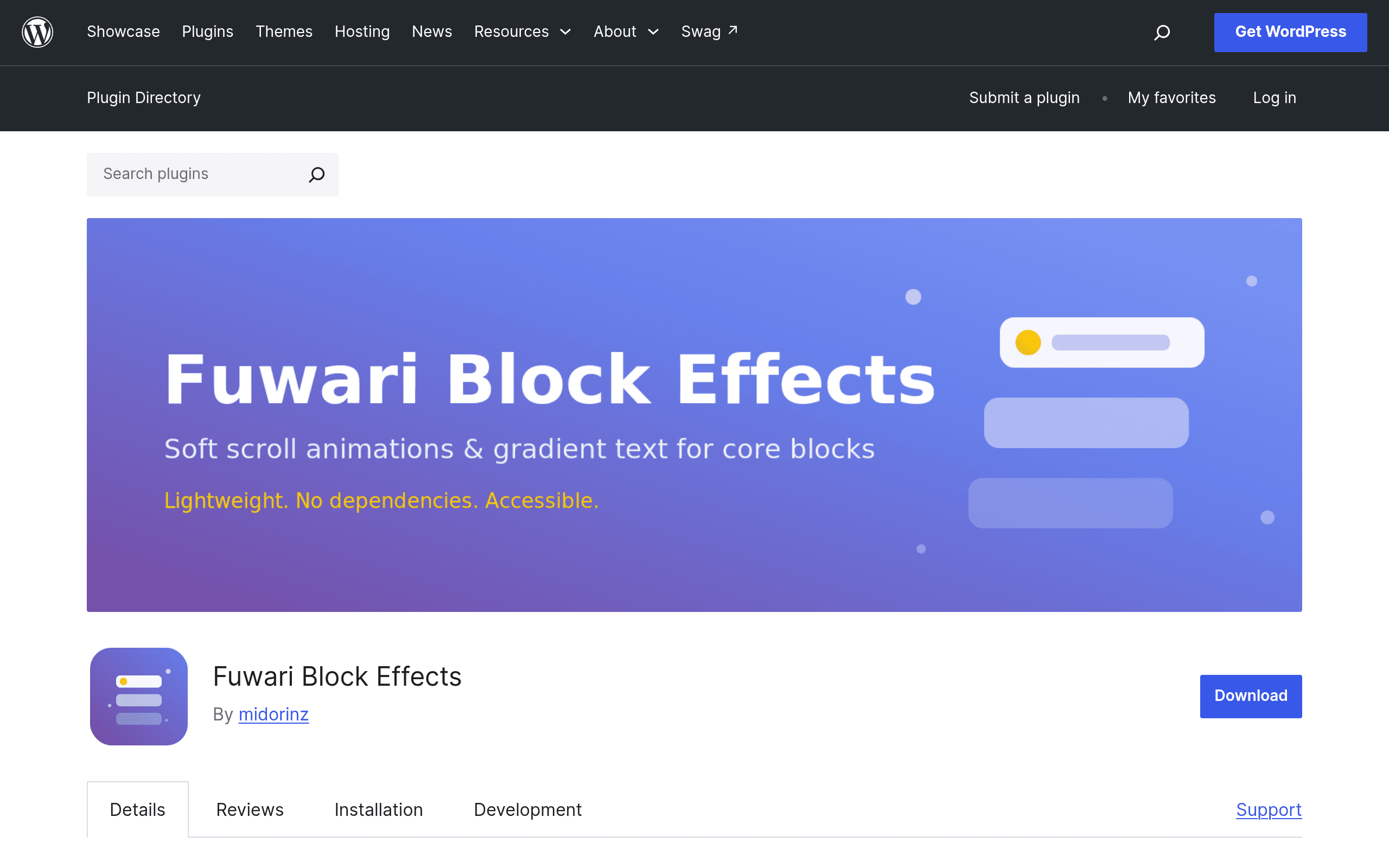
What Fuwari Block Effects Actually Does
Fuwari Block Effects is a free WordPress plugin, published on WordPress.org, that adds scroll-triggered animations and gradient text styling directly to core Gutenberg blocks. No external animation library (no Animate.css stylesheet, no AOS.js), no builder lock-in, and — notably — no settings screen to configure. You install it, and animation controls show up in the block editor sidebar for supported core blocks like Paragraph, Heading, Image, Group, and Columns.
The effect set is intentionally small: fade-in on scroll, box reveal (a clipped panel that opens to show the content), and gradient text for headings and paragraphs. That's it. There's no library of 80 easing curves or bounce/zoom/flip combinations to sift through. If you've used Animate.css and immediately gotten lost in classnames like animate__backOutUp, this is the opposite philosophy: pick fade, box reveal, or gradient, done.
Accessibility is baked in rather than bolted on. The plugin respects prefers-reduced-motion at the CSS level, so users with that OS setting enabled simply see the final state of content without the animation firing. Sites without JavaScript support, or blocks that fail to initialize for any reason, degrade to showing content normally rather than leaving it invisible or half-clipped — a real problem with some scroll-animation setups where a broken script means visitors never see the content at all.
Who Should Actually Install This Today
- Bloggers and small business sites on the block editor who want a bit of scroll polish on their homepage or landing page without touching Elementor or any page builder.
- Agencies building lightweight client sites where every additional JS library is a page-speed liability, and Elementor Pro's licensing cost isn't justified for what's often just "make the hero fade in."
- Developers who are already all-in on native Gutenberg blocks and don't want to introduce AOS.js as a dependency just to get scroll reveals.
- Accessibility-conscious teams who need
prefers-reduced-motionhandled correctly without writing custom media queries every time.
It's a poor fit if you need complex animation choreography — staggered sequences, timeline-based effects, hover/click-triggered animations, or entrance effects on non-core/custom blocks. For that, you're still better served by Elementor Pro's animation panel or hand-rolled AOS.js.
Concrete Use Cases
- A local restaurant site built entirely in the block editor wants its menu images to fade in as visitors scroll — install the plugin, toggle "fade" on each Image block, no code.
- An agency delivering a stack of small business brochure sites wants consistent subtle motion without adding 40kb of Animate.css or AOS.js to every page — this plugin's core-block integration keeps payload smaller.
- A blogger wants gradient-styled pull quotes or section headers without hand-writing
background-clip: textCSS in a custom CSS box. - A nonprofit site needs to meet accessibility guidelines and can't risk motion effects triggering vestibular issues for visitors with
prefers-reduced-motionset — this is handled without extra plugins or custom snippets.
How It Compares
| Fuwari Block Effects | Animate.css | AOS (Animate On Scroll) | Elementor Pro Animations | |
|---|---|---|---|---|
| Price | Free (WordPress.org) | Free (open source CSS library) | Free (open source JS library) | Included in Elementor Pro, from $59/year |
| Setup | Install plugin, use block editor sidebar toggles — zero config screens | Manual: enqueue CSS, add classnames to markup by hand | Manual: enqueue JS/CSS, add data-aos attributes, call AOS.init() | Built into Elementor's widget panel, GUI-driven |
| Effect variety | Small and curated: fade, box reveal, gradient text | Very large: 80+ named animations (bounce, flip, zoom, etc.) | Large: fade, flip, zoom, slide, with directions and easing options | Large: entrance animations, hover effects, transforms, motion effects |
| Editor integration | Native Gutenberg block controls | None — requires manual HTML/class editing | None — requires manual attribute editing or theme integration | Native to Elementor's page builder only |
| Accessibility (reduced motion) | Built-in, automatic | Not handled by the library itself | Not handled automatically; must implement manually | Partial, depends on Elementor version/settings |
| Best for | Gutenberg-only sites wanting simple, accessible scroll effects with no code | Developers who want full manual control over a huge animation vocabulary | Developers building custom themes who want scroll triggers without a builder | Elementor users who want animations inside the page builder they already use |
The Honest Trade-offs
The plugin's biggest strength — no configuration screen — is also its ceiling. There's no way to adjust animation duration, delay, or easing curves through a settings panel; you get what's shipped. If your site is built with Elementor, Divi, or another page builder rather than native Gutenberg blocks, this plugin likely won't even attach to your content, since it targets core blocks specifically. And because it's a new WordPress.org listing, the support forum and changelog history are thin right now — worth checking the "Tested up to" WordPress version tag before installing on a production site, and worth keeping a staging environment handy for the first test.
Verdict
If you're running a stock Gutenberg site and want tasteful fade/reveal/gradient effects without adding a JS library, editing HTML by hand, or paying for Elementor Pro, Fuwari Block Effects is a reasonable five-minute install to try today — it costs nothing and the accessibility handling is genuinely better thought out than most animation plugins in this space. If you need a large effect vocabulary or you're not using core blocks, stick with AOS or Elementor Pro instead.