Homestyler Review: Pricing, Features, and How It Compares to SketchUp and RoomSketcher
By Day Zero Guides Editorial · How we produce guides
Some links in this guide are affiliate links. If you sign up through them, Day Zero Guides may earn a commission at no extra cost to you. This never affects which products we cover or what we say about them. See our affiliate disclosure for details.
What Homestyler Actually Is
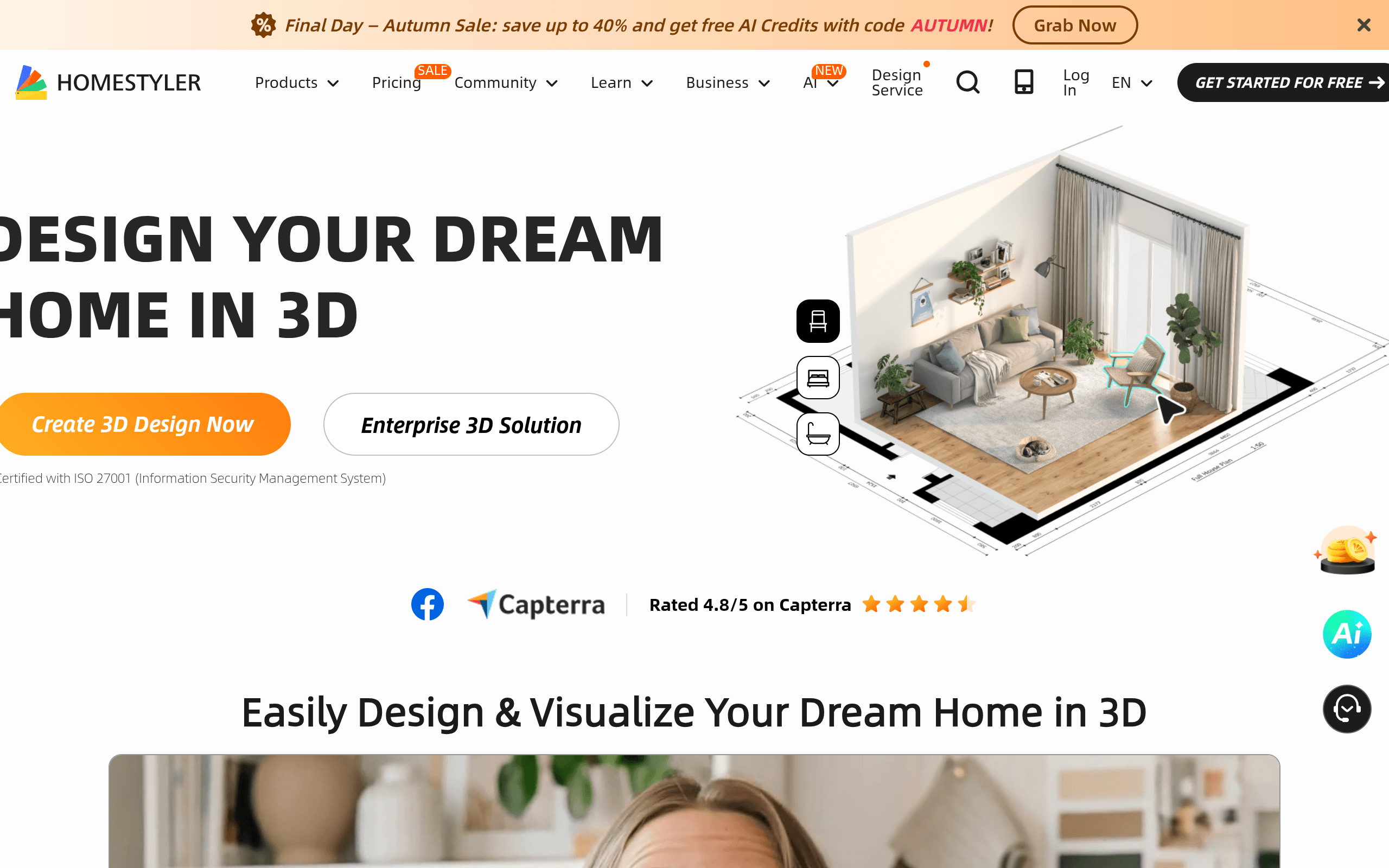
Homestyler is a browser-based (with mobile and desktop app support) interior design and floor planning tool built around 3D visualization. At its core, you draw a floor plan — either from scratch, by tracing a blueprint, or by scanning a room with the mobile app — and then populate it with furniture, fixtures, and finishes from a large built-in catalog. From there, Homestyler renders the space in 3D, with options for photorealistic still renders, 360-degree VR panoramas, and even short walkthrough videos.
It's positioned less as a precision CAD tool and more as a visualization and presentation tool. The target workflow is: lay out a space quickly, drop in real (often brand-licensed) furniture models, generate a render or VR tour that looks convincing to a client or buyer, and iterate fast. There's also a community marketplace where users share and sell floor plan templates, furniture models, and design assets, which gives it a bit of a library/ecosystem feel that competitors like SketchUp don't really have.
It's used by three overlapping but distinct groups: hobbyist homeowners planning a renovation, professional interior designers who need fast client-facing visuals, and real estate or retail businesses doing virtual staging or product placement at scale.
Pricing: What You Actually Pay
Homestyler uses a freemium model layered with paid subscription tiers and a design-credit system, rather than a single flat price. In practice that means:
- Free tier: Lets you build floor plans and generate basic 3D renders at standard resolution. Fine for personal projects or testing whether the workflow suits you, but exports are limited and you won't get HD/4K renders or VR panoramas without upgrading.
- Paid subscription tiers (Plus/Pro-level plans): Unlock higher-resolution rendering, VR panorama generation, video rendering, and a larger monthly allowance of "design credits" used for premium renders and marketplace assets. Billing is monthly or annual, with annual plans working out cheaper per month.
- À la carte credits: Beyond subscription allowances, you can buy additional rendering credits if you burn through your plan's allotment in a given month — useful if you're doing a one-off high-volume project (e.g., staging an entire real estate listing).
- Active promotion: As of this writing, Homestyler is running a promotion offering up to 40% off with the code AUTUMN at checkout on homestyler.com/pricing. Promo codes on this platform come and go regularly, so it's worth checking the pricing page directly before buying rather than assuming a specific tier price — the published numbers shift with these promotions.
The practical takeaway: Homestyler is cheap to start (free) and the paid tiers land in the same general territory as other prosumer design software — roughly in line with a mid-tier Canva Pro or RoomSketcher subscription rather than professional CAD pricing. If your use case is occasional (a single room redesign, a one-off listing), the free tier plus maybe one month of a paid plan will likely cover you. If you're rendering constantly for clients, budget for an ongoing subscription plus occasional credit top-ups.
Who Homestyler Is Actually For
Good fit:
- Homeowners and renters planning a renovation or furniture purchase who want to see a room before committing money to it.
- Interior designers and decorators who need to turn a client conversation into a polished visual quickly — the furniture catalog and rendering speed matter more here than millimeter-precise architectural accuracy.
- Real estate agents and property managers doing virtual staging on vacant listings, since Homestyler's photorealistic renders and VR panoramas are built for exactly this kind of buyer-facing presentation.
- Furniture retailers and brands that want to show products placed realistically in a room rather than on a plain studio background.
Poor fit:
- Architects or contractors who need precise structural drawings, load-bearing details, or construction-grade CAD output — Homestyler isn't built for that level of technical accuracy.
- Anyone needing offline, fully local software — Homestyler is primarily cloud/browser-based, which can be a dealbreaker on unreliable connections or for firms with strict data-locality requirements.
- Users who just need quick mood boards or 2D marketing graphics — that's arguably better served by Canva, which isn't trying to do true 3D room rendering at all.
How It Compares
| Homestyler | SketchUp | RoomSketcher | Canva (interior design use) | |
|---|---|---|---|---|
| Entry price | Free tier; paid plans with promo discounts (e.g., 40% off via AUTUMN) | Free web version (SketchUp Free); Pro starts around $119–$299/year | Free tier with watermarked exports; paid plans roughly $49–$99/project or subscription-based | Free tier; Canva Pro around $120/year |
| Core strength | Fast photorealistic rendering + VR panoramas with a large furniture catalog | Precise 3D modeling with strong architectural/CAD-adjacent accuracy | Simple floor plans with clean, quick 2D/3D output aimed at real estate | Flat design, mood boards, and marketing collateral — not true 3D space modeling |
| Learning curve | Moderate — easier than SketchUp, more involved than Canva | Steeper, especially for non-designers; plugin ecosystem adds power but complexity | Low — designed for quick use by non-professionals | Low, but it's not solving the same problem |
| VR/AR support | Yes — built-in VR panorama and mobile AR room scanning | Limited natively, available via plugins/extensions | No native VR; focused on 2D/3D static renders | No |
| Best for | Designers and agents needing polished client-facing renders fast | Professionals needing precise, exportable 3D models | Real estate agents needing simple, clean floor plans at volume | Marketing graphics and mood boards, not spatial design |
The honest distinction: SketchUp wins on modeling precision and professional CAD workflows, RoomSketcher wins on simplicity and real-estate-specific speed, and Canva isn't really a true competitor for 3D room visualization — it's a substitute for people who only need flat graphics. Homestyler's niche is the middle ground: better-looking renders than RoomSketcher, far less of a learning curve than SketchUp, and actual 3D/VR capability Canva doesn't attempt.
Verdict
Homestyler is worth using if your priority is turning a room concept into a convincing visual quickly — whether that's for a client pitch, a real estate listing, or your own renovation planning. The free tier is generous enough to test the workflow before paying anything, and the current 40%-off promotion (code AUTUMN) makes the paid tiers a reasonable value if you're rendering regularly. Where it falls short is anywhere precision matters more than presentation — if you need construction-accurate drawings, SketchUp is the better tool, full stop. And if you're already paying for RoomSketcher and only need basic real estate floor plans without VR, there's no urgent reason to switch. But for the specific job of fast, photorealistic room visualization with VR/AR built in, Homestyler earns its place in the rotation.