Hoobert First Look: An AI Command Bar That Actually Runs WooCommerce Tasks
Some links in this guide are affiliate links. If you sign up through them, Day Zero Guides may earn a commission at no extra cost to you. This never affects which products we cover or what we say about them. See our affiliate disclosure for details.
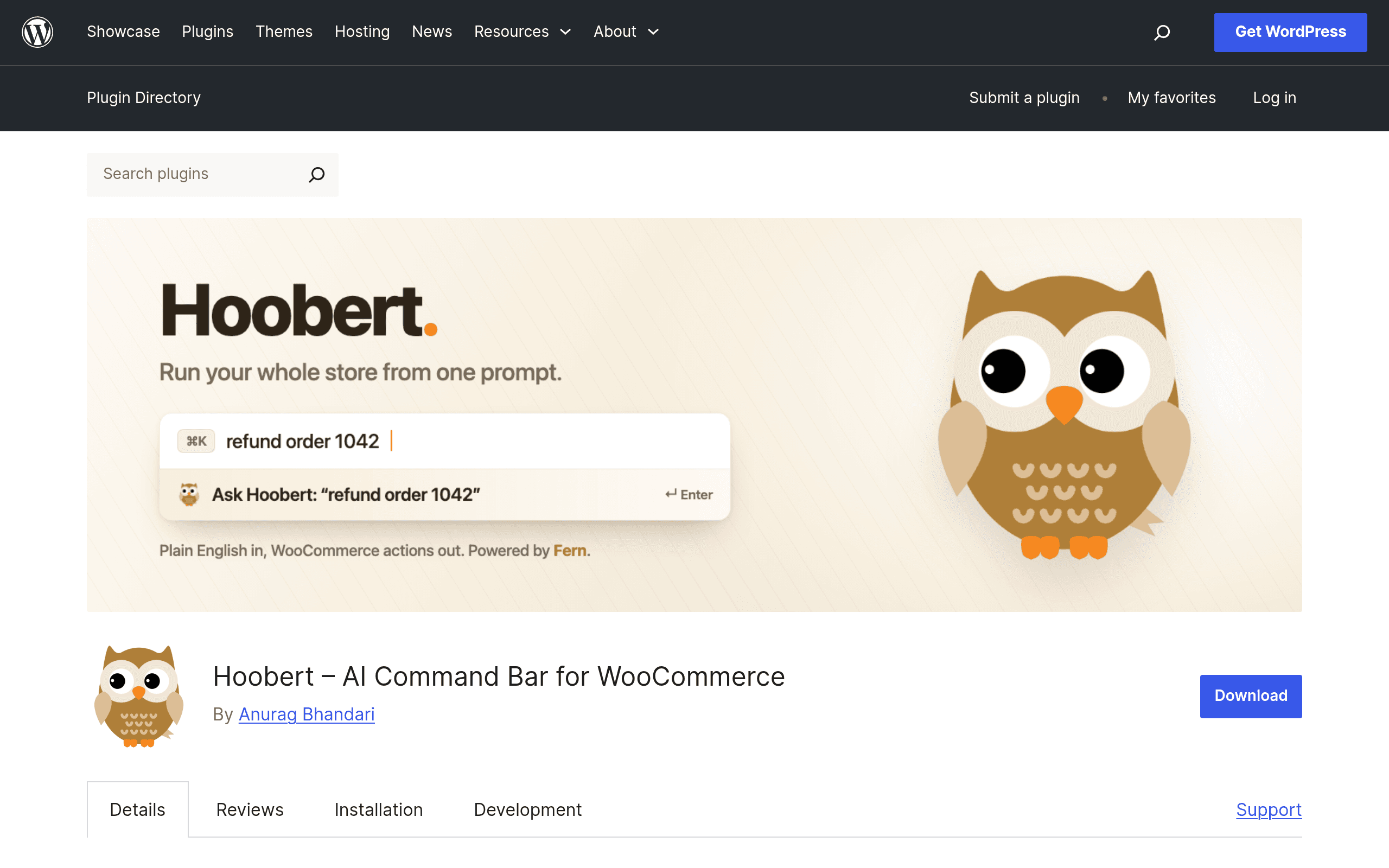
What Hoobert Actually Does
Hoobert is a free WordPress plugin (available now on the WordPress.org plugin repository) that adds a Spotlight-style command bar to your WooCommerce admin, triggered with Cmd+K or Ctrl+K. Instead of clicking through Orders, Products, and Customers screens, you type what you want in plain English — "refund order 4821," "mark the blue hoodie as out of stock," "show me all orders from sarah@gmail.com" — and Hoobert translates that into a specific, predefined WooCommerce action.
The key word is predefined. Hoobert isn't a general-purpose chatbot bolted onto your store. Under the hood it uses function-calling models fine-tuned by Fernfly, a company building AI tooling specifically for e-commerce operations. The model's only job is to map your sentence onto a fixed list of WooCommerce API actions (issue refund, update stock, change order status, look up customer, apply coupon, etc.). It doesn't freelance, write new code, or touch anything outside that list. Every action also requires an explicit confirmation step before it executes, and every command — successful or not — gets written to an audit log you can review later.
That combination (constrained action set + confirmation step + audit trail) is what separates Hoobert from a novelty chatbot. It's built for store managers who don't want to memorize where every setting lives, not for developers who want an AI to write custom logic.
Setting It Up
Installation is standard WordPress plugin flow: search "Hoobert" in Plugins > Add New, install, activate. You'll need an active WooCommerce install (it hooks directly into WooCommerce's order, product, and customer objects). After activation, Cmd/Ctrl-K opens the bar from any wp-admin screen. First-run setup asks you to connect to Fernfly's backend, since the natural-language parsing happens via their hosted models rather than on your server.
Pricing
As of this writing, Hoobert does not have a published pricing page — the plugin listing itself is free to install, and there's no visible paid tier, usage cap, or subscription flow disclosed yet. Given that the natural-language processing runs through Fernfly's hosted models (not something you self-host), it's reasonable to expect a metered or subscription pricing model to appear as the product matures past initial launch — similar to how AI-powered WordPress plugins (Jetpack AI, for example) typically start free and introduce paid usage tiers once server load costs stack up. If you're evaluating this today, budget for the possibility of a future price, but there's currently no cost to try it.
Concrete Use Cases
- Refund processing without leaving the keyboard: A support rep handling a return can type "refund order 5502 for $34.99, reason: damaged item" instead of opening the order, finding the refund button, and manually entering the amount.
- Bulk-ish product triage: "Set all products in the Clearance category to out of stock" — useful during end-of-season cleanup without filtering and bulk-editing through the Products table.
- Fast customer lookups during a support call: "Show orders for customer john@domain.com in the last 30 days" pulls up order history instantly instead of navigating to Customers > search > click through.
- Order status corrections: "Change order 6120 to on-hold" for a store manager fielding a payment dispute, without opening the full order edit screen.
- Coupon application for a VIP customer: "Apply WELCOME10 to order 6210" when a support agent needs to honor a discount after the fact.
Where it won't help: anything outside WooCommerce's own action set — custom shipping logic, multi-step workflows involving external tools, or reporting beyond what WooCommerce natively tracks.
How It Compares
| Hoobert | WooCommerce Admin (native) | Zapier for WooCommerce | ChatGPT Plugins for WooCommerce | |
|---|---|---|---|---|
| Price | Free (no published paid tier yet) | Free (built into WooCommerce) | Free tier limited; paid plans from $19.99/mo (Starter) up to $69/mo+ (Professional) | Varies by plugin; many free, some $5–$20/mo add-ons |
| How you interact | Type natural-language commands via Cmd/Ctrl-K | Click through menus, tables, and forms | Build trigger-action "Zaps" connecting WooCommerce to other apps | Chat interface, often for customer-facing Q&A, not admin actions |
| Scope of actions | Fixed list of predefined WooCommerce actions (refunds, stock, orders, customers) | Everything WooCommerce supports natively | Cross-app automation (WooCommerce + Slack, Sheets, email, etc.) | Typically limited to answering questions or product recommendations, not executing admin tasks |
| Safety controls | Requires confirmation before executing; full audit log of every command | Standard WP user roles/capabilities | Zap history log, but no natural-language confirmation step | Varies widely; most don't touch order/refund data directly |
| Best for | Store managers/support staff who want speed on repetitive admin tasks | Anyone — it's the default, always available | Connecting WooCommerce to external tools and multi-step automations | Customer-facing chat, not internal store operations |
Should You Install It Today
If you run a WooCommerce store and your team spends real time each week on repetitive admin tasks — refunds, stock toggles, order status changes, customer lookups — Hoobert is worth installing today simply because it's free and the setup cost is a few minutes. It's not a replacement for Zapier if your actual bottleneck is connecting WooCommerce to external systems, and it's not a customer support chatbot like the ChatGPT plugin category. It's narrowly focused on making your own admin team faster inside wp-admin, and the confirmation-step-plus-audit-log design suggests the team building it understands that letting an LLM issue refunds unsupervised is a bad idea. The open question is pricing: since there's no published tier yet, don't build a workflow that assumes it stays free forever — but there's no reason not to try it now while it is.