Hotelness Guest Information: A First Look at the New WordPress Plugin for Digital Guest Guides
Some links in this guide are affiliate links. If you sign up through them, Day Zero Guides may earn a commission at no extra cost to you. This never affects which products we cover or what we say about them. See our affiliate disclosure for details.
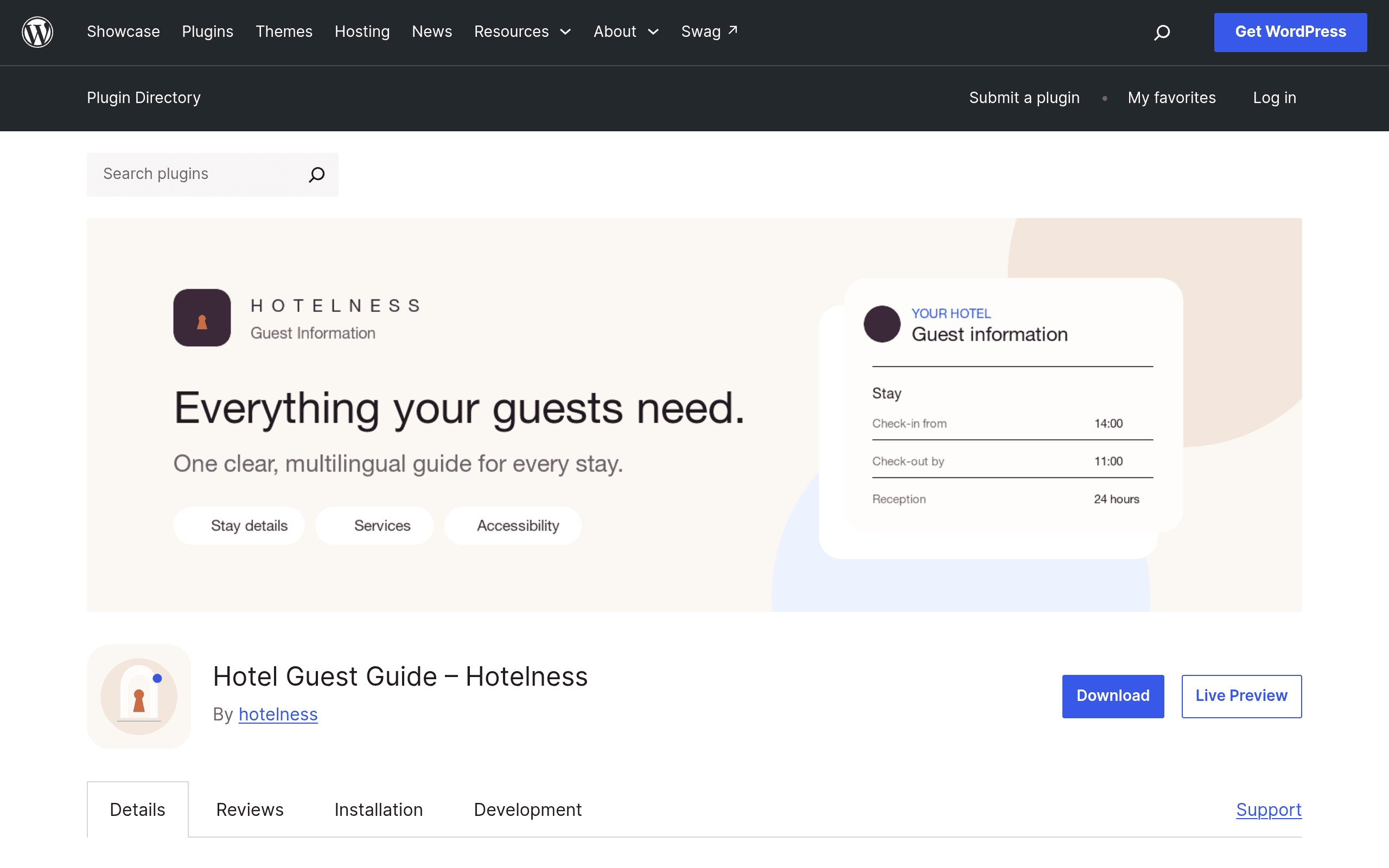
What Hotelness Guest Information Actually Does
Hotelness Guest Information is a WordPress plugin, listed on the official WordPress.org plugin repository, that turns a WordPress site into a self-serve guest information hub. Instead of leaving a laminated binder on the nightstand, a host builds a page (or set of pages) inside their existing WordPress site covering check-in/check-out times, Wi-Fi network name and password, house rules, appliance instructions, and local recommendations — then generates a QR code that guests scan on arrival to pull it all up on their phone.
It's aimed squarely at small-scale hospitality operators: single-property B&Bs, vacation rental owners running one or two listings, and small independent hotels or guesthouses that already have a WordPress site (or are willing to spin one up) and don't want to pay for a dedicated guest-experience SaaS tool.
Key Features Worth Knowing About
- QR code generation built in. The plugin generates a scannable QR code tied to the guest info page, so hosts can print it on a welcome card, stick it on the fridge, or laminate it by the door — no third-party QR generator needed.
- Multilingual content without extra plugins. It supports content in five languages natively, which matters for hosts near airports, tourist corridors, or with a mostly international guest base. You're not stuck bolting on WPML or Polylang just to translate check-in instructions.
- Structured info sections. Check-in details, Wi-Fi credentials, house rules, and local tips appear to be handled as distinct, editable blocks rather than one giant text field, which should make updates (like a Wi-Fi password change) faster than editing a PDF.
- Native WordPress integration. Because it's a plugin rather than a hosted app, the guest info page lives on your own domain, inherits your site's theme/branding, and doesn't require guests to download an app or create an account.
Setting It Up
Installation follows the standard WordPress pattern: install from the plugin directory or upload the zip, activate, and a new settings area appears in the dashboard for building out the guest info content. Because it's a fresh plugin listing, documentation is thin right now — expect to spend your first session exploring the settings panel by trial and error rather than following a polished onboarding flow. If you're not comfortable in the WordPress admin, budget an afternoon rather than ten minutes.
Concrete Use Cases
- A 6-room boutique B&B replaces its printed welcome folder with a single guest info page. The host prints the QR code on a card left on each pillow; guests scan it, get the Wi-Fi password immediately, and check local tips without calling the front desk.
- A vacation rental host with two listings on the same property (a main house and a converted garage unit) builds two separate guest info pages with different check-in instructions and appliance quirks for each unit, sharing one WordPress install.
- A small guesthouse near a ski resort with mostly European guests uses the five-language support to present house rules and local shuttle info in English, German, French, Italian, and Spanish without paying for a separate translation plugin.
- A host who already runs their booking site on WordPress (rather than a hosted platform) adds this as a lightweight add-on instead of adopting a full property management system just to solve the "where's the Wi-Fi password" problem.
Pricing: What We Know (and Don't)
At the time of writing, Hotelness Guest Information does not have a published pricing page, and the listing on WordPress.org — which only hosts plugins that are free to download — doesn't disclose a premium tier. In practice, that means:
- The core plugin is free to install from the WordPress.org repository, as is true of every plugin listed there.
- No pro version, paid add-on, or subscription tier has been announced or documented publicly as of this guide.
- If you're budgeting for this today, treat it as a $0 tool with the caveat that features could be split into a freemium model later, which is common for WordPress plugins that start free and add a "Pro" upsell after building an install base.
If pricing transparency matters to you right now, that absence is worth weighing — you're adopting a tool without knowing if core features (like multilingual support) will remain free long-term.
How It Compares
| Hotelness Guest Information | Airbnb Guest Info Features | Booking.com Property Tools | Hostaway PMS | |
|---|---|---|---|---|
| Price | Free (WordPress.org listing; no published paid tier) | Free, but built into Airbnb listings only | Free, bundled with Booking.com Partner/Extranet account | Paid PMS, typically priced per property/unit; not a free tool |
| Where it lives | Your own WordPress site/domain | Inside the Airbnb app and guest messaging | Inside Booking.com's Extranet and guest messaging | Standalone dashboard + guest-facing app, integrates with multiple channels |
| Multilingual support | 5 languages, built in, no extra plugin | Auto-translation via Airbnb's platform | Limited to Booking.com's own interface language options | Depends on plan; typically supports guest messaging templates in multiple languages |
| QR code for guest access | Built in | Not a native feature — guests access info through the app | Not a native feature | Available in some guest-experience add-ons, often a paid feature |
| Best for | Independent hosts already on WordPress who want one guest page and a QR code, no subscription | Hosts who only rent through Airbnb and don't need info outside the app | Hosts primarily booking through Booking.com | Multi-property operators needing channel management, automation, and reporting, not just an info page |
Where It Falls Short
This is a narrow tool, and that's both its strength and its limit. It doesn't do reservations, channel management, payments, or guest messaging automation — for that you'd still need Hostaway, Guesty, or similar. It also depends entirely on you already running (or being willing to run) a WordPress site; if your booking presence lives entirely inside Airbnb or Booking.com's own systems, this plugin adds a maintenance task rather than removing one. And because pricing and long-term support commitments aren't published, larger operations may be hesitant to build a guest-experience workflow around it until there's a track record.
Should You Try It Today?
If you're a small host or independent property already running WordPress, already frustrated with printed welcome binders or a static PDF you have to re-export every time the Wi-Fi password changes, this is a low-risk way to test a digital guest guide: it costs nothing to install, doesn't require ripping out your existing booking setup, and the QR code plus five-language support cover the two most common guest-info pain points (finding the Wi-Fi, and language barriers) without extra plugins.
If you're managing multiple properties across channels and need booking, messaging, and reporting in one place, this isn't a replacement for a PMS like Hostaway — it solves one specific problem well, and you should evaluate it as a complement, not a core system.
Update — 2026-08-19
The plugin has significantly expanded its feature set since the guide was written. It now includes sections for breakfast/dining, accessibility, family/pet services, parking/EV charging, pool/spa/wellness, sustainability guidance, and emergency contacts — features not mentioned in the original guide. The plugin also now offers four visual style options (Elegant, Essential, Natural, Inherit) and printable A5 guest signs, which were not documented in the earlier version.