Koalab Sync: First Look at the New Bulk Price & Stock Update Plugin for WooCommerce
Some links in this guide are affiliate links. If you sign up through them, Day Zero Guides may earn a commission at no extra cost to you. This never affects which products we cover or what we say about them. See our affiliate disclosure for details.
Koalab Sync: First Look at the New Bulk Price & Stock Update Plugin for WooCommerce
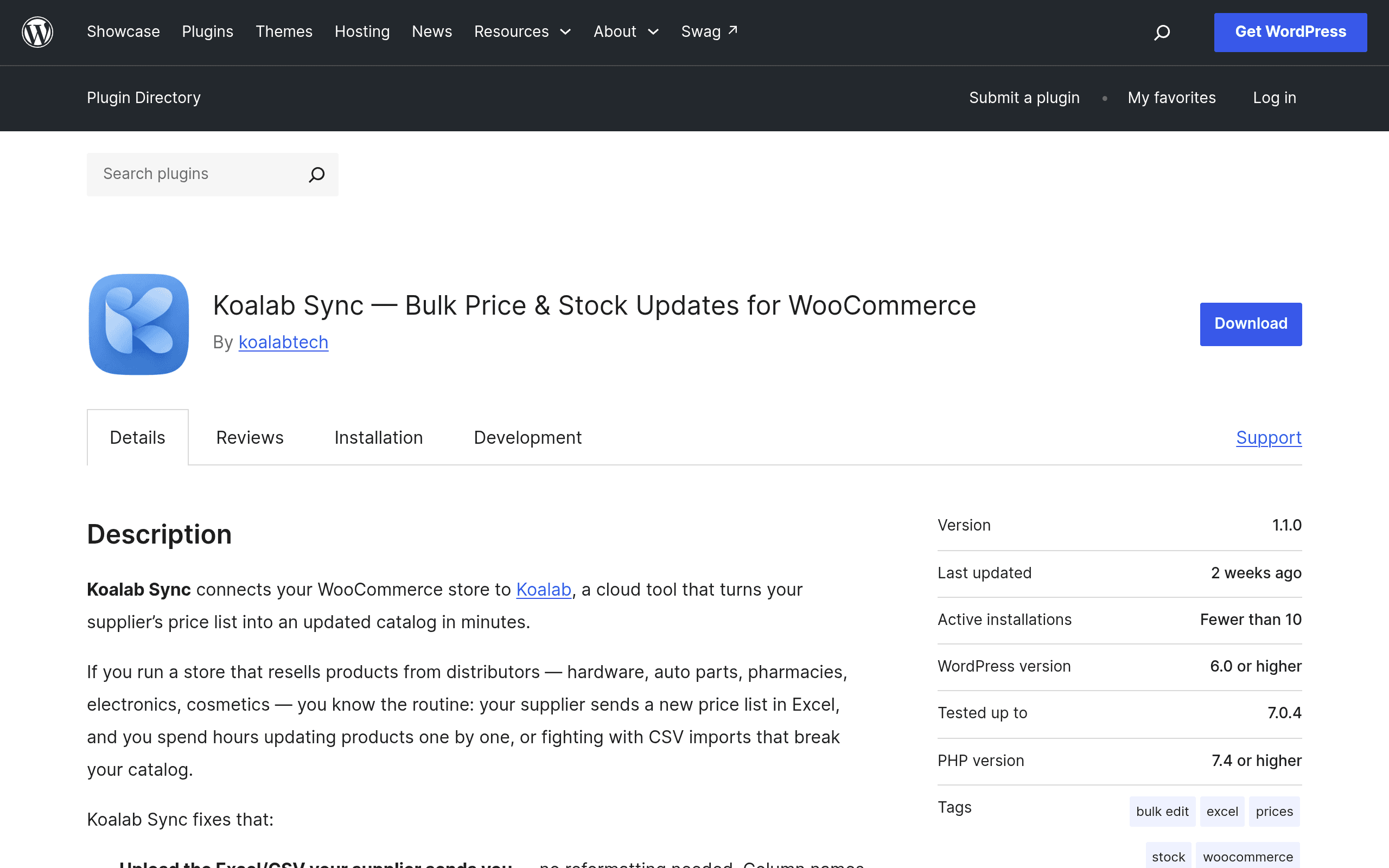
If you run a WooCommerce store that resells physical goods, you know the drill: a supplier emails an updated price list, and you spend an afternoon manually editing SKUs in wp-admin, hoping you don't fat-finger a decimal point. Koalab Sync, a newly listed plugin on the WordPress.org repository, is built to kill that afternoon entirely. It connects your store to Koalab, a cloud-based matching and rules engine that ingests supplier spreadsheets and pushes bulk price and stock updates back into WooCommerce.
This is a first-coverage look based on the plugin's public listing and stated feature set — here's what it actually does, what it costs, and how it stacks up against the tools store owners already use for this job.
What Koalab Sync Actually Does
The workflow is straightforward:
- Upload a supplier price list (CSV/XLSX) to Koalab's cloud dashboard.
- Automatic SKU matching — Koalab Sync matches rows in the file against your existing WooCommerce product SKUs, flagging anything it can't confidently match.
- Apply margin/markup rules — set a flat markup, percentage margin, or per-category rule so retail prices update automatically rather than just mirroring supplier cost.
- Preview before committing — you see a diff of every price and stock change before anything touches your live store.
- One-click revert — if a batch update was wrong (bad file, wrong margin rule), you can roll the whole batch back rather than manually fixing hundreds of products.
The SKU-matching-plus-preview-plus-revert combination is the part worth paying attention to. A lot of bulk-update tools apply changes immediately and make you trust the file. Koalab Sync's preview step is the safety net that matters most if you're dealing with supplier files that are inconsistently formatted (which, in practice, most of them are).
Pricing
Koalab Sync itself is free to install from WordPress.org — the plugin is just the connector. The actual usage limits live on Koalab's cloud side:
| Plan | Price | Stores | Bulk Updates/Month | Notes |
|---|---|---|---|---|
| Free | $0 | 1 | 5 | No credit card required |
| Paid tiers | Not publicly listed yet | More than 1 (varies) | Higher/unlimited (varies) | Adds scheduled syncs, price rules, longer update history |
The free plan is genuinely usable for testing — 5 bulk updates a month is enough to run one supplier's monthly price list through the system and see how the matching and margin rules behave before committing. Koalab hasn't published exact numbers or dollar amounts for the paid tiers yet, which is the one frustrating gap for anyone trying to budget this before installing. If you're on a paid plan currently with a competitor and comparing costs directly, you'll need to contact Koalab or install the plugin and check the in-dashboard upgrade prompts, since nothing above "free" is documented publicly at launch.
Who This Is Actually For
- Distributors/resellers with volatile supplier costs — if you resell from 1–3 suppliers who send updated price sheets monthly (or more often) and your margin depends on catching cost changes quickly.
- Stores with 200+ SKUs sourced from a single supplier catalog — manual editing stops being viable well before this point; this is squarely the size where bulk tools pay for themselves.
- Stores that need an audit trail — the revert feature is specifically useful if more than one person touches pricing (a VA doing the upload, an owner approving margins) and mistakes need to be undoable without a backup restore.
- Not a great fit for stores with highly custom per-product pricing logic that doesn't map cleanly to SKU-based supplier files, or drop-shippers already on a real-time inventory sync API (see Inventory Source below) rather than periodic price-list uploads.
How It Compares
| Koalab Sync | Syncify | StoreHero | Inventory Source | |
|---|---|---|---|---|
| Starting price | Free (5 updates/mo, 1 store) | Paid plans start ~$19–29/mo depending on order volume tier | Free trial, paid plans start ~$29/mo | Paid plans start ~$99/mo (built for dropship automation) |
| Core method | Upload supplier price list → SKU match → margin rules → preview → apply | Multi-channel order & inventory sync across marketplaces | Store analytics + inventory/pricing automation bundled with reporting | Automated real-time supplier feed integration (API-based, not manual upload) |
| Update review before applying | Yes — full diff preview + one-click revert | Limited — mostly automated sync, less manual review step | Partial — dashboard shows changes but revert is less granular | No manual preview step — designed for continuous automated sync |
| Best for | Store owners doing periodic bulk price-list updates from suppliers | Multi-channel sellers syncing WooCommerce with Amazon/eBay/Shopify inventory | Stores wanting pricing automation bundled with broader store analytics | Dropshippers needing constant, automated supplier feed sync (not one-off uploads) |
| Platform focus | WooCommerce only | WooCommerce + multi-marketplace | WooCommerce | WooCommerce, Shopify, BigCommerce |
The honest way to think about the difference: Syncify and Inventory Source are built around continuous, automated syncing across channels or supplier APIs — they're the right tool if your inventory changes constantly and you want it hands-off. Koalab Sync and StoreHero are closer to "batch job" tools — you get a file, you process it, you approve it. Koalab Sync's specific edge in that batch category is the preview-and-revert loop, which neither StoreHero nor Syncify emphasize as a core feature in their published documentation.
Should You Install It Today?
If you're currently doing manual CSV find-and-replace or hand-editing WooCommerce products after every supplier price update, Koalab Sync's free tier costs you nothing to test against one real supplier file this month. Five updates is enough to validate whether the SKU matching handles your supplier's naming conventions cleanly — that's the actual risk with any tool like this, and you'll know within one upload whether it's worth going further.
The open question is pricing past the free tier. If your store needs more than 5 bulk updates a month or multiple store connections, you're committing to find out Koalab's paid pricing after you're already invested in the workflow — worth asking their support for tier pricing before you build a process around it.
Bottom line: worth a free-tier trial today if you manage supplier-driven pricing on a single WooCommerce store; hold off if you need multi-channel sync or real-time dropship feeds, where Syncify or Inventory Source are the more mature fit.