Lens AI Visibility Monitor: A First Look at the Free WordPress Plugin Tracking How AI Bots Crawl Your Site
Some links in this guide are affiliate links. If you sign up through them, Day Zero Guides may earn a commission at no extra cost to you. This never affects which products we cover or what we say about them. See our affiliate disclosure for details.
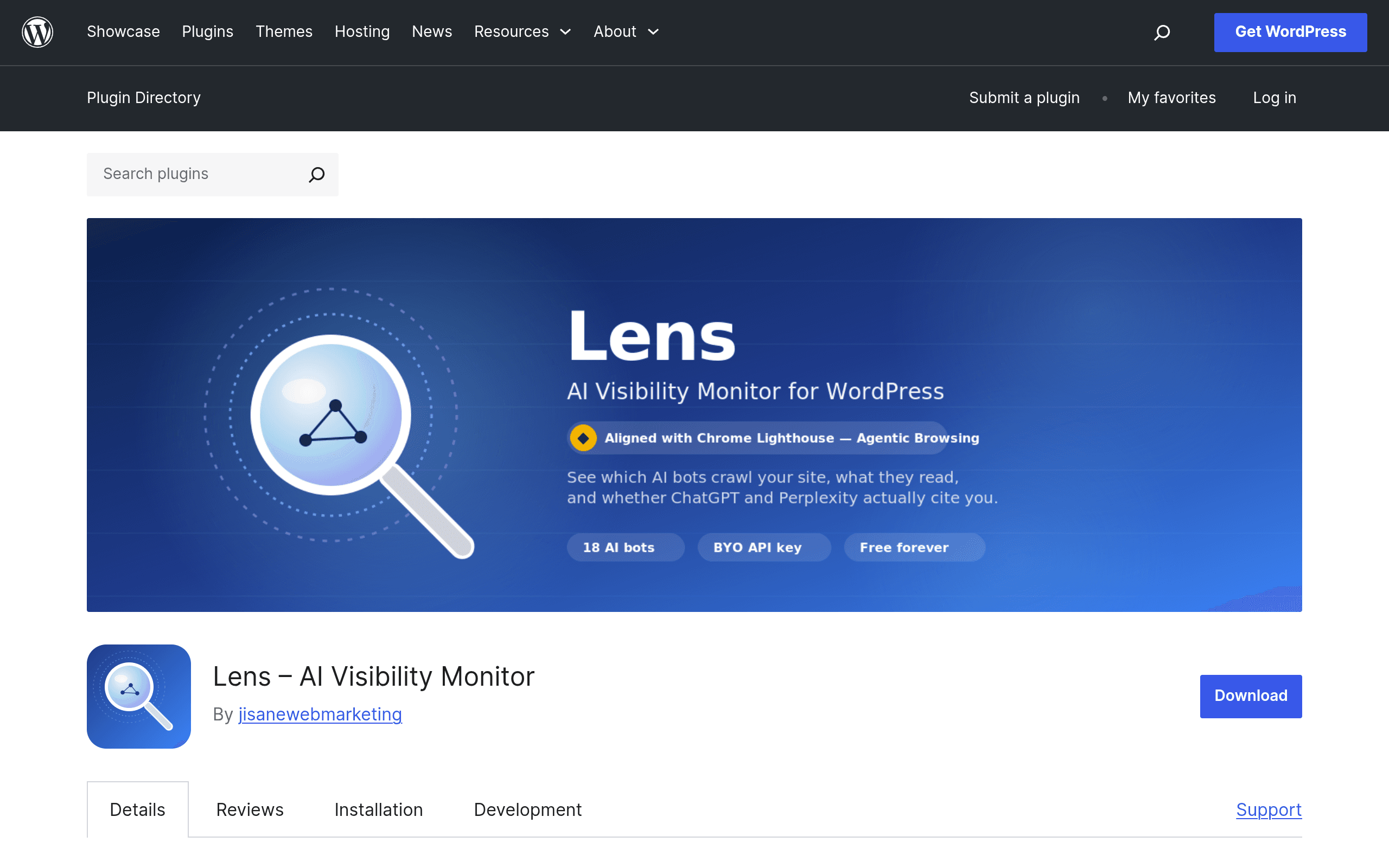
What Lens Actually Does
Most SEO plugins were built for a world where Googlebot was the only crawler that mattered. Lens – AI Visibility Monitor is built for the world we're actually in now: GPTBot, ClaudeBot, PerplexityBot, Google-Extended, Amazonbot, and a dozen other agents crawling your WordPress site to answer questions, generate summaries, or train models — often without sending you a single referral click.
Lens installs as a standard WordPress plugin and reads your server logs and database locally. It doesn't route your traffic through a third-party dashboard or require a monthly subscription. It identifies and logs visits from 18+ named AI agents, then tries to answer the question every publisher actually wants answered: is this crawl activity turning into citations? It correlates bot visits with instances of your content showing up in AI-generated answers, and it scores your site's readiness for "agentic browsing" — the emerging standard for how AI agents navigate and extract content from web pages, based on Chrome Lighthouse's Agentic Browsing criteria.
How It's Different From an SEO Plugin
Yoast, Rank Math, and Semrush's SEO Writing Assistant are all optimizing for the same target: search engine ranking signals and keyword-driven content quality. Lens isn't trying to help you rank on page one of Google. It's trying to tell you whether ChatGPT, Perplexity, or Claude can actually parse, crawl, and cite your pages — a distinct and increasingly important visibility channel that traditional SEO tools don't track at all.
Setup and Requirements
- Install directly from the WordPress plugin directory (free, no account creation required for base functionality).
- Core crawl-tracking and bot identification works out of the box using your site's existing logs/database — no API key needed.
- For the AI-powered features — automated citation tracking and Lighthouse-based Agentic Browsing scoring — you supply your own OpenAI API key. Lens uses it directly; there's no markup, proxy, or Lens-hosted AI service sitting in between.
- Because it runs on your own database and your own API key, there's no per-seat SaaS bill and no data leaving your infrastructure to a vendor's servers for the core tracking function.
Real Pricing
- Plugin itself: Free forever, listed on wordpress.org like any other open-source plugin.
- OpenAI API key (optional): Pay-as-you-go directly to OpenAI, typically fractions of a cent to a few cents per scoring/citation check depending on volume and model used. There's no Lens subscription tier, no "Pro" upsell version at launch, and no seat-based pricing.
- Total cost to run this on a mid-traffic blog: likely a few dollars a month in OpenAI usage, or $0 if you skip the AI-scored features and just use the bot-tracking log.
Concrete Use Cases
- A niche publisher wants to know if Perplexity is citing their explainer articles. Instead of guessing, they check the Lens dashboard for correlated PerplexityBot crawls and citation events on specific URLs.
- An agency onboarding a new client runs the Agentic Browsing score to flag pages with structural issues — missing semantic HTML, blocked resources, or slow-loading content — that would make it hard for an AI agent to extract answers, before pitching an AI-visibility retainer.
- A SaaS company wants to see whether GPTBot is hitting their docs pages at all, as an early signal of whether their content is even in the training/retrieval pipeline for AI assistants their prospects might be using.
- A local business site owner checks weekly whether any of the 18+ tracked agents have visited since launch, as a low-effort way to monitor a channel they currently have zero visibility into.
What It Doesn't Do
Lens isn't a keyword tool, doesn't generate meta descriptions, doesn't do on-page readability scoring in the way Yoast's traffic-light system does, and it has no content-writing assistant. It's a monitoring and diagnostic layer specifically for AI crawler behavior — narrower in scope than a full SEO suite, and it's not trying to replace one.
How It Stacks Up
| Lens – AI Visibility Monitor | Yoast SEO | Rank Math | Semrush SEO Writing Assistant | |
|---|---|---|---|---|
| Price | Free forever; optional OpenAI API usage cost only | Free core plugin; Premium ~$99/year per site | Free core plugin; Pro from ~$59/year | Free tier limited; part of Semrush plans starting ~$139.95/month |
| Core focus | Tracking AI bot crawls, citation correlation, Agentic Browsing readiness score | Traditional on-page SEO, readability, schema, sitemaps | Traditional on-page SEO, schema, internal linking, Google-focused analytics | Content scoring, tone, readability, keyword usage while writing |
| AI-crawler visibility | Yes — 18+ named agents tracked directly, purpose-built for this | None | None | None |
| Where it runs | Locally on your WP database; your own OpenAI key | WordPress plugin, cloud features via Yoast account | WordPress plugin, some features via Rank Math cloud | Browser extension / Semrush web app, cloud-based |
| Best for | Publishers and agencies who need to know if AI agents crawl and cite their content | Sites wanting solid, proven on-page SEO and structured data out of the box | Sites wanting granular SEO control and built-in analytics without paying for Yoast Premium | Writers optimizing individual drafts against a target keyword/SERP before publishing |
Should You Install It Today
If you're already running Yoast or Rank Math for traditional SEO, Lens isn't a replacement — it's a complementary layer that answers a question neither of those tools is built to answer: what are AI agents doing on your site right now. Given it costs nothing to install and the AI-scoring features only cost you pennies of OpenAI usage if you choose to enable them, the honest verdict is that there's very little reason not to try it, especially if any meaningful share of your traffic or brand exposure could plausibly come through AI-generated answers rather than a search results page. The main caveat at this early stage: it's a new, community plugin without years of update history behind it, so keep an eye on how actively it's maintained as AI crawler behavior and identification methods keep shifting.