MageComp LikeIt: First Look at the Free WordPress Like & Share Button Plugin
Some links in this guide are affiliate links. If you sign up through them, Day Zero Guides may earn a commission at no extra cost to you. This never affects which products we cover or what we say about them. See our affiliate disclosure for details.
What MageComp LikeIt Actually Does
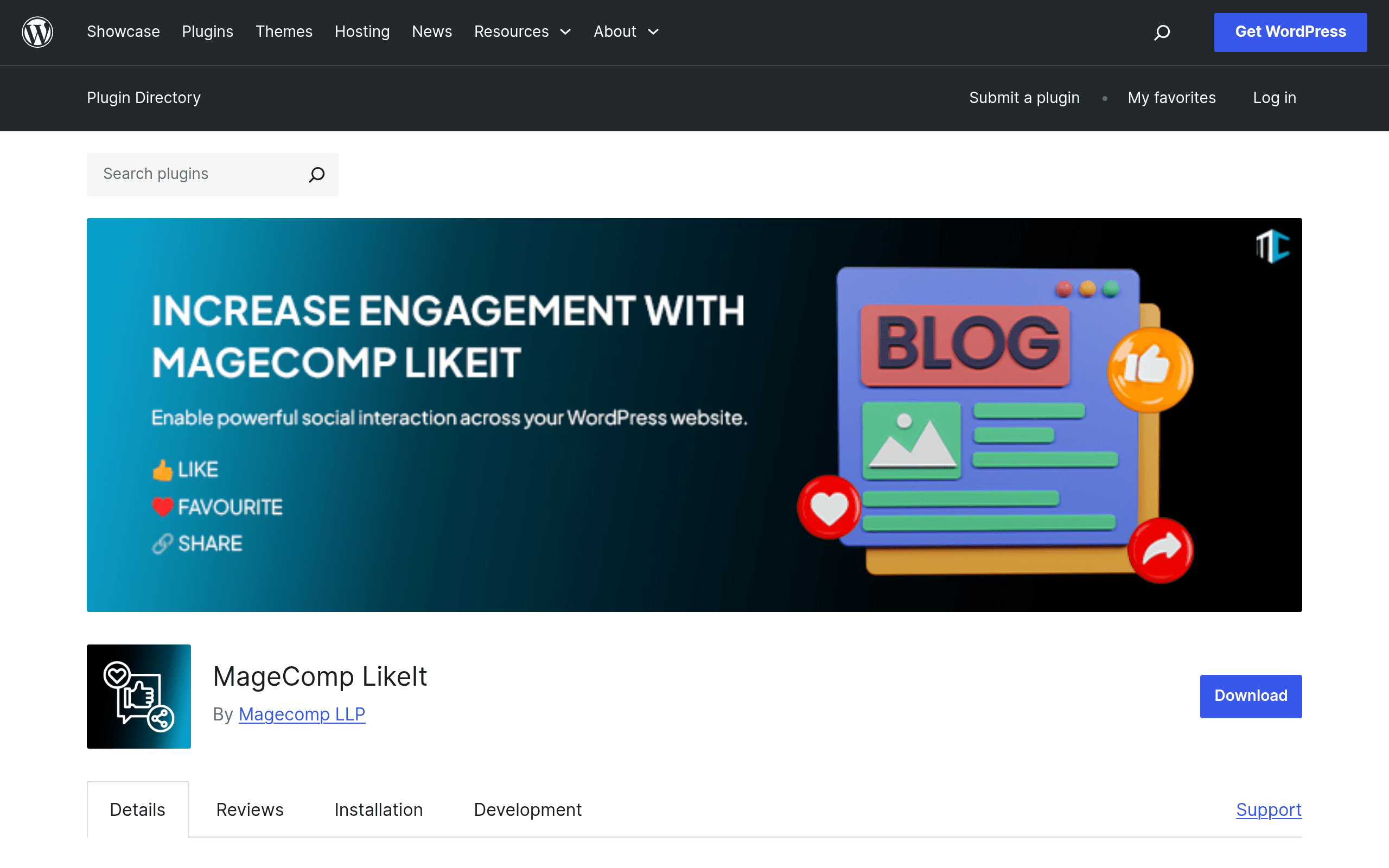
MageComp LikeIt is a WordPress plugin that bolts Like, Favorite, and Social Share buttons onto your posts, pages, WooCommerce product pages, and archive/listing views. It's built by MageComp, a dev shop better known for Magento extensions, and this is one of their few forays into the WordPress.org plugin repository. The pitch is simple: give visitors a one-click way to "like" or "favorite" content (stored per-user or per-session) and a row of share icons for Facebook, Twitter/X, WhatsApp, LinkedIn, and a handful of other networks, without needing a bloated all-in-one social suite.
You control where the buttons show up — above content, below content, floating, or inserted manually via shortcode — and there are admin-panel toggles for which platforms appear, icon style, and whether the Like/Favorite counter is visible to visitors. Because it hooks into WooCommerce, you can also drop Like or Favorite buttons directly on product pages, which is the closest thing to a built-in wishlist feature the plugin offers (it's not a full wishlist system like YITH Wishlist, just a favorite toggle).
Key Features Worth Knowing About
- Like button with a visible counter, addable to posts, pages, and WooCommerce products
- Favorite/bookmark button that lets logged-in or session-tracked users mark content
- Social share icons for major platforms (Facebook, Twitter/X, WhatsApp, LinkedIn, and others depending on version)
- Shortcode support so you can manually place buttons anywhere in a template or page builder text block, not just via automatic hooks
- Placement controls — before content, after content, or floating sidebar-style
- Basic style settings in the WordPress admin (no visual drag-and-drop customizer)
- WooCommerce integration for product-level Like/Favorite buttons on top of standard post/page support
What it does not appear to include, based on the plugin's public listing: analytics/click tracking dashboards, A/B testing of button placement, pop-up share widgets, image Pinterest hover buttons, or content locking behind social shares. If you're used to premium suites, LikeIt is intentionally narrower in scope.
Setting It Up
Installation follows the standard WordPress.org path: search "MageComp LikeIt" from Plugins > Add New, install, activate, then configure under its own settings menu. There's no wizard or onboarding flow — you go straight into toggles for which post types get buttons, which networks to display, and where. If you want buttons somewhere the automatic hooks don't reach (inside a specific template file, a Gutenberg block, or a page-builder module), you'll use the shortcode instead of relying on auto-placement.
There's no REST API documentation or developer hooks advertised in the plugin listing, so deeper customization (custom icon sets, conditional logic beyond post type) will likely mean editing PHP directly or waiting on plugin updates.
Who This Is Actually For
- Niche blogs and content sites that want lightweight "like this post" social proof without installing a heavier suite that also tries to sell you pop-ups and email capture
- Small WooCommerce stores that want a quick favorite/wishlist-lite button on product pages without paying for a dedicated wishlist plugin
- Agencies building budget client sites where the client just wants "share buttons" checked off the requirements list and doesn't need reporting
- Sites already loaded with plugins where install-size and performance overhead matter more than feature depth — LikeIt's single-purpose scope keeps it leaner than a bundled social suite
It's a weaker fit if you need click-through analytics per network, sticky/floating share bars with scroll-triggered animations, or Pinterest-specific hover-to-pin buttons on images — that's Social Snap or Monarch territory.
Pricing: What's Actually Published
At the time of writing, MageComp has not published a separate pricing page or premium/pro tier for LikeIt anywhere linked from its WordPress.org listing. The plugin is distributed free through the WordPress.org repository, which is also where support happens (via the plugin's support forum rather than a dedicated helpdesk). There's no visible "Upgrade to Pro" prompt inside the free version's settings as of this writing, which is unusual for a plugin from a company that otherwise sells premium Magento extensions — it suggests LikeIt may currently be a lead-generation or portfolio play rather than a monetized product. If that changes, expect it to show up as an in-plugin upsell notice rather than a public pricing page.
Practically: budget $0 to try it today. Just don't expect a support SLA or a roadmap commitment the way you would from a plugin with a published pricing page and paid tiers.
How It Compares
| MageComp LikeIt | Monarch (Elegant Themes) | Social Snap | MonsterInsights (Social addon) | |
|---|---|---|---|---|
| Price | Free, no published pro tier | $89/year (Elegant Themes membership, includes Divi + all their plugins) | Free "Basic" tier; paid plans roughly $29–$99/year depending on tier | Free "Lite" version; paid plans from ~$99.50/year (social sharing bundled into Plus/Pro tiers) |
| Core strength | Simple Like/Favorite counter + share icons, WooCommerce product support | Polished animated share pop-ups, floating sidebars, A/B testing | Click analytics, auto-image resizing per network, sticky bars | Tied to Google Analytics dashboard, share counts shown alongside traffic data |
| Wishlist/Favorite feature | Yes, built-in Favorite toggle for posts/pages/products | No | No | No |
| Analytics/click tracking | None visible | Basic share counts | Detailed per-network click analytics | Share data cross-referenced with GA traffic |
| Best for | Lightweight sites wanting Like + Favorite + basic share, budget-conscious WooCommerce stores | Design-heavy sites already in the Divi/Elegant Themes ecosystem | Marketers who want to see which network actually drives clicks | Sites that already run MonsterInsights for analytics and want sharing in the same dashboard |
Should You Install It Today?
If you just need a no-cost way to add Like buttons and share icons to a blog or a small WooCommerce catalog, and you don't care about click analytics, LikeIt does the basic job without adding the weight of a full marketing suite. The lack of a published pricing page is worth noting going in — it likely means smaller-scale support and no committed feature roadmap, so treat it as a "try it, keep an eye on updates" install rather than something you'd build a client's core engagement strategy around.
If you need per-network analytics, animated pop-up share triggers, or Pinterest-specific image hover buttons, skip straight to Social Snap or Monarch — both have those features today, with transparent pricing to match. But for the narrow job of "add a Like button and share icons without bloat," LikeIt is a reasonable free option to test on a staging site this afternoon.