MDS Quick Estimate: A First Look at the New WordPress Plugin for Interactive Price Estimates
Some links in this guide are affiliate links. If you sign up through them, Day Zero Guides may earn a commission at no extra cost to you. This never affects which products we cover or what we say about them. See our affiliate disclosure for details.
What MDS Quick Estimate Actually Does
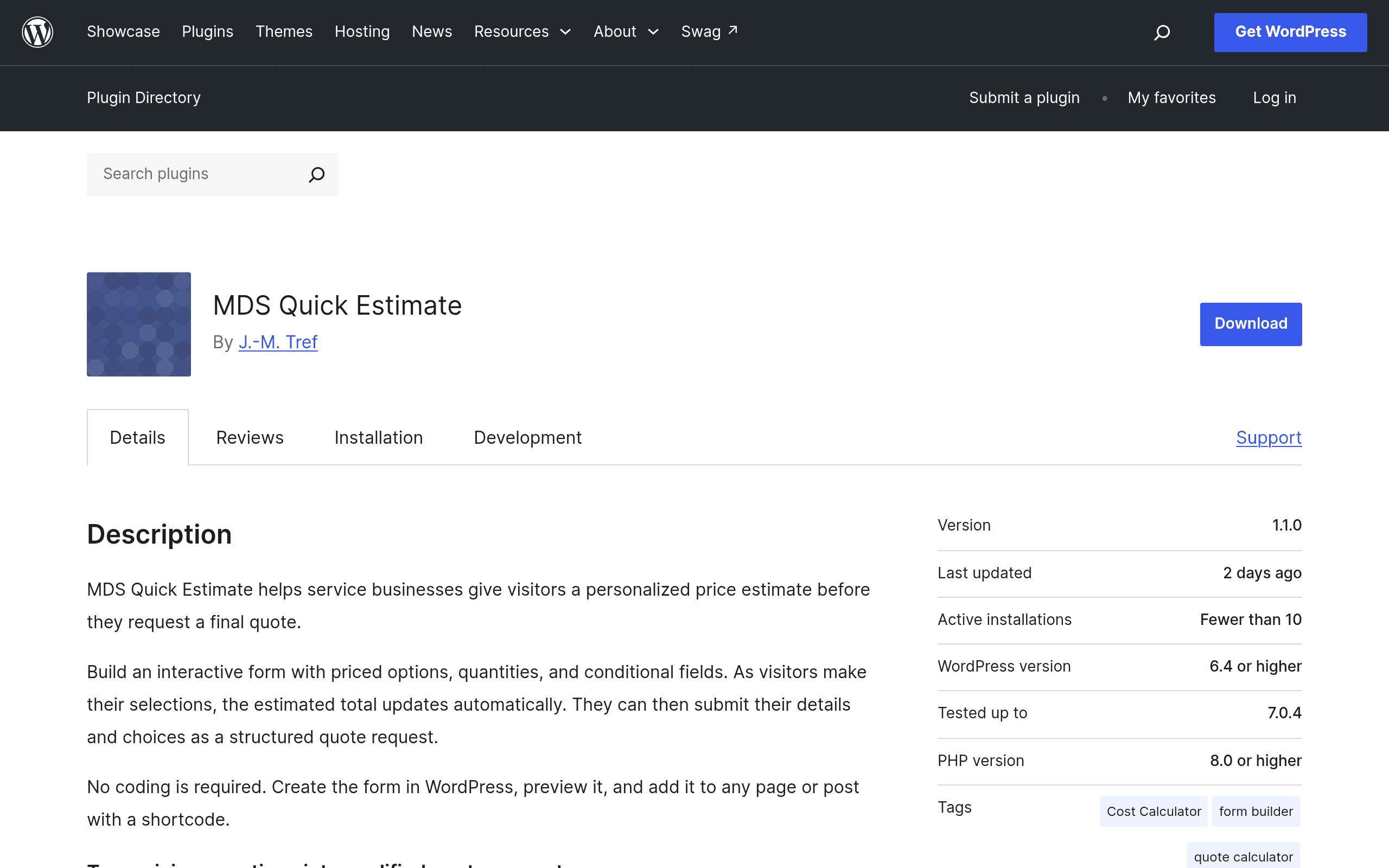
MDS Quick Estimate is a WordPress plugin built for one narrow job: letting a visitor click through a set of priced options — services, add-ons, quantities, tiers — and watch a running total update live, then submit that configuration as a quote request. No checkout, no payment processing. The output is a lead: a structured request with the exact options someone picked, stored as an entry in your WordPress dashboard and emailed to whoever handles sales.
That's a meaningfully different job than "contact form with a few extra fields," which is where most site owners currently end up when they try to fake this with a general-purpose form builder.
The plugin is listed on the official WordPress.org repository, which means it installs the way any free plugin does — search for it in Plugins > Add New, install, activate, then build a form using its estimate builder interface (options, price modifiers, conditional logic for showing/hiding fields based on prior answers, and quantity-based pricing).
Who This Is Actually For
This plugin is aimed squarely at service businesses that quote jobs based on configurable variables rather than fixed-price products. Concretely:
- A fencing or landscaping contractor who wants a homeowner to select fence type, linear footage, gate count, and staining option, and see a ballpark estimate before they ever fill in their phone number.
- A local moving company that prices by home size, number of rooms, packing service add-on, and distance tier, and wants that math done in the browser instead of over the phone.
- A cleaning or detailing service offering base packages plus optional extras (deep clean, pet hair removal, inside-oven cleaning) where each extra has its own price adder.
- A web design or IT consultancy that wants a "build your package" page — number of pages, CMS vs. static, maintenance plan — that spits out a rough project cost range as a lead-qualification tool.
In every one of these cases, the value isn't the form itself — it's that the visitor self-qualifies by seeing a price before they submit, which cuts down on tire-kicker leads and gives the business owner a fully itemized request instead of a vague "tell me more" email.
What's Missing (At Least at Launch)
There's no payment gateway integration — this is a quoting tool, not a checkout. If you need someone to pay a deposit at the point of estimate, you'll still need to bolt on WooCommerce, Stripe, or a payment plugin separately. There's also no visible multi-step "wizard" progress bar in the base version as of this writing, and no native CRM sync (Zapier, HubSpot, etc.) mentioned in the plugin's own documentation — entries live in wp-admin and go out over email, full stop.
Pricing: The Honest Answer
Pricing is not published on the plugin's WordPress.org listing or its own site as of this writing. The plugin is distributed through the official WordPress.org repository, which means the core plugin is free to download and install under WordPress.org's standard GPL terms — there's no paywall at the install step. What isn't clear yet is whether there's a paid/pro tier with advanced features (conditional logic depth, styling options, integrations) sold separately, which is the common model for repository-listed plugins like this. If you're evaluating it today, install the free version first and check the plugin's own settings/upgrade prompts inside your dashboard rather than relying on marketing pages, since that's currently the only reliable source of pricing truth.
How It Compares to the Form Builders You'd Otherwise Reach For
Most people trying to build this today are jury-rigging it inside WPForms, Gravity Forms, or Formidable Forms using calculator add-ons. That works, but it's not what those tools are built for first, and it shows in setup time and cost.
| MDS Quick Estimate | WPForms | Gravity Forms | Formidable Forms | |
|---|---|---|---|---|
| Starting price | Free core plugin (pro tier pricing not yet published) | Free (Lite); paid plans start at $49.50/yr (Basic) | No free tier; plans start at $59/yr (Basic, single site) | Free (Lite); paid plans start at $39.50/yr (Basic) |
| Built-in price calculator/estimate logic | Yes — this is the plugin's core, single purpose | Only via add-on, requires Pro-level plan ($99.50/yr+) for calculations | Only via third-party or custom add-on (Gravity Perks Simple Calculation, extra cost) | Yes, via calculator field, but bundled inside a much broader general-purpose form builder |
| Conditional fields based on prior selections | Yes, native to the estimate builder | Yes, but conditional logic and calculators are separate features you configure independently | Yes, robust conditional logic, but calculation math is a bolt-on | Yes, native, but more setup overhead since it's one feature among dozens |
| Best for | A business whose main site goal is "get a priced quote request," nothing more | General contact/lead forms, surveys, payments — broad use cases | Complex, high-volume forms (multi-page, e-commerce, membership sites) needing developer-grade extensibility | Forms tied to custom content types, directories, or front-end data display |
| Learning curve | Low — narrow feature set means less to configure | Low for basic forms, higher once you add calculator/Pro add-ons | Medium-high, especially for calculation logic | Medium, more moving parts due to breadth |
The practical takeaway: if all you want is the estimate-builder experience, MDS Quick Estimate gets you there without paying for or configuring a general-purpose form plugin's Pro tier just to unlock calculator math. If you already run Gravity Forms or WPForms sitewide for other reasons (payments, multi-step surveys, membership gating), adding their calculator add-on may still make more sense than running a second plugin just for quotes.
Should You Install It Today?
Install it if your site's main conversion goal is genuinely "visitor configures options, gets a price, submits a quote request" — home services, contractors, movers, cleaners, local agencies quoting project-based work. It's a free, low-risk fifteen-minute install to test against your actual use case, and because it's narrowly scoped, you won't be wading through unrelated settings to find the estimate logic.
Hold off if you need payment collection at the point of estimate, CRM/Zapier integration out of the box, or if you're already paying for Gravity Forms Elite or WPForms Pro and could unlock calculator functionality there without adding a second plugin to maintain. Also worth flagging: because pricing tiers aren't public yet, you can't fully plan a budget around this beyond "free to start" — check the plugin's own dashboard prompts after activation before committing time to a big build-out, in case features you need turn out to be gated behind an unpublished pro plan later.