MirM Editorial Guard: First Look at the WordPress Plugin That Locks Publish Until Your Checklist Passes
Some links in this guide are affiliate links. If you sign up through them, Day Zero Guides may earn a commission at no extra cost to you. This never affects which products we cover or what we say about them. See our affiliate disclosure for details.
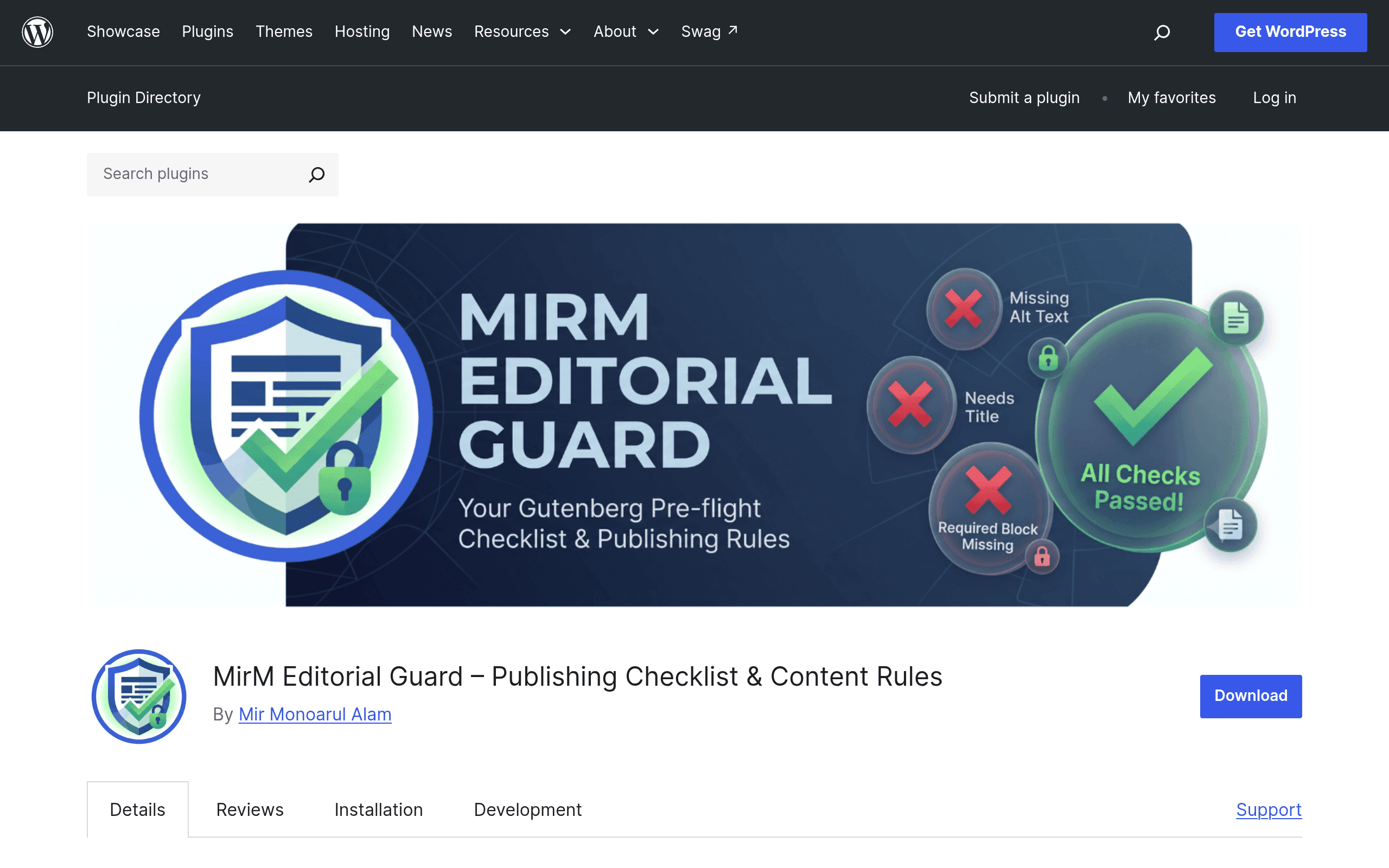
What MirM Editorial Guard actually does
MirM Editorial Guard is a WordPress Block Editor (Gutenberg) plugin with one job: it hides or disables the Publish button until a post meets a set of editorial rules you define. Instead of relying on a writer to remember "did I add alt text? Did I remove the lorem ipsum? Is this actually 600 words?" — the plugin checks it for you in real time, in the editor sidebar, before the post ever goes live.
This puts it in a different category than SEO plugins. Yoast and Rank Math will warn you that your meta description is missing or your keyphrase density is off, but they won't stop you from hitting Publish. MirM Editorial Guard is built around a harder gate: if a rule fails, publishing is blocked, full stop — unless a role with override permission steps in.
The 13 built-in checks
Out of the box, MirM Editorial Guard ships with 13 validation rules that run live as you write, shown as a checklist in the block editor sidebar. Based on the plugin's own description, these cover the categories most editorial teams fight about during handoff:
- Featured image present
- Featured image has alt text
- Alt text present on inline images
- Minimum word count met
- No placeholder/lorem ipsum text left in the content
- Excerpt filled in
- At least one category assigned
- At least one tag assigned
- Title length within a set range
- No empty headings or heading blocks
- Permalink customized (not left as auto-generated numeric slug)
- No broken or empty links
- No duplicate title against existing published posts
Each check shows a pass/fail state live in the sidebar, so a writer sees exactly what's blocking them without digging through settings screens. Admins can configure thresholds (e.g., minimum word count of 800 vs. 300) per site.
Role-based overrides
The practical detail that makes this usable in a real newsroom or content team: not every rule should apply to every role. MirM Editorial Guard lets you grant override capability to specific roles (typically Editor or Administrator), so a senior editor can push through a post that intentionally breaks a rule — a photo essay with no alt text on purpose, say — while contributors and authors stay locked out until they fix it. That override is logged as a deliberate action rather than a silent bypass, which matters if you're trying to keep a paper trail of who let what through.
Where this fits: concrete use cases
- Multi-author blogs with inconsistent contributors. If you run a site with freelance or guest writers who submit drafts irregularly, this plugin stops a post from going out without a featured image or with placeholder text still in it — a common failure mode when writers submit drafts late at night.
- Content agencies delivering client sites. Agencies managing WordPress sites for clients can enforce a baseline (featured image, alt text, minimum word count) across every post so client-side editors can't accidentally publish something that breaks brand or SEO standards.
- Newsrooms and editorial teams with a style checklist. Teams that already run a manual pre-publish checklist in a shared doc or Slack message can move that checklist into the editor itself, catching the same issues without a human reviewer needing to remember to ask.
- Solo bloggers who want a personal quality gate. Even single-author sites benefit from the word-count and placeholder-text checks catching a post that was saved as a draft mid-thought and almost went live unfinished.
Pricing
As of this writing, MirM Editorial Guard is distributed as a free plugin through the WordPress.org plugin repository, and no premium or paid tier has been published by the developer. There's no pricing page, no listed Pro version, and no indication yet of a freemium upgrade path the way Yoast and Rank Math both operate. That could change as the plugin matures — but for now, everything described above (all 13 checks, sidebar validation, role-based overrides) appears to be available without a paid tier. If you're evaluating this today, budget for $0, but don't assume that stays true forever if the plugin adds a hosted or advanced-rules version later.
How it compares
| MirM Editorial Guard | Yoast SEO | Rank Math | Editorial Calendar | |
|---|---|---|---|---|
| Price | Free (no published paid tier) | Free / Premium from $99/year per site | Free / Pro from $59/year (Rank Math PRO) | Free |
| Core mechanism | Blocks Publish button until rules pass | Traffic-light scoring + warnings, does not block publish | Traffic-light scoring + warnings, does not block publish | Drag-and-drop calendar view of scheduled posts |
| Best for | Enforcing hard content-quality gates (images, alt text, word count) | On-page SEO scoring and schema/metadata | On-page SEO scoring with more built-in modules (schema, 404 monitor) | Visual scheduling and moving posts across dates |
| Enforces publishing block? | Yes, with role-based override | No | No | No |
| Focus | Editorial hygiene / QA | Search optimization | Search optimization | Scheduling / workflow visibility |
The honest takeaway: MirM Editorial Guard isn't a replacement for Yoast or Rank Math, and it doesn't try to be. It doesn't touch meta descriptions, schema markup, or keyword scoring. It also isn't a scheduling tool like Editorial Calendar — it has nothing to say about when something publishes, only whether it's allowed to. Many sites will realistically run this alongside Rank Math or Yoast (for SEO) and Editorial Calendar (for scheduling), using MirM Editorial Guard as the final quality gate before anything goes out the door.
Should you install it today?
If your team has ever published a post with a missing featured image, leftover "Lorem ipsum dolor sit amet" text, or a 200-word stub that was supposed to be a full article, this plugin solves a real and specific problem that SEO plugins don't touch. It's free right now, it's narrowly scoped, and the role-based override means it won't box in your senior editors.
The caveats worth knowing before you install: there's no published pricing roadmap, so you're relying on a young plugin with no visible monetization plan, which is sometimes a signal of an actively maintained side project rather than a company-backed tool — worth checking the support forum and changelog on the WordPress.org listing for update frequency before rolling it out on a production site with contributors. If you manage a single-author blog with a stable routine, you may not need a hard gate at all. But for multi-author sites, agencies, and teams that have been burned by a rushed publish, it's a low-risk, zero-cost plugin to test on a staging site this week.
Update — 2026-08-19
The plugin now includes 5 additional built-in checks beyond the original 13, bringing the total to at least 18 rules. New checks include Maximum Word Count, Require Text (specific phrase/regex), Ban Text (banned words), Required Meta Field (custom fields), and Required Blocks (force specific block types). The guide's claim of '13 built-in checks' is now outdated.