mpai: First Look at the Open-Source Tool for Multiplayer Codex and Claude Code Sessions
By Day Zero Guides Editorial · How we produce guides
Some links in this guide are affiliate links. If you sign up through them, Day Zero Guides may earn a commission at no extra cost to you. This never affects which products we cover or what we say about them. See our affiliate disclosure for details.
Concrete use cases
- Live debugging with a teammate, where one person's local repo and running AI session becomes the shared workspace instead of someone reading logs over Slack.
- Pairing during onboarding, letting a new hire watch and contribute to how a senior engineer prompts and steers Codex/Claude Code on a real ticket, with their own inputs visibly attributed.
- Incident response, where a second engineer joins an in-progress AI-assisted investigation on a production issue without taking over someone's terminal via screen share.
- Code review conversations, where instead of leaving comments async, a reviewer joins the author's live session to ask the AI follow-up questions directly.
What it's not built for yet: distributed async collaboration, non-macOS teams, or anyone who needs a persistent transcript/audit trail — by design, mpai doesn't create a central record of the session.
What mpai actually does
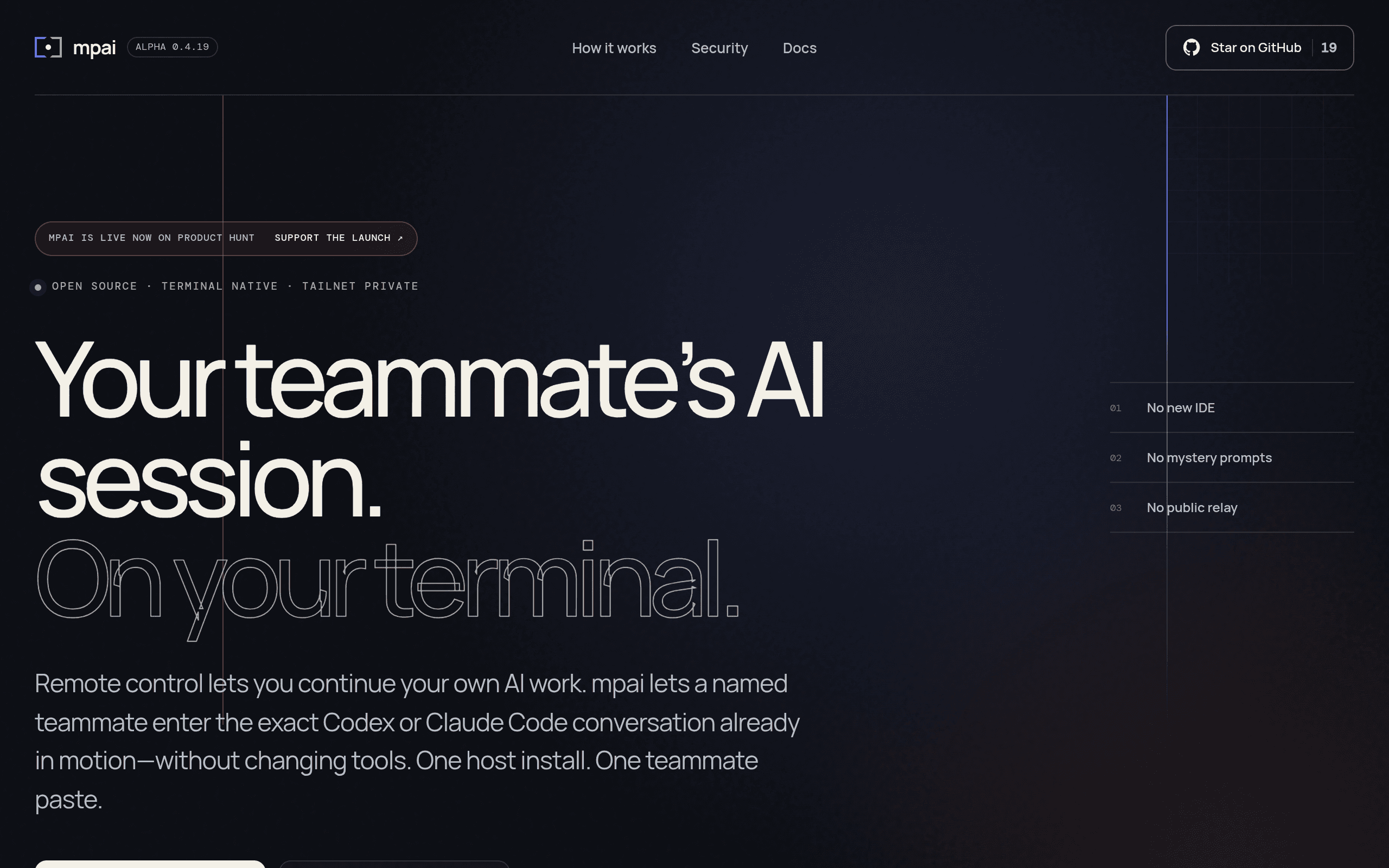
mpai (short for "multiplayer AI") is a terminal tool, currently in public alpha on macOS, that lets more than one person join the same Codex or Claude Code session at the same time. Instead of pasting a shared transcript back and forth or screen-sharing a terminal, mpai attaches multiple clients to one live AI coding session running on someone's machine, and each teammate's input is attributed to them individually rather than merged into an anonymous stream.
The networking layer is Tailscale, so the session runs over a private WireGuard-based mesh between the host's machine and whoever joins — there's no cloud relay, no central server logging the conversation, and no account system beyond what Tailscale already requires. mpai doesn't touch your IDE. It sits at the terminal layer where Codex or Claude Code already run, which is the main architectural bet the project is making: coordinate access to an existing local AI session rather than build a new hosted product around it.
This is a young project. There's a GitHub Pages site (godfaddaai.github.io/multiplayer-ai) with setup instructions, but no packaged installer, no changelog of stable releases, and no documented Windows or Linux support yet — it's explicitly macOS-only for now.
Pricing
There is no published pricing. mpai is distributed as an open-source project you clone/run yourself; there's no subscription tier, no hosted service to pay for, and no "Pro" version mentioned anywhere in the project's materials. Practically, the cost of running it is:
- mpai itself: free, open source.
- Tailscale: free for personal use and small teams (Tailscale's free plan covers up to 3 users / 100 devices as of writing); paid Tailscale plans start around $5–6/user/month if your team is bigger or needs SSO/ACL features.
- Codex or Claude Code: you still need your own access/subscription to whichever underlying AI coding tool you're pairing through — mpai doesn't include or replace that.
So the real cost of trying mpai today is close to zero, assuming you already pay for Codex or Claude Code and can install Tailscale.
How it compares
| mpai | VS Code Live Share | Pair.io | Cursor | |
|---|---|---|---|---|
| Price | Free/open source (alpha) | Free (Microsoft account required) | Paid, subscription per seat | Free tier; Pro ~$20/user/mo, Business ~$40/user/mo |
| What's shared | A live Codex/Claude Code terminal session, multi-user with attribution | Editor + terminal session inside VS Code | Screen/voice pairing session, not AI-session-specific | Not multiplayer by default — single-user AI IDE, no live session sharing |
| Networking | Tailscale (private mesh, no relay server) | Microsoft relay service | Vendor's own infra | N/A (local app, cloud AI backend) |
| Requires IDE change | No — works at terminal layer | Yes — VS Code specific | No — works over screen/voice | Yes — full switch to Cursor's editor |
| Best for | Teams already using Codex/Claude Code who want to co-drive one session | VS Code shops doing general pair programming | Remote teams wanting lightweight screen+voice pairing | Individuals wanting an AI-native editor, not session sharing |
The most useful distinction: Live Share and Pair.io solve general pairing (see my screen, hear my voice, edit together). mpai solves a narrower problem — letting multiple people talk to the same AI coding session with their identities kept separate — and Cursor doesn't attempt multiplayer at all right now.
Should you try it today
If you're on macOS, already run Codex or Claude Code from the terminal, and have a teammate willing to install Tailscale, trying mpai costs you basically nothing but time. It's an alpha project with no formal support channel and no roadmap commitments, so don't build a team workflow around it yet — but as a same-day experiment for a specific pairing or debugging session, the setup barrier is low enough to just try it.
If you're on Windows/Linux, need a persistent transcript for compliance reasons, or want general-purpose pairing rather than shared AI-session access specifically, mpai isn't there yet — Live Share or Pair.io are the safer bets today.