NewTqnia News Widget: First Look at the New Tech News Feed Plugin for WordPress
Some links in this guide are affiliate links. If you sign up through them, Day Zero Guides may earn a commission at no extra cost to you. This never affects which products we cover or what we say about them. See our affiliate disclosure for details.
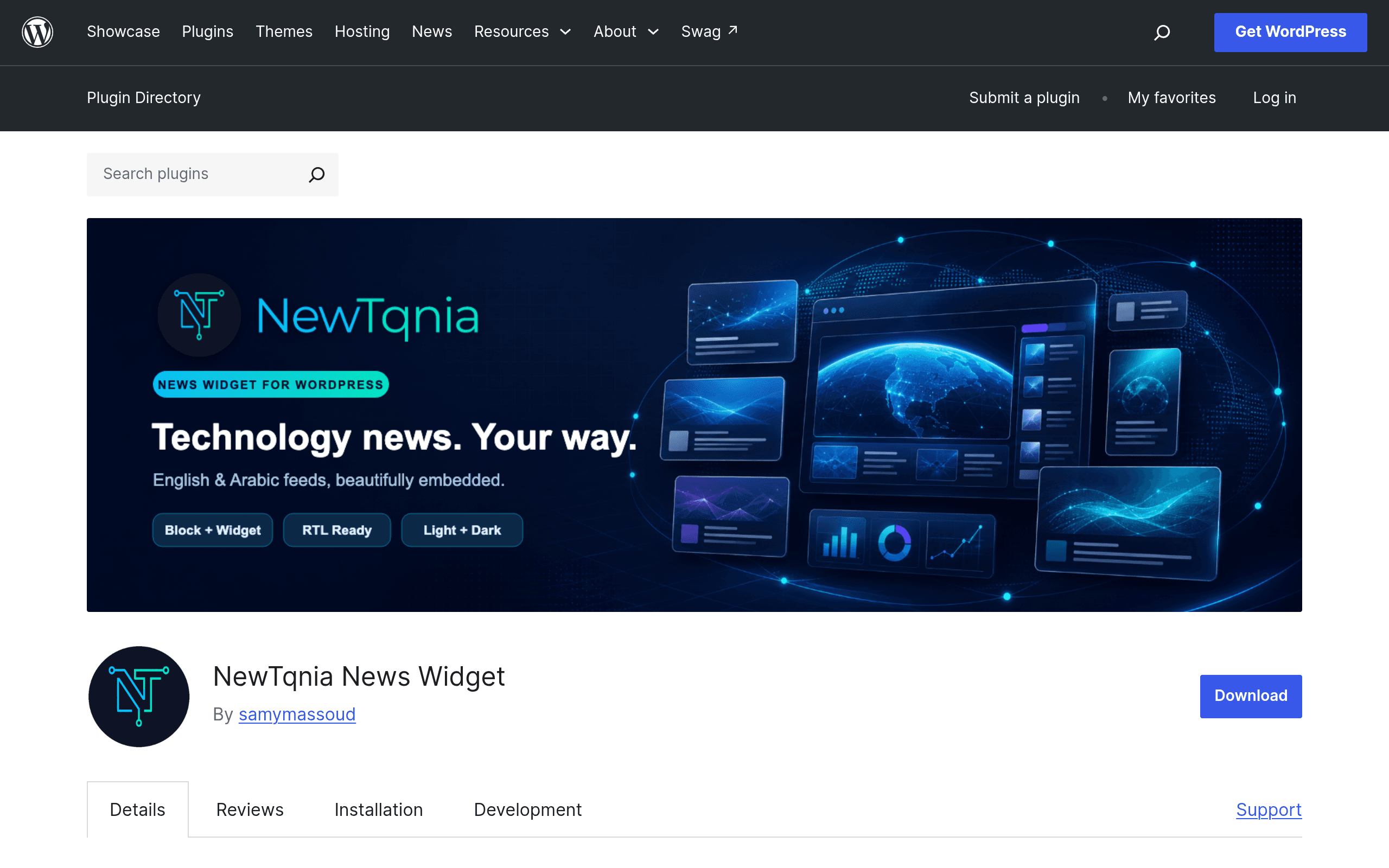
What NewTqnia News Widget actually does
NewTqnia News Widget is a WordPress plugin that pipes a curated technology news feed from the NewTqnia service directly into your site. Unlike general-purpose RSS aggregators that let you pull in any feed URL you want, this plugin is scoped to one content source: NewTqnia's tech news stream. If you run a tech blog, gadget review site, or IT services company and want a low-maintenance "latest tech news" module without writing or curating anything yourself, that's the pitch.
It landed on the WordPress.org plugin repository as a new release, so there's no long track record yet — no years of changelogs, no large install base to point to, and no third-party reviews to lean on. This guide is based on what's actually shipped in the plugin as of launch.
Placement: three ways to add it
The plugin supports the three placement methods most WordPress site owners will actually use:
- Block editor (Gutenberg) block — drop it into any page or post like any other block.
- Classic widget — for themes or site areas still running the widgets screen instead of full-site editing.
- Shortcode — for template files, page builders, or anywhere you need to hand-place the feed outside the block/widget system.
This three-way coverage matters more than it sounds — a lot of niche plugins only ship a widget or only a block, which breaks on older themes or custom page builder setups. Covering all three means it'll drop into most existing WordPress sites without a rebuild.
Customization options
Out of the box, the plugin exposes:
- Layout options — how the feed items are arranged (list vs. grid-style presentation).
- Language — English and Arabic are both supported, which is notable since most RSS/news widget plugins are English-only by default. If you run a bilingual or Arabic-first tech site, this is one of the only widget plugins in this category that treats Arabic as a first-class option rather than something you bolt on with a translation plugin.
- Theme — visual styling presets so the feed can match light or dark site designs instead of looking like an obviously bolted-on third-party widget.
- Content filtering — control over which news items surface, so you're not stuck showing an unfiltered firehose.
Pricing: not published yet
As of this writing, NewTqnia hasn't published a pricing page or pricing tiers for the News Widget. It's distributed as a free listing on the WordPress.org plugin repository, which typically means the core plugin is free to install and use. There's no visible premium/pro tier, upgrade prompt, or license-key gate documented at launch — but that also means there's no official confirmation of what happens if the plugin later moves to a freemium model, or whether the underlying NewTqnia news feed itself could eventually be metered or rate-limited. If pricing is a dealbreaker for your evaluation, treat this as an open question rather than a confirmed "free forever."
Concrete use cases
- A tech blog sidebar refresh: Add the block to your sidebar template so every post page shows live tech headlines next to your content, keeping the site feeling current between your own publishing cycles.
- An Arabic-language tech news portal: Use the Arabic language setting and RTL-friendly layout to run a regional tech news feed without needing a separate translation or RTL plugin stack.
- A managed IT services company site: Drop the shortcode into a "Tech News" page so prospective clients see the company is plugged into current industry developments, without anyone on staff writing news roundups.
- A multi-author WordPress magazine: Use content filtering to keep the feed scoped to relevant tech categories so it doesn't clash with a site that also covers unrelated topics.
How it compares to established alternatives
| NewTqnia News Widget | WP RSS Aggregator | Feedzy RSS Feeds | WordPress News Aggregator | |
|---|---|---|---|---|
| Price | Not published (free repo listing at launch) | Free core; PRO plans roughly $59–$299/year depending on tier | Free core; premium plans roughly $69–$249/year | Free |
| Feed source | Single curated source: NewTqnia's tech news service | Any RSS/Atom feed you configure | Any RSS/Atom feed, plus feed-to-post automation | Aggregates WordPress-related news specifically |
| Placement options | Block, classic widget, shortcode | Widget, block, shortcode | Widget, block, shortcode | Widget/shortcode |
| Language support | English and Arabic built in | English by default; relies on separate translation plugins for other languages | English by default; no native RTL/Arabic styling | English |
| Best for | Tech-focused sites wanting a ready-made, low-effort curated news module with Arabic support | Sites aggregating multiple external RSS sources into one feed | Sites that want to auto-publish external feed content as posts | Sites specifically wanting WordPress ecosystem news |
The key difference: WP RSS Aggregator and Feedzy are general-purpose tools where you choose the feed sources, which means more flexibility but also more setup and curation work. NewTqnia News Widget trades that flexibility for a single pre-curated tech feed with less configuration — you're buying into their content source, not bringing your own.
Should you try it today?
If you already run a tech-adjacent WordPress site and just want a quick, no-curation-required "latest tech news" widget with genuine Arabic-language support, it's a low-risk install to test — it's free to try, and the three placement methods mean it'll fit into most themes without a redesign. The honest caveats: it's brand new, so there's no established reliability track record for the NewTqnia feed itself, no visible community support thread history, and no confirmed long-term pricing model if the plugin adds premium tiers later. If you need to aggregate feeds from multiple external sources rather than a single curated tech feed, WP RSS Aggregator or Feedzy remain the safer, more flexible, better-documented choice today.