Night Code Lab QR Studio: A First Look at WordPress's New Browser-Based QR Generator
Some links in this guide are affiliate links. If you sign up through them, Day Zero Guides may earn a commission at no extra cost to you. This never affects which products we cover or what we say about them. See our affiliate disclosure for details.
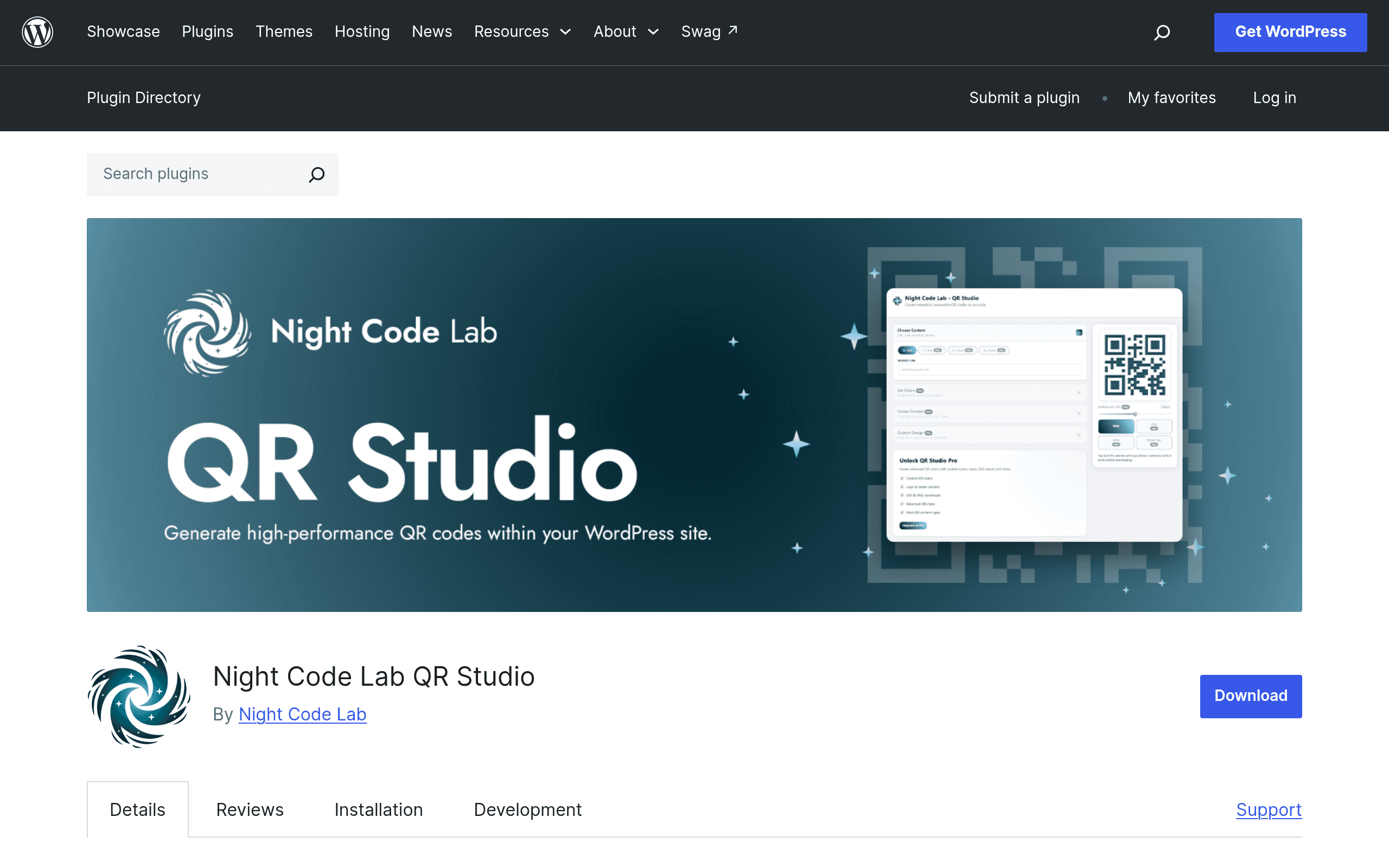
Night Code Lab QR Studio: A First Look at WordPress's New Browser-Based QR Generator
Most WordPress QR code plugins quietly ping a third-party API every time you generate a code — which means your URLs, and sometimes your visitor data, pass through someone else's server before a QR image ever renders. Night Code Lab QR Studio takes a different approach: it generates QR codes entirely client-side, in the browser, with no external API calls. That's the entire pitch, and it's a legitimate one for anyone who cares about data handling or just wants one less network dependency on their site.
The plugin is new on the WordPress.org repository, so this is a first-coverage look rather than a long-term durability report. Here's what it actually does, what it costs, and where it fits against the QR tools you're probably already considering.
What it actually does
Installed as a standard WP plugin, QR Studio adds a QR generation interface to the WordPress admin (and, depending on version, a block/shortcode for front-end use). You type or paste a value — a URL, text, contact info — and the plugin renders the QR code using JavaScript in your browser, then lets you export it. No round-trip to a remote QR API, no rate limits tied to a third-party service, no code that stops working if an external API goes down or changes its terms.
Free version:
- Local, in-browser QR generation
- PNG export
- Core functionality only — no styling options
Pro version adds:
- Custom colors and gradients on the QR code itself
- Logo embedding in the center of the code
- Additional export formats: SVG and JPEG (on top of PNG)
Pricing: what's published, what isn't
The free version is available now on the WordPress.org plugin repository at no cost, as with any standard WP.org listing. The Pro tier — the one with color customization, logos, and SVG/JPEG export — exists and is referenced in the plugin's own materials, but specific Pro pricing has not been published as of this writing. There's no visible pricing page, tiered cost breakdown, or license structure (single site vs. multi-site) available yet.
Practically, this means: if you only need a plain black-and-white QR code exported as a PNG, you can install this today for free and get exactly that. If you want branded, colored, or logo-embedded QR codes, you'll need to check the plugin's settings page or developer site directly for current Pro pricing before assuming what it costs — don't take a third-party estimate as gospel here, including this one.
Concrete use cases
- A restaurant swapping in digital menus: Free tier is enough — generate a QR linking to your menu PDF or page, export as PNG, print on table tents. No styling needed.
- An agency building a branded landing page for a product launch: Pro's color/gradient and logo embedding would let the QR code match brand colors and carry a small logo, rather than looking like a generic black-and-white square — useful for print ads or packaging where visual consistency matters.
- A print shop needing vector output: SVG export (Pro) matters here since PNG will pixelate at large print sizes; SVG scales cleanly to a billboard or poster without quality loss.
- A privacy-conscious site (health, legal, finance): The core sell — no external API call — matters most here, since some QR plugins send the destination URL to a third-party generator service before returning an image, which is a compliance conversation worth avoiding entirely.
How it compares
| Night Code Lab QR Studio | QR Code Generator (WP plugin) | Elementor QR Code widgets (e.g., Essential Addons) | Stripe-integrated QR tools | |
|---|---|---|---|---|
| Price | Free (core); Pro price not yet published | Free core, Pro tiers typically $0–$49/yr depending on plugin | Free with Elementor Pro (~$59/yr) or bundled addon pack | Varies — often free plugin + Stripe's own transaction fees, no separate license |
| QR generation method | Local, in-browser (no API call) | Usually calls an external QR API | Usually calls an external QR API via the widget's backend | Calls Stripe's API to generate payment-linked codes |
| Customization (color/logo) | Pro only | Often included in free tier | Limited — mostly size/color via widget settings | Minimal — focused on payment function, not design |
| Export formats | PNG (free), SVG/JPEG (Pro) | Usually PNG/SVG in free tier already | Typically PNG only | PNG, tied to a generated payment link |
| Best for | Privacy-sensitive sites wanting to avoid third-party API calls | Fastest path to a styled QR code without extra plugins | Sites already built in Elementor wanting a drag-and-drop widget | Sites needing QR codes that trigger a Stripe checkout directly |
| Elementor/page builder integration | Not confirmed as of this release | Varies by plugin | Native | Not applicable |
The honest tradeoff
The local-generation approach is the real differentiator, not the feature list. Most competing plugins in the free tier already offer color customization and multiple export formats because they're just wrapping a third-party API that supports those options cheaply. Night Code Lab QR Studio's free version is comparatively bare — PNG only, no styling — because doing customization entirely client-side is more work to build than calling an API that already does it. That's a reasonable trade if the no-external-calls promise matters to you. It's not a reasonable trade if you just want a colored QR code today and don't care where the rendering happens.
The unpublished Pro pricing is the main reason to hold off if you need logos or SVG export right now — you can't budget for something with no listed cost. If your use case is satisfied by the free tier (plain PNG QR codes, generated without a third-party API in the loop), there's no reason to wait: install it, test it against your actual content, and confirm your browser-rendered output looks correct at your target print or display size before rolling it out site-wide.
Bottom line
Install the free version today if you want basic QR codes without a third-party API dependency — it does exactly that, no more. Hold off on planning around the Pro tier until Night Code Lab publishes actual pricing; check the plugin's WordPress.org listing or settings page directly before assuming a cost, since none is public as of this guide.
Update — 2026-08-19
The Pro version now includes additional QR content types (plain text, email, phone number) and custom shape options (body dot shapes, eye frame/ball customization) that were not mentioned in the original guide. The free version is now limited to URLs only, whereas the guide implied it could handle "a URL, text, contact info."