NIIC Key Cabinet Manager: A Free WordPress Plugin for Tracking Physical Keys Without Buying Hardware
Some links in this guide are affiliate links. If you sign up through them, Day Zero Guides may earn a commission at no extra cost to you. This never affects which products we cover or what we say about them. See our affiliate disclosure for details.
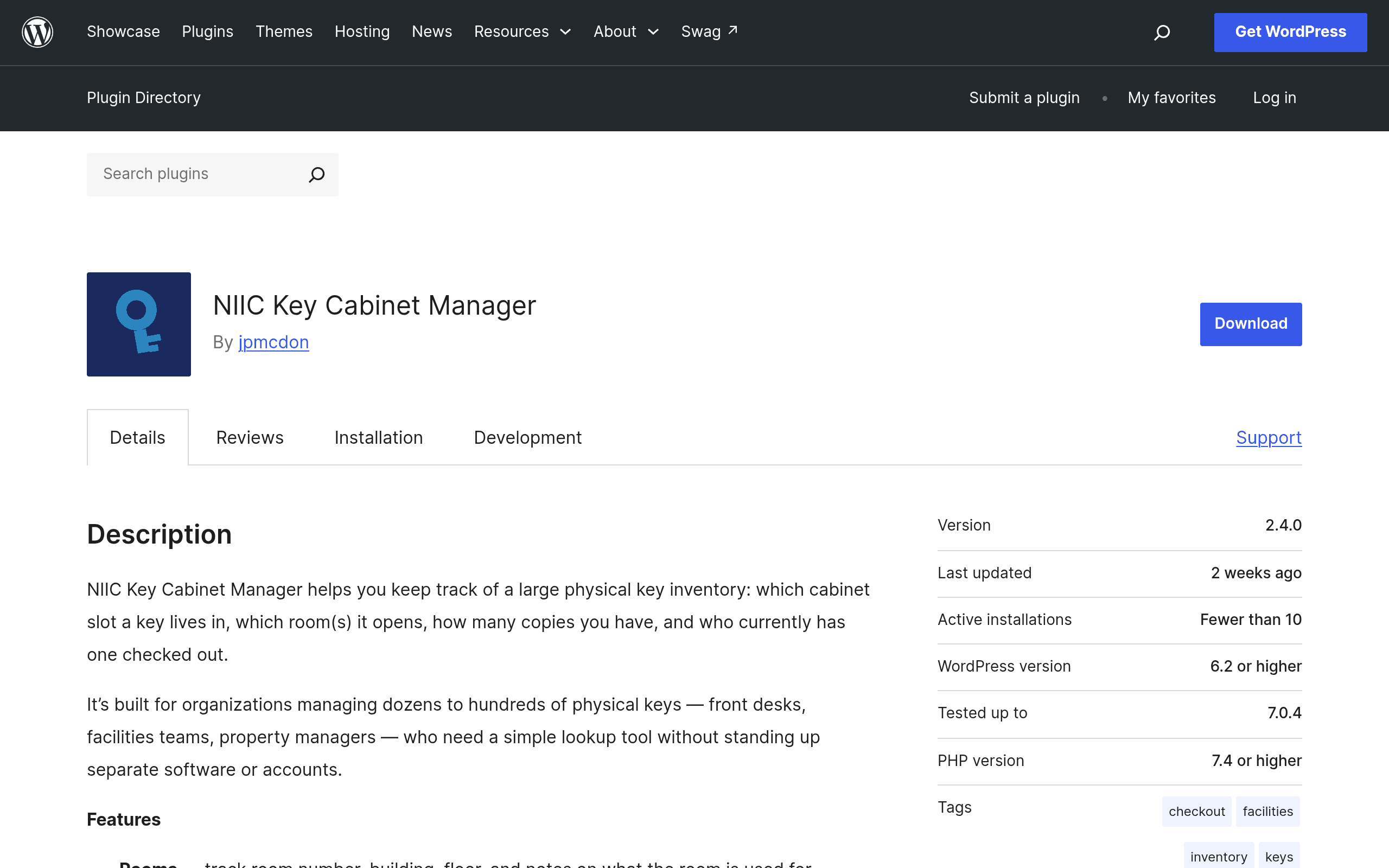
What NIIC Key Cabinet Manager actually does
NIIC Key Cabinet Manager is a WordPress plugin, not a SaaS product and not a piece of hardware. You install it on an existing WordPress site (self-hosted or a managed WP host), and it adds an admin interface for logging physical keys: which cabinet and slot a key lives in, which room or door it opens, how many copies you have on hand, and whether each copy is currently checked out or on the hook.
There's no vendor account to create, no monthly login to a third-party dashboard, and no proprietary lockbox hardware to buy. If you already run WordPress for your organization's intranet, staff portal, or internal site, this plugin turns a page of that site into a key inventory system. If you don't already run WordPress, the setup cost is standing up a WordPress instance — which is a real cost, just not a licensing one.
This is squarely a record-keeping tool, not an access-control system. It doesn't unlock doors, doesn't integrate with electronic locks, and doesn't scan RFID fobs. It answers the question "where is key #14B and who has it," the same question a paper ledger or spreadsheet answers, just with structure, search, and (because it's WordPress) user accounts and permissions layered on top.
Who this is actually for
- Front desks and reception teams at apartment complexes, hotels annexes, or office buildings that hand out physical keys or fobs to residents, tenants, or contractors and need to know instantly who currently has key #212 versus who returned it.
- Facilities and maintenance departments managing master keys, submaster keys, and individual room keys across a campus or multi-building property, where losing track of a master key is a real security incident, not just an inconvenience.
- Property managers overseeing multiple units or buildings who need a single record of which keys exist for which doors, especially useful when re-keying or auditing after a tenant turnover.
- Small institutions — schools, churches, community centers, co-working spaces — with a key cabinet that currently gets tracked on an index card or a shared Google Sheet that nobody trusts anymore.
It's not built for organizations that need audit-grade chain-of-custody logs with timestamps for compliance reporting, or for anyone who needs the system to physically restrict access. If you need that, you're in electronic access control territory, which is a different budget entirely.
Pricing: free, with the caveats that come with free
NIIC Key Cabinet Manager is distributed through the official WordPress.org plugin directory, which means it's free and open source under the GPL, like every other plugin hosted there. There is no premium tier, paid add-on, or usage limit listed at launch — you install it, and you have the whole thing.
The real costs are the ones that come with any self-hosted WordPress tool:
- Hosting: if you don't already have a WordPress site, you're paying a host (anywhere from $5-$30/month for shared hosting) or your IT team's time to stand one up.
- Maintenance: as with any plugin, you're responsible for keeping WordPress core, your theme, and the plugin itself updated. There's no vendor SLA or support contract — support happens through the WordPress.org plugin forum, on the maintainer's own time.
- Your own backups: since your key inventory now lives in your WordPress database, your key data is only as safe as your site backup strategy.
For an organization already running WordPress, the effective price is $0 and an afternoon of setup. For an organization with no WordPress presence, budget a small hosting line item and someone comfortable installing plugins.
How it compares to what people actually use today
Most organizations tracking physical keys right now are using one of three things: a dedicated electronic keybox system, a commercial key locker cabinet, or a spreadsheet someone built in 2019 that has since been renamed "KEYS_FINAL_v3.xlsx." Here's how NIIC stacks up against each.
| NIIC Key Cabinet Manager | Keybox (electronic keybox systems) | KeyLocker (electronic key cabinet systems) | Spreadsheet (Google Sheets / Excel) | |
|---|---|---|---|---|
| Price | Free (WordPress.org plugin, GPL) | Hardware + software, typically $500-$3,000+ per cabinet unit plus ongoing fees | Hardware-based, often $1,000-$5,000+ depending on capacity and access control features | Free (already own the tool) |
| Hardware required | None — software only, works with any physical cabinet or pegboard you already have | Yes — proprietary locking cabinet with electronic slots | Yes — proprietary locking cabinet, often with keypad or badge access | None |
| Setup effort | Install WordPress plugin, enter existing key inventory manually | Physical installation, cabinet mounting, staff training on hardware | Physical installation, hardware provisioning, admin configuration | None — but no structure either |
| Access control | None — tracking only, doesn't prevent physical access | Yes — cabinet slots physically lock until authorized release | Yes — often includes PIN/badge-gated release of individual keys | None |
| Best for | Orgs that already run WordPress and want structured tracking without new hardware spend | Orgs that need the cabinet itself to enforce who can physically remove a key | Orgs needing both storage and access logging in one hardware unit | Very small key counts (under ~20) where formal tooling isn't justified yet |
| Reporting/search | Searchable by key, room, cabinet slot, or checkout status within WP admin | Vendor-specific software, usually decent audit logs tied to the hardware | Vendor dashboard, varies by model | Manual filtering, breaks down past a few dozen rows or multiple editors |
The honest takeaway: NIIC isn't competing with Keybox or KeyLocker on access control — it can't stop someone from taking a key off a hook. It's competing with the spreadsheet, and against that comparison it wins pretty clearly for any org managing more than a couple dozen keys, because it gives you real search, per-key checkout status, and multi-user access through WordPress roles instead of a shared file that one person always forgets to update.
What to check before you install it
Because this just landed on WordPress.org, treat it like any freshly launched plugin:
- Check the "tested up to" WordPress version on the plugin page before installing on a production site, and test on staging first if you have one.
- Look at the support forum activity — a new plugin will have a thin support history, so don't expect an established track record of quick maintainer responses yet.
- Confirm your key inventory size is realistic for manual entry. If you're migrating 300+ keys from an existing spreadsheet, plan on an actual data-entry session rather than expecting an import tool, unless one is documented on the plugin page.
- Decide who gets admin access. Since this rides on WordPress user roles, make sure your front desk or facilities staff have appropriately scoped accounts rather than full site-admin access.
Bottom line
If you're currently tracking physical keys on paper or in a spreadsheet and you already have a WordPress site running for anything else — an intranet, a staff portal, even a basic company website with a login area — NIIC Key Cabinet Manager is a zero-cost way to turn that mess into a searchable record of what key is where and who has it. It won't replace an electronic keybox if your actual problem is physical access control, but for the much more common problem of "we have no idea which drawer key 47 is in," it's worth installing today and seeing if it sticks.