Ovebot Review: A First Look at the Free WordPress AI Chatbot for WooCommerce Stores
Some links in this guide are affiliate links. If you sign up through them, Day Zero Guides may earn a commission at no extra cost to you. This never affects which products we cover or what we say about them. See our affiliate disclosure for details.
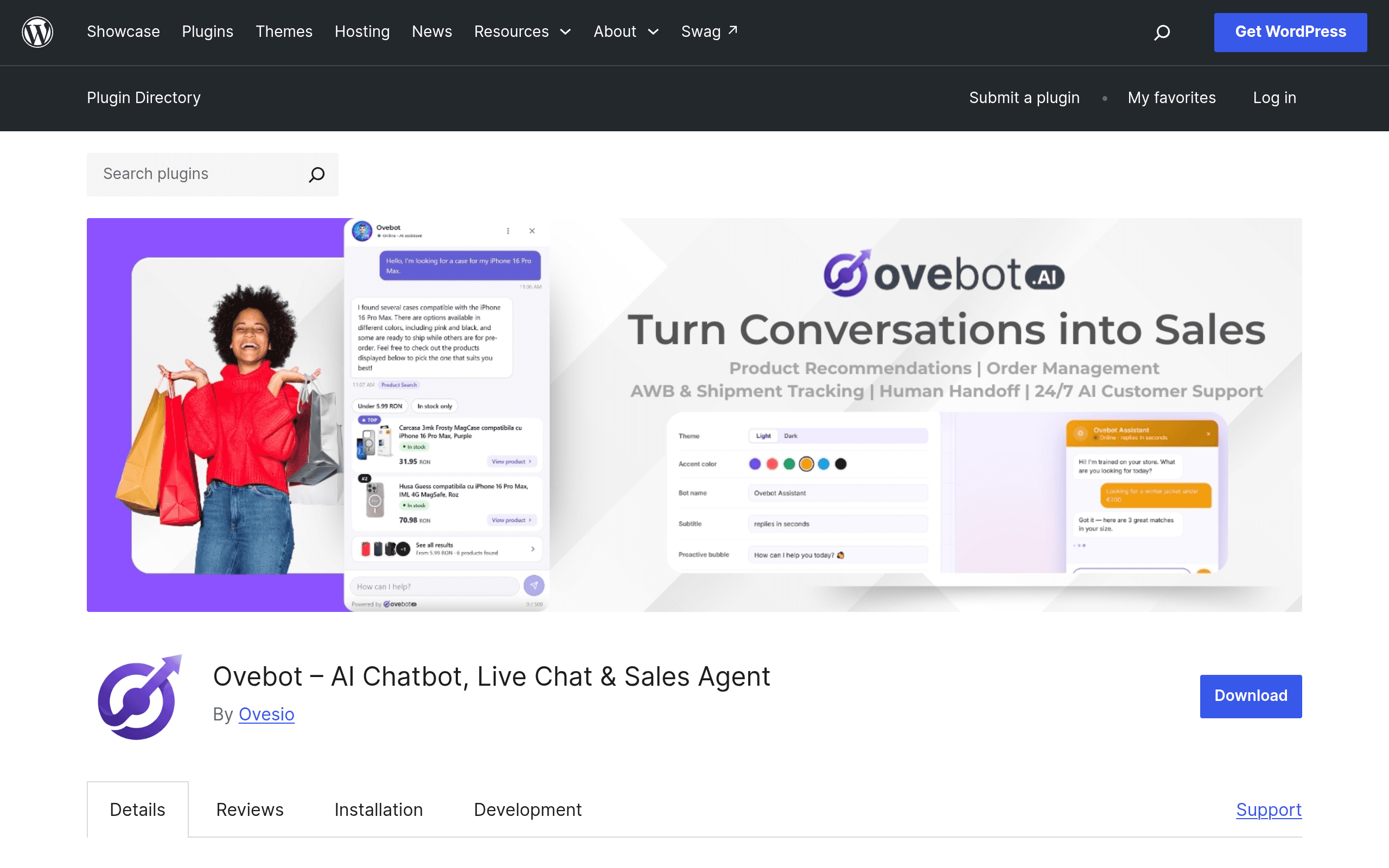
What Ovebot Actually Is
Ovebot is a WordPress plugin — not a hosted SaaS widget you paste a script tag for, but a plugin you install from the WordPress.org repository like any other. Once activated, it crawls your existing site content (pages, posts, uploaded documents, and if you run WooCommerce, your product catalog) and uses that as training data for a chatbot that sits on your storefront. The pitch is simple: instead of a generic FAQ bot, visitors get answers pulled from your actual pages and product descriptions, and if the bot can't handle something, it hands the conversation off to a human on your team through a built-in dashboard.
This matters because most AI chatbot tools in this space (Intercom Fin, Drift, Zendesk AI agents) are built for teams that are already paying for a full support/marketing platform and bolting AI on top. Ovebot is aimed squarely at WordPress and WooCommerce site owners who want the AI chatbot piece without adopting an entire helpdesk suite first.
Who This Is Actually For
- A WooCommerce store owner running a mid-size catalog (say, 50–2,000 SKUs) who wants shoppers to ask "do you have this in blue, size medium?" and get a real answer instead of a search bar.
- A small business site (services, local business, SaaS marketing site) that gets repetitive pre-sales questions after hours and wants those handled without hiring night-shift support.
- An agency or freelancer managing multiple WordPress client sites who wants a low-cost way to add "AI chat" as a value-add without standing up Intercom or Zendesk accounts for every client.
- Order tracking deflection — customers asking "where's my order" is one of the most common WooCommerce support tickets, and Ovebot's WooCommerce integration is built to answer that directly from order data rather than routing to a human.
What it's probably not ideal for: large-scale multi-channel support operations (email + chat + phone + social in one queue), or teams that need deep CRM/marketing automation tied to the chatbot. That's still Intercom/Zendesk territory.
Pricing: What's Actually Published
As of this plugin's listing on WordPress.org, Ovebot offers a free plan for the first 200 stores, with no credit card required to activate it. That's an unusually generous entry point compared to most AI chatbot tools, which typically gate any AI-answering feature behind a paid tier from day one.
What's not published on the plugin page: specific pricing for paid tiers once you're past the free cohort, or what happens to existing free-tier users after that cap is reached. If you're evaluating this for a production store, go in expecting the free tier to be a limited-time/limited-seat offer rather than a permanent free plan, and confirm current pricing directly in the plugin's settings or with Ovebot support before you build a workflow you depend on. We'll update this guide once tiered pricing is public.
Setup Reality Check
Because it's a standard WordPress plugin, installation is the familiar flow: search "Ovebot" in Plugins > Add New, install, activate, then run through its setup to point it at your content and (if applicable) connect WooCommerce. There's no separate hosted account/dashboard sign-up friction of the kind you get with Intercom or Zendesk — the team dashboard for managing conversations lives inside your WordPress admin. That's a meaningfully lower-friction path to "first chatbot conversation" for a solo store owner than provisioning a full Zendesk workspace.
How It Compares
| Ovebot | Intercom | Drift | Zendesk | |
|---|---|---|---|---|
| Starting price | Free (first 200 stores, no card required) | From ~$39/mo per seat (Essential plan), AI Fin add-on billed per resolution | Enterprise-only pricing, custom quote (no public self-serve tier) | From ~$19/agent/mo for basic support; AI agents/bots require higher tiers or add-ons |
| Where it lives | Self-hosted WordPress plugin, data trained from your own site content | Hosted SaaS platform, separate from your website codebase | Hosted SaaS platform, primarily inbound marketing/sales focus | Hosted SaaS helpdesk platform |
| WooCommerce-specific features | Native: product recommendations, order tracking from within chat | None built-in; needs custom integration/API work | None built-in | None built-in; needs app/integration |
| Best for | WordPress/WooCommerce site owners wanting AI chat without a new platform | Mid-size to large teams wanting chat + support + marketing in one suite | B2B marketing teams doing conversational lead qualification | Support teams needing full ticketing + multi-channel + AI on top |
| Human handoff | Yes, via built-in team dashboard | Yes, via Intercom inbox | Yes, via Drift inbox/Slack integration | Yes, native ticketing queue |
| Setup complexity | Low — install plugin, connect content, go | Medium — account setup, install script, configure bot separately | Medium-high — sales-assisted onboarding common | Medium-high — full helpdesk configuration |
The Honest Trade-offs
What's genuinely appealing: the price-to-setup ratio. If you already run WordPress/WooCommerce, you can have an AI chatbot trained on your actual product catalog live in under an hour, for $0, without a sales call. That's not true of any of the three named alternatives, all of which either require a paid tier to unlock AI answering or a custom quote to even see pricing.
What to watch for: because paid-tier pricing isn't published, you can't yet do a clean long-term cost comparison against Intercom or Zendesk. If your store scales past whatever the free cohort or usage limits turn out to be, you'll want to re-evaluate before committing. Also, as a newer WordPress.org plugin, it won't have the years of third-party integration coverage (Slack, HubSpot, Salesforce, etc.) that Intercom and Zendesk have built up — if your stack depends on those integrations, this isn't a drop-in replacement yet.
Bottom Line
If you run a WooCommerce store or a WordPress-based business site and want to test whether an AI chatbot actually reduces "where's my order" and "do you have this in stock" tickets, Ovebot is close to zero-risk to try today — it's free, requires no card, and installs like any other plugin. It is not yet a like-for-like replacement for Intercom or Zendesk if you need multi-channel support and mature integrations, but for a WordPress-native store wanting AI chat without adopting a whole new platform, it's worth the hour it takes to install and test.