Parallels Desktop Review: Pricing, Features, and How It Compares
By Day Zero Guides Editorial · How we produce guides
Some links in this guide are affiliate links. If you sign up through them, Day Zero Guides may earn a commission at no extra cost to you. This never affects which products we cover or what we say about them. See our affiliate disclosure for details.
What Parallels Actually Is
Parallels has been running Windows on Mac hardware for over a decade, and the flagship product — Parallels Desktop — is now on its 19th major version. The company also sells Parallels Remote Application Server (RAS), a separate enterprise product for remote desktop and application streaming that has nothing to do with running Windows on your MacBook. This guide focuses mainly on Parallels Desktop, since that's what most people searching for "Parallels" actually want, with a shorter section on RAS for IT buyers.
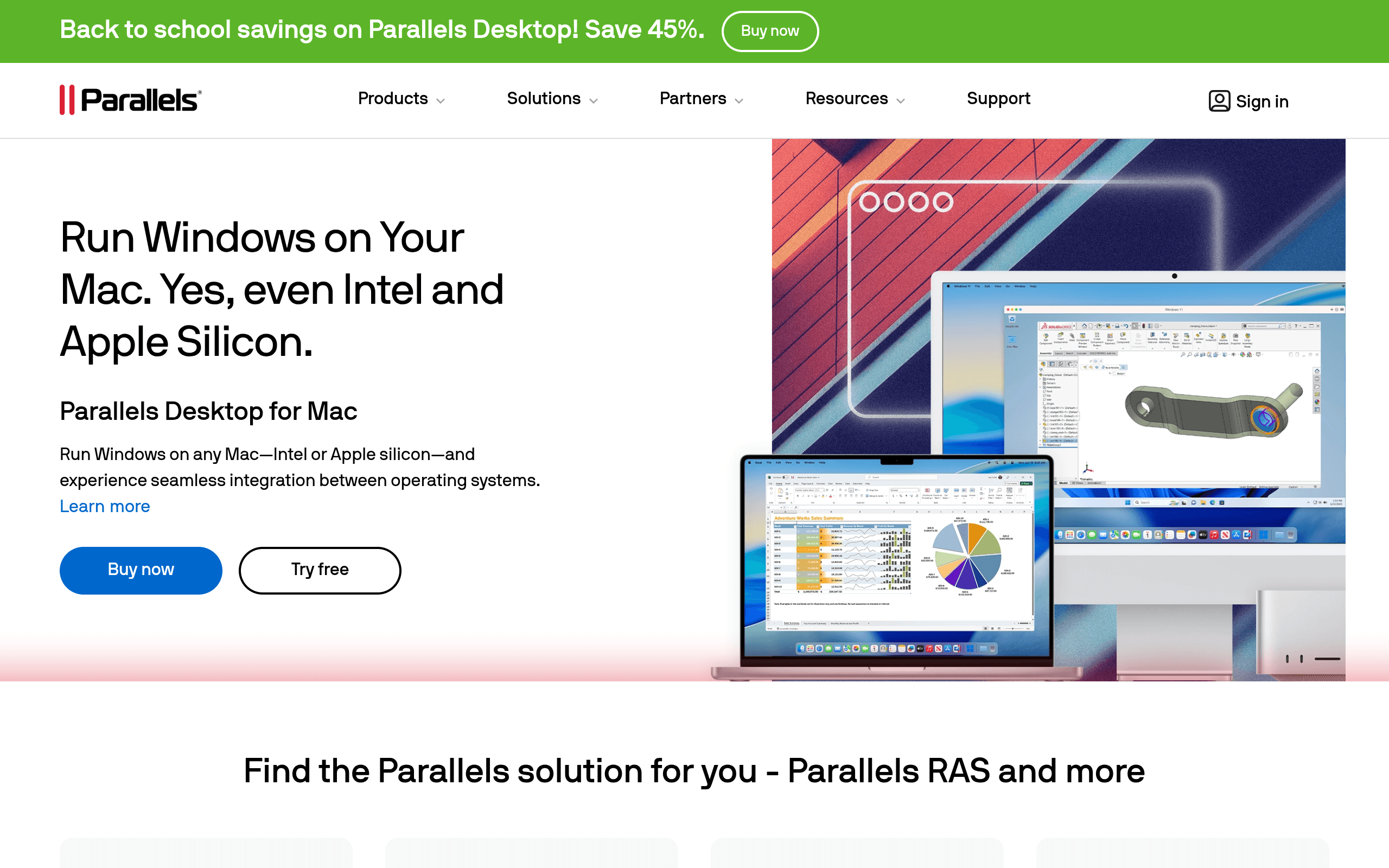
Parallels Desktop's core job is simple: let you run Windows (or Linux, or an older macOS) inside a virtual machine on your Mac, with tight integration — shared clipboard, drag-and-drop files, Windows apps appearing in the macOS Dock, and reasonable performance on Apple Silicon.
Pricing Breakdown
Parallels doesn't put pricing on its homepage, which is mildly annoying, but here's what you'll actually pay once you get to the product page:
- Standard Edition — around $99.99/year subscription (a one-time perpetual license option has existed in the past but Parallels has pushed hard toward subscriptions; check current availability). Includes 8GB RAM allocation per VM and 128GB disk space cap per VM.
- Pro Edition — around $119.99/year. Removes the RAM/disk caps, adds developer tools (CI/CD integrations, command-line VM management, support for 32GB+ RAM per VM), and is aimed at developers and QA testers running multiple VMs.
- Business Edition — around $149.99/year per seat. Adds centralized license management, volume licensing, SSO, and vendor-signed packages for IT deployment across a fleet of Macs.
On top of the app license, you generally need your own Windows license unless you buy one of Parallels' bundles that includes a Windows 11 key. Parallels also sells activation for Windows via the Mac App Store version, which is more locked-down (no advanced networking config, no Business Edition features).
Parallels RAS is licensed differently — typically an annual subscription per concurrent user, quoted through sales, with volume discounts. Expect enterprise procurement, not a self-serve checkout.
Who Actually Needs This
- Mac users who need one or two stubborn Windows apps — a QuickBooks desktop version, a Windows-only CAD plugin, a legacy internal tool your employer still runs. Standard Edition covers this fine.
- Developers testing cross-platform builds — Pro Edition's higher RAM ceiling and CLI tooling make sense if you're spinning up Linux distros or Windows VMs as part of a build pipeline.
- IT teams standardizing a mixed Mac/Windows fleet — Business Edition's deployment and license management tools matter here; without them you're manually activating licenses on every machine.
- Gamers wanting to run Windows-only PC games — this is the weakest use case. Performance is workable for older or less demanding titles, but Parallels virtualizes rather than passing through a GPU natively, so anything demanding real-time 3D performance will disappoint compared to a real Windows machine or Boot Camp (which no longer exists on Apple Silicon anyway).
Where It Falls Short
- Pricing shifted from "buy once" to "pay every year," and Parallels has been less transparent about keeping a perpetual license option alive than some users would like.
- On Apple Silicon Macs, you're running Windows 11 on ARM, not x86 Windows. Most mainstream software runs fine through emulation, but niche x86-only drivers or older enterprise software can hit compatibility walls.
- Snapshots, shared folders, and Coherence mode (Windows apps floating on the Mac desktop) all work well, but heavy multitasking with several VMs open will eat RAM fast — 16GB Macs will feel this quickly.
How It Compares
| Parallels Desktop | VMware Fusion | VirtualBox | Citrix Virtual Apps and Desktops | |
|---|---|---|---|---|
| Price | ~$99.99–$149.99/year depending on edition | Free for both personal and commercial use (Broadcom made Fusion Pro free in late 2024) | Free, open source (Oracle) | Enterprise quote-based, typically priced per user/month for the DaaS model |
| Best for | Mac users needing polished, well-supported Windows/Linux VMs | Mac/Windows/Linux users who want a full-featured hypervisor at zero cost | Cross-platform hobbyists and labs who don't mind a rougher UI | Large orgs needing centralized app/desktop delivery to thousands of endpoints |
| Apple Silicon support | Native, mature, runs Windows 11 ARM well | Native ARM support, now free — direct threat to Parallels' paid tiers | Runs on Apple Silicon but with rougher guest OS support and less polish | N/A — this is a server-based delivery model, not local virtualization |
| Ease of setup | Very easy, guided Windows install, good defaults | Easy but slightly more manual than Parallels | More technical, manual VM configuration expected | Requires IT deployment, StoreFront, Delivery Controllers — not a consumer product |
| Support model | Paid support included in subscription tiers | Community support (now that it's free) with a for-pay support add-on | Community forums only | Enterprise SLAs as part of licensing |
The big shift worth flagging: VMware made Fusion free for everyone (not just personal use) in late 2024. That materially changes the calculus — if all you need is basic Windows-in-a-VM functionality and you don't care about Parallels' extra convenience features, Fusion now undercuts Parallels on price entirely. Parallels' remaining case is polish: smoother installers, better Coherence-style integration, more frequent updates tuned to new macOS releases, and paid support if something breaks.
A Note on Parallels RAS
If you landed here looking for the enterprise remote desktop product rather than the Mac virtualization app, know that Parallels RAS competes in a completely different category — against Citrix Virtual Apps and Desktops and Microsoft's remote desktop/AVD stack, not against VMware Fusion. RAS is generally positioned as the lower-cost, easier-to-deploy alternative to Citrix, with simpler licensing and a less sprawling architecture, but Citrix still has the edge in large-scale enterprise features, HDX protocol optimization, and third-party ecosystem integrations. If you're comparing the two seriously, expect to go through a sales-quote process for both — neither publishes per-seat enterprise pricing openly.
Verdict
Parallels Desktop is a mature, well-built product that does exactly what it claims — running Windows smoothly on a Mac with fewer rough edges than the alternatives. The problem isn't the product; it's that its main paid competitor just became free. If you need Parallels-specific features (Business Edition deployment tools, Pro Edition's dev tooling, or just prefer its interface and support), the subscription is easy to justify. If you just need occasional access to a Windows app and don't need hand-holding, try VMware Fusion first — it now costs nothing and covers the basics competently. VirtualBox remains the free fallback for technical users who don't mind a clunkier interface.
Update — 2026-08-19
Parallels now offers a 'Desktop for Mac Pro' edition as a distinct product tier (separate from the standard Desktop), and has introduced new enterprise products including Parallels DaaS, Parallels Browser Isolation, Parallels Secure Workspace, and Parallels Desktop Enterprise Edition. The product lineup has expanded significantly beyond the Standard/Pro/Business structure described in the guide.