PaySlate: First Look at the WordPress Plugin That Invoices Clients Without Sending Them Off-Site
Some links in this guide are affiliate links. If you sign up through them, Day Zero Guides may earn a commission at no extra cost to you. This never affects which products we cover or what we say about them. See our affiliate disclosure for details.
What PaySlate Actually Is
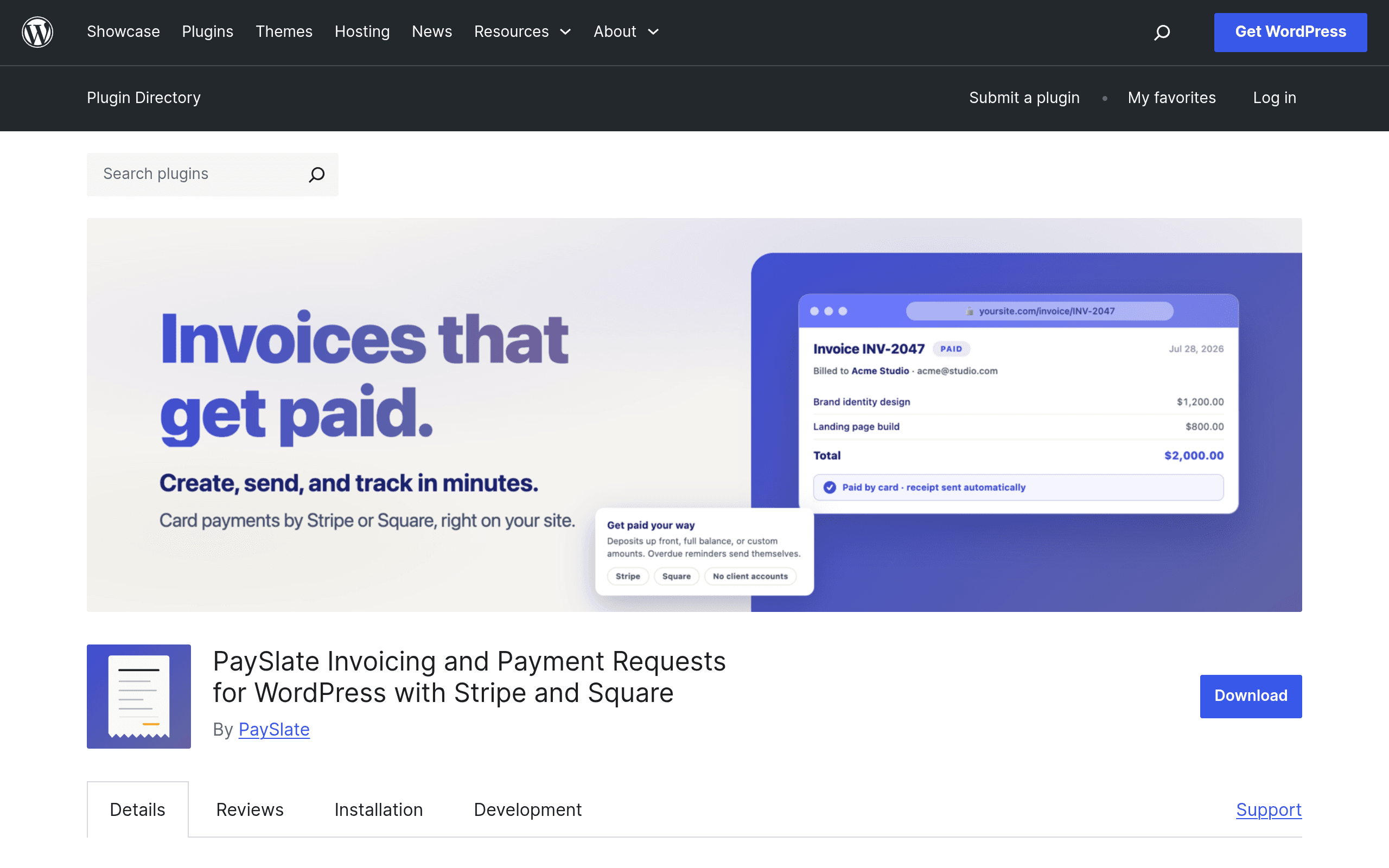
PaySlate is a WordPress plugin, distributed through the official WordPress.org plugin repository, that turns your existing WordPress site into an invoicing and payment collection tool. The pitch is narrow and specific: instead of emailing a client a link to FreshBooks or a Stripe-hosted invoice page, you generate the invoice inside your WordPress dashboard and the client pays it on a page that lives on your own domain. No client login, no third-party portal, no "create an account to view this invoice" friction.
Under the hood, PaySlate connects to Stripe or Square (you bring your own merchant account for either) and handles the card processing through those gateways. It also supports digital wallets (Apple Pay / Google Pay show up automatically once Stripe is connected) and pay-later options where the gateway supports them. The free version covers one-off invoicing, deposit tracking (so you can invoice 50% up front and the balance on completion), and automatic payment reminders sent on a schedule you set. The Pro tier adds recurring invoicing (for retainer clients) and exports formatted for accounting software.
Pricing: What's Actually Confirmed
The core plugin is free and installs like any other WordPress plugin — search it in Plugins > Add New, or download the zip from wordpress.org/plugins/payslate/. That gets you:
- Manual invoice creation and sending
- Stripe and Square payment collection
- Deposit/partial payment tracking
- Automatic reminder emails
- Digital wallet and pay-later support (dependent on what your connected gateway offers)
The Pro tier — which unlocks recurring invoices and accounting export formats — is sold separately from the plugin itself, and as of this writing the developer hasn't published a fixed price on the WordPress.org listing page. That's worth flagging plainly: if recurring billing is your main reason for looking at PaySlate, you'll need to click through to the developer's own site to see current Pro pricing before you can compare it apples-to-apples against something like FreshBooks' published tiers. Don't install this expecting a visible "$9/mo" button — you won't find one in the free listing.
Who This Is Actually For
PaySlate makes the most sense if you already run your business off a WordPress site — a freelance designer, developer, copywriter, or small consultancy with a portfolio or marketing site built in WordPress — and you're currently sending clients to a separate invoicing tool that feels disconnected from your brand. Concrete scenarios where it fits:
- A freelance web developer who wants a client to pay a $1,500 deposit before starting a build, without routing them through a FreshBooks subdomain that says "freshbooks.com" in the URL bar.
- A one-person consulting practice that sends 5–10 invoices a month and doesn't want to pay a monthly SaaS fee (FreshBooks, for example, starts at $21/month) just to send a handful of invoices.
- An agency with retainer clients that wants recurring monthly invoices to originate from their own site rather than a client-facing dashboard hosted elsewhere — though this specifically requires the Pro tier.
- Anyone already paying Stripe or Square processing fees who doesn't want to also pay a second platform's invoicing fee on top (Stripe Invoicing itself charges 0.4%–0.5% on top of standard card processing).
It's a weaker fit if you don't already run WordPress — you won't install a whole CMS just to get an invoicing plugin — or if you need multi-currency, team seats, or expense tracking, none of which are part of PaySlate's stated feature set.
How It Compares
| PaySlate | FreshBooks | Wave Invoicing | Stripe Invoicing | |
|---|---|---|---|---|
| Price | Free plugin; Pro tier priced separately (not publicly listed) | $21–$70/month depending on tier (Lite/Plus/Premium) | Free to use; Wave charges ~2.9% + $0.60 per card transaction | Free to send; 0.4%–0.5% invoicing fee plus standard Stripe processing (~2.9% + $0.30) |
| Where the client pays | On your own WordPress site/domain | FreshBooks-hosted client portal | Wave-hosted invoice page | Stripe-hosted invoice link |
| Payment processors supported | Stripe or Square (your own account) | FreshBooks Payments (its own processor) | Wave Payments (its own processor) | Stripe only |
| Recurring invoicing | Pro tier only | Included on paid plans | Included free | Included free |
| Best for | Freelancers/agencies already on WordPress who want a branded, on-site checkout | Small businesses wanting full bookkeeping + invoicing in one tool | Solo freelancers wanting free invoicing with basic bookkeeping | Anyone already deep in the Stripe ecosystem who just needs simple invoice links |
The honest differentiator here isn't features — Wave and Stripe both do recurring invoicing for free, which PaySlate currently gates behind an unpriced Pro tier. The differentiator is that PaySlate keeps the entire payment experience on your own domain instead of redirecting the client to someone else's branded page. If that matters to how you present yourself to clients, it's the whole reason to consider this plugin. If it doesn't matter to you, Wave is free and arguably more mature.
Should You Install It Today
If you're running a WordPress site already and send invoices manually or through a clunky combination of PayPal links and email, installing the free version of PaySlate this afternoon costs you nothing but setup time — you'll need a Stripe or Square account connected either way. Test it on one real invoice before moving your whole workflow over: check that reminder emails actually fire on schedule, and confirm the payment page renders correctly on your specific theme, since third-party plugin styling conflicts are a known WordPress headache.
Hold off on the Pro tier until you've gotten the developer to confirm actual pricing in writing — an invoicing tool with unlisted subscription costs is the one place you don't want a surprise. If recurring billing is a must-have on day one, Wave or Stripe Invoicing will get you there for free right now, and you can always migrate to PaySlate Pro later once its pricing is public and its reviews on WordPress.org have had time to accumulate.