Recipe Publisher for Fujifilm: First Look at the Free WordPress Plugin for X-Series Recipe Libraries
Some links in this guide are affiliate links. If you sign up through them, Day Zero Guides may earn a commission at no extra cost to you. This never affects which products we cover or what we say about them. See our affiliate disclosure for details.
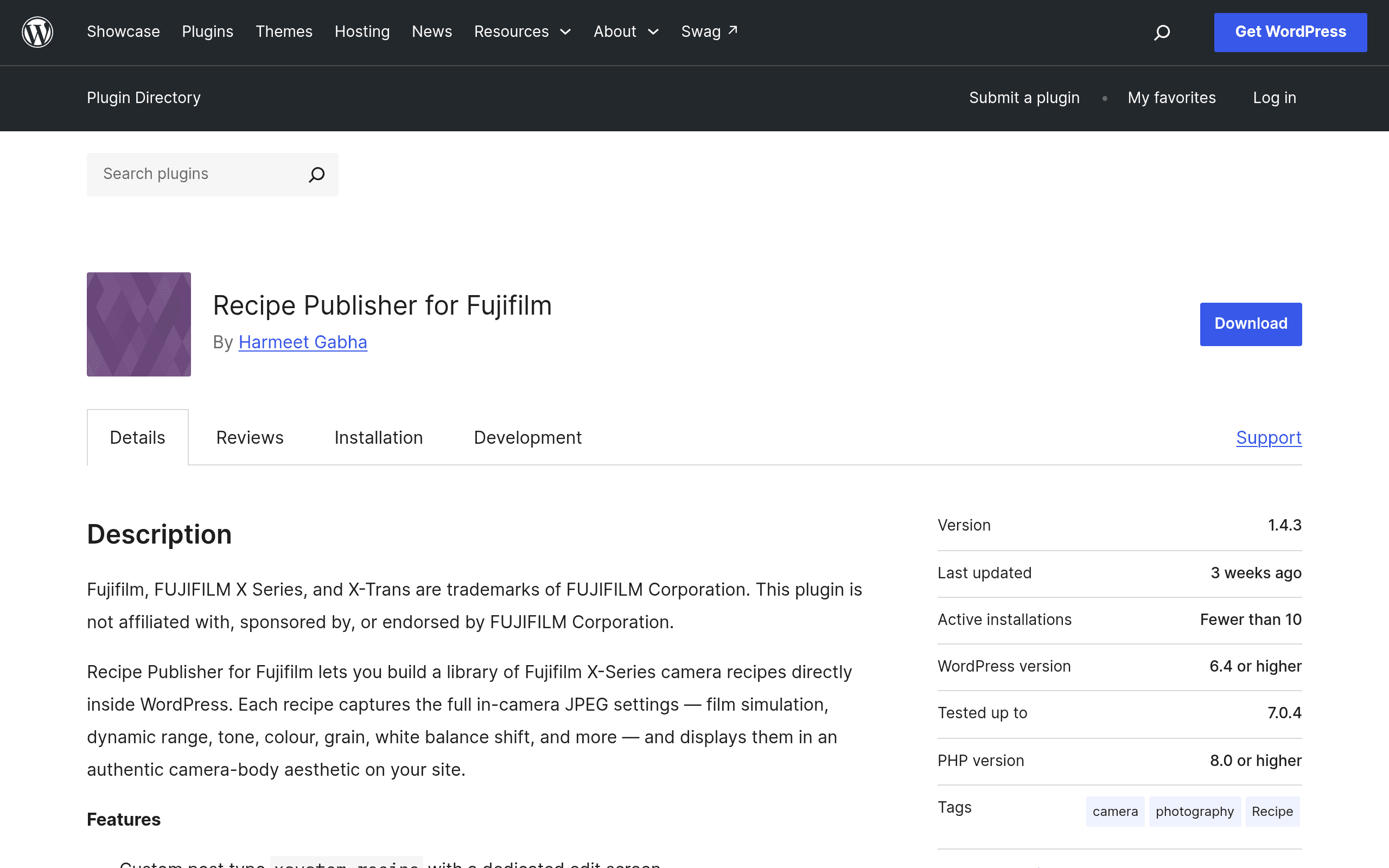
Fujifilm's "recipe" culture — sharing exact Film Simulation, white balance shift, highlight/shadow, and grain effect combinations to replicate a look straight out of camera — has mostly lived on scattered blog posts, Reddit threads, and screenshotted camera menus. Recipe Publisher for Fujifilm is the first WordPress plugin I've seen that tries to turn that mess into an actual structured library, styled to look like the settings screen on an X-Series body.
What it actually does
Once activated, the plugin adds a Recipes custom post type to your WordPress admin. Each recipe entry has fields matching the parameters you'd actually dial in on a Fujifilm camera: Film Simulation (Classic Chrome, Acros, Eterna, Nostalgic Neg, etc.), Dynamic Range, White Balance and its Red/Blue shift values, Highlight and Shadow tone, Color, Sharpness, Noise Reduction, Grain Effect (strength and size), Clarity, and ISO range. You fill these in like you're setting the menu on the camera itself.
On the front end, recipes render as cards styled after a camera settings display — dark background, monospace-adjacent readouts, parameter rows — rather than a generic WordPress post. There's a gallery/archive view so visitors can browse your whole collection, and an export feature that spits out the recipe in a format someone can read off and punch into their own X100VI, X-T5, or X-Pro3 without hunting through a blog paragraph for the ISO setting.
Pricing: it's free, and the old cap is gone
This is a fully free, GPL-licensed plugin distributed through the WordPress.org repository — there is no premium version, no upsell screen, no license key. That's worth flagging explicitly because earlier releases (pre-1.4.0) shipped with a 12-recipe limit on the free tier, with a paid unlock implied for anything beyond that. As of version 1.4.0, that cap was removed entirely. If you tried this plugin a year ago and bounced off the recipe limit, it's worth another look — there's currently no ceiling on how many recipes you can publish, and no payment path exists in the plugin at all.
The only costs are the ones you already have: WordPress hosting and, if you want it to look good, a theme that doesn't fight the plugin's card styling.
Who this is actually for
- Fuji-focused photography bloggers who currently maintain a "my recipes" page as a hand-formatted table and want something that looks intentional and is easy to update.
- YouTubers and reviewers who reference specific recipes in videos and want a permanent, linkable page per recipe instead of a pinned comment or a Notion doc.
- Camera clubs or community sites built on WordPress that want members to submit and browse recipes in one place rather than a Discord channel nobody can search.
- Personal SOOC (straight-out-of-camera) journals — photographers documenting how their JPEG settings evolved over time, recipe by recipe, tied to sample images.
What it's not for: anyone doing RAW editing workflows. This plugin has nothing to do with Lightroom or Capture One files — it's strictly for Fujifilm's in-camera JPEG recipe system, which only exists because Fuji cameras apply Film Simulations at the sensor/processor level rather than as a post-processing filter.
How it compares to the preset tools people mentally lump it with
The closest comparisons aren't other WordPress plugins — they're the preset/style ecosystems in desktop RAW editors, since that's the mental category most photographers already have for "parameter combo I can share." The comparison only goes so far, though, because Lightroom, Capture One, and DxO are editing RAW files after the fact, while a Fujifilm recipe is baked into the JPEG at capture.
| Recipe Publisher for Fujifilm | Adobe Lightroom Presets | Capture One Styles | DxO FilmPack | |
|---|---|---|---|---|
| Price | Free, open source, no paid tier | Requires Lightroom subscription (from $9.99/mo Photography plan) | Requires Capture One license ($179 perpetual or ~$24/mo) | $139 one-time (Elite), free Essential edition with limited film sims |
| What it manipulates | In-camera JPEG parameters (Film Sim, WB shift, tone curve, grain) applied at shooting time | Post-capture RAW develop settings applied in software | Post-capture RAW develop settings applied in software | Post-capture RAW/JPEG film emulation applied in software |
| Where it lives | Your own WordPress site, publicly browsable | Inside Adobe's ecosystem, synced via Adobe cloud | Inside Capture One's catalog/session files | Inside DxO's desktop app |
| Sharing model | Public web pages, exportable readouts anyone can copy to a camera menu | .xmp preset files, shared manually or via marketplaces | .costyle files, shared manually | Built-in presets plus community packs, no easy public web sharing |
| Best for | Publishing a browsable public library tied to your own site/brand | Editors who want repeatable RAW looks inside Adobe's workflow | Editors already in Capture One wanting consistent looks | Photographers wanting film-stock emulation without a subscription |
The honest takeaway: if you shoot RAW and edit in Lightroom or Capture One, none of this applies to you — go use presets or styles as normal. Recipe Publisher for Fujifilm solves a completely different problem that's specific to Fuji shooters who shoot JPEG (or JPEG+RAW and only care about the JPEG look): how do you document and publish the actual camera menu settings so someone else can replicate them on their own body.
Practical notes before you install
- It's a content-type plugin, not a design overhaul — your theme's typography and spacing still apply around the recipe cards, so test it with your actual theme before assuming it'll look camera-authentic out of the box.
- Because there's no license key or account system, there's also no cloud sync between sites — recipes live in your WordPress database like any other post type, so back them up the same way you back up the rest of your site.
- If you previously used a different method to publish recipes (a table plugin, a static page, ACF fields you built yourself), migrating means manually re-entering each recipe's parameters into the new post type — there's no import tool as of this writing.
- Since the paid cap was only removed in 1.4.0, make sure you're not running a cached or bundled older copy from a theme package — grab the current version directly from the WordPress.org plugin page.
If you run a Fuji-centric blog or community site and have been maintaining recipes as a glorified list, this is worth the ten minutes it takes to install, add your first recipe, and see if the camera-menu styling actually reads as intended on your theme. There's no payment wall left to hit, so the only real cost of trying it is your time.