Sacred PDF Viewer: First Look at the Privacy-First WordPress PDF Embed Plugin
Some links in this guide are affiliate links. If you sign up through them, Day Zero Guides may earn a commission at no extra cost to you. This never affects which products we cover or what we say about them. See our affiliate disclosure for details.
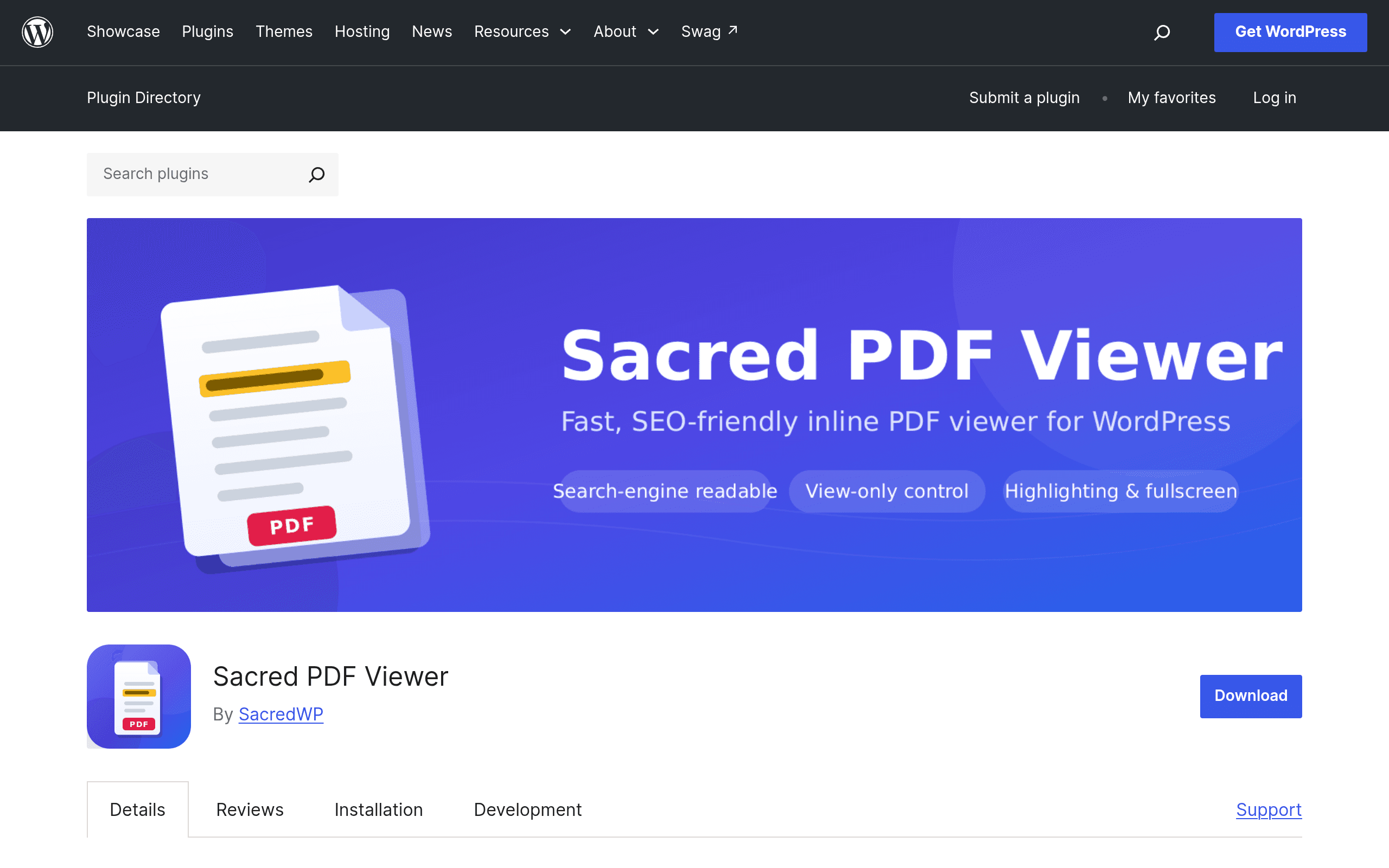
What Sacred PDF Viewer Actually Does
Sacred PDF Viewer is a WordPress plugin, freshly listed on WordPress.org, that solves a narrow but annoying problem: getting a PDF to display cleanly inside a page without sending visitors off-site to a download link or embedding a sketchy third-party iframe. You drop a shortcode onto a page or post, point it at a PDF (uploaded to your Media Library or hosted elsewhere), and it renders an in-browser viewer right in the content area.
The two things that separate it from the pile of PDF embed plugins already in the repo:
- Everything is bundled locally. No calls out to Google Docs Viewer, no Mozilla PDF.js CDN pulls, no analytics pings, no tracking scripts. If you run a site where data residency or privacy compliance matters — legal, healthcare, education, government contractor sites — this is the actual selling point, not a footnote.
- Searchable text extraction for SEO. Rather than leaving your PDF's content invisible to search engines (a common problem when PDFs are embedded as flat images or opaque iframes), Sacred PDF Viewer extracts the text layer so it's indexable. If you publish whitepapers, spec sheets, or reports as PDFs and want that content to actually rank, this matters more than most plugin descriptions let on.
There's also optional highlighting and annotation functionality, though the more advanced annotation tooling lives in a separate companion plugin called Highlite Pro, sold on Gumroad rather than bundled in the free core plugin.
Setup and Real-World Use
Installation is standard WordPress fare — search it in Plugins > Add New, install, activate. From there it's shortcode-driven: you place [sacred_pdf] (with attributes pointing to your file) wherever you want the viewer to appear. No block editor pattern library, no drag-and-drop builder — if you want a fully visual block-based workflow, this isn't it yet.
Concrete use cases where this plugin fits well:
- A law firm's resource page embedding downloadable contract templates and compliance PDFs where the firm can't have those documents pinged through a third-party viewer API for confidentiality reasons.
- A university course site embedding syllabi and reading PDFs where the text needs to be crawlable so students searching site content via the WordPress search bar can actually find syllabus mentions.
- A product documentation site embedding spec sheet PDFs where you want the spec content to show up in Google search snippets, not just as a dead download link.
- An internal knowledge base on WordPress (via a plugin like BuddyBoss or a private multisite) where no external requests are acceptable per internal IT policy.
Where it's a worse fit: if you need heavy annotation collaboration (multi-user commenting, version history, redlining), you're going to end up buying Highlite Pro anyway or looking elsewhere — the free core plugin's highlighting is basic.
Pricing
- Sacred PDF Viewer (core plugin): Free, hosted on WordPress.org, no premium tier disclosed at time of writing.
- Highlite Pro (companion annotation plugin): Sold separately via Gumroad. Exact price isn't listed on the WordPress.org page — you'll need to check the Gumroad listing directly before assuming a number. Budget for it being a one-time or small annual fee typical of Gumroad-distributed WP plugins ($19–$79 range is common for this category, but treat that as a ballpark, not a quote).
How It Compares
| Sacred PDF Viewer | Embed PDF | PDF Light Viewer | PDFObject | |
|---|---|---|---|---|
| Price | Free (core); Highlite Pro paid separately via Gumroad | Free, with paid "Pro" upsells inside plugin | Free | Free (it's a JS library, not a full plugin) |
| Third-party calls / tracking | None — fully local, no CDN or API dependency | Often relies on Google Docs Viewer or PDF.js CDN by default | Uses PDF.js, mostly local but check version bundling | None — it's a lightweight embed script, dependency-free by design |
| Text extraction for SEO | Yes, built-in | Not a core focus | Not a core focus | No — it's just a viewer wrapper, no SEO tooling |
| Annotation/highlighting | Basic in core; advanced via Highlite Pro (paid) | Limited | Limited | None — PDFObject doesn't do annotation at all |
| Setup method | Shortcode | Shortcode + block | Shortcode + block | Manual JS embed, developer-oriented |
| Best for | Privacy-sensitive sites that also want PDF content indexed | General-purpose embedding with more polish/UI options | Lightweight embedding for simple sites | Developers who want a minimal, dependency-free embed and will hand-code everything else |
Should You Install It Today?
If your primary drivers are (a) not wanting any external requests firing when a PDF loads, and (b) wanting the PDF's actual text to be indexable rather than trapped in an opaque embed, Sacred PDF Viewer is worth trying today — it's free, it's a low-risk install, and you can deactivate it in five minutes if the shortcode workflow doesn't suit you.
If you need a mature annotation/commenting workflow out of the box, or you want block-editor-native controls with visual configuration, it's worth trying Embed PDF or PDF Light Viewer side by side first, since both have had more time to mature their UI. If you're a developer who just wants a no-plugin, hand-rolled embed, skip all three WordPress plugins and use PDFObject directly.
Given this is a first-coverage look at a newly listed plugin, it's also worth checking the WordPress.org support forum and changelog before deploying it on a production site with heavy PDF traffic — early-stage plugins in this repo tend to get quick patches, but you want to know the update cadence before you rely on it for anything client-facing.