Scanoria Accessibility Audit: A First Look at the New Server-Side WCAG Scanner for WordPress
Some links in this guide are affiliate links. If you sign up through them, Day Zero Guides may earn a commission at no extra cost to you. This never affects which products we cover or what we say about them. See our affiliate disclosure for details.
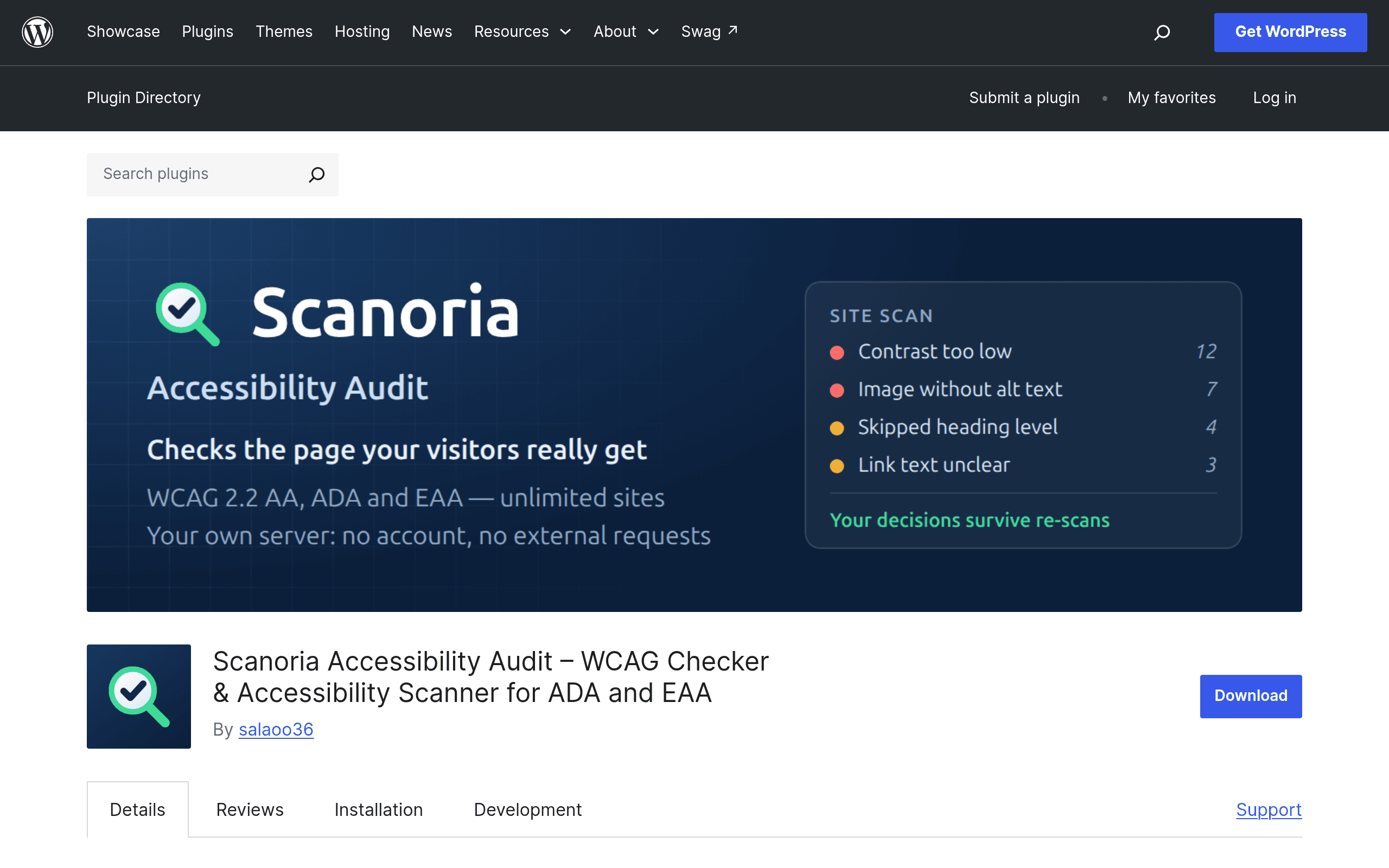
What Scanoria Accessibility Audit Actually Does
Scanoria Accessibility Audit is a WordPress plugin that scans your published pages against WCAG 2.1/2.2 success criteria using axe-core, the same open-source rules engine that powers Deque's own tooling. What makes it worth a first look isn't the rules engine — axe-core is everywhere — it's the architecture: the scan runs server-side, inside WordPress itself, rather than as a browser extension or a hosted crawler that pings your site from the outside.
That matters for a few practical reasons:
- No browser extension required. You don't need a developer or QA person to install DevTools and manually click through pages one at a time.
- Results are stored locally, in your WordPress database, not on a third-party vendor's servers. For agencies or in-house teams with data-handling concerns, that's a meaningful distinction from cloud-based scanners.
- Issue tracking is built in. You can mark violations as dismissed, in-progress, or resolved and revisit them per-page, which turns a one-off scan into something closer to an ongoing backlog.
It's positioned squarely at site owners trying to get ahead of ADA (Americans with Disabilities Act) litigation risk in the US and the European Accessibility Act (EAA) enforcement that began applying to many digital products and websites in June 2025 — both of which have made "we didn't know" a much less viable defense for business-facing websites.
Who This Is Actually For
Based on how the plugin is built, it makes the most sense for:
- Small-to-mid-size businesses running WordPress or WooCommerce who need a documented, repeatable audit trail ahead of an EAA compliance deadline or after receiving an ADA demand letter — without hiring an outside accessibility consultant for every scan cycle.
- Agencies managing multiple client sites who want a lightweight way to run recurring checks without asking each client to install a browser extension or grant access to an external SaaS dashboard.
- In-house marketing or content teams who publish frequently and need a way to catch obvious violations (missing alt text, poor color contrast, unlabeled form fields) before pages go live, without waiting on dev resources.
It is not a replacement for manual testing with screen readers (VoiceOver, NVDA, JAWS) or keyboard-only navigation testing — no axe-core-based tool is. Automated scanning, even done well, catches roughly 30-50% of WCAG success criteria; things like meaningful reading order, logical focus management, and accurate ARIA usage in complex widgets still need a human.
Pricing: What We Know So Far
Scanoria Accessibility Audit is distributed through the official WordPress.org plugin repository, which means the core plugin is free to install, as WordPress.org rules require for any listed plugin. At the time of this guide, the developer has not published a formal pricing page, tiered plan breakdown, or premium upsell structure — so we can't tell you whether a "Pro" version with expanded scan limits, scheduled scans, or multi-site support exists yet.
If you're evaluating this today, treat it as: free to try, pricing model unconfirmed. Given how similar server-side WordPress scanning plugins in this category are typically monetized (site-count limits, scan frequency caps, or PDF report exports gated behind a paid tier), it would be reasonable to expect a freemium structure to appear as the plugin matures — but nothing is published yet, so don't budget around assumptions.
Concrete Use Cases
- Pre-launch checklist for a WooCommerce redesign: Run a full-site scan before flipping a new theme live, catching contrast failures introduced by a new brand palette before customers see them.
- Monthly compliance snapshot for an agency's retainer clients: Instead of manually reviewing each client site with a browser extension, scan each site from within its own wp-admin and export a dismissal/status log to show progress across billing cycles.
- Responding to an ADA demand letter: Generate a dated, stored record of identified issues and remediation status as supporting documentation that the business is actively addressing accessibility gaps — legal counsel will still want to see this paired with a manual review, but it's a start.
- Editorial workflow gatekeeping: A content editor scans a new blog post for missing alt attributes or heading-order problems before it's published, rather than relying on writers to remember accessibility guidelines.
How It Compares
| Scanoria Accessibility Audit | WAVE (WebAIM) | Axe DevTools (Deque) | Siteimprove Accessibility Checker | |
|---|---|---|---|---|
| Price | Free on WordPress.org; premium tier structure not yet published | Free browser extension; WAVE API priced separately (paid) | Free browser extension; Axe DevTools Pro/enterprise plans are paid, priced per seat | Enterprise SaaS, custom quote — typically a significant annual contract |
| Where it runs | Server-side, inside WordPress admin | Client-side, browser extension per page | Client-side, browser extension per page | Cloud-based crawler, scans whole domains on a schedule |
| Data storage | Locally in your WordPress database | Not stored (extension only), unless using paid API | Local browser session, unless using team/enterprise dashboard | Stored in Siteimprove's cloud platform |
| Issue tracking / dismissal workflow | Built in — mark issues resolved/dismissed per page | None (single-page snapshot tool) | Limited, expands with Pro/enterprise tier | Full workflow with assignment, trends, and reporting dashboards |
| Best for | WordPress site owners wanting ongoing, self-hosted scans without leaving wp-admin | Quick manual spot-checks of individual pages by developers or QA | Developers doing component-level accessibility testing during build | Large organizations needing continuous, org-wide compliance reporting and audit trails |
| Platform lock-in | WordPress only | Works on any site, browser-based | Works on any site, browser-based | Works on any site, but positioned for enterprise contracts |
The Honest Take
Scanoria's real differentiator is convenience for WordPress-specific workflows: no extension to install, results that live where your content already lives, and a dismissal workflow that turns scanning into an ongoing process rather than a one-time report you screenshot and forget. If you're already comparing WAVE or Axe DevTools because you want something faster to run repeatedly across a WordPress site, this plugin removes a real point of friction.
The two open questions before you build a compliance process around it: what the eventual pricing tiers look like once they're published, and how the plugin's WordPress.org support/update cadence holds up over the next few release cycles — both are things you can only really judge by installing it on a staging site and watching it for a month, not by reading the plugin description page.
If you need enterprise-grade reporting, multi-domain dashboards, or legal-defensibility documentation today, Siteimprove is still the more mature (and more expensive) option. If you just need a fast one-page gut check during development, WAVE or Axe DevTools remain the simplest browser-based choice. Scanoria's niche is the WordPress site owner who wants recurring, self-hosted scanning without adding another vendor dashboard to log into.