SecurePilot Accessibility Scanner: A WordPress Plugin That Scans Your Site for WCAG Issues on Autopilot
Some links in this guide are affiliate links. If you sign up through them, Day Zero Guides may earn a commission at no extra cost to you. This never affects which products we cover or what we say about them. See our affiliate disclosure for details.
What SecurePilot Accessibility Scanner actually does
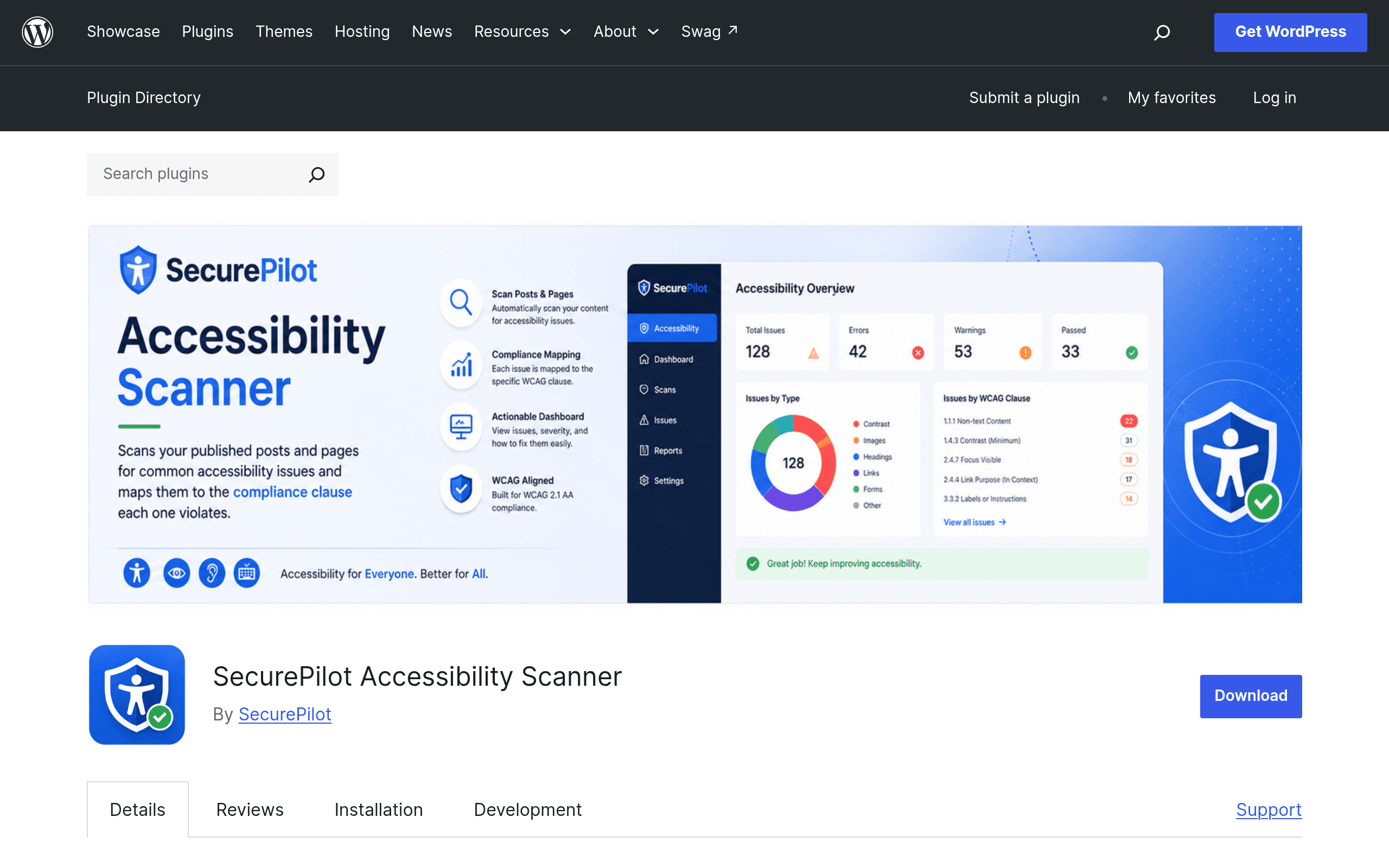
SecurePilot Accessibility Scanner is a WordPress plugin, listed on the official WordPress.org plugin repository, that automatically crawls your published posts and pages on a schedule and flags common accessibility failures against WCAG 2.1, ADA, Section 508, and EAA criteria. Instead of running a one-off browser scan like most accessibility tools, it lives inside your WordPress admin and re-checks your content every time it runs a scheduled pass, so new blog posts or edited pages don't quietly introduce fresh violations.
On the detection side, it's focused on the issues that actually show up most often on real WordPress sites:
- Missing alt text on images inserted through the block editor or classic editor
- Poor color contrast between text and background, including theme-inherited colors
- Heading hierarchy breaks — H1s followed by H3s, multiple H1s on one page, skipped levels
- Missing captions on video and audio embeds
Each finding lands on a dashboard inside wp-admin with remediation guidance attached, meaning it doesn't just say "contrast ratio 3.2:1, fails WCAG AA" — it tells you roughly what to change to fix it. That remediation-guidance layer is the plugin's main differentiator from a plain scanner: it's trying to be useful to a site editor, not just a developer reading an axe rules report.
Where it fits versus what you're probably already using
If you've touched web accessibility before, you've likely used Axe DevTools or WAVE at some point, and you've almost certainly been pitched AccessiBe by an overlay vendor. SecurePilot isn't really competing in the same lane as any of them — it's positioning itself as the "always running in the background" option specifically for WordPress, rather than a manual audit tool or an overlay widget.
| SecurePilot Accessibility Scanner | Axe DevTools | WAVE | AccessiBe | |
|---|---|---|---|---|
| Price | Free listing on WordPress.org; any paid/Pro tier pricing is not publicly disclosed yet | Free browser extension; Axe DevTools Pro roughly $25.50/user/month billed annually for advanced checks | Free browser extension and free online evaluator; WAVE API is metered/paid | Subscription-based overlay, publicly cited starting around $49/month per site |
| How it runs | Scheduled, automatic scans inside WordPress admin | Manual, on-demand scan per page via browser extension or CI integration | Manual, on-demand scan per URL via extension or web tool | Always-on JavaScript overlay injected into every page load |
| Core method | Rule-based static analysis of published content (alt text, contrast, headings, captions) | Rule-based static analysis using the axe-core engine, developer-oriented | Rule-based static analysis with visual annotations on the page | AI-driven overlay that attempts real-time remediation plus a scanning component |
| Remediation guidance | Built-in plain-language fix suggestions on a WordPress dashboard | Technical rule descriptions, best for developers reading code | Icons and reference documentation overlaid on the page | Automated fixes applied by the widget itself, limited visibility into what changed |
| Best for | WordPress site owners/editors who want ongoing monitoring without touching dev tools | Developers doing manual or CI-integrated audits during build | Quick one-off checks and teaching non-developers what's wrong on a page | Sites wanting a fast (if legally contested) overlay-based claim of remediation |
A few honest caveats worth flagging. Both Axe DevTools and WAVE are point-in-time tools — you open them, scan a page, get a report, and move on. Neither one watches your site for you after that. SecurePilot's scheduled-scan model is the actual reason to pick it over either: it's built for ongoing monitoring on a CMS, not for a single dev-side audit. AccessiBe operates completely differently — it's an overlay that claims to fix issues live in the browser rather than surfacing them for you to fix in the source content, and it has drawn real criticism (and lawsuits) from accessibility advocates who argue overlays don't achieve genuine compliance. If you're trying to reduce actual legal and usability risk rather than paper over it, a scanner that points you at the real content problem — like SecurePilot, Axe, or WAVE — is the more defensible approach.
Where SecurePilot is thin right now
The plugin's WordPress.org listing does not publish pricing for any paid tier, which is unusual for a compliance tool aimed partly at agencies and businesses worried about ADA lawsuit exposure — that audience usually wants a clear price before install. If there's a Pro version with deeper checks (keyboard navigation, ARIA roles, form labeling, PDF scanning) it isn't disclosed publicly at the time of this review, so budget for the free tier only until you've confirmed anything beyond that directly with the plugin settings or support channel after installing.
It's also worth noting what it doesn't claim to do: it's not a legal compliance certification, it doesn't test with actual screen readers, and it doesn't cover keyboard-only navigation flows — all things a manual audit or a tool like Axe DevTools (used by a human tester) still catches that pure static scanning can miss.
Concrete use cases where this is worth installing today
- Agencies managing 10+ WordPress client sites who need a lightweight way to catch alt-text and contrast regressions every time a client's marketing team publishes a new blog post, without manually re-running Axe on every URL.
- In-house marketing/content teams who publish frequently and don't have a developer checking every post for heading hierarchy before it goes live.
- Small e-commerce stores on WooCommerce worried about ADA demand letters, who want continuous low-effort monitoring rather than a single pre-launch audit that goes stale within a month.
- Education and government-adjacent sites needing to demonstrate ongoing Section 508 monitoring, where a dashboard history of scans is useful evidence of due diligence even though it isn't a legal certification.
Should you install it today
If you run a WordPress site and currently have zero accessibility monitoring in place, installing SecurePilot costs you nothing and takes a few minutes — it's a legitimate way to catch the most common and highest-frequency errors (missing alt text, broken heading order, weak contrast, uncaptioned media) automatically instead of relying on someone remembering to run WAVE before every launch. It is not a replacement for a full manual audit or for testing with real assistive technology, and the lack of published pricing on anything beyond the free tier means you should treat this as a monitoring layer to add on top of, not instead of, an occasional deeper check with Axe DevTools or a human accessibility review.
Update — 2026-08-19
The product now detects additional issues (empty/generic link text and missing form field labels) that were not mentioned in the original guide, and supports multiple languages (Spanish, German, French) that were not previously listed. The guide also did not mention the downloadable PDF report and JSON export features or the REST API capabilities.