SeeOnWall for WooCommerce: A First Look at the New AR Wall-Art Visualizer Plugin
Some links in this guide are affiliate links. If you sign up through them, Day Zero Guides may earn a commission at no extra cost to you. This never affects which products we cover or what we say about them. See our affiliate disclosure for details.
What SeeOnWall Actually Does
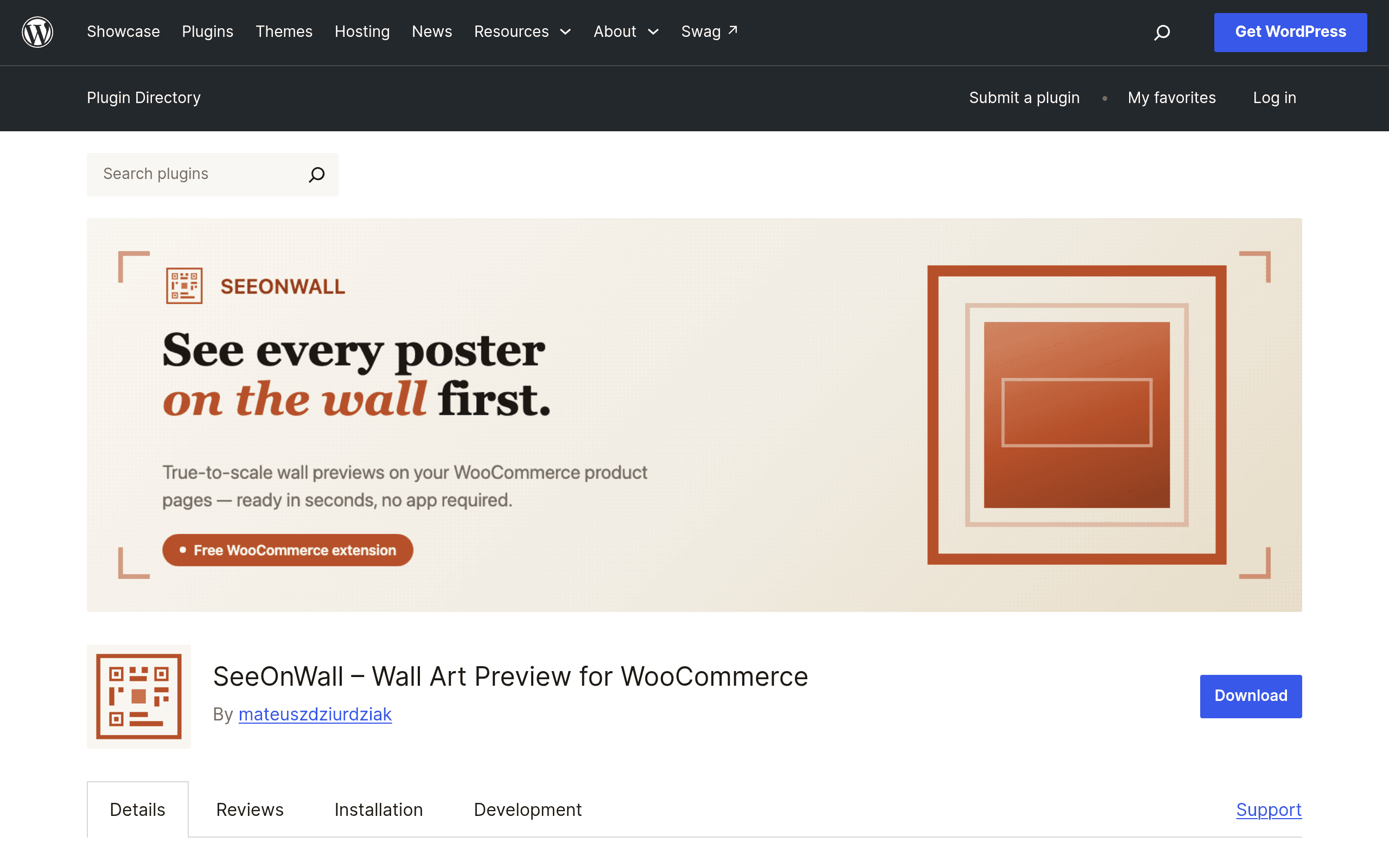
SeeOnWall for WooCommerce is a free plugin (available now on the WordPress.org repository) that adds a "See on my wall" button to product pages for stores selling flat wall-hung goods — think posters, framed prints, canvas art, tapestries, mirrors, and wall clocks. A shopper clicks the button, either uploads a photo of their own wall or picks from a set of stock room scenes, and the plugin renders the product onto that image at true physical scale, using the product's real-world dimensions pulled from WooCommerce.
The plugin itself is just the WordPress-side connector. The actual rendering — wall-plane detection, perspective correction, and scale calculation — happens on SeeOnWall's hosted service, which uses Google Vertex AI to analyze the uploaded photo and identify the wall surface before compositing the artwork onto it. This matters for two reasons: your WooCommerce store doesn't need to run any heavy AI workloads locally, but you also can't use the AR feature at all without an active SeeOnWall account and internet connection to their API.
Setting It Up
Installation is a standard plugin install-and-activate from the WordPress plugin directory. After activation, you're prompted to create a SeeOnWall account and connect it via an API key. From there you assign physical width/height dimensions to each product (if you haven't already been using WooCommerce's dimension fields), and the "See on my wall" button appears automatically on product pages using a supported product type. There's no drag-and-drop scene builder or 3D model upload required — this is strictly 2D-image-to-2D-image compositing, not a full 3D configurator, which keeps setup time to well under an hour for a catalog of a few dozen products.
Pricing: Free Plugin, Metered Hosted Service
The WordPress plugin download is free and always will be — that's just the connector code. The actual visualization service is billed separately and directly by SeeOnWall (processed through Polar.sh, not through your WooCommerce store), on a monthly active-view basis:
| Plan | Monthly Views Included | Notes |
|---|---|---|
| Free | 500 views (currently promo'd up to 5,000) | Good for testing or very low-traffic stores |
| Basic | 5,000 views | Entry paid tier once promo ends |
| Premium | 25,000 views | For established stores with steady art/poster traffic |
| Ultra | Unlimited views | For high-volume sellers or marketplaces |
Exact dollar pricing for Basic, Premium, and Ultra wasn't published at the time of this review — SeeOnWall's pricing page directs you to sign up to see current rates, and the free-tier promotion (500 views bumped to 5,000) is explicitly temporary. If you're evaluating this today, budget time to actually create an account and check current numbers before committing a store redesign around the feature, since "views" here likely means each time a shopper opens the AR preview, not raw page views — worth confirming for stores with high product-page traffic but lower AR engagement.
Where This Actually Makes Sense
- Independent print and poster shops selling limited-run art prints where "will this look too small over my couch" is the single biggest pre-purchase hesitation.
- Framed art and mirror sellers who currently rely on a ruler graphic or a model-holding-the-frame photo, neither of which tells the shopper anything about their actual wall.
- Wallpaper panel or tapestry stores where scale misjudgment is the top driver of returns.
- Museum or gallery shops running WooCommerce storefronts that want a lightweight way to reduce "I thought it would be bigger" refund requests without building a custom AR app.
It is not a fit for 3D product configuration (customizable frames, engraving, color variants rendered in 3D), and it doesn't do anything for non-wall products — there's no floor, furniture, or wearable AR here. It's a single-purpose tool doing one job.
How It Compares
| SeeOnWall for WooCommerce | Shopify AR (Shopify AR Quick Look) | Adobe Dimension | Threekit | |
|---|---|---|---|---|
| Platform | WooCommerce only | Shopify only | Standalone design tool, not storefront-integrated | Platform-agnostic, embeds via SDK on any e-commerce stack |
| Core capability | 2D photo-based wall placement at true scale for flat art/posters | 3D model AR viewing (USDZ/GLB) for general products, viewed via native iOS/Android AR | 3D scene composition and rendering for marketing images, not live customer-facing AR | Full 3D/AR product configurators (color, material, size variants) with live visualization |
| Pricing model | Free plugin + metered hosted views (free/Basic/Premium/Ultra tiers, exact pricing on signup) | Free with Shopify plans that support it, but you must produce your own 3D models | Included in Adobe Creative Cloud subscription (~$54.99/mo standalone as of recent Adobe pricing, or bundled) | Custom enterprise quotes, typically a significant monthly/annual contract |
| Best for | Poster, print, and flat wall-art sellers on WooCommerce needing quick scale visualization | Shopify merchants with 3D-modeled products wanting native mobile AR | Brands producing high-end marketing renders, not live shopper interaction | Mid-to-large brands needing full product configuration + AR across variants |
The honest positioning: SeeOnWall isn't competing head-to-head with Threekit or Shopify AR so much as filling a gap neither addresses well — cheap, fast, scale-accurate visualization for flat wall art specifically, without requiring anyone to build or upload a 3D model. Shopify AR and Threekit both assume you have (or will build) 3D assets; SeeOnWall works from a 2D product photo and dimension fields you likely already have in WooCommerce.
Should You Try It Today
If you run a WooCommerce store selling posters, prints, or framed wall art and you don't already have a solution for "how big is this actually going to look," the free tier costs nothing but setup time and is worth testing this week — install, connect an account, tag dimensions on ten of your best-selling prints, and watch whether AR-preview shoppers convert differently than those who don't use it. The unanswered question is durable pricing once the 500-to-5,000-view promotion ends, so don't build your whole conversion strategy around it until SeeOnWall publishes firm Basic/Premium/Ultra rates. For anything beyond flat wall art — 3D products, configurable variants, non-WooCommerce platforms — look at Threekit or Shopify AR instead.