ShowMyAura Portfolio Showcase: First Look at the New WordPress Gallery Plugin for Creatives
Some links in this guide are affiliate links. If you sign up through them, Day Zero Guides may earn a commission at no extra cost to you. This never affects which products we cover or what we say about them. See our affiliate disclosure for details.
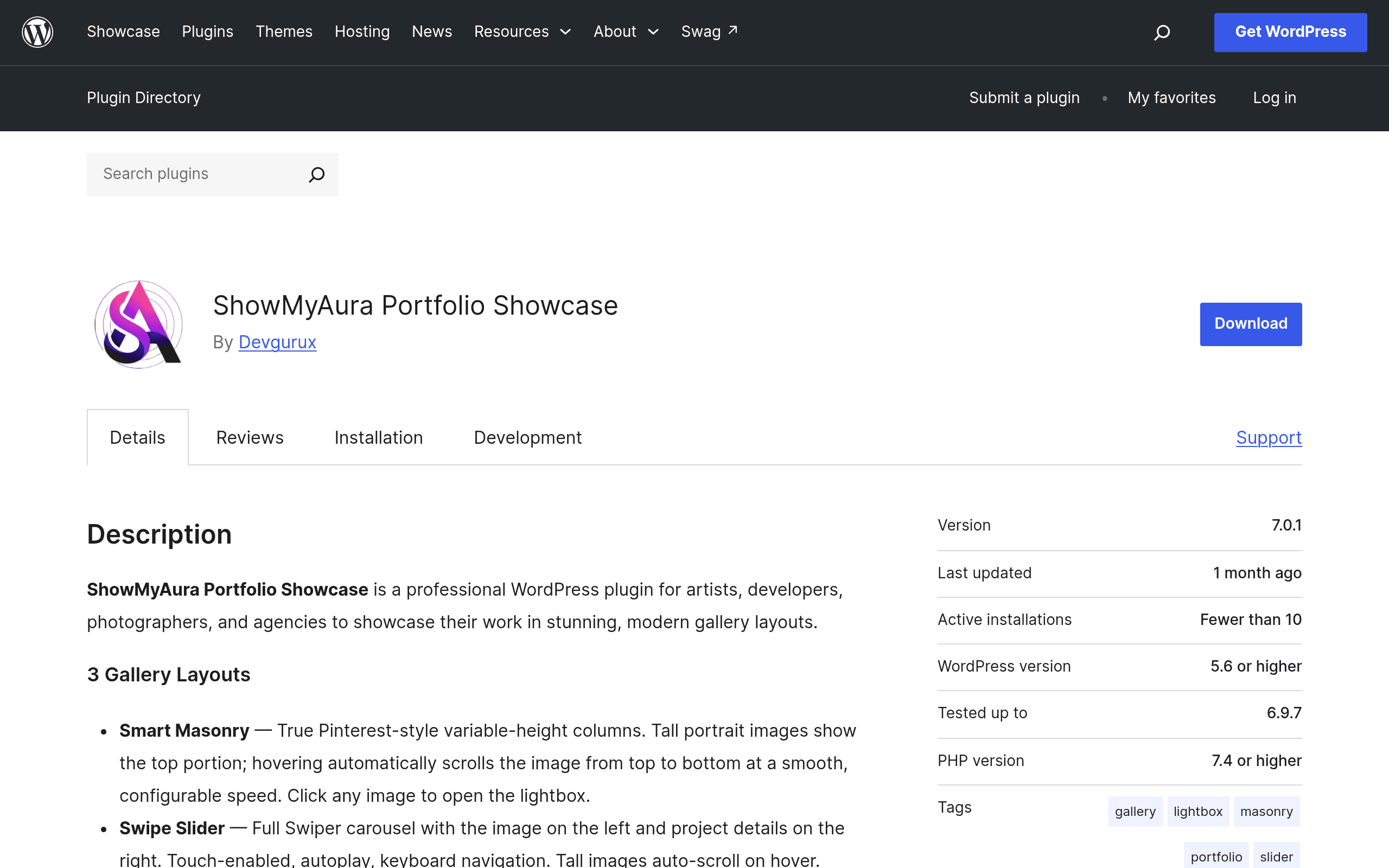
What ShowMyAura Portfolio Showcase Actually Is
ShowMyAura Portfolio Showcase is a new WordPress plugin built specifically for people who need to show a body of visual work — not sell products, not run a blog, just display projects cleanly. It's aimed at photographers, illustrators, developers with case studies, and small agencies that need a portfolio page without hiring someone to build a custom theme.
The plugin ships with three gallery layouts:
- Smart Masonry — the Pinterest-style staggered grid, good for mixed-aspect-ratio photography or design work.
- Swipe Slider — a touch-friendly horizontal slider, better suited to a curated "best of" selection of 5–15 pieces.
- Spotlight Grid — a uniform grid with a hover/click spotlight effect, which reads more like an agency case-study wall than a photo dump.
All three come with built-in lightbox viewing, so clicking a thumbnail opens a full-size overlay rather than navigating to a new page — standard behavior, but it's implemented out of the box without a separate lightbox plugin.
What's in the Free Version
The free version is available directly on WordPress.org and includes:
- One gallery (but that gallery supports unlimited projects/images)
- All three layouts (Masonry, Slider, Spotlight)
- Lightbox viewing
- Basic customization (spacing, columns, basic color/style controls)
That "one gallery, unlimited items" structure matters: if you only need a single portfolio page — say, a photographer with one "Work" page — the free version may be genuinely sufficient long-term, not just a trial. That's a different model from plugins that cap you at a small number of images for free and force an upgrade almost immediately.
What Pro Adds
The Pro version, sold separately through the developer's own site (plugins.devgurux.com, not WordPress.org), adds:
- Multiple galleries (needed if you manage separate portfolios for, e.g., "Branding" vs. "Web Design" vs. "Photography")
- Additional layout options beyond the three free ones
- Analytics on gallery/project views
- Social sharing features
At the time of this review, exact Pro pricing (monthly vs. annual, per-site vs. multi-site licensing) is not published in the plugin's WordPress.org listing — you have to go to the developer's site to see current tiers. If pricing transparency at the point of decision matters to you, factor in that extra click before committing; it's not a dealbreaker, but it's worth knowing before you plan a client budget around it.
Concrete Use Cases
- A freelance photographer with one portfolio page: free version, Smart Masonry layout, done. No need to ever touch Pro.
- A design agency with separate portfolios for web, branding, and print work: needs Pro for multiple galleries, likely uses Spotlight Grid for each.
- A developer showcasing 6–8 flagship projects on a personal site: Swipe Slider on the free plan works well since project count is naturally small.
- A wedding photographer who wants to see which galleries get the most engagement before deciding what to feature on the homepage: needs Pro for the analytics feature.
How It Compares
| ShowMyAura Portfolio Showcase | Envira Gallery | FooGallery | Elementor Portfolio Widget | |
|---|---|---|---|---|
| Free tier | 1 gallery, unlimited items, 3 layouts, lightbox | Limited free version, most layouts locked to paid | Free version with decent layout options, paid add-ons for extras | Free, but requires Elementor (free or Pro) to use at all |
| Paid pricing model | Pro pricing not published on WP.org; sold via developer's own site | Tiered annual licenses (~$39–$299/yr depending on site count/features) | Free core + paid add-on packs (one-time or annual, varies by add-on) | Free with Elementor; portfolio widget itself is part of Elementor Pro (~$59/yr for 1 site) |
| Layout variety | 3 in free, more in Pro | Many layouts, mostly gated to paid tiers | Several layouts free, more via add-ons | Depends entirely on Elementor's widget/template ecosystem |
| Best for | Single-portfolio creatives who want a clean out-of-box result with no page builder dependency | Photographers wanting deep gallery-specific features (proofing, sales) | Users who want granular control via individual paid add-ons | Anyone already building their whole site in Elementor |
| Dependency | Standalone, works with any theme | Standalone | Standalone | Requires Elementor installed and active |
The Honest Caveats
This is a brand-new plugin, which means a few things worth being upfront about:
- Track record is thin. There isn't yet a long history of reviews, update cadence, or support responsiveness to point to. Check the WordPress.org support forum and changelog before deploying it on a client site with a hard deadline.
- Pro pricing opacity. Not having pricing visible on the WordPress.org listing means you can't do a full cost comparison against Envira or Elementor Pro without visiting the developer's site directly. Do that before you promise a client a specific plugin stack and budget.
- No page-builder lock-in — which cuts both ways. Unlike the Elementor Portfolio Widget, ShowMyAura doesn't require you to already be using a specific builder. That's good for portability, but it also means you won't get deep integration with Elementor's own design controls if that's your primary workflow.
Should You Try It Today?
If you need exactly one portfolio page with a clean, modern layout and don't want to pay anything, install the free version from WordPress.org and test it against your existing theme — the unlimited-items-on-one-gallery structure makes this a low-risk trial. If you're an agency managing multiple client-facing portfolios and need analytics, get Pro pricing directly from plugins.devgurux.com before committing, and compare that number against an Envira annual license or Elementor Pro (if you're already paying for Elementor anyway) to see which actually costs less for your specific gallery count.