Staff Schedule and Work Roster: First Look at the New Self-Hosted WordPress Scheduling Plugin
Some links in this guide are affiliate links. If you sign up through them, Day Zero Guides may earn a commission at no extra cost to you. This never affects which products we cover or what we say about them. See our affiliate disclosure for details.
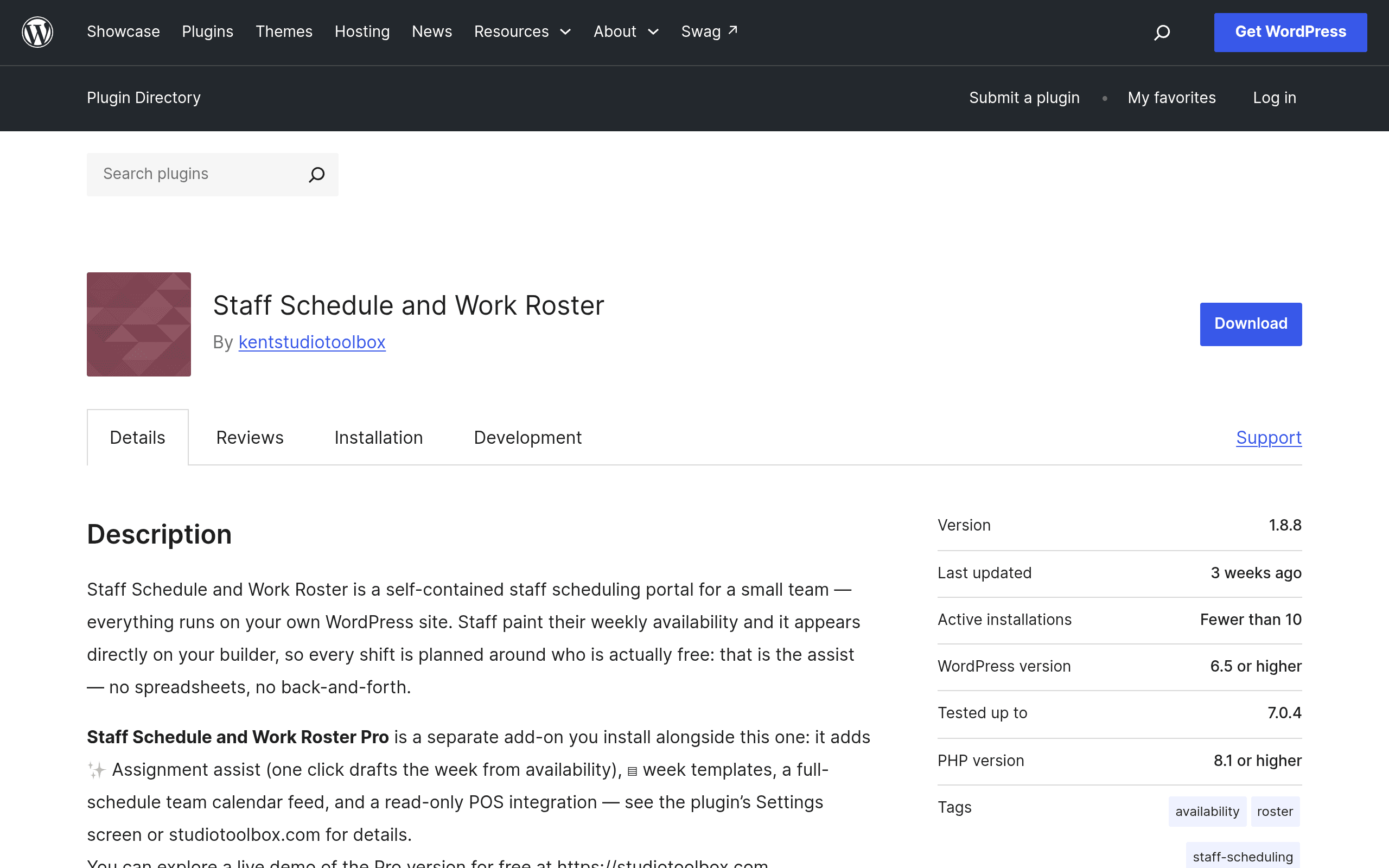
What This Plugin Actually Is
Staff Schedule and Work Roster is a WordPress plugin (found on the official plugin repository at wordpress.org/plugins/studio-toolbox-schedules) that turns your existing WordPress site into a staff scheduling system. No separate app, no separate login portal hosted elsewhere — it runs inside wp-admin and uses your existing WordPress user accounts for staff.
The core loop is simple: employees log into the WordPress site and fill out a weekly availability grid (think checkboxes across a Monday–Sunday table, broken into time blocks). Managers then open a drag-and-drop schedule builder, see who's available, and assign shifts by dragging names onto a calendar. Once published, shifts sync to a team calendar view that staff can check without digging through email or group chat threads.
On top of that base, it includes three features that usually only show up in paid SaaS tools: time-off requests (staff submit, managers approve/deny from the same dashboard), shift trading (staff can propose swaps with coworkers instead of manager-brokered trades), and calendar integration for the team view. There's also a Pro add-on, sold separately, that adds automated shift assignment (letting the system suggest or auto-fill shifts based on submitted availability) and reusable schedule templates for teams with recurring weekly patterns.
Pricing, As It Actually Stands
The base plugin is free with no usage limits — no cap on number of employees, no cap on number of schedules, no feature-gating on the free tier beyond what's already described as "free" functionality (availability grid, drag-and-drop builder, time-off, shift trading, calendar view). That's the version currently listed on wordpress.org.
The Pro add-on is a separate paid purchase, but the plugin's WordPress.org listing does not publish specific pricing on that page — you'll need to go through the in-plugin upsell or the developer's own site to see actual tiers and dollar amounts. If you're evaluating this today, treat the free version as the whole offer until you've confirmed Pro pricing directly, since it's not transparent up front the way When I Work or Deputy publish their per-user monthly rates.
Who This Is Actually For
This plugin makes the most sense in a specific situation: you already run your business on WordPress (a local service business, a small retail operation, a clinic, a restaurant with a WordPress site) and you don't want to pay a monthly per-employee SaaS fee just to build a weekly roster for a handful of staff.
Concrete scenarios where it fits well:
- A 6-person hair salon that already has a WordPress booking site and wants staff to submit availability without adopting a whole new app.
- A small nonprofit with volunteer shift coverage needs, where per-seat SaaS pricing from Deputy or When I Work doesn't pencil out for unpaid staff.
- A multi-location retail shop using WordPress Multisite, where each location manager wants their own roster but corporate wants one system rather than five spreadsheets.
- A café or restaurant owner who wants shift-swap requests to stop happening over text message and instead live in one place staff already check.
Where it's a worse fit: if you need mobile push notifications for shift reminders, geofenced clock-in/out, payroll export, or labor-law compliance alerts (overtime warnings, break enforcement), this plugin doesn't do that — it's a scheduling and roster tool, not a full workforce management suite.
How It Compares
| Staff Schedule and Work Roster | When I Work | Schedulicity | Deputy | |
|---|---|---|---|---|
| Price | Free (core); Pro add-on price not published | From $2.50/user/month (billed annually), free tier caps at 75 users | From $34.99/month (Client + team plans), no free tier for scheduling-only use | From $4.50/user/month (Scheduling plan), free for 1 location/100 shifts trial |
| Where it runs | Self-hosted inside your own WordPress site | Cloud SaaS, dedicated app | Cloud SaaS, booking-focused | Cloud SaaS, dedicated app |
| Mobile app / push notifications | No — web-based, mobile browser only | Yes, native iOS/Android with push | Yes, native app, client-booking focused | Yes, native app with GPS clock-in |
| Time-off & shift trading | Built into free tier | Included on paid tiers | Not a core focus (booking-first tool) | Included on paid tiers |
| Payroll / labor law compliance | Not included | Add-on/integration | Not included | Included (overtime alerts, awards interpretation in AU/UK) |
| Best for | WordPress sites wanting a no-monthly-fee roster tool | Hourly teams wanting mobile-first scheduling with messaging | Appointment-based businesses (salons, fitness studios) booking clients, not just staff | Larger hourly workforces needing compliance + payroll integration |
The Honest Trade-Off
The appeal here isn't feature parity with Deputy or When I Work — it's the zero recurring cost and the fact that it lives where your staff already have accounts. If your team is small, already comfortable logging into WordPress, and you don't need mobile push alerts or payroll sync, this plugin removes a monthly line item entirely. If you need staff checking schedules from a phone home screen without opening a browser, or you need compliance guardrails around overtime, you'll outgrow this fast and should budget for Deputy or When I Work from day one instead.
Trying It Today
Since it's a standard WordPress.org plugin, installation is the normal drill: search "Staff Schedule and Work Roster" from Plugins > Add New in your WordPress dashboard, activate, and you'll get a new admin menu for building your first roster. Because it's free with no usage cap, there's no real cost to installing it on a staging site first and having 2-3 staff accounts test the availability grid and a shift trade before rolling it out to the full team — that's the fastest way to find out whether the workflow fits before deciding if the unpublished Pro pricing is worth chasing down.