Tabilo Table Builder Block: First Look at the New Native Gutenberg Table Plugin
Some links in this guide are affiliate links. If you sign up through them, Day Zero Guides may earn a commission at no extra cost to you. This never affects which products we cover or what we say about them. See our affiliate disclosure for details.
What Tabilo Actually Is
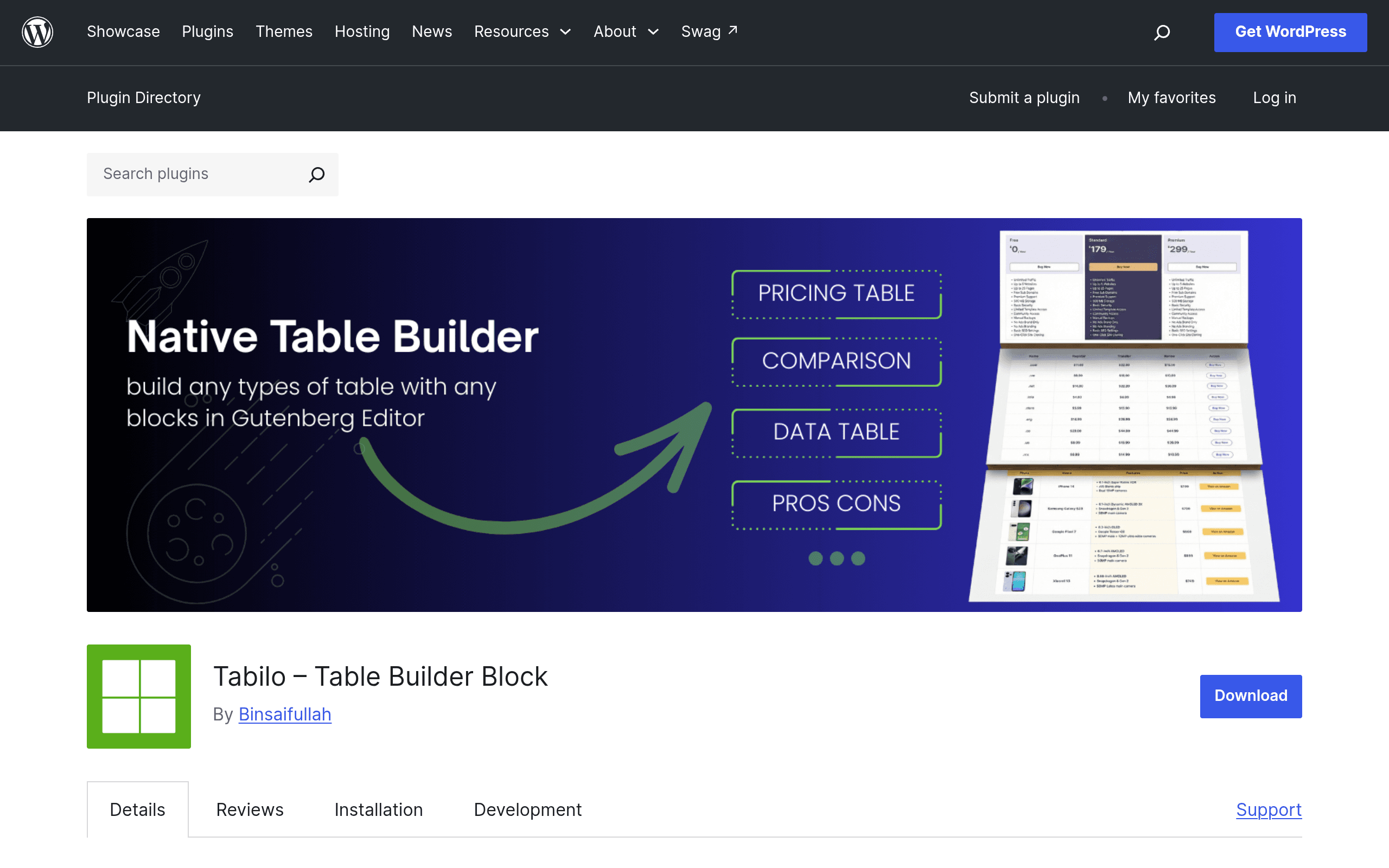
Tabilo — Table Builder Block is a new plugin in the WordPress.org repository that adds a native Gutenberg block for building tables directly in the block editor. No shortcodes, no separate admin screen full of spreadsheet grids, no external table-building app bolted onto WordPress. You insert the block, pick a pattern, and start editing cells the same way you'd edit any other part of a Gutenberg page.
The headline feature is that table cells aren't limited to plain text. Because Tabilo is built as a true block-based table, you can drop other Gutenberg blocks — images, buttons, lists, headings, star ratings — inside individual cells. That's the functional gap it's trying to close: most WordPress table plugins were built in the shortcode era and only recently bolted on Gutenberg support, so cell content is still mostly text/HTML rather than real blocks.
On install, you get:
- A Table block with 40+ pre-built patterns (pricing tables, comparison grids, booking/schedule layouts, data tables)
- Visual controls for borders, spacing, colors, and responsive column behavior without touching CSS
- Two bonus blocks: Star Rating and Icon, useful for review sites and comparison pages that live inside the same tables
- No shortcode dependency — tables render as actual block markup in the post content
Pricing: What's Actually Published
As of this writing, Tabilo is listed as a free plugin on the WordPress.org plugin repository, and there is no published pricing page, Pro tier, or upgrade prompt documented yet. That means:
- You can install and use it today at no cost, straight from the WordPress plugin directory
- There's no confirmed premium tier, so features like the 40+ patterns and the bonus blocks currently appear to be included in the free version
- Given how nearly every WordPress.org block plugin eventually ships a Pro upsell (more patterns, advanced conditional logic, priority support), it would be reasonable to expect a paid tier down the line — but nothing is public yet, so don't plan a purchase around it
If pricing matters for your decision, the honest move is to install the free version now, build a real table with it, and treat any future paid tier as a bonus rather than something to wait for.
Where This Actually Helps
A few concrete scenarios where Tabilo's block-in-cell approach solves a real annoyance:
- SaaS pricing pages — put a "Choose Plan" button block inside the bottom cell of each pricing column instead of faking a button with bold text and a hyperlink
- Affiliate/review comparison tables — drop the Star Rating block directly into a table cell next to a product name, instead of maintaining ratings as separate widgets above or below the table
- Restaurant menus — combine a dish image, price, and a short description block within one row without needing a page builder
- Booking/schedule tables — build a weekly availability grid where each cell can hold a status icon (using the bonus Icon block) plus a time range
- Staff or team directories formatted as tables — headshot image block + name + title + social icon blocks, all inside table cells, without switching to a grid plugin
If your tables are just rows of plain numbers or text (e.g., a spec sheet with 200 rows), Tabilo isn't really solving a problem you have — a spreadsheet-style plugin will serve you better there.
How It Compares
| Tabilo | TablePress | Elementor Table Widget | WP Table Manager | |
|---|---|---|---|---|
| Price | Free (no published Pro tier yet) | Free; TablePress Pro from $79/year | Included in Elementor Pro, from $59/year | Free core; Pro add-ons from ~$39/year |
| Editor | Native Gutenberg block | Shortcode + basic Gutenberg embed block | Requires Elementor Pro page builder | Gutenberg block + classic shortcode |
| Content inside cells | Any Gutenberg block (buttons, images, star ratings, icons) | Mostly plain text/HTML; limited block support | Elementor widgets, but only within Elementor's canvas | Primarily text/HTML, some media embedding |
| Data import | Not a focus — built for designed/manual tables | Strong CSV/Excel/Google Sheets import | Manual entry, no native import | CSV/Excel/Google Sheets import supported |
| Best for | Visually designed tables (pricing, comparisons, menus) built natively in Gutenberg | Large data tables needing sorting/filtering and spreadsheet-style import | Sites already fully built in Elementor | Sites needing spreadsheet-like data import without a page builder dependency |
The practical distinction: TablePress and WP Table Manager are optimized for importing and managing data (think: a 300-row product spec sheet you update from a spreadsheet). Elementor's widget is only usable if your whole site is built in Elementor. Tabilo occupies a different lane — it's for tables that are really design elements (pricing tables, comparison grids, menus) where you want real WordPress blocks living inside individual cells, and you're building purely in core Gutenberg.
Should You Install It Today?
If you're already working in the block editor and have been fighting to get a button or an image to sit cleanly inside a table cell, Tabilo is worth ten minutes of your time — it's free, it doesn't require a page builder, and the 40+ patterns give you a reasonable head start instead of a blank grid. It won't replace TablePress if you're managing large data sets that need CSV import and column sorting, and it won't replace Elementor's widget if your entire site is already built there.
The biggest open question is what happens to pricing once (if) a Pro tier appears. Nothing is published yet, so there's no risk in trying the free version now — just don't assume today's feature set is permanent.