The Dippy Bird: A First Look at the Claude Code Permission-Prompt Autopilot
By Day Zero Guides Editorial · How we produce guides
Some links in this guide are affiliate links. If you sign up through them, Day Zero Guides may earn a commission at no extra cost to you. This never affects which products we cover or what we say about them. See our affiliate disclosure for details.
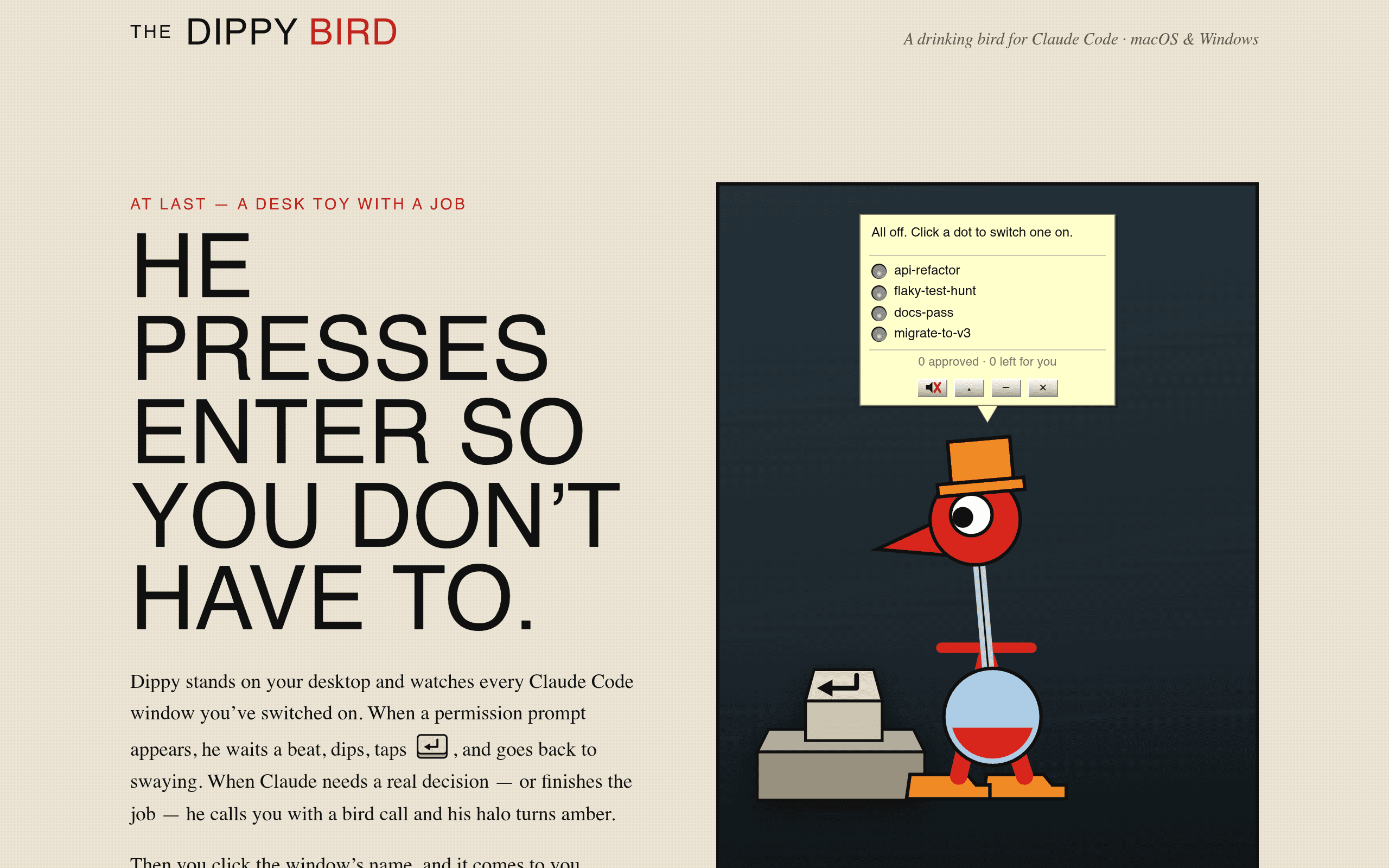
What The Dippy Bird Actually Does
If you've spent any real time running Claude Code on a codebase, you know the rhythm: you kick off a task, walk away to grab coffee, and come back to find the agent has been sitting idle for twenty minutes waiting for you to click "Allow" on a file write or a shell command. The Dippy Bird is a small desktop utility built specifically to fix that one problem. It runs in the background on macOS or Windows, watches your open Claude Code windows, and automatically responds to permission prompts that match rules you're comfortable with — while flagging the ones that actually need your judgment.
The name is a nod to the old novelty desk toy that dips its beak into a glass of water forever without you touching it. That's the pitch here: The Dippy Bird handles the repetitive "yes, you can edit that file" clicking so you don't have to babysit the terminal, but it doesn't try to make real decisions for you. Anything ambiguous — a command that touches something outside your allowlist, a delete operation, a network call it doesn't recognize — gets surfaced as an alert instead of auto-approved.
This isn't a Claude client, an IDE, or a code-completion tool. It's a companion process that sits alongside whatever setup you already have and removes the friction of constant permission babysitting.
Who This Is Actually For
- Developers running long, unattended Claude Code sessions — e.g., a multi-file refactor or a test-writing pass you kick off before a meeting and don't want to babysit.
- Teams doing agentic coding on larger repos where Claude Code is constantly asking to read, write, or run commands across dozens of files, and clicking through each one breaks concentration.
- Solo developers/indie hackers who use Claude Code as a pair programmer throughout the day and are tired of alt-tabbing back every 90 seconds to approve a routine
npm installor file edit. - Anyone running Claude Code overnight or on a second monitor who wants a lightweight watchdog that won't silently rubber-stamp something dangerous while they're not looking.
It's not for people who aren't using Claude Code at all — it has nothing to do with GitHub Copilot-style inline completions or Visual Studio's IntelliCode suggestions. Its entire value proposition is scoped tightly to the permission-prompt friction inside Claude Code sessions.
Pricing
The Dippy Bird is sold as a one-time purchase rather than a subscription — a deliberate contrast to most AI tooling right now. As of this writing, exact pricing tiers are not published on the site; the checkout flow appears to be gated behind a direct download/purchase link on thedippybird.com rather than a public pricing page. If you're evaluating it today, expect to see the actual number only once you click through to buy, and treat any pricing you find in third-party posts as unconfirmed until you see it on the official checkout page.
What we can say with confidence: it's positioned as a lightweight utility purchase (think "desktop app you buy once," not "per-seat SaaS"), which fits the single-purpose nature of the tool.
How It Compares
The Dippy Bird doesn't really compete head-on with any of these tools — it's a companion to Claude Code, not a replacement for a coding assistant. But since people often land on it while comparing their AI coding stack, here's how it stacks up on the dimensions that matter:
| The Dippy Bird | Claude Desktop | GitHub Copilot | Visual Studio IntelliCode | |
|---|---|---|---|---|
| Price | One-time purchase (amount not yet public) | Free with Claude subscription tiers ($0–$200/mo Pro/Max) | $10/mo (Individual), $19/user/mo (Business) | Free, bundled with Visual Studio |
| Core function | Auto-handles Claude Code permission prompts, alerts on ambiguous ones | Chat interface + local app for talking to Claude | Inline code completion and chat inside your editor | Statistical code completion suggestions inside Visual Studio |
| Platform | macOS, Windows (background utility) | macOS, Windows, web | VS Code, JetBrains, Visual Studio, Neovim | Visual Studio only |
| Reduces interruptions from permission prompts | Yes — this is its entire job | No — you still approve each prompt manually | Not applicable — no permission-prompt model | Not applicable |
| Best for | People running unattended/long Claude Code sessions | People who want a native Claude chat client | Inline autocomplete while typing | Visual Studio users wanting local suggestion ranking |
The honest takeaway: if you're not using Claude Code's agentic file/shell permission system, The Dippy Bird has nothing to offer you. If you are, none of the other three tools address the specific pain it solves.
Concrete Scenarios Where It Earns Its Price
- You tell Claude Code to migrate a directory of 40 test files to a new assertion library, then step away. Normally you'd come back to find it paused at file #6 waiting on a write-permission click. The Dippy Bird auto-approves the routine writes within your project directory and lets the run finish.
- Claude Code wants to run
rm -rfon a build directory as part of a "clean and rebuild" task. Instead of silently approving it, The Dippy Bird flags it — this is exactly the kind of destructive-looking command it's designed to kick back to you rather than auto-handle. - You're running two Claude Code sessions in separate terminal tabs — one refactoring a frontend component, one updating docs — and don't want to context-switch between them just to click "allow" repeatedly. The Dippy Bird watches both windows simultaneously.
Where To Be Cautious
- No published pricing means you can't yet do a clean cost-benefit calculation before trying it — you'll need to click through to see the number.
- It's a new product, so there's limited public track record on how well its auto-approval rules handle edge cases across unusual project setups, monorepos, or less common shell environments.
- Because it's scoped tightly to Claude Code, it offers zero value if your workflow shifts to a different agentic coding tool — it's not a general-purpose permission manager for other AI coding agents.
Bottom Line
The Dippy Bird is solving a narrow, real, and mildly annoying problem: Claude Code's permission model is safe but chatty, and chatty gets old fast when you're running longer agentic sessions. If that's your daily friction point and you want a background watchdog rather than a chat client or code-completion tool, it's worth the download to see the actual price and try it against your own workflow today. If you're comparing it to Copilot or IntelliCode, you're comparing apples to a fire extinguisher — they solve different problems entirely.