Vocalect Audio Input: A First Look at WordPress's New Browser-Based Voice Dictation Plugin
Some links in this guide are affiliate links. If you sign up through them, Day Zero Guides may earn a commission at no extra cost to you. This never affects which products we cover or what we say about them. See our affiliate disclosure for details.
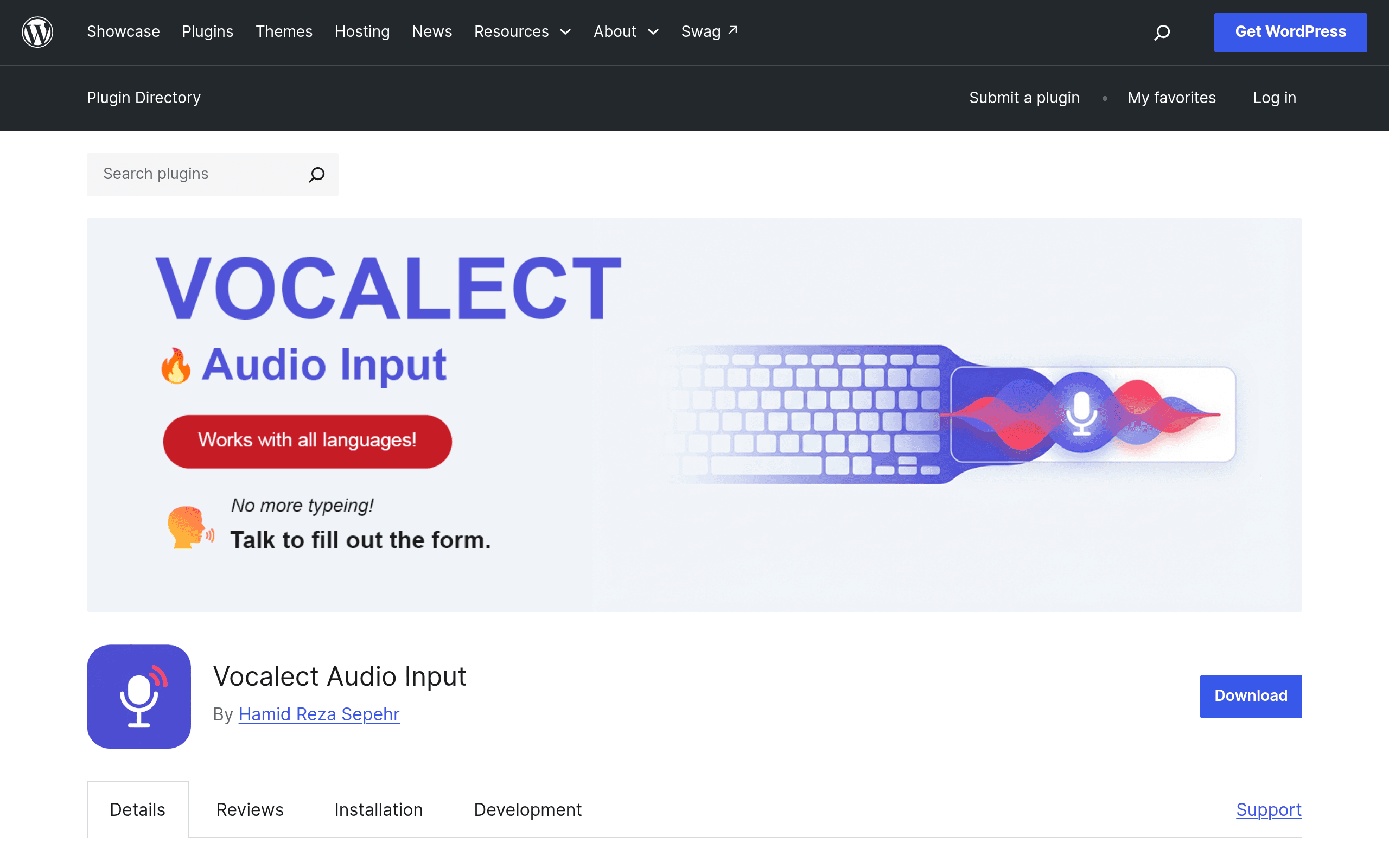
What Vocalect Audio Input Actually Does
Vocalect Audio Input is a free WordPress plugin, distributed through the official WordPress.org plugin directory, that adds a microphone button to form fields on your site. Click it, talk, and the browser transcribes your speech and drops the text directly into the field — a search box, a contact form textarea, a checkout address field, whatever you've enabled it on.
The key technical detail: it runs entirely on the Web Speech API built into the visitor's browser. That means no audio is uploaded to a third-party transcription service, there's no API key to generate or pay for, and there's no per-minute billing. The transcription happens client-side in Chrome, Edge, and other Chromium-based browsers where the Web Speech API is implemented. It's a narrow, single-purpose tool — not a transcription platform, not an editing suite, not a coaching app.
Pricing
There is exactly one tier: free.
| Tier | Price | What You Get |
|---|---|---|
| Full Plugin | $0 | All current features — voice-to-text on supported form fields, no usage caps, no account required, GPL-licensed source code |
There's no premium upsell tier, no paid add-on pack, and no usage-based cost because the transcription work is offloaded to the browser rather than a paid API like Google Cloud Speech-to-Text or Whisper. That's the tradeoff worth understanding upfront: the plugin is free specifically because it isn't running its own speech-recognition infrastructure.
Concrete Use Cases
- Site search boxes: A visitor on mobile taps the mic icon on your WooCommerce or blog search bar and says "blue ceramic planters under 30 dollars" instead of typing it out on a phone keyboard.
- Contact and quote request forms: Someone filling out a long "describe your project" textarea on a services site dictates three sentences instead of typing them, cutting form abandonment on mobile.
- Checkout address fields: A shopper dictates a shipping address field-by-field rather than typing on a small screen — useful for accessibility and for stores with a high mobile checkout share.
- Accessibility support: Visitors with motor impairments or temporary injuries (e.g., a sprained wrist) can complete forms without a keyboard, supplementing existing screen-reader/keyboard-navigation accessibility work.
- Multilingual comment sections: Where the Web Speech API supports the visitor's spoken language, they can dictate a comment in their native language rather than typing on an unfamiliar keyboard layout.
What It's Not
This matters for setting expectations. Vocalect Audio Input does not record or store audio, does not generate transcripts of meetings or podcasts, does not offer speaker diarization, and does not work as a standalone dictation app outside your WordPress site's forms. It also inherits the real limitations of the Web Speech API: recognition quality varies by browser (Chrome and Edge are solid; Firefox and Safari have partial or no support depending on version and OS), it requires an internet connection even though no data goes to the plugin's own servers (Chrome's implementation still routes audio through Google's speech service to do the recognition), and accuracy on background noise or heavy accents is only as good as the browser vendor's engine — you can't fine-tune it.
How It Compares to Other Voice Tools
Speeko, Descript, and Otter.ai solve different problems than Vocalect Audio Input, but they're the tools people usually already have in mind when they hear "voice input software," so it's worth being clear about where each one actually fits.
| Vocalect Audio Input | Speeko | Descript | Otter.ai | |
|---|---|---|---|---|
| Price | Free | Free tier + ~$11.99/mo Pro | Free tier + $12–24/mo per user (Creator/Pro plans) | Free tier + $16.99/mo Pro, $30/mo Business |
| Primary use case | Voice-to-text inside WordPress form fields | Speaking and public-speaking coaching via AI feedback | Video/podcast editing with transcript-based editing | Meeting and conversation transcription with speaker labels |
| Where it runs | Inside your website, client-side in the visitor's browser | Standalone mobile app | Desktop app / web app | Web app, mobile app, meeting-bot integrations |
| Data handling | No audio leaves the browser to Vocalect's own servers; no account needed | Audio processed on Speeko's servers | Audio/video uploaded to Descript's cloud | Audio uploaded and stored on Otter's servers |
| Best for | Site owners who want faster, more accessible form completion | Individuals practicing speech delivery | Podcasters/video editors who want to edit by editing text | Teams needing searchable meeting transcripts and summaries |
The honest takeaway: if you're comparing these as substitutes, you're comparing the wrong things. Speeko, Descript, and Otter.ai are apps you use directly for speaking practice, media editing, or meeting notes. Vocalect Audio Input is infrastructure you install on a website so your visitors can talk instead of type into existing form fields. Nobody signs up for Vocalect the way they'd sign up for Otter.ai — they install it once on a site and forget about it.
Installing and Trying It
- From your WordPress admin, go to Plugins → Add New and search "Vocalect Audio Input," or download the zip from the WordPress.org plugin page and upload it manually.
- Activate the plugin — no account creation, no API key field to fill in.
- Check the plugin's settings screen for which form fields or field types it attaches to by default, and enable it on the specific search bars, comment boxes, or form plugins (Contact Form 7, WPForms, Gravity Forms, WooCommerce checkout, depending on current field-detection support) you want covered.
- Test in Chrome or Edge first, since that's where the Web Speech API is most reliably implemented — don't judge the plugin's accuracy based on a Safari or Firefox test session.
Verdict
As a brand-new, single-purpose plugin, Vocalect Audio Input does one thing that's genuinely useful and currently underserved in the WordPress ecosystem: giving site visitors a no-cost, no-signup way to speak into form fields instead of typing, particularly on mobile. It's not a transcription or content tool, so don't evaluate it against Otter.ai or Descript on features — evaluate it on whether voice input on your site's search bar or contact form would reduce friction for your actual visitors. Given it costs nothing and takes a few minutes to install and scope to specific fields, it's a low-risk plugin to test on a staging site this week, with the caveat that recognition quality will vary by the browser your visitors use.