Vova's Post Grids: First Look at the Free Gutenberg Block for Responsive Post Grids
Some links in this guide are affiliate links. If you sign up through them, Day Zero Guides may earn a commission at no extra cost to you. This never affects which products we cover or what we say about them. See our affiliate disclosure for details.
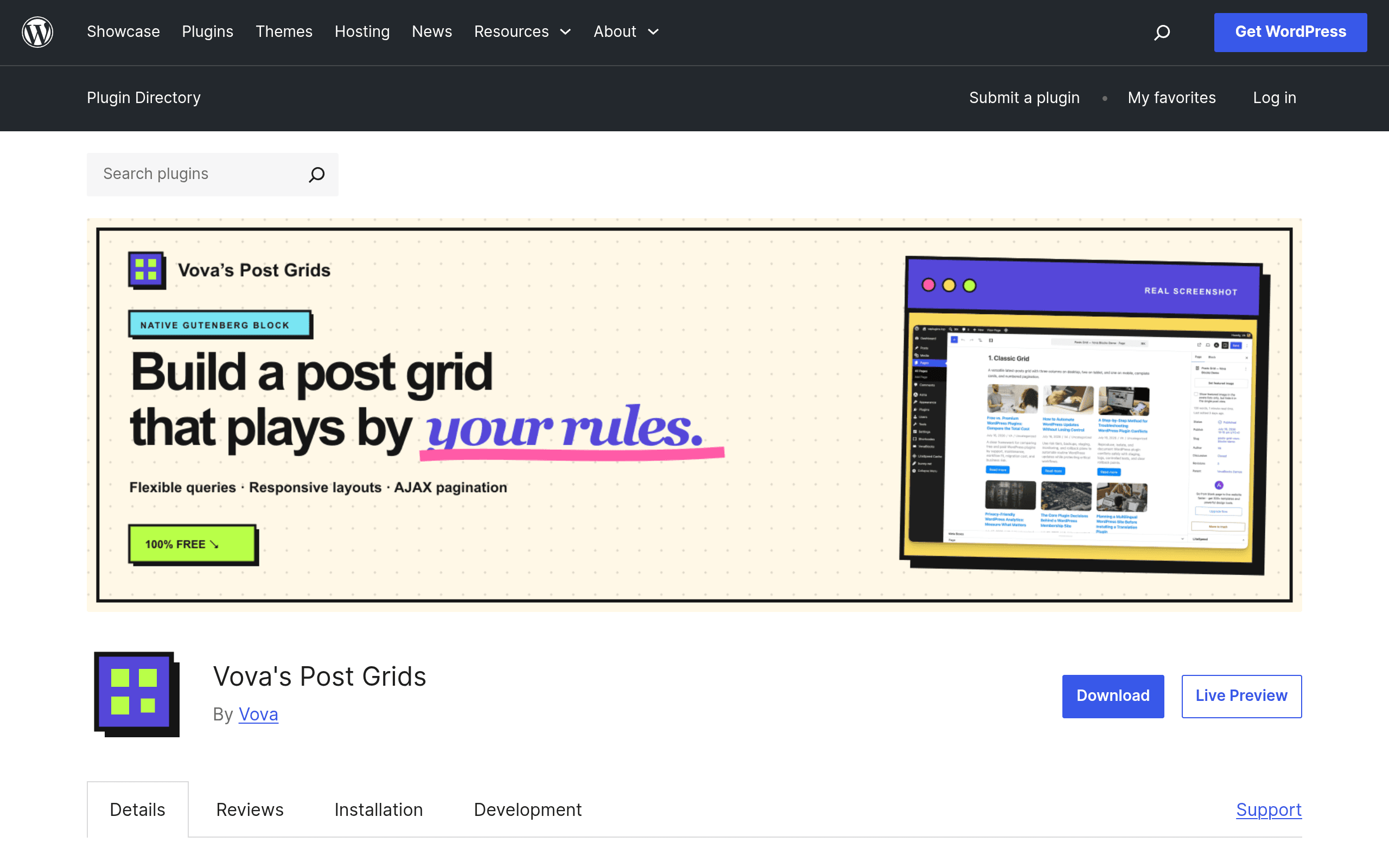
What it actually is
Vova's Post Grids is a single-purpose Gutenberg block plugin. You install it, insert a block called "Post Grid" (or a similar variant depending on version), and configure a query visually — post type, taxonomy terms, keyword search, date range — without touching PHP or a query builder plugin. The output is a responsive grid of post cards with AJAX pagination baked in, meaning clicking "next page" or a numbered page link doesn't reload the whole page.
It's built entirely on core WordPress block editor APIs, so there's no separate page builder runtime loading on the front end. That matters for performance: you're not shipping Elementor's or another builder's CSS/JS framework just to show a grid of blog posts.
The plugin is listed on wordpress.org as free, GPL-licensed, with no premium tier, no license key, and no "Pro" upsell nag in the settings screen. As of this writing there's no changelog entry suggesting a paid version is coming, which is worth noting because so many "free" block plugins are lead magnets for a $79/year add-on pack.
What you can configure
- Post type source: any public post type, not just
post— so custom post types likeproduct,event, orportfolio(registered by your theme or another plugin) show up as query options. - Taxonomy and keyword filtering: narrow the query by category, tag, or custom taxonomy terms, plus a keyword/search string filter.
- Date filtering: restrict to a date range, useful for "this month's posts" or seasonal archives.
- Columns and spacing per breakpoint: set 4 columns on desktop, 2 on tablet, 1 on mobile — independently, inside the block sidebar, no custom CSS required.
- AJAX pagination: paginate through results without a full page reload, which keeps scroll position and feels closer to a JS app than a classic PHP loop.
Where it's actually useful
- A niche blog with custom post types: if you run a recipe site with a
recipeCPT and want a filterable grid by course/cuisine taxonomy on a landing page, this block does that natively without a query builder plugin or theme template edit. - A small business site listing "Case Studies" or "Projects" as a CPT: drop the block on a page, filter by industry taxonomy, done — no need for Elementor's post widget or a shortcode plugin.
- Replacing a bloated builder just for archive-style pages: if the only reason you loaded Elementor or a builder was to make a nicer post grid than the default "Latest Posts" block, this is a lighter-weight swap.
- Editors who want live, in-editor preview: because it's a native block, what you see in the editor canvas is close to the front-end render, unlike some query loop setups that require constant page refreshes to check breakpoint behavior.
Where it falls short
- No visual card template editor — you're working within the block's predefined card layout options, not building a custom card from scratch the way GenerateBlocks' Query Loop + nested blocks approach allows.
- No built-in filter UI for front-end visitors (like AJAX dropdown filters for site visitors to filter by taxonomy themselves) — the filtering is set once by the editor, not exposed as an interactive front-end control.
- Documentation is minimal relative to Elementor or GenerateBlocks; you're mostly learning by clicking through sidebar panels.
- Being new, plugin conflict edge cases (theme.json spacing tokens, block style variations) aren't as battle-tested as core's Query Loop block.
Pricing
Completely free. No Pro tier, no license key, no feature gate. Available directly from the WordPress.org plugin directory, installable like any other free plugin from Plugins > Add New in wp-admin.
How it stacks up
| Vova's Post Grids | WordPress Native Query Loop | GenerateBlocks | Elementor (Posts widget) | |
|---|---|---|---|---|
| Price | Free, no Pro tier | Free, built into core | Free core plugin; Pro from $59/year for extra controls | Free core widget; Pro from $59/year for post grid module extras |
| Per-breakpoint column control | Yes, built into block sidebar | Limited — needs manual CSS or theme support | Yes, via Container block responsive controls | Yes, native to Posts widget |
| AJAX pagination out of the box | Yes, included by default | No — needs a separate plugin or custom JS | No — needs custom code or another plugin | Yes, but only in Pro |
| Custom post type + taxonomy filtering | Yes, built-in dropdowns | Yes, but UI is more technical (query controls panel) | Yes, but requires manually wiring Query Loop settings | Yes, well-documented in widget panel |
| Front-end runtime weight | Light — core block APIs only | Lightest — it's core | Light — minimal CSS framework | Heavy — loads Elementor's full CSS/JS stack |
| Best for | Sites needing quick filterable CPT grids without a builder | Sites wanting zero extra plugins and full core-block portability | Users already building layouts with GenerateBlocks who want design consistency | Sites already committed to Elementor as their builder |
Should you install it today
If you're already all-in on Elementor or GenerateBlocks for your whole site, adding this plugin just for grids probably isn't worth the extra plugin in your stack — use what those tools already offer. But if you're running a mostly block-editor-native site and have been reaching for the core Query Loop block only to hit friction on AJAX pagination or per-device column counts, Vova's Post Grids solves exactly that gap for free, with no future rug-pull risk since there's no premium tier to eventually gate features behind. Given it costs nothing and adds one focused block, it's a low-risk plugin to test on a staging site this week — install it, drop it on a page with a CPT you already have, and see if the card layout options match what your design needs before deciding whether to build a custom template instead.