Zelvigo Dev Studio Lite: First Look at the Free Boilerplate Generator for WordPress Devs
Some links in this guide are affiliate links. If you sign up through them, Day Zero Guides may earn a commission at no extra cost to you. This never affects which products we cover or what we say about them. See our affiliate disclosure for details.
What Zelvigo Dev Studio Lite Actually Does
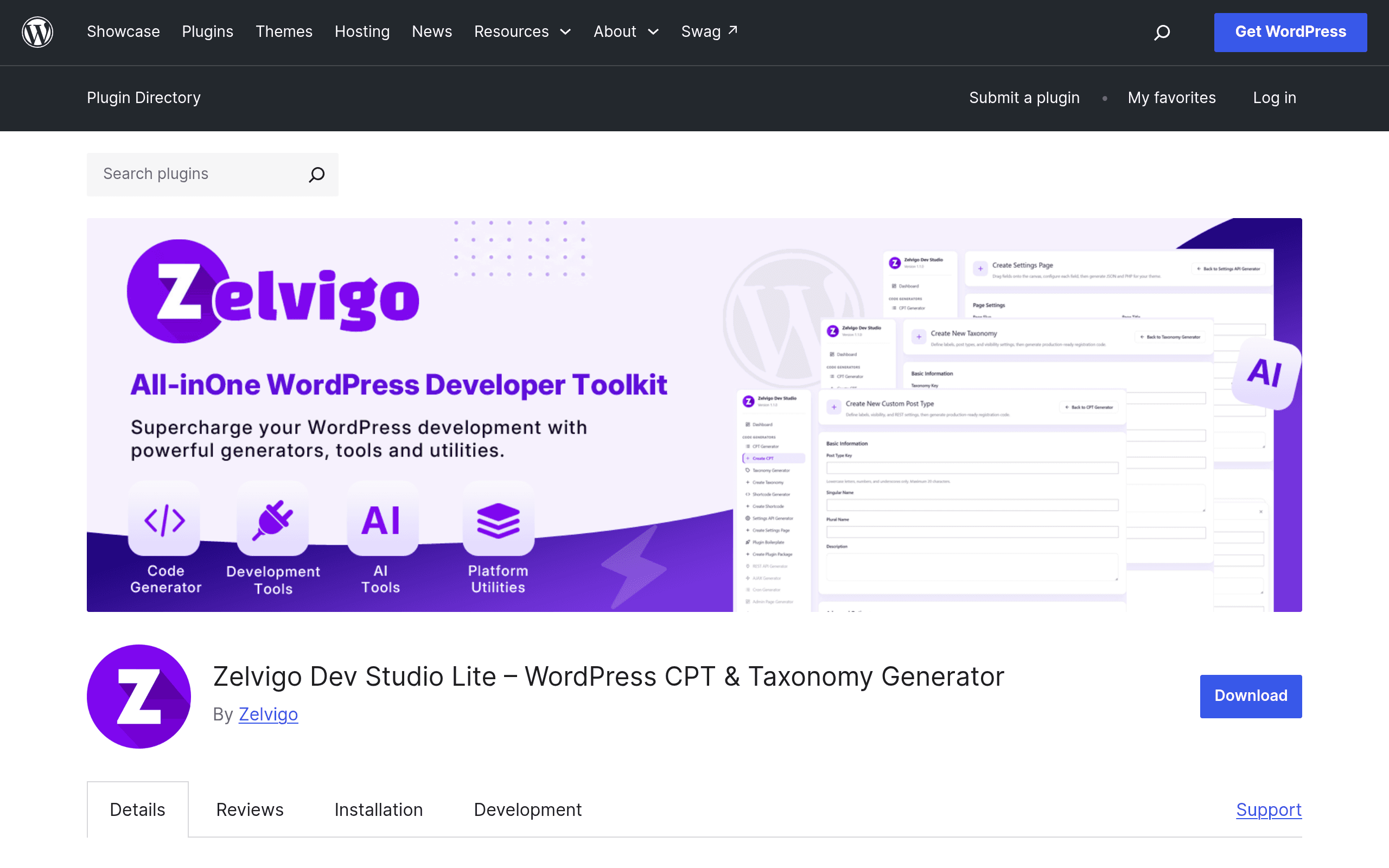
Zelvigo Dev Studio Lite is a free plugin on the WordPress.org repository that skips the "drag and drop, save to database" model most builder plugins use. Instead, it fills out visual forms — post type labels, supports arguments, taxonomy hierarchy toggles, shortcode parameters — and spits out plain PHP you copy into your theme or a custom plugin. Nothing is stored in a proprietary format inside wp_options, and nothing calls home. That last point matters more than it sounds: the plugin description confirms it runs entirely locally with no external API calls, which means no rate limits, no account creation to generate code, and no risk of a SaaS outage breaking your local dev environment.
It also ships two utilities aimed squarely at people who build themes and plugins rather than people assembling a marketing site:
- Hook inspector — surfaces which actions and filters are firing on the current page load, useful when you're trying to figure out where to hook into a theme you didn't write.
- Debug log viewer — reads your
wp-content/debug.loginside the admin instead of you SSHing in or opening a separate log-tailing tool.
This is the free, standalone entry point to a larger commercial platform at zelvigo.com. The repository listing doesn't spell out what's gated behind Pro, so treat Lite as a genuinely separate decision from whatever the paid tier offers — you can get real value from Lite without ever touching pricing.
Pricing as of This Writing
- Zelvigo Dev Studio Lite: $0, distributed through the official WordPress.org plugin directory, standard GPL license, install like any other plugin.
- Zelvigo Pro / platform tiers: Priced separately at zelvigo.com/pricing. Specific dollar amounts and tier names aren't published in the plugin listing itself, so if a specific number matters to your decision, check that page directly before assuming a price point — we're not going to guess at figures the vendor hasn't put in front of us.
Because Lite has no feature-limited nag screens described in its listing, it functions as a genuinely usable free tool rather than a 14-day trial in disguise. That's worth knowing before you install it expecting an upsell wall.
What Pro Actually Adds
The plugin listing doesn't publish Pro's price, but it does now spell out the feature gate, so this doesn't have to stay a mystery: Lite generates code for you to copy and paste — it never touches your site directly. Pro adds live registration (generated post types, taxonomies, and shortcodes get wired up automatically instead of you pasting code) and plugin ZIP packaging (bundle what you've built into an installable plugin rather than hand-editing functions.php). Pro also adds several generators Lite doesn't have at all: Settings API, REST API, AJAX, Cron, Admin Page, Admin Notices, and Dashboard Widgets — Lite is limited to the CPT, taxonomy, and shortcode generators plus the two inspection tools described above.
None of that changes the free tool's value on its own terms — Lite's "generate once, own the code" model is still real, and the comparison table below is still accurate for what Lite does today. It just means "Lite vs. Pro" is a bigger jump than a first look at Lite alone would suggest, if hook-based generators beyond CPT/taxonomy/shortcode are what you actually need.
Concrete Use Cases
- Spinning up a custom post type for a client site without opening the Codex tab for the tenth time. You fill in labels,
has_archive,supportsarray, menu icon slug, and menu position through the form, get cleanregister_post_type()code back, and paste it into your theme'sfunctions.phpor a site-specific plugin. - Debugging a hook order problem on a client's existing site. Instead of littering
error_log()calls through a parent theme, you install Lite, open the hook inspector on the front end, and see the actual action/filter sequence firing on that template. - Reading
debug.logon a staging server without SFTP access. If you're working on a site where you only have wp-admin access (agency handoff situations, contractor work), the in-admin log viewer saves a round trip to whoever holds the hosting credentials. - Prototyping a taxonomy structure before committing to it. Generate the
register_taxonomy()boilerplate, test it locally, throw it away or commit it — no database rows to clean up afterward since nothing is saved through the plugin's own storage. - Onboarding a junior developer to hook-based architecture. Handing someone the hook inspector on a real page load teaches WordPress's execution order faster than reading documentation.
What It Doesn't Do
It's not a page builder, and it's not a field-management system for content editors. If your actual need is letting a non-technical client fill in custom fields on the front end through a polished admin UI, this isn't solving that problem — it's solving the "generate the underlying code once, correctly" problem for the developer setting things up.
How It Compares
| Zelvigo Dev Studio Lite | GenerateWP | Advanced Custom Fields (Free/Pro) | Toolset | |
|---|---|---|---|---|
| Price | Free | Free (with ad-supported site, some "Pro" generator features) | Free core; ACF Pro $49/site/year | Paid only, plans from roughly $69/year for a single site, no functional free tier |
| Where code lives | Generated PHP you own and paste into your own files | Generated PHP you copy from their web tool | Fields stored in wp_postmeta via UI, or exported as PHP | Fields and relationships stored in Toolset's own data layer, tightly coupled to their views/blocks system |
| Runs locally / no external calls | Yes, entirely local, no account needed | No — it's a hosted web generator, you visit generatewp.com | Yes, plugin runs entirely in your install | Yes, runs in your install but licensing checks phone home for updates |
| Hook/debug inspection tools | Yes, built in | Not included | Not included | Not included |
| Best for | Developers who want disposable, ownable boilerplate plus lightweight debugging inside wp-admin | Developers who want a quick one-off snippet without installing anything | Sites where content editors need an ongoing UI to manage custom field data | Agencies building complex relational content models with front-end display logic included |
| Learning curve | Low — form in, code out | Low — same model, but you leave your admin to use it | Moderate — field groups and location rules take some learning | Higher — it's a broader system with its own conventions |
The honest way to read this table: GenerateWP is the closest philosophical match since both hand you code rather than storing your structure in a proprietary system, but Zelvigo's advantage is that it lives inside wp-admin and adds inspection tools GenerateWP has never offered. ACF and Toolset are solving a different problem — ongoing field management for content editors — and aren't really substitutes if what you need is one-time boilerplate generation.
Should You Install It Today
If you're a developer who currently keeps a personal snippets file of CPT/taxonomy registration boilerplate, or who's copy-pasting from old projects and adjusting labels by hand, Lite removes that chore with zero cost and zero lock-in — the code is yours the moment it's generated. The hook inspector and debug log viewer are the parts most first-look coverage will undersell, since they're not the headline feature but are genuinely useful on client sites where you don't have terminal access. The remaining open question is just the price — Pro's feature set (live registration, ZIP packaging, and the extra generators above) is now documented, but the dollar amount isn't, so that part still requires checking zelvigo.com/pricing directly.