Zoro Slider: First Look at the New Layer-Based Slider Builder for WordPress
Some links in this guide are affiliate links. If you sign up through them, Day Zero Guides may earn a commission at no extra cost to you. This never affects which products we cover or what we say about them. See our affiliate disclosure for details.
What Zoro Slider Actually Is
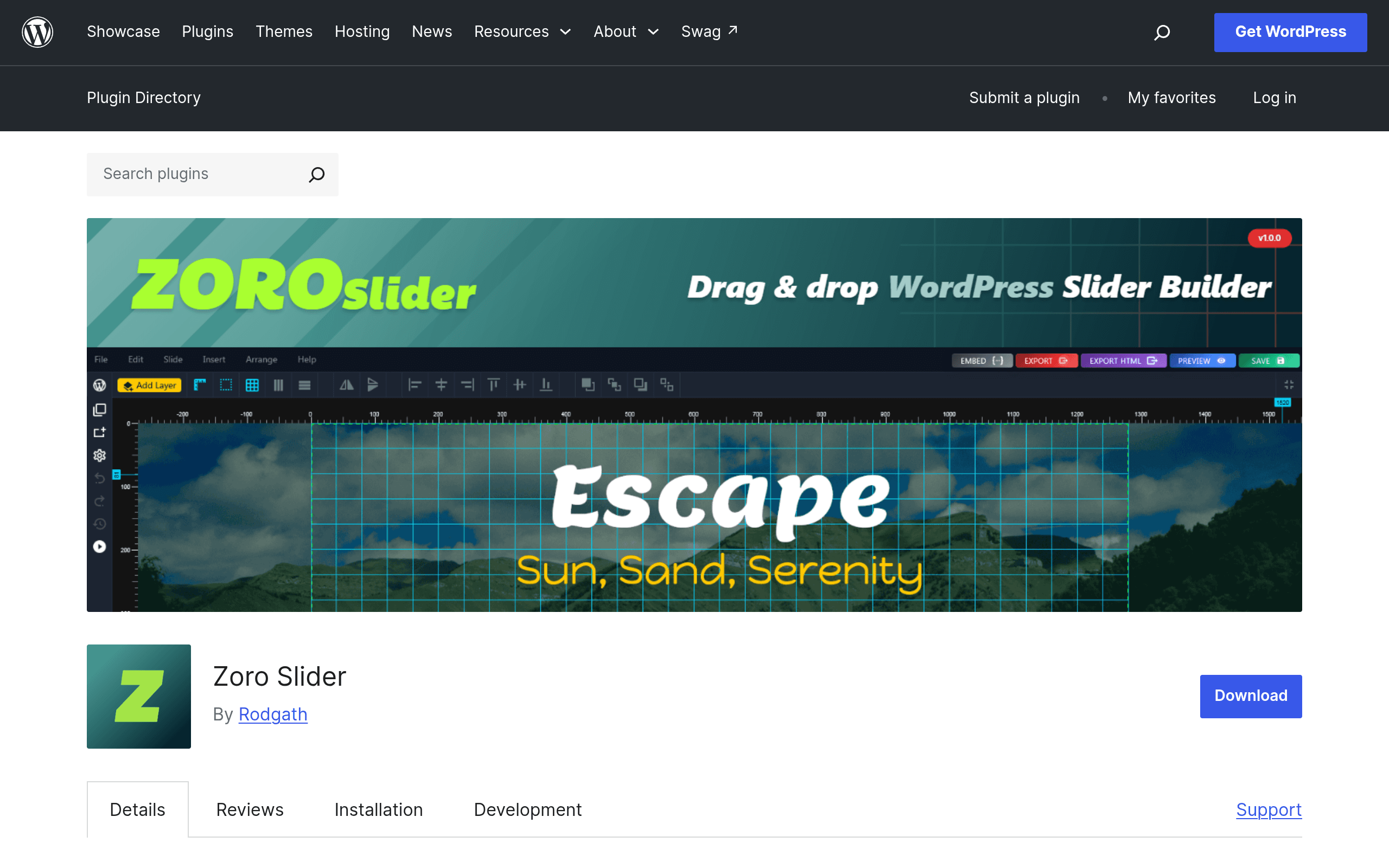
Zoro Slider is a new entrant in the WordPress slider plugin space, distributed through the official WordPress.org plugin repository. It gives site owners a visual, layer-based builder for constructing animated sliders and image galleries directly inside wp-admin — no separate page builder required, though it can sit alongside Elementor, Divi, or the block editor.
The core idea is familiar to anyone who has used Slider Revolution or Smart Slider 3: you build a slide as a stack of layers (text, image, button, shape, video), position each layer, assign entrance/exit animations, and control timing per slide. Where Zoro Slider tries to differentiate is in its content sourcing — beyond manually built slides, it pulls dynamic content feeds from WordPress posts (by category, tag, or custom post type) and from external sources, so a slider can auto-populate from your latest blog posts, WooCommerce products, or a custom feed without you touching each slide.
Because it's brand new on the repository, there's no long track record yet, no large plugin marketplace of add-ons, and no published pricing structure at the time of writing. The plugin listing itself doesn't disclose a premium tier, license cost, or upgrade path — it's currently presented as a free WordPress.org plugin. If a pro version exists or gets introduced later, that information hasn't surfaced publicly yet, so treat this as an early, free-tier evaluation rather than a full cost comparison.
Who Should Actually Try This Today
This plugin makes the most sense for a specific set of situations:
- Bloggers and content sites that want a homepage slider auto-fed from recent posts or a specific category, without manually rebuilding slides every time they publish.
- Small business sites needing a straightforward hero slider or testimonial carousel and who don't want to pay for Slider Revolution's license just for a handful of slides.
- Agencies testing lightweight alternatives to heavier slider plugins for client sites where slider needs are basic-to-moderate (product highlights, announcement banners, image galleries) rather than complex parallax storytelling.
- WooCommerce shop owners who want a slider that can dynamically pull in featured or on-sale products instead of manually curating slide content each time inventory changes.
It's less suited to teams that need guaranteed long-term support contracts, a large template marketplace, or deep third-party integrations (Zapier-style automation, advanced A/B testing) — those are areas where the established players still have a clear edge simply due to maturity.
Concrete Use Cases
- A local restaurant site builds a homepage slider that automatically shows the 5 most recent posts tagged "specials," so the kitchen staff's WordPress updates flow straight to the slider with no design work.
- An agency builds a responsive image gallery slider for a portfolio site, using layer stacking to place a project title and "View Case Study" button over each image with a fade-in animation.
- A WooCommerce store surfaces its "on sale" product category in a homepage slider that updates itself whenever the sale tag changes, instead of manually swapping banner images.
- A news-style site pulls in an external RSS-like feed to display third-party headlines alongside its own content in a rotating slider widget in the sidebar.
How It Compares
| Zoro Slider | Elementor (Slider Widget) | Slider Revolution | Smart Slider 3 | |
|---|---|---|---|---|
| Price | Free (WordPress.org); no published pro tier as of this writing | Free widget in Elementor Free; full builder features tied to Elementor Pro ($59/year for 1 site) | $29 one-time (Envato/CodeCanyon license, single site) or bundled with Astra/theme packages | Free version on WordPress.org; Pro from $49/year (1 site) via Smart Slider's own site |
| Builder style | Layer-based visual builder, standalone admin screen | Widget inside Elementor's drag-and-drop page builder | Dedicated layer/timeline editor with keyframe animation | Layer-based builder with block and slide-type templates |
| Dynamic content feeds | Yes — WordPress posts, custom post types, and external sources | Limited — dynamic tags via Elementor Pro, not a dedicated feed system | Yes — WooCommerce, WordPress posts, and social feeds via add-ons | Yes — posts, WooCommerce, and generator templates |
| Best for | Sites wanting auto-updating sliders without manual rebuilds, on a $0 budget | Sites already committed to Elementor as their page builder | Complex, animation-heavy sliders and agencies needing a mature ecosystem | Balance of ease-of-use and dynamic content with a well-documented free tier |
| Maturity / track record | Brand new, no long-term reviews or version history yet | Years of use, huge install base, extensive documentation | Long-established (10+ years), extensive template library and forums | Well-established, active development, large template library |
| Learning curve | Moderate — layer builder is intuitive but new, fewer tutorials exist yet | Low if you already know Elementor; separate learning curve if not | Moderate-to-high due to depth of animation controls | Low-to-moderate, considered one of the more approachable options |
The Honest Caveats
Because Zoro Slider just launched, there are real unknowns worth weighing before you build a production site on it:
- No visible pricing roadmap. If the developer introduces a paid tier later, existing free users don't yet know what that transition looks like — check the changelog on the plugin page before committing to it for a client project.
- Limited reviews and support history. WordPress.org listings for new plugins don't yet have the years of five-star (or one-star) reviews that let you gauge real-world reliability across WordPress versions and theme conflicts.
- Smaller template and add-on ecosystem. Unlike Slider Revolution's marketplace of pre-built slide templates or Smart Slider 3's block library, Zoro Slider's template options will be thinner simply because it's new — expect more manual building.
- Compatibility unknowns. Test it on a staging site first, particularly with popular themes and caching plugins, since new plugins haven't had time to be stress-tested across the huge variety of WordPress setups the way Elementor or Slider Revolution have.
Bottom Line
If you want a free, no-license-fee way to build sliders that auto-populate from your WordPress content — and you're comfortable being an early adopter — Zoro Slider is worth a test install today, especially for content-driven or WooCommerce sites. If you need guaranteed long-term support, a mature template marketplace, or you're building something animation-heavy for a paying client, Slider Revolution or Smart Slider 3 remain the safer, better-documented choices for now. Elementor's slider widget makes sense mainly if you're already all-in on Elementor and don't need dynamic feed capability beyond what Elementor Pro's dynamic tags offer.