AI Tools Explorer for Chrome: A First Look at the Local-Only AI Bookmarking Extension
Some links in this guide are affiliate links. If you sign up through them, Day Zero Guides may earn a commission at no extra cost to you. This never affects which products we cover or what we say about them. See our affiliate disclosure for details.
What It Is
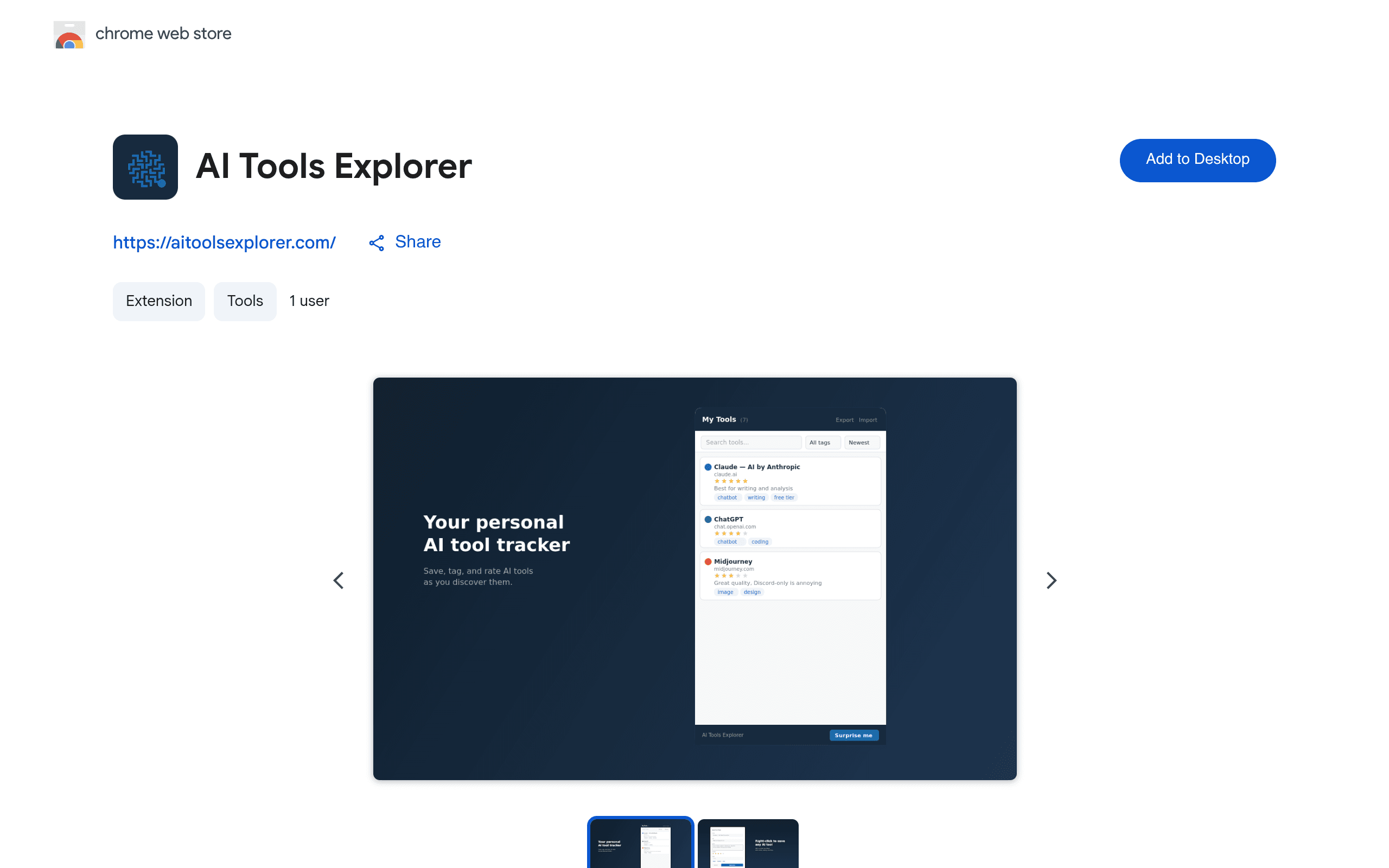
AI Tools Explorer is a Chrome extension built for one narrow job: keeping track of the AI tools you keep discovering and forgetting about. If your bookmarks bar or a random Notion page has become a graveyard of half-remembered AI product names, this extension is trying to be the fix.
It lets you save a tool, rate it, tag it, add notes, and later search or filter through your saved list. Everything lives in your browser's local storage — there's no account creation, no login screen, and according to the listing, no data sent to a server. You can export your saved list (presumably as JSON) and import it back, which matters a lot given there's no cloud backup. It also links out to aitoolsexplorer.com, a companion directory site, so you can browse curated tools and pull them into your local collection.
Who Actually Needs This
This isn't for everyone, and it's worth being blunt about that. It's built for a specific type of user:
- AI power users and researchers who test 5-10 new tools a week and need a lightweight way to remember which ones were actually good versus which ones they opened once and closed.
- Newsletter writers and content creators covering the AI space who need a personal ratings system separate from public directories like There's An AI For That.
- Privacy-conscious users who specifically don't want another SaaS account with their browsing habits tied to an email address.
- Freelancers and consultants who recommend AI tools to clients and want tagged categories (e.g., "image-gen," "client-safe," "free-tier") they can scan quickly before a call.
If you already have a working system in Notion or Raindrop and don't mind the sync overhead, this extension probably won't replace it — it's additive at best, and a browser reinstall or profile wipe without a manual export means you lose everything.
Concrete Use Cases
- Building a personal shortlist: Save 15 writing assistants, rate each 1-5 stars after a trial, tag the ones with usable free tiers, then filter to "free + 4 stars" when a friend asks for a recommendation.
- Client work prep: Tag tools by client industry ("legal," "ecommerce") so before a meeting you filter your list down to what's relevant instead of scrolling through 80 saved links.
- Avoiding directory fatigue: Instead of re-browsing aitoolsexplorer.com every time you forget a tool's name, you pull it into your local list once and search it locally going forward.
- Offline-safe research log: Because nothing syncs to a cloud account, it's a reasonable fit if you're researching tools on a locked-down work laptop where installing new SaaS accounts isn't allowed but a local extension is.
The Trade-offs You Should Know Before Installing
- No sync across devices. Local storage means your list on your work Chrome profile won't show up on your personal laptop. Export/import is your only bridge, and that's a manual, easy-to-forget step.
- No cloud backup. Clear your browser data, uninstall the extension, or get a new machine without exporting first, and the list is gone. There's no recovery.
- Chrome-only. If you split time between Chrome and Firefox, Edge, or Safari, this tool only covers one of them.
- New listing, unproven track record. As a freshly launched extension, it hasn't accumulated a long review history, so treat early usage as a trial rather than a long-term system until you've confirmed export/import actually works reliably for you.
Pricing
AI Tools Explorer is free, full stop. There's no premium tier, no paywall on export/import, and no account requirement mentioned anywhere in the listing. That also means there's no roadmap commitment — a free unlisted extension can be updated, abandoned, or pulled from the Chrome Web Store without notice, which is a real risk to factor in if you're planning to depend on it for months of tracking.
How It Compares
| AI Tools Explorer | Notion | Raindrop.io | Chrome Bookmarks Manager | |
|---|---|---|---|---|
| Price | Free, no tiers | Free tier; Plus $10/mo per user, Business $20/mo per user | Free tier; Pro $3/mo (billed yearly) | Free (built into Chrome) |
| Data storage | Local browser storage only, no account | Cloud-hosted, requires account | Cloud-hosted, requires account | Synced via Google account (cloud) |
| Built for AI tool tracking specifically | Yes — ratings, tags, filters purpose-built for this | No — general-purpose database, needs manual setup | No — general bookmarking, needs manual tagging | No — flat folder structure, no ratings/tags |
| Cross-device sync | No (export/import only) | Yes | Yes | Yes |
| Best for | Quick, private, single-device AI tool logging | Teams building a shared, structured knowledge base | Visual bookmark collections with tagging across devices | Casual bookmarking with zero setup |
Should You Install It Today?
If you want a zero-commitment, zero-signup way to stop losing track of AI tools you find on Twitter/X or Product Hunt, installing AI Tools Explorer costs you nothing but two minutes of setup. Just export your list weekly if you're serious about not losing it — that's the one habit this tool requires from you in exchange for skipping accounts and cloud sync entirely.
If you need your list on your phone, shared with a team, or backed up automatically, this isn't a replacement for Notion or Raindrop.io — it's a lighter, more private tool for a narrower job, and it's worth trying alongside whatever system you already use rather than instead of it.