EkZapp First Look: 70+ Free PDF and Calculator Tools, No Signup Required
By Day Zero Guides Editorial · How we produce guides
Some links in this guide are affiliate links. If you sign up through them, Day Zero Guides may earn a commission at no extra cost to you. This never affects which products we cover or what we say about them. See our affiliate disclosure for details.
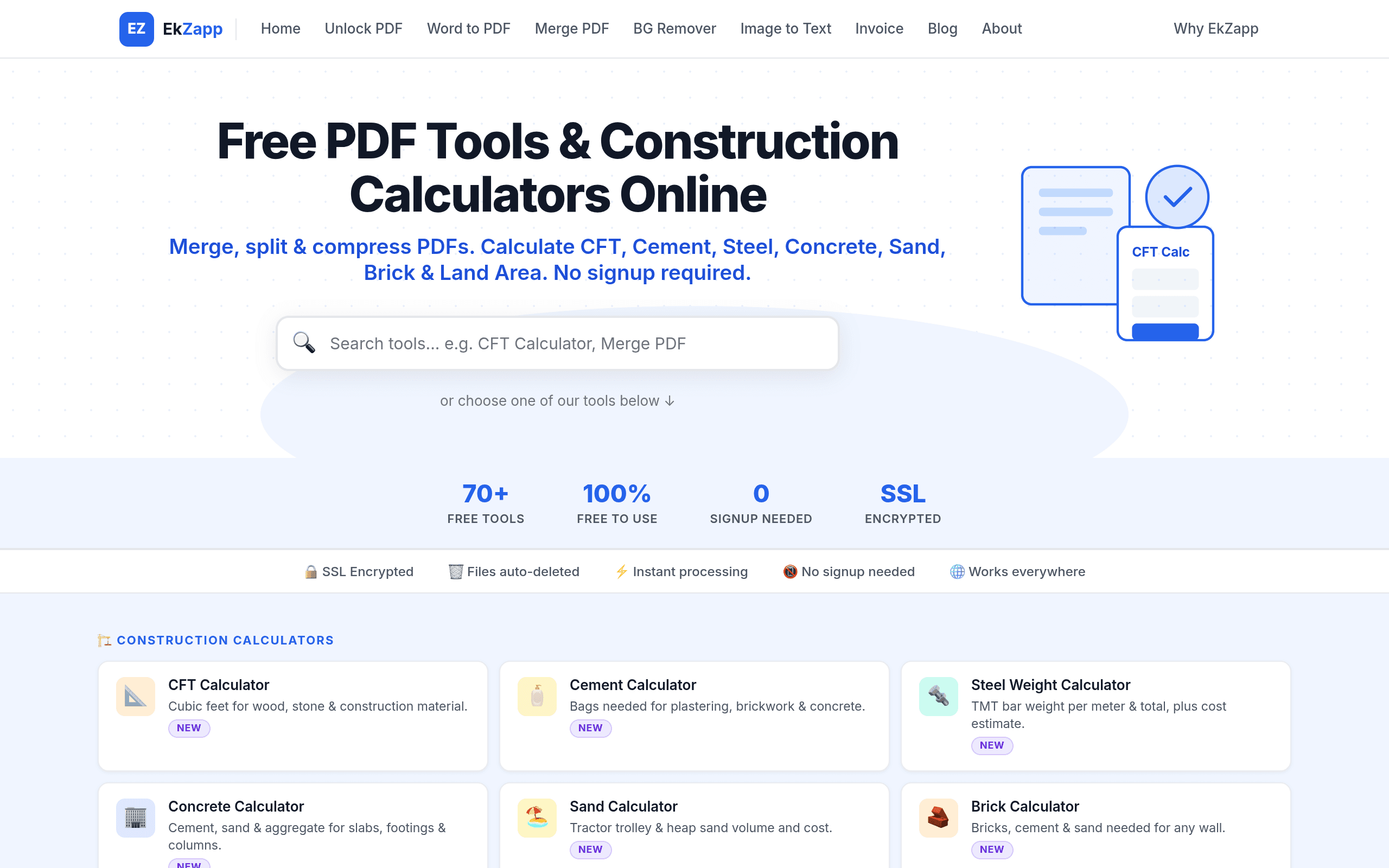
What EkZapp Actually Is
EkZapp (ekzapp.com) is a browser-based utility site that bundles three categories of tools that usually live on separate websites: PDF manipulation, construction/engineering calculators, and everyday personal-finance or health calculators. The pitch is simple — over 70 tools, all free, no login wall, no email capture before you get your file back.
That combination is the interesting part. Most PDF tools (SmallPDF, iLovePDF) don't touch construction math, and most calculator sites (Calculator.net) don't touch PDFs. EkZapp is betting that people doing home renovation budgeting, freelance paperwork, or basic finance math would rather have one bookmark than four.
What's Under the Hood
PDF tools: merge PDF, split PDF, compress PDF, and the usual conversion/rotation utilities. Processing happens server-side or in-browser depending on the tool, but the front-facing experience is: upload, wait a few seconds, download. No account creation, no "sign up to unlock your download" gate that SmallPDF and iLovePDF are known for after your first free use.
Construction calculators: this is the more unusual set. CFT (cubic feet) calculator, cement calculator, steel calculator, concrete calculator, sand calculator, and brick calculator. These are genuinely useful for a fairly specific audience — site engineers, contractors, and DIY homeowners estimating material quantities before a purchase — and it's not a category SmallPDF, iLovePDF, or Calculator.net cover at all.
General calculators: income tax calculator, EMI (loan installment) calculator, BMI calculator, and other everyday math tools that overlap directly with Calculator.net's territory, just with a smaller, more curated selection rather than Calculator.net's exhaustive catalog of 200+ calculators.
Pricing
EkZapp is 100% free. There is no premium tier, no "Pro" upsell modal, no file-size paywall mentioned anywhere on the site at launch. That's a real point of difference from SmallPDF, which caps free usage and pushes a subscription ($12/month billed monthly, or lower annually) after a couple of uses per day, and iLovePDF, which similarly gates unlimited use and batch processing behind a premium plan ($9/month annually, more month-to-month). Calculator.net has always been free and ad-supported, so EkZapp's free-and-open model actually puts it closer to Calculator.net's business model than to the PDF-tool competitors.
The obvious question is how EkZapp sustains a free-forever model with server-side PDF processing, which isn't cheap to run at scale. At launch there's no visible answer — no ads mentioned, no stated funding model. Worth watching whether that changes as usage grows.
Concrete Use Cases
- A contractor bidding a small job needs to estimate bags of cement and cubic feet of sand for a 200 sq ft slab before quoting a client — the cement and CFT calculators do this without opening a spreadsheet.
- A freelancer merges five separate invoice PDFs into one file before emailing a client, without hitting SmallPDF's daily free-use limit.
- Someone comparing loan offers runs the EMI calculator against two interest rates side by side, then separately checks their BMI, without switching sites.
- A student or job applicant compresses a 15MB PDF resume/portfolio down under a 5MB email attachment limit, then splits a scanned multi-page PDF into individual pages.
- A homeowner planning a small brick wall uses the brick calculator to estimate quantity before ordering material, avoiding both over-ordering and a second trip to the supplier.
How It Compares
| EkZapp | SmallPDF | iLovePDF | Calculator.net | |
|---|---|---|---|---|
| Price | Free, no tiers | Free (limited daily use), Pro ~$12/mo | Free (limited daily use), Premium ~$9/mo annual | Free, ad-supported |
| Signup required | No | No for basic use, yes for account features | No for basic use, yes for account features | No |
| PDF tools (merge/split/compress) | Yes, core feature | Yes, extensive + conversions/e-sign | Yes, extensive + conversions/e-sign | No |
| Construction calculators (cement, steel, CFT, brick) | Yes, unique to EkZapp | No | No | No |
| General calculators (EMI, tax, BMI) | Yes, curated set | No | No | Yes, 200+ calculators, most exhaustive |
| Best for | Users who want PDF tools + niche calculators in one free stop | Heavy PDF users needing conversions, e-signatures, workflow features | Heavy PDF users needing batch processing, integrations | Anyone needing a deep, specific calculator (mortgage amortization, statistics, etc.) |
Where EkZapp Falls Short
It won't replace SmallPDF or iLovePDF for anyone doing heavy PDF work — e-signatures, PDF editing, format conversion (Word/Excel/PowerPoint to PDF and back), and OCR aren't part of the current toolset based on available information. It also won't replace Calculator.net for anyone who needs a genuinely obscure calculator (amortization schedules, statistics, unit conversions of every kind) — Calculator.net's breadth there is unmatched.
What EkZapp is good at is being the single free stop for the overlap of two audiences that don't usually get served together: people who occasionally need to merge or compress a PDF, and people who occasionally need to run a construction quantity estimate or a quick EMI/BMI check. If that's your actual usage pattern, it saves you from bookmarking three different sites.
Should You Try It Today
Yes, if you fall into the overlap — small contractors, freelancers, students, or anyone doing occasional PDF admin work alongside home-improvement or personal finance math. There's no signup cost or trial commitment, so trying it against your next "merge two PDFs" or "how many cement bags do I need" task costs nothing but a few minutes. If you're a heavy PDF power user needing e-signatures or format conversion, keep SmallPDF or iLovePDF as your primary and treat EkZapp as a free backup for the basics.
Update — 2026-08-19
The tool count has grown from 70+ to 70+ (no change in stated number), but the actual feature set has expanded significantly with new categories including Image Tools, Business Tools, Video Tools, Fun Tools, Developer Tools, and Text Tools that weren't mentioned in the original guide. Additionally, new calculators like GST Calculator, SIP Calculator, In-Hand Salary Calculator, and HRA Exemption Calculator have been added, along with tools like QR code generation and cheque amount conversion.